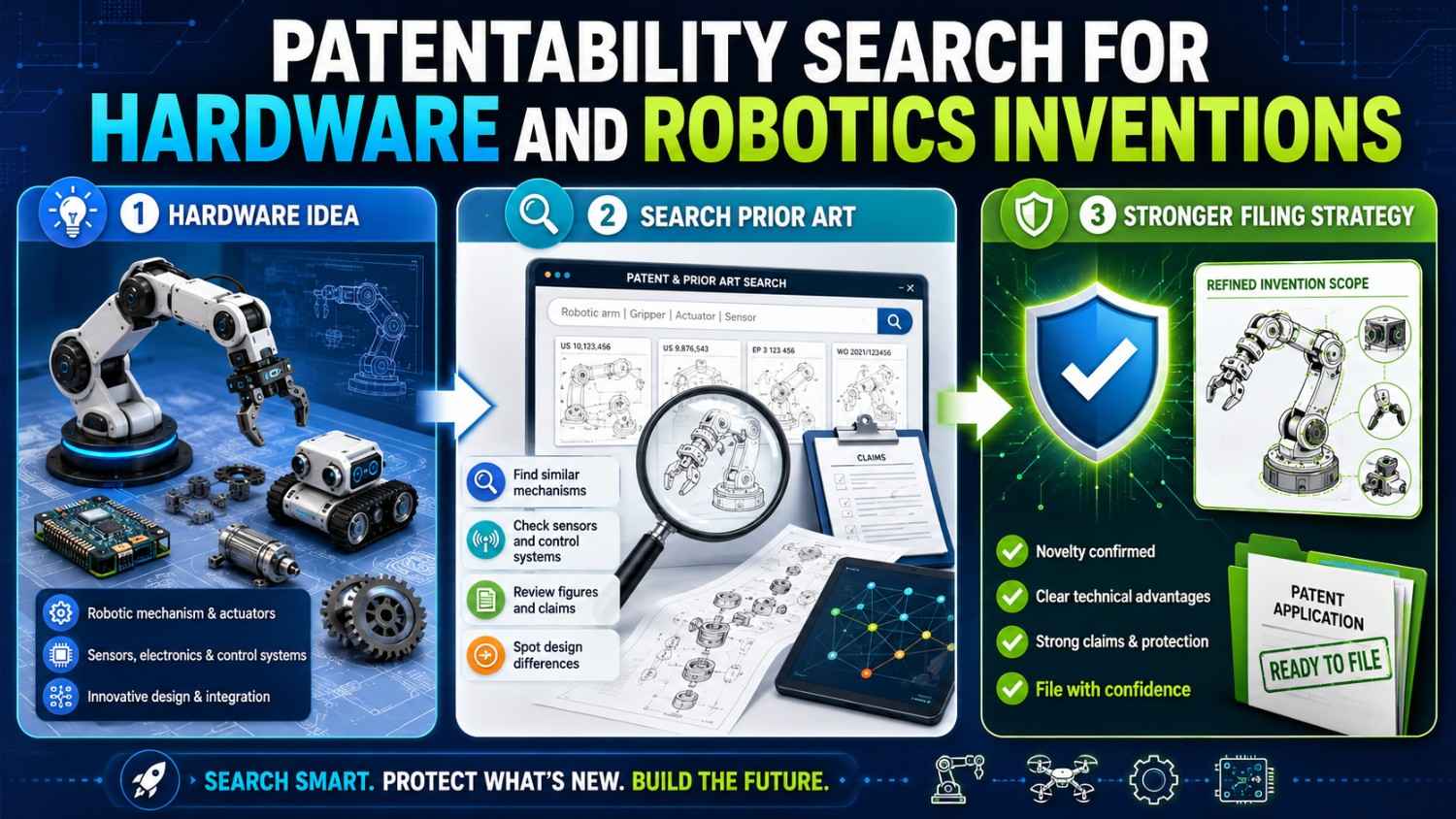
Hardware and robotics inventions are different.
You can touch them. Test them. Break them. Improve them. But when it is time to protect them, the hard question is the same: has someone already shown this before?
A patentability search helps you answer that question before you spend time and money on a patent filing. It helps you find the closest prior art, see where your invention is truly different, and decide what is worth protecting.
PowerPatent helps founders, engineers, and inventors turn real technical work into stronger patent filings with smart software and real patent attorney oversight. See how PowerPatent works here.
What a Patentability Search Means for Hardware and Robotics
A patentability search is a search for earlier public information that may be close to your invention.
That earlier information is called prior art.
Prior art can be a patent. It can be a published patent application. It can be a product manual. It can be a datasheet. It can be a research paper. It can be a standards document. It can be a public demo video. It can be a conference talk. It can be a supplier catalog. It can be a teardown article. It can be a thesis. It can be a robot competition paper. It can even be an old product that was publicly sold or shown.
For hardware and robotics, prior art can be especially wide.
A robot arm invention may have prior art in factory automation, surgical tools, warehouse robots, drones, agriculture machines, and even toys.
A sensor mount invention may have prior art in cars, aircraft, medical devices, phones, and industrial machines.
A gripper invention may have prior art in packaging systems, prosthetics, lab automation, and food handling.
A battery safety invention may have prior art in electric vehicles, power tools, medical devices, and consumer electronics.
So the search cannot stay in one narrow market.
You need to search the function.
What does your invention do?
How does it do it?
What physical parts make it work?
What control loop changes the result?
What problem did older systems fail to solve?
That is where the real search begins.
Why Hardware and Robotics Searches Are Special
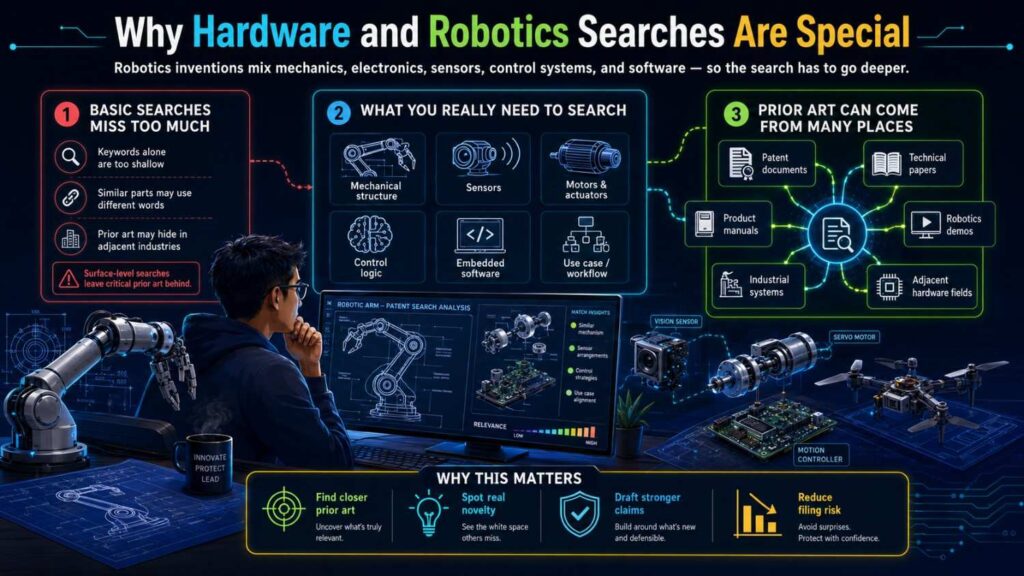
Hardware and robotics inventions often combine many things at once.
There may be a structure. A sensor. A motor. A controller. A housing. A mount. A joint. A path. A calibration step. A control signal. A safety response. A feedback loop.
The invention may not be one part by itself.
It may be how parts are placed.
It may be how force moves through a structure.
It may be how a sensor is shielded from noise.
It may be how a robot predicts motion before contact.
It may be how a gripper changes shape based on object slip.
It may be how a drone lands when wind changes near the ground.
It may be how a wearable device keeps pressure stable while the user moves.
This makes the search more physical.
You cannot only search words. You must think in shapes, positions, timing, forces, signals, and movement.
A software patent search often follows data. A hardware patent search follows matter and motion.
A robotics patent search follows both.
It follows physical parts and control logic.
That is why the best search starts with a clear map of the invention.
Start With the Real Invention, Not the Product Name
Many founders start too broad.
They search:
“warehouse robot”
“drone delivery”
“robot gripper”
“smart sensor”
“medical robot”
“autonomous cart”
“battery pack safety”
“robotic arm”
Those searches may help you see the field, but they will not answer the patentability question.
A patent usually protects a specific technical solution, not a whole product category.
Your product may be a warehouse robot. But the invention may be a way to slow before a blind corner using sound direction and traffic history.
Your product may be a drone. But the invention may be a landing control method that adjusts descent based on wind shear and battery load.
Your product may be a gripper. But the invention may be a finger structure that changes contact pressure when slip is detected.
Your product may be a smart pump. But the invention may be a pressure ripple test pulse that predicts clog risk before flow stops.
Your product may be a battery module. But the invention may be a pressure drift comparison during matched charging windows.
The product name is the shell.
The invention is the mechanism inside.
Before you search, write the invention in one simple sentence.
Use this shape:
“Our invention does [main action] by using [key structure or control method] so that [technical result] improves.”
For example:
“Our invention helps a warehouse robot avoid blind-corner crashes by combining sound direction, map shape, and recent traffic history so the robot slows before a hidden object appears.”
Or:
“Our invention helps a robotic gripper hold soft objects by changing finger pressure when slip is detected at one contact pad.”
Or:
“Our invention detects early pump clogging by applying short test pulses, reading pressure ripple patterns, and changing pump speed before a high-pressure stop occurs.”
Or:
“Our invention improves drone landing by adjusting descent speed based on wind changes, battery discharge, and ground distance during the final landing stage.”
That sentence gives your search direction.
PowerPatent helps teams pull this kind of invention detail out of design notes, CAD files, system diagrams, test logs, and engineering decisions, then turn it into a stronger patent path. See how PowerPatent helps founders file better patents faster.
Separate the Product From the Patentable Hardware Feature
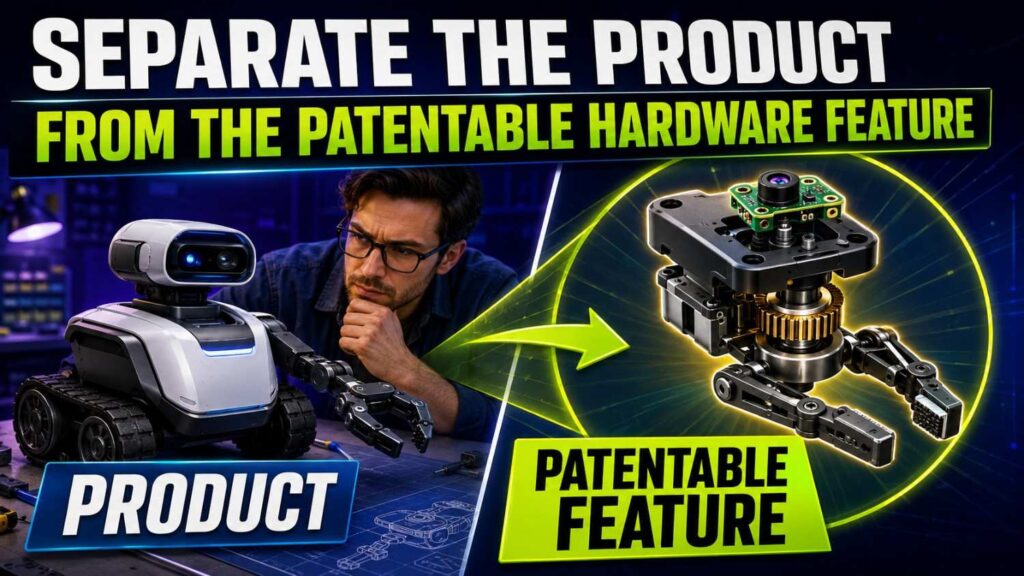
A hardware product can feel new because it looks new.
But patents usually care about how it works.
A device may have a new shape for branding, but the patentable part may be a hidden bracket that reduces vibration.
A robot may have a new user interface, but the invention may be a control loop.
A drone may have a new delivery box, but the invention may be a release mechanism that prevents swinging during descent.
A sensor device may have a sleek housing, but the invention may be how the housing isolates heat from the sensor.
So ask:
What is the technical feature that creates the benefit?
Not every part is worth protecting.
A normal screw may not matter. A special screw path that lets the device self-align during assembly may matter.
A normal sensor may not matter. A sensor placement that reads force before the frame flexes may matter.
A normal motor may not matter. A motor control method that predicts slip and changes torque before failure may matter.
A normal housing may not matter. A housing channel that moves heat away from a sensor may matter.
Patentability search works best when you focus on the feature that solves the hard problem.
Name the Physical Problem
Hardware inventions often begin with a physical problem.
Something bends.
Something slips.
Something overheats.
Something shakes.
Something jams.
Something leaks.
Something drifts.
Something breaks.
Something wears out.
Something moves too slowly.
Something cannot see.
Something cannot grip.
Something cannot fit.
Something cannot be cleaned.
Something cannot survive the real world.
Name that problem clearly.
For example:
“The gripper crushes soft fruit when it tries to stop slip.”
“The robot cannot detect a hidden forklift before it enters the aisle.”
“The pump creates false clog alerts when viscosity changes.”
“The drone becomes unstable near the ground when wind shifts.”
“The sensor reads heat from the motor instead of the target surface.”
“The battery pack pressure rises during fast charging even when dangerous swelling is not present.”
This problem statement matters because it shapes your search.
If you search only “robot gripper,” you will get too much noise.
If you search “soft object slip detection contact pressure gripper,” you will get closer art.
If you search only “battery safety,” you will get a huge field.
If you search “battery pressure drift fast charging false alarm,” you are closer to the real invention.
The clearer the physical problem, the better the search.
Break the Invention Into Parts
A patentability search gets much easier when you break the invention into parts.
For hardware, the parts may include structure, placement, movement, material, force path, signal path, heat path, fluid path, assembly step, or control response.
For robotics, the parts may include sensing, mapping, prediction, planning, actuation, feedback, safety state, timing, and learning.
Take the pump example:
“Our invention detects early pump clogging by applying short test pulses, reading pressure ripple patterns, and changing pump speed before a high-pressure stop occurs.”
Break it down.
The pump applies short test pulses.
A pressure sensor reads ripple patterns during the pulses.
The system compares the ripple pattern to a stored or learned pattern.
The system creates a clog risk score.
The system adjusts the score based on viscosity or motor temperature.
The controller changes pump speed before a high-pressure stop happens.
Now you can search each part.
You can also compare prior art more clearly.
One old patent may show pressure sensors. Another may show pump speed control. Another may show test pulses. But you need to know whether one reference shows the full method, and whether the combination is already taught.
This is how a search turns into a filing decision.
Identify the Core Element
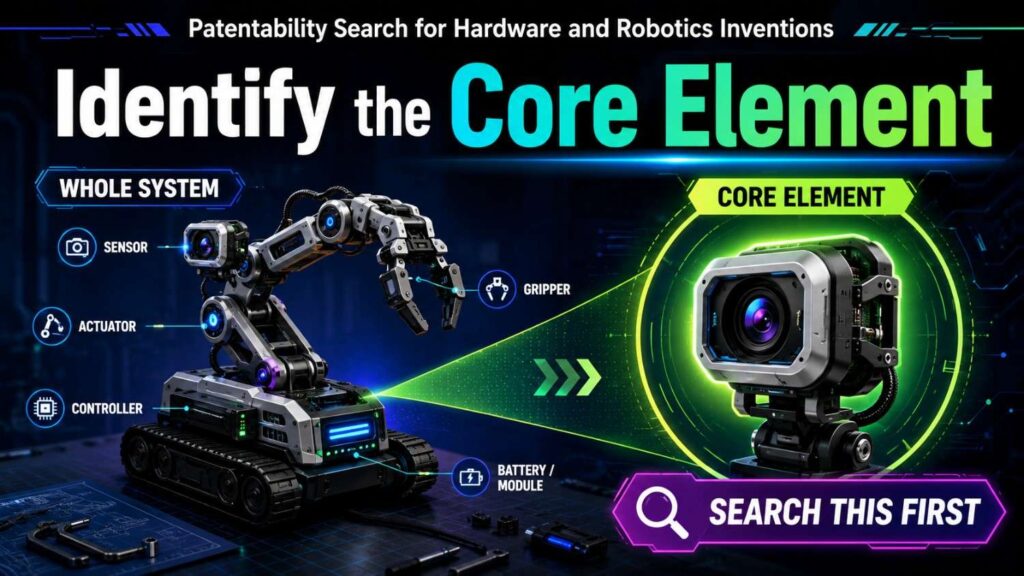
Not all parts are equally important.
Some are ordinary.
A robot may have wheels. A controller. A battery. A housing. A camera. A wireless connection.
Those may be needed, but they may not be the invention.
The core element is the part that creates the new technical result.
In a drone invention, the core may be the landing control rule.
In a gripper invention, the core may be the soft-contact pressure response.
In a medical robot invention, the core may be a joint constraint that prevents unsafe motion.
In a sensor device, the core may be the thermal isolation path.
In a battery device, the core may be the matched-window pressure drift comparison.
In a warehouse robot, the core may be the pre-visual blind-corner prediction.
Search the core element deeply.
That is where patent strength is most likely to live.
A broad search tells you the field. A core search tells you whether your invention has room.
Search Structure, Not Just Words
Hardware prior art is often shown in drawings.
Patent drawings can reveal more than titles and abstracts.
A patent may not use your exact term, but the figure may show the same mount, linkage, channel, seal, gripper finger, sensor location, or joint shape.
So when you find close patents, look at the drawings.
Ask:
Where is the sensor placed?
How is the part mounted?
Where does force travel?
Where does heat travel?
How does the arm move?
How does the joint limit motion?
How does the gripper contact the object?
Where does fluid enter and leave?
How does the device assemble?
Where does the cable route?
Where is the control signal generated?
This is especially important when searching physical inventions.
The words may be broad. The drawings may be precise.
For example, a patent title may say “robot end effector.” That sounds generic. But the drawings may show a finger structure very close to yours.
Another patent may say “battery monitoring device.” The drawings may show pressure sensor placement similar to your design.
Do not judge by title alone.
Read the figures like evidence.
Search Control Logic, Not Just Mechanical Parts
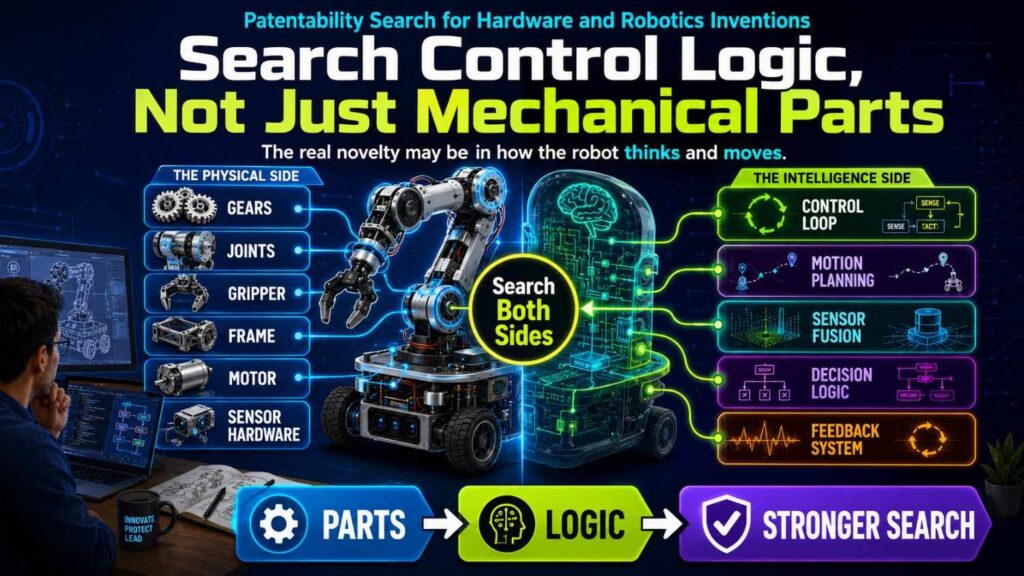
Robotics inventions often live in the control logic.
A robot is not just a machine. It senses, decides, and acts.
A prior art robot may have the same wheels, sensors, and controller, but not the same decision rule.
That difference can matter.
For example, many robots slow near obstacles.
Your robot may slow before an obstacle is visible because it predicts hidden crossing risk using sound and map shape.
Many grippers use force sensors.
Your gripper may change pressure only when slip is detected at a specific contact pad and object deformation exceeds a limit.
Many drones adjust speed during landing.
Your drone may adjust descent based on wind change and battery discharge during a final distance window.
So search both the hardware and the control method.
For robotics, use search terms like:
path planning
collision prediction
motion control
sensor fusion
actuator control
slip detection
force feedback
torque control
trajectory adjustment
blind corner
occluded object
localization
mapping
pose estimation
safe stop
human detection
task planning
multi-robot coordination
But make the terms specific to your method.
“robot collision avoidance” is too broad.
“robot blind corner sound direction traffic history speed control” is better.
Search the Use Case and the Function
Hardware and robotics inventions often cross industries.
A warehouse robot method may be similar to a hospital robot method.
A drone landing method may be similar to aircraft landing or automated crane control.
A gripper for fruit may be similar to a gripper for lab samples.
A sensor mount for a medical device may be similar to one in automotive systems.
A pump clog method may be similar to a fluid monitoring system in industrial machines.
Search your use case first.
Then search the function.
For example, if your invention is a soft gripper for tomatoes, search:
soft robotic gripper tomato slip force sensor
Then search broader:
soft object gripping slip detection contact pressure
Then search related industries:
robotic gripper fragile object packaging
prosthetic hand slip force control
medical sample gripper pressure control
food handling gripper deformation detection
This broader search helps you find prior art that uses different market words but similar mechanics.
Patent examiners can use related-field art when the technical problem is similar.
You should search that way too.
Search Old Art
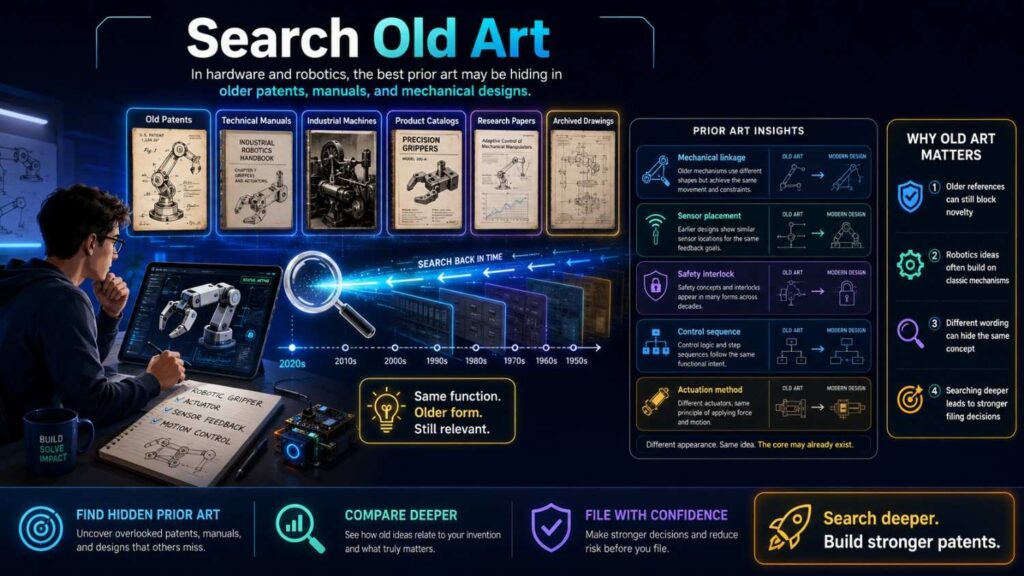
Hardware fields often have long histories.
A robotics invention may have prior art from industrial automation in the 1980s or 1990s.
A sensor invention may have prior art from automotive or aerospace systems decades ago.
A pump invention may have old mechanical references.
A gripper invention may have prior art from manufacturing machines long before modern robotics.
Do not search only recent patents.
Old patents can still matter.
Old manuals can still matter.
Old papers can still matter.
A method that feels new because it is now controlled by AI or modern sensors may have been taught earlier in a mechanical or rule-based form.
That does not mean you cannot patent anything. It means you need to find what your system adds.
Maybe the old system detected slip mechanically. Your system predicts slip before movement using sensor fusion.
Maybe the old system used fixed pressure thresholds. Your system updates thresholds based on context.
Maybe the old robot stopped at corners. Your robot predicts hidden traffic before reaching the corner.
The old art helps you find the real difference.
Search Patents, Manuals, Papers, and Product Docs
For hardware and robotics, patents are very important.
But they are not enough.
Product manuals can show detailed structures and workflows.
Datasheets can reveal sensor features.
Supplier catalogs can show mechanisms.
Standards can describe safety processes.
Research papers can show robot control methods.
Conference videos can show robot behavior.
Teardown articles can show internal layouts.
Technical blogs can reveal design choices.
Robot competition papers can show practical methods.
Videos can show movement, gripping, balancing, landing, or assembly.
If your invention is physical, look for physical evidence.
For example, a patent may not describe a gripper in detail, but a product video may show the same finger motion.
A manual may show how a machine calibrates itself.
A datasheet may show sensor placement options.
A research paper may show the control algorithm.
All of that can matter.
Build a Search Term Bank
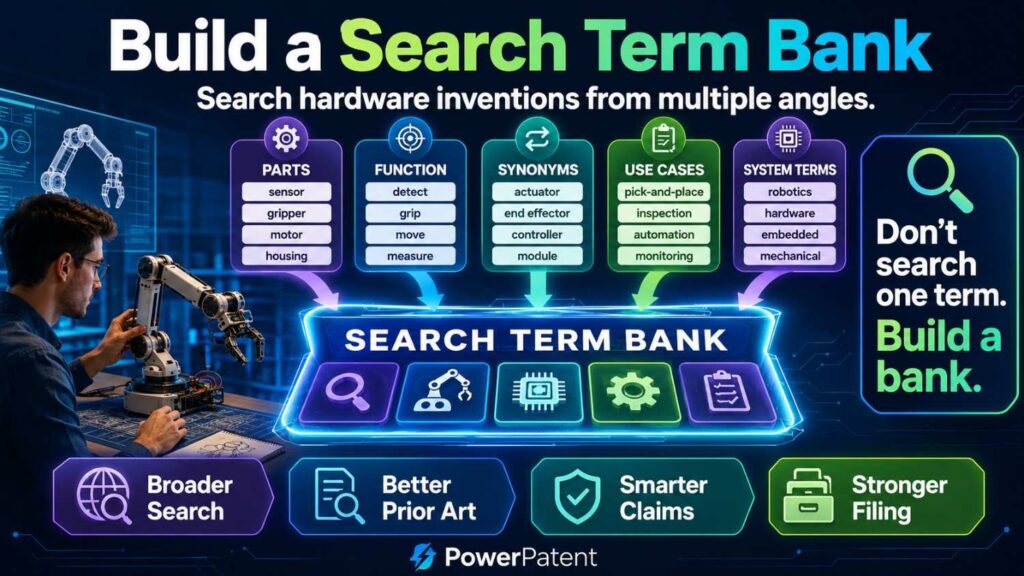
Do not rely on one query.
Build a search term bank.
For a robotics invention, include problem words, structure words, motion words, sensor words, control words, and result words.
Suppose your invention is a gripper that adjusts pressure to avoid crushing soft items.
Problem words:
slip, crush, deformation, damage, fragile, soft object, overgrip, contact loss.
Structure words:
finger, pad, actuator, joint, linkage, end effector, compliant material, contact surface.
Sensor words:
force sensor, tactile sensor, pressure sensor, strain gauge, slip sensor, torque sensor.
Control words:
grip force control, adaptive pressure, feedback control, contact adjustment, torque control.
Result words:
reduce damage, prevent slip, stable grasp, soft handling, gentle grip.
Now combine them.
Search:
soft object gripper slip force control
robot gripper pressure sensor deformation
adaptive grip force fragile object
compliant finger slip detection
robotic end effector tactile sensor pressure adjustment
Do the same for any hardware invention.
The better your search terms, the better your results.
Search Synonyms and Older Words
Inventors use different words for the same thing.
You may say “gripper.” Older art may say “end effector,” “manipulator,” “clamp,” “hand,” or “holding device.”
You may say “drone.” Older art may say “unmanned aerial vehicle,” “UAV,” “aerial robot,” or “aircraft.”
You may say “robot cart.” Older art may say “automated guided vehicle,” “AGV,” “mobile platform,” or “autonomous vehicle.”
You may say “sensor fusion.” Older art may say “combined sensor signal,” “multi-sensor control,” or “signal integration.”
You may say “slip detection.” Older art may say “loss of grip,” “relative movement,” or “object displacement.”
You may say “battery swelling.” Older art may say “cell expansion,” “bulging,” “deformation,” or “mechanical strain.”
Search the old words.
Patent documents often use broad or formal language.
If you only search startup language, you will miss important art.
Search by Patent Class
Patent classes can help when words fail.
A patent class groups inventions by technology area.
For hardware and robotics, this can be very useful because different inventors may use different terms for similar mechanisms.
Find a few close patents.
Look at their classification codes.
If several close patents share the same code, search within that code using your key terms.
This can uncover art that does not use your exact language.
For example, gripper patents may use different words across industries, but classification may connect them.
Battery pressure systems may use different terms, but class search may group them.
Robot navigation patents may describe similar methods with different titles.
Do not overuse classes. Some are broad.
But when used with keywords, they can make the search much stronger.
Follow Citations
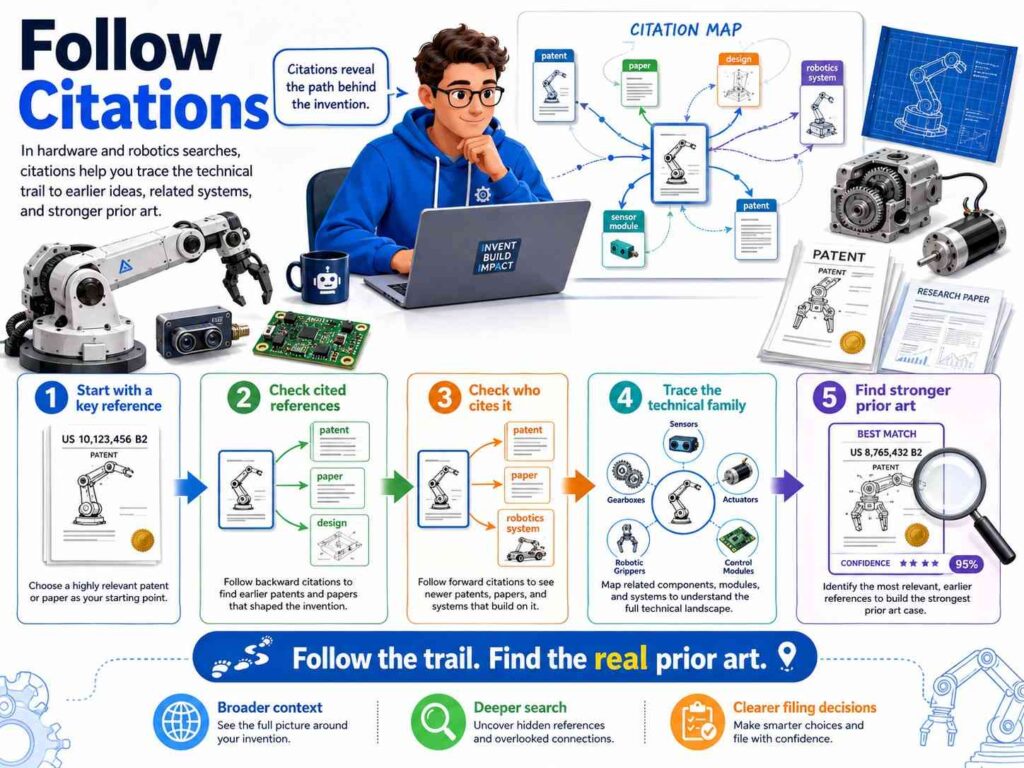
When you find one close patent, follow its citations.
Look at the patents it cites.
Look at the patents that cite it.
Look at related family members.
Look at continuation applications.
Look at foreign versions.
A close patent is not only one document. It is a pathway.
The patents it cites may show older versions of the same idea.
The patents that cite it may show newer improvements.
Family members may include different claim wording or added detail.
This citation trail often reveals the true state of the field.
Many founders stop too soon.
They find one patent and either panic or relax.
Do not do that.
Follow the trail until the same references keep repeating or the results become less relevant.
Search Competitors, Suppliers, and Adjacent Players
For hardware and robotics, suppliers matter.
A key part may come from a supplier that has its own patents or product docs.
Search competitor names.
Search supplier names.
Search manufacturer names.
Search university lab names.
Search founder and engineer names.
Search acquired company names.
Search product names.
Search component names.
Search trade show names.
Robotics markets often include startups, industrial companies, research labs, defense contractors, automotive companies, warehouse automation firms, and component suppliers.
Your closest art may not come from your direct competitor.
It may come from a component maker.
A motor supplier may have patents on control loops.
A sensor supplier may have patents on mounting.
A gripper company may have patents on finger structures.
A battery company may have patents on pressure monitoring.
A warehouse automation company may have patents on robot traffic routing.
Search the whole ecosystem.
Use Videos Carefully
Videos can be useful for robotics and hardware.
A demo video may show motion, structure, timing, or control behavior.
But videos can also be hard to interpret.
A video may show what happens, but not how it happens.
A robot may slow near a corner, but the video may not reveal whether it used sound, map data, camera input, or a fixed rule.
A gripper may adjust pressure, but the video may not show the sensor or control loop.
Use videos as clues.
If a video looks close, search for related patents, papers, manuals, or product docs from the same company or team.
Record the date and link.
Note what the video actually shows and what it does not show.
Do not overstate.
A video can be prior art, but you need to be honest about what it teaches.
Compare by Elements
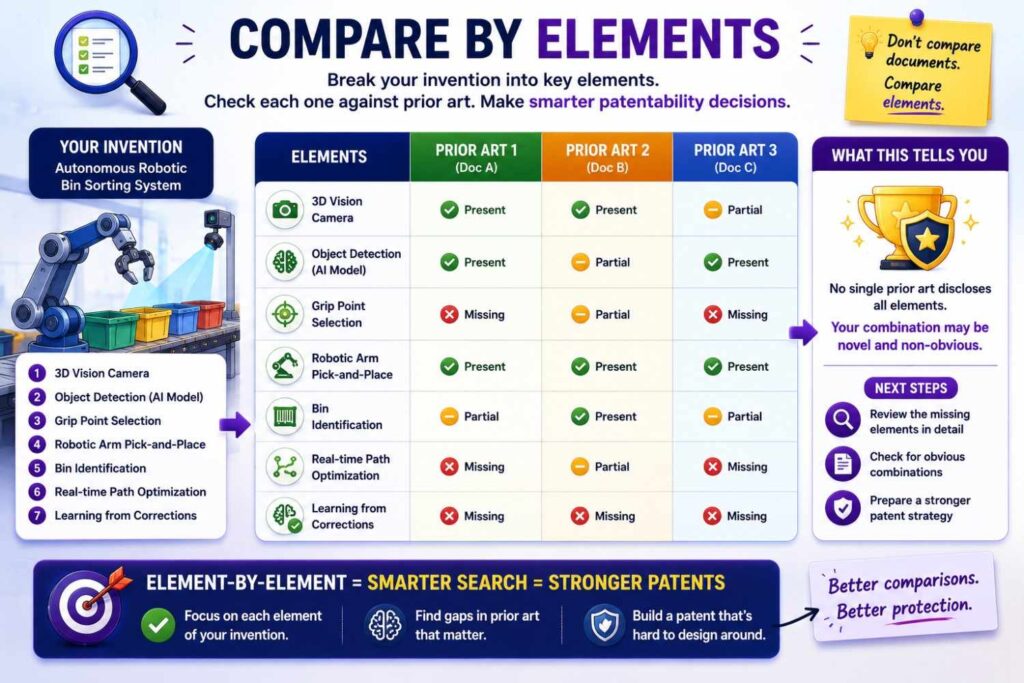
After searching, compare the closest prior art to your invention.
Do not compare by vibe.
Break your invention into elements.
For a drone landing invention, elements may include:
The drone measures ground distance during final descent.
The drone detects wind change near the ground.
The drone tracks battery discharge or power reserve.
The controller adjusts descent speed based on wind and battery state.
The controller changes landing path if stability risk passes a threshold.
The system updates a landing parameter based on prior landing outcomes.
Now compare each reference.
Does Reference A show ground distance? Yes.
Does it show wind change near ground? Maybe.
Does it use battery discharge in landing control? No.
Does it adjust descent based on both wind and battery state? No.
Does it update parameters after prior landings? No.
Now you can see the gap.
This is much better than saying, “This drone patent looks close.”
Element-by-element comparison turns search results into decisions.
Look for the Closest Prior Art
The closest prior art is the reference that shares the most important features with your invention.
It may not be your competitor.
It may not be the newest result.
It may not be in your exact market.
It may be a paper, manual, patent, or old product.
Find it.
Then compare your invention against it carefully.
Ask:
What does it teach?
What does it miss?
What problem does it solve?
What result does it get?
Does it use the same structure?
Does it use the same control path?
Does it use the same sensor placement?
Does it act at the same time?
Does it update future behavior?
Does it create the same technical result?
Once you know the closest prior art, you can define your invention more clearly.
“Compared with this, our system adds X.”
“Compared with this, our device changes Y.”
“Compared with this, our robot acts earlier because Z.”
That is the start of a strong patent story.
Do Not Confuse Similar Parts With the Same Invention
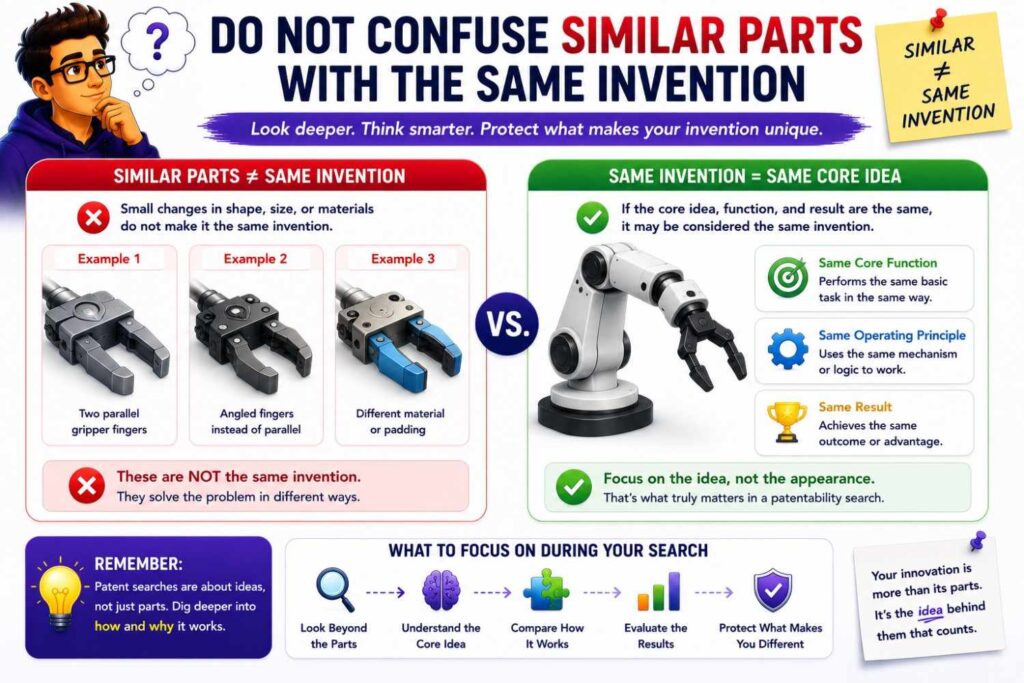
A prior art reference may show the same part but not the same invention.
For example, many systems use cameras.
That does not mean your camera-based robot control method is old.
Many devices use pressure sensors.
That does not mean your pressure drift scoring method is old.
Many robots have grippers.
That does not mean your slip-based pressure adjustment is old.
Many drones have landing sensors.
That does not mean your wind-and-battery descent control is old.
Do not stop at part names.
Ask how the part is used.
Where is it placed?
What does it measure?
When is the measurement taken?
What decision does it trigger?
What control action follows?
What result improves?
Hardware patents often turn on use, placement, timing, and interaction.
Do Not Ignore Similar Function With Different Parts
The opposite is also true.
Prior art may use different parts but solve the same function.
Your invention may use a pressure sensor. Prior art may use strain.
Your robot may use sound direction. Prior art may use vibration.
Your gripper may use tactile pads. Prior art may use motor current.
Your pump may use pressure ripple. Prior art may use flow variation.
If the function is similar, the reference may matter.
Search the function, not only the exact part.
For example, if your invention detects slip using a tactile sensor, also search slip detection using force sensors, torque sensors, motor current, optical sensing, and object motion.
This helps you understand whether your sensor choice is the real invention or just one way to do it.
If the core value is the control response after slip detection, then the claim may need to focus there, with sensor alternatives described.
Map Structure, Signal, and Action
For hardware and robotics, a useful search comparison often has three layers.
The first layer is structure.
What parts exist? Where are they placed? How are they connected?
The second layer is signal.
What is measured? How is the signal processed? What score or condition is created?
The third layer is action.
What does the system do in response? Does it move, stop, adjust, alert, grip, release, cool, route, charge, or recalibrate?
A prior art reference may match one layer but not all three.
For example, a gripper reference may have a similar finger structure but no slip signal.
Another may have slip sensing but a different finger structure.
Another may have slip response but only for rigid objects.
Your invention may combine a compliant finger structure, contact-pad slip detection, and pressure adjustment for soft objects.
That full structure-signal-action chain may be the patent focus.
Search for Timing
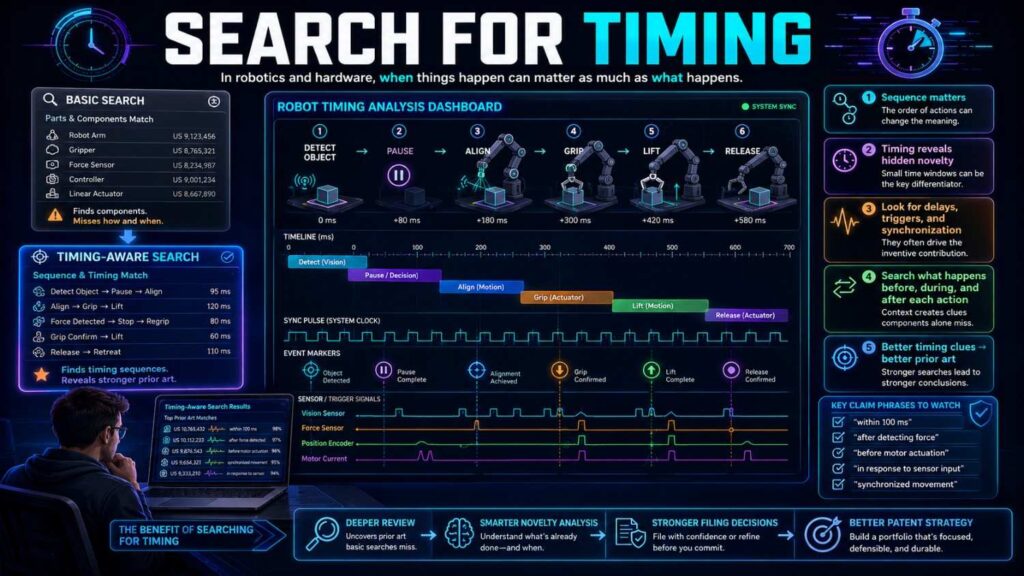
Timing is often the invention.
A robot that stops after seeing a person is different from a robot that slows before the person appears.
A pump that stops after clog pressure is high is different from a pump that predicts clog risk during test pulses.
A battery system that alerts after pressure passes a limit is different from one that compares pressure drift during matched charging windows.
A gripper that reacts after slip is visible is different from one that adjusts pressure when early micro-slip is detected.
Search timing words:
before
after
during
real-time
early detection
preemptive
predictive
threshold
window
cycle
phase
interval
event
trigger
delay
If your invention acts earlier, later, or only under certain conditions, search that timing.
Timing can create strong technical value.
It can reduce damage, avoid failure, save power, improve safety, or reduce false alarms.
Search for Environment Limits
Hardware and robots live in messy real-world environments.
Dust. Heat. Water. Vibration. Shock. Wind. Uneven floors. Low light. Human motion. Soft objects. Hard impacts. Noise. Battery limits. Space limits.
Your invention may be new because it works under a hard condition.
Search that condition.
For example:
robot navigation low light warehouse
drone landing wind gust near ground
gripper wet object slip detection
sensor mount vibration isolation motor
battery pressure sensor fast charging temperature
robot localization dust lidar failure
pump clog detection viscous fluid pressure ripple
If your invention solves an environment problem, the patentability search should include that environment.
This also helps business strategy because real-world reliability is often what customers pay for.
A robot that works only in a perfect lab is not enough. A robot that works in a chaotic warehouse may be valuable.
Search for Calibration and Setup
Many hardware inventions involve calibration.
Calibration can be boring, but it can be patentable when it solves a hard technical problem.
Search for calibration methods.
Does the system self-calibrate?
Does it calibrate after shock?
Does it recalibrate after temperature change?
Does it use a known motion to calibrate sensors?
Does it calibrate during normal operation?
Does it use feedback from later outcomes?
Does it avoid manual setup?
For robotics, calibration may include sensor alignment, camera-lidar calibration, joint calibration, force calibration, end-effector calibration, map calibration, or user-specific calibration.
For hardware, calibration may include pressure baseline, thermal offset, motor current baseline, strain compensation, flow rate normalization, or battery cycle adjustment.
A prior art system may require manual calibration. Your system may calibrate itself during use.
That difference can be valuable if it improves reliability or reduces setup time.
Search for Assembly and Manufacturing Features
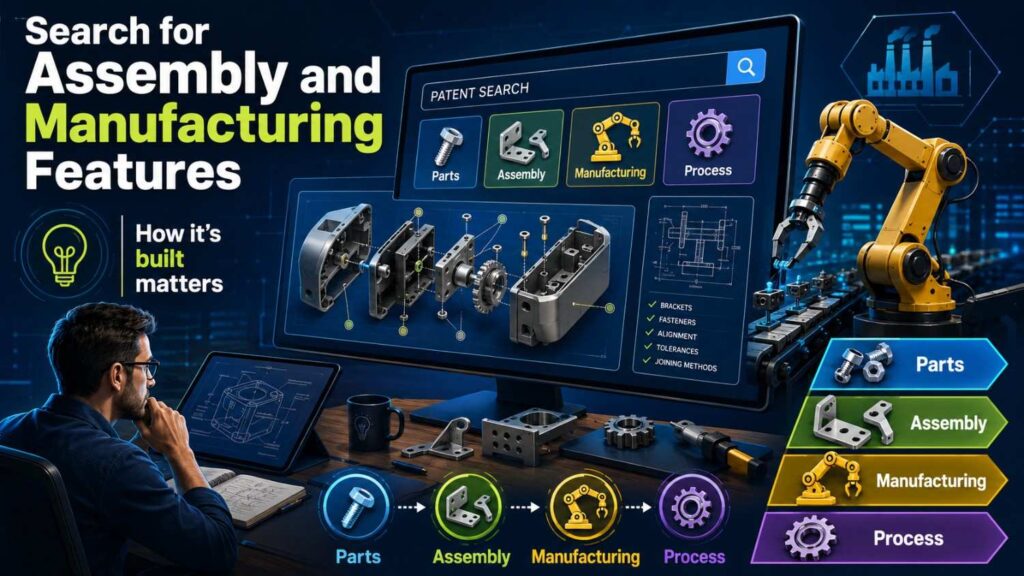
Not all inventions are about operation.
Some are about making the product easier to build.
A hardware invention may reduce assembly steps.
It may self-align.
It may reduce part count.
It may prevent incorrect installation.
It may make sealing easier.
It may improve repair.
It may reduce tolerance sensitivity.
It may allow faster factory testing.
These can be valuable inventions.
Search manufacturing terms:
assembly
alignment
self-aligning
fixture
tolerance
manufacturing
injection molded
fastener
snap fit
seal
gasket
modular
serviceable
tool-less
calibration fixture
If your invention makes production easier, search that feature.
A startup may think only customer-facing features are patent-worthy. But a manufacturing advantage can become a strong moat, especially for hardware companies.
PowerPatent helps teams capture these behind-the-scenes engineering wins before they disappear into production notes. Learn how PowerPatent supports hardware invention capture.
Search Safety Systems
Robots and hardware often need safety.
Safety systems can be patentable when they use a specific technical method.
Search:
safe stop
emergency stop
collision avoidance
human detection
force limit
torque limit
speed limit
fault detection
redundant sensor
safety zone
risk score
protective mode
fail-safe
lockout
hazard detection
For robotics, search how safety is triggered.
Does the robot slow, stop, reroute, lower force, disable a tool, change speed, alert a human, or switch modes?
Does the safety response happen based on one sensor or multiple signals?
Does it act before contact?
Does it adapt to payload, floor condition, speed, or human proximity?
Does it distinguish safe contact from unsafe contact?
Safety claims can be strong when they are tied to a real control method, not just a desire to be safe.
Search Energy and Power Management
Many hardware and robotics inventions involve power.
Robots need battery life. Drones need flight time. Wearables need small batteries. Sensors need low power. Motors draw current. Heat builds up.
Search power-related terms:
battery management
power saving
energy harvesting
low power mode
motor current
charge control
thermal control
battery discharge
power budget
duty cycle
sleep mode
wake trigger
energy-aware path planning
power-aware control
A robot invention may route differently based on battery state.
A drone may land differently based on discharge and wind.
A sensor may wake only when a mechanical event is detected.
A motor may change duty cycle based on load.
A battery pack may adjust charge based on pressure drift and temperature.
Power management often connects technical performance to business value because longer runtime and safer charging matter to customers.
Search Materials and Contact Surfaces
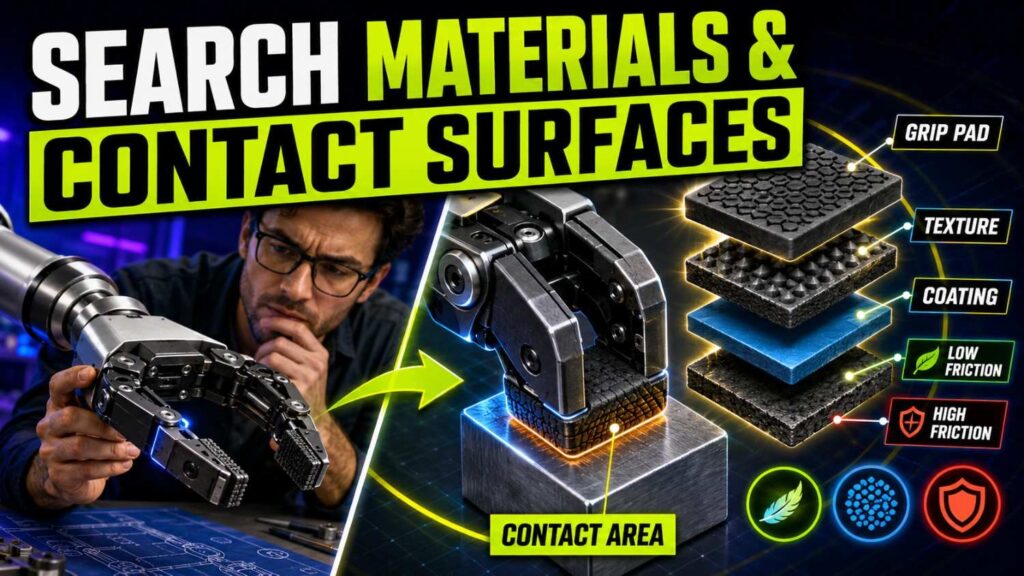
For hardware inventions, material choices can matter.
A material may reduce friction, absorb force, isolate heat, resist wear, bend in a controlled way, seal fluid, or protect a sensor.
Search both the material and the function.
For example:
compliant gripper pad soft object
elastomer slip sensor contact
thermal isolation sensor housing
wear resistant robot joint seal
flexible battery pressure sensor layer
vibration damping mount sensor
Do not assume a material is patentable just because you chose it.
Ask whether the material creates a new structure or result in your system.
A common material used in a new force path or sensor arrangement may matter.
A material picked only for routine reasons may be less important.
Search Sensor Placement
Sensor placement is often overlooked.
A sensor itself may be old. But where it is placed can create a new signal.
For example:
A pressure sensor between battery cells may detect swelling earlier than a sensor on the outer housing.
A tactile sensor near a gripper fingertip may detect micro-slip before object movement is visible.
A vibration sensor near a bearing may detect wear better than a sensor on the frame.
A temperature sensor isolated from motor heat may measure target temperature more accurately.
A camera placed at a certain angle may reduce occlusion.
Search sensor placement terms:
mounted near
positioned adjacent
between
embedded
integrated
contact surface
distal end
proximal end
inside housing
on frame
isolated from
aligned with
sensor placement can be the heart of a hardware invention when it improves signal quality.
Search Feedback Control
Robotics is full of feedback loops.
A feedback loop means the system measures something, acts, measures again, and adjusts.
Search feedback terms:
closed-loop control
feedback control
force feedback
torque feedback
visual feedback
tactile feedback
adaptive control
model predictive control
real-time adjustment
control loop
state estimate
error correction
A feedback loop may be known broadly, so search the specific loop.
What signal is fed back?
What action is changed?
How often does it update?
What condition triggers it?
What result improves?
For example:
A gripper may adjust force based on micro-slip.
A drone may adjust descent based on wind estimate.
A robot may adjust path based on predicted human crossing.
A pump may adjust speed based on pressure ripple.
A battery charger may adjust current based on swelling risk.
Search the signal-action pair.
That is more useful than searching “feedback control” alone.
Search Human-Robot Interaction

Many robotics inventions involve people.
The robot may work near humans, respond to gestures, predict human motion, hand off objects, avoid contact, or change behavior based on human state.
Search:
human robot interaction
human motion prediction
gesture control robot
safe handoff robot
collaborative robot
cobot force limit
human proximity robot speed
intent prediction robot
shared workspace robot
robot social navigation
But again, search the specific method.
Does your robot predict intent from hand motion and tool position?
Does it reduce force when a human enters a shared zone?
Does it change path based on gaze direction?
Does it hand off an item only when grip readiness is detected?
Does it use sound direction to predict hidden human movement?
The patentable part is usually the sensing and control path, not the broad idea of working near humans.
Search Autonomy Levels
Robots often shift between manual, assisted, and autonomous modes.
That mode switching can be important.
Search:
mode switching robot
manual autonomous transition
shared control robot
operator override
assisted control
autonomy handoff
remote control robot autonomy
supervised autonomy
fallback mode
safe mode transition
If your invention changes modes based on risk, sensor confidence, network delay, battery state, human proximity, or task complexity, search those terms.
Mode switching is often tied to safety and reliability.
For example, a robot may switch from autonomous to assisted mode when localization confidence drops below a threshold and a human is nearby.
That is more specific than “manual override.”
Search the trigger and the result.
Search Multi-Robot Systems
If your invention involves more than one robot, search coordination.
Multi-robot systems have their own prior art.
Search:
multi-robot coordination
fleet management robot
robot traffic control
task allocation robot
multi-agent path planning
warehouse robot routing
collision avoidance fleet
charging station scheduling robot
robot priority assignment
deadlock avoidance robot
The invention may be in how robots share maps, reserve paths, avoid deadlock, assign tasks, schedule charging, or respond to blocked routes.
A warehouse robot may be novel not because it moves, but because the fleet prevents a traffic jam at a narrow aisle.
A drone fleet may be novel because it assigns landing zones based on battery state and wind.
Search the system-level behavior.
For fleet inventions, the patent may protect the coordination method rather than the robot body.
Search Edge Cases
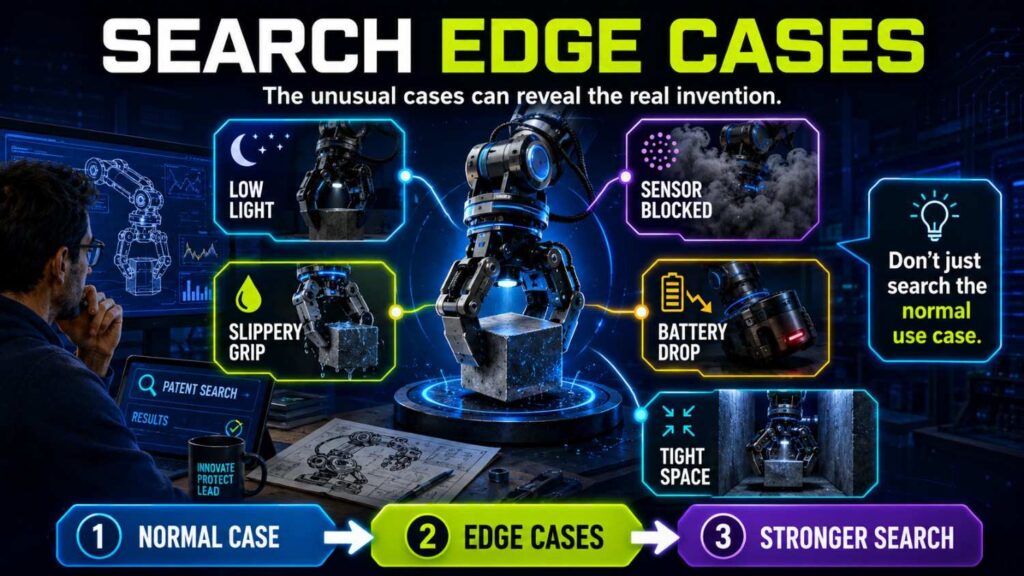
Good hardware and robotics inventions often come from edge cases.
The robot slips on wet floors.
The drone lands in gusty wind.
The gripper handles an oddly shaped object.
The sensor gives false readings near heat.
The pump sees changing viscosity.
The battery pack expands during fast charging.
The robot loses localization in a reflective aisle.
The arm hits a torque limit near a joint boundary.
These edge cases are important because they often reveal the invention.
Search them.
If your system handles a specific failure mode better than old systems, that may be patent-worthy.
Customers care about edge cases because edge cases cause downtime, damage, injuries, returns, and support costs.
A patent tied to solving a costly edge case can be very strategic.
Search Test Methods
Sometimes the invention is not the product operation. It is the test method.
Hardware startups often create special factory tests, calibration tests, stress tests, or self-tests.
A robot may run a test motion to check joint health.
A pump may run a short pulse to detect clog risk.
A battery pack may run a pressure drift check during charging.
A sensor device may run a thermal offset test.
A gripper may run a contact test before picking up an object.
Search:
self-test
diagnostic test
calibration test
test pulse
health check
factory test
built-in test
startup test
pre-operation check
condition monitoring
predictive maintenance
A test method can be valuable if it prevents failure or reduces manufacturing cost.
Do not overlook it.
Use CAD and Diagrams to Guide Search
Your CAD files and system diagrams can help you search better.
Look at the actual invention.
What parts are close together?
Where are the sensors?
Where does force travel?
Where does the cable run?
Where are the seals?
Where is heat generated?
Where is movement constrained?
Where does the robot change direction?
Where is the control decision made?
Use those details as search terms.
For example, if your CAD shows a pressure sensor mounted between a battery cell and a compressible layer, search that structure.
If your robot diagram shows a separate safety controller that overrides motion planning, search safety controller override robot path planning.
If your gripper drawing shows a compliant fingertip with embedded slip sensing, search compliant fingertip embedded slip sensor.
Do not search from memory only.
Search from the design.
Use Test Logs to Find Inventions
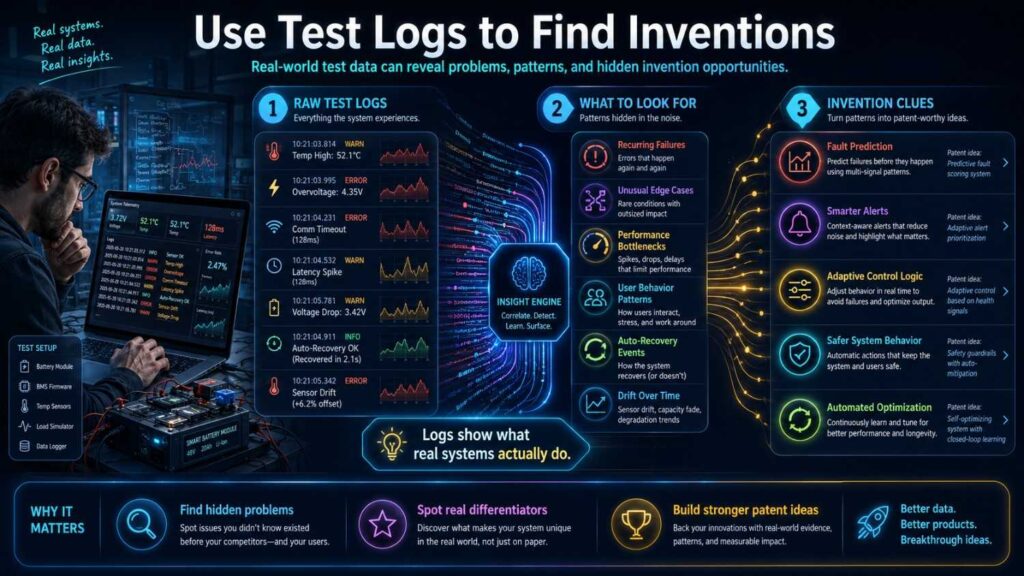
Test logs often reveal patentable ideas.
Look for moments where the team found a failure and fixed it.
For example:
“The robot tipped when turning with a high payload, so we added a speed rule based on load center.”
“The gripper damaged soft items, so we added a slip-and-deformation control loop.”
“The sensor overheated near the motor, so we changed the heat path.”
“The pump false-alarmed with thick fluid, so we adjusted the clog score using viscosity.”
“The drone drifted during final landing, so we added wind-change control near the ground.”
Each fix may be an invention.
Search those fixes.
The best patent ideas often live in engineering test results, not executive summaries.
PowerPatent helps teams capture these technical details before they get lost in test reports or Slack threads. See how PowerPatent works.
Search the Failed Approaches
A strong patent story often includes what failed before.
Search the old approach too.
If your system replaced fixed thresholds, search fixed threshold systems.
If your robot improved camera-only detection, search camera-only detection.
If your gripper improved force-only control, search force-only control.
If your drone improved altitude-only landing, search altitude-only landing.
If your pump improved pressure-only clog detection, search pressure-only clog detection.
Knowing the old approach helps you explain why your invention matters.
It also helps you find closest prior art.
Sometimes the closest prior art is the failed approach you moved beyond.
Evaluate Novelty One Reference at a Time
After searching, check novelty.
Ask whether one prior art reference shows every key part of your invention.
Do this one reference at a time.
Do not mix references for the novelty check.
If one reference shows all elements, your working claim may not be new.
If no single reference shows all elements, your invention may still be novel.
But there may still be an obviousness issue if multiple references together make the invention look like an easy next step.
This distinction matters.
For example, one reference may show a robot slowing at blind corners. Another may show sound-based human detection. Another may show traffic history. No single reference shows your full pre-visual prediction method.
That may support novelty.
But you still need to ask whether combining those pieces would be obvious.
A patent attorney can help with that legal judgment.
Evaluate Whether the Combination Looks Easy
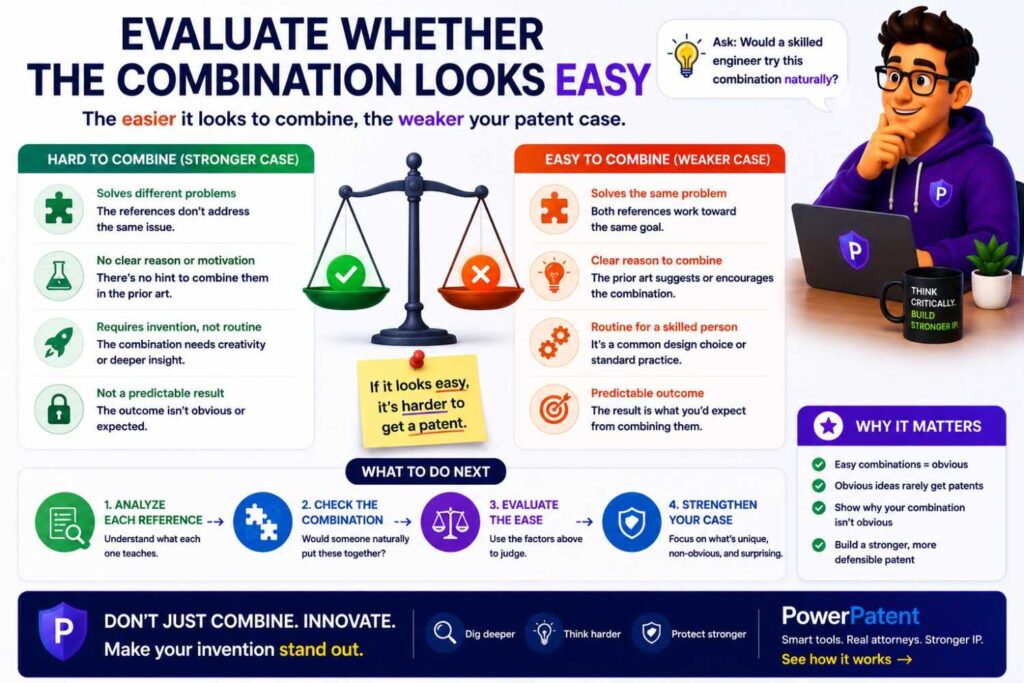
Many hardware and robotics inventions are combinations of known parts.
That is normal.
The question is whether your combination creates a new result or solves a problem in a way that was not an easy next step.
Ask:
Do the references solve the same problem?
Do they work in the same environment?
Would combining them improve the system?
Would combining them create new problems?
Did old systems avoid this path?
Does your invention require a special timing, placement, or control rule?
Does the combination produce a technical result the old systems did not get?
For example, pressure sensors and temperature sensors may both be known. But using pressure drift during matched charging windows to reduce false swelling alerts may not be obvious if prior systems treated fast-charge expansion as noise.
A gripper may have force sensors and compliant pads. But a specific micro-slip and deformation control loop may be different if old systems only used grip force.
A robot may have maps and sound sensors. But predicting hidden crossing risk before visual detection may be different if old systems only slowed at fixed blind-corner zones.
This is where the search turns into strategy.
Look for Teaching Away
Sometimes prior art helps you by showing that older systems avoided your path.
For example, old art may say pressure readings during fast charging are unreliable.
Your invention may solve that with matched charging windows.
Old art may say soft objects should be gripped slowly with fixed low force.
Your invention may use active slip control to grip faster without damage.
Old art may avoid using sound in warehouses because of noise.
Your invention may use sound direction only with map geometry and traffic history to improve reliability.
Old art may rely on stopping robots at blind corners.
Your invention may keep flow moving by predicting risk before the corner.
If prior art points away from your method, record that.
It may help explain why your invention was not an obvious next step.
Search Results Should Lead to Claim Strategy
A patentability search is useful only if it leads to a decision.
Do not stop with a pile of links.
Use the search to decide:
What should we claim?
What should we avoid?
What needs more detail?
What prior art is closest?
What feature is strongest?
What backup features should be included?
What should we file now?
What should we search more?
What should we keep secret?
For example, a search may show that “robot gripper with force sensor” is crowded.
But it may show room around “pressure adjustment based on combined micro-slip and object deformation.”
So the claim strategy should focus on that control loop.
Another search may show that “drone landing control” is crowded.
But it may show room around “final-stage descent adjustment based on wind change and battery discharge.”
So the filing should focus there.
The search should sharpen the patent story.
Decide Whether to File, Refine, Search More, or Pause
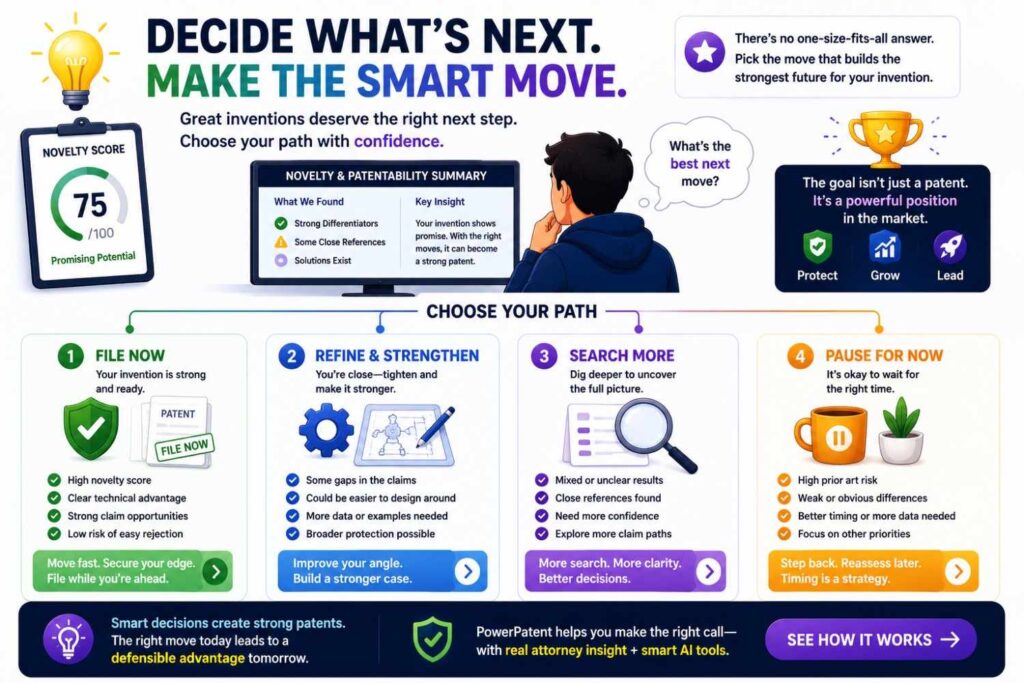
At the end of the search, make a decision.
You may file if the invention appears different, valuable, and ready.
You may refine if the broad idea is crowded but a narrower technical feature looks strong.
You may search more if the closest art is unclear.
You may pause if the invention is not ready, not valuable, or too close to prior art.
A good search does not always end in filing.
Sometimes it saves money.
Sometimes it reveals a better invention.
Sometimes it shows that a manufacturing method is stronger than the product feature.
Sometimes it shows that a control loop is stronger than the hardware shape.
Sometimes it shows that the invention needs more testing.
That is smart patent strategy.
Patentability Search Before a Prototype Is Finished
You do not always need a finished prototype to search.
You need a clear technical idea.
If engineers can explain the structure, movement, sensor path, control logic, and result, you can run a search.
This can be useful before public disclosure, fundraising, or major product decisions.
But do not search too early if the idea is still vague.
A loose concept like “robot that helps warehouses” is not ready.
A specific idea like “robot that predicts hidden crossing risk before visual detection using sound direction, map shape, and traffic history” is ready enough to search.
The more concrete the invention, the better the search.
Patentability Search Before Public Demo
Hardware and robotics companies often demo early.
Demos are powerful. They can win investors, customers, and partners.
They can also reveal inventions.
A robot demo may show motion behavior.
A gripper demo may show how the device handles objects.
A drone demo may reveal landing control.
A teardown photo may show internal structure.
A technical talk may explain the sensor layout.
Before a public demo, ask:
What will people see?
What technical details will we explain?
Could the demo reveal the invention?
Have we searched and filed if needed?
Should some details stay private until filing?
This does not mean hiding everything.
It means being careful with the technical edge.
PowerPatent helps fast-moving teams act before public moments so they do not lose value by accident. See how PowerPatent supports founders before launch or demo.
Patentability Search Before Fundraising
Investors care about hardware defensibility.
They may ask what stops a larger company from copying the product.
A good patentability search helps you answer.
Instead of saying:
“We have a patent pending on our robot.”
You can say:
“We searched the closest prior art. Many systems slow near blind corners, but we did not find one that predicts hidden crossing risk using sound direction, map geometry, and recent traffic history before visual detection. Our filing focuses on that control method.”
That is much stronger.
It shows you understand your edge.
It also shows that the patent strategy is tied to the product’s real value.
For hardware and robotics companies, this can matter a lot because investors know physical products are expensive to build and easy to copy once shown.
Patentability Search Before Manufacturing
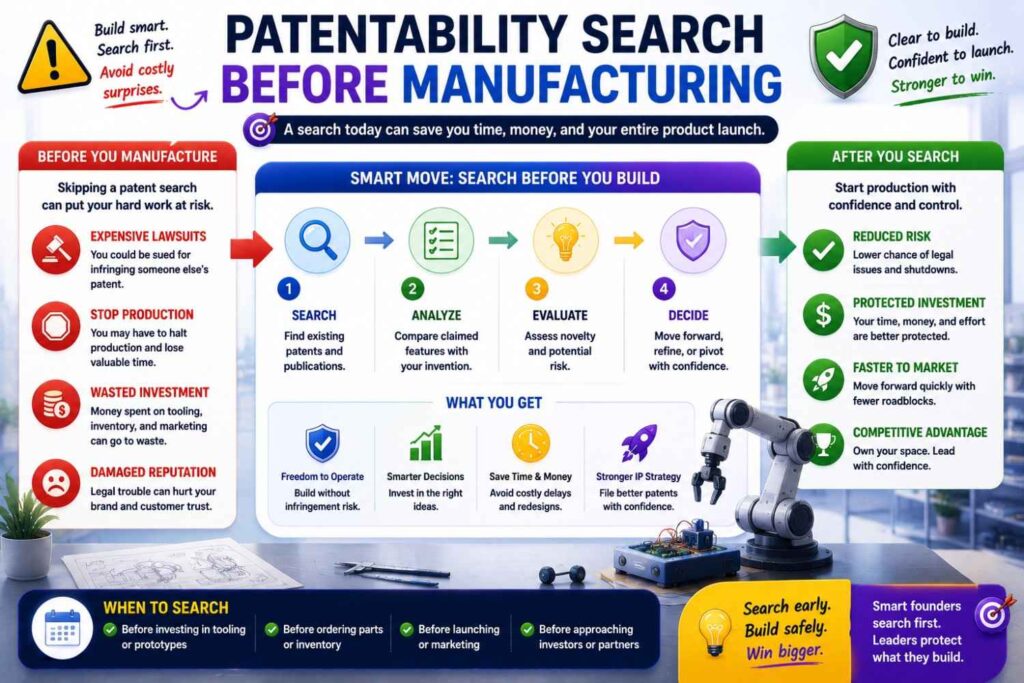
Before you move to manufacturing, search the features that make production easier or cheaper.
This is often missed.
You may have invented a self-aligning assembly.
A calibration fixture.
A modular housing.
A seal structure.
A cable routing path.
A snap-fit that prevents incorrect assembly.
A sensor mount that reduces tolerance issues.
A test method that catches defects earlier.
These may be valuable.
If a manufacturing feature lowers cost, improves yield, reduces returns, or speeds assembly, search it.
A patent around manufacturing can protect more than product function. It can protect how you make the product at scale.
That can be a serious business advantage.
Patentability Search Before Acquisition
Acquirers often look closely at IP.
They may ask:
What do the patents cover?
Do they protect the core product?
Are the claims strong?
What prior art was considered?
Are there pending applications?
Can competitors design around the claims?
Do the filings cover manufacturing methods?
Do the filings cover future versions?
A good patentability search record can support your story.
It shows that your filings were not random.
It shows that you focused on real technical gaps.
It helps explain why your patents matter.
For hardware and robotics startups, IP can be a major part of company value, especially when the product took years of engineering work.
Patentability Search for a Provisional Patent
A provisional patent application can be useful when you need to file early.
But it should not be vague.
For hardware and robotics, a strong provisional should include:
Drawings.
System diagrams.
Structural details.
Sensor placement.
Control flow.
Timing.
Alternative versions.
Test results.
Technical benefits.
Manufacturing details if relevant.
If your patentability search shows that the broad idea is crowded, your provisional should describe the specific difference in detail.
For example, do not just say “robot avoids obstacles.”
Explain the pre-visual prediction method, the sound direction input, the map geometry, the traffic history, and the speed control.
Do not just say “gripper uses force sensors.”
Explain the slip signal, deformation signal, pressure adjustment, and contact-pad structure.
Do not just say “battery detects swelling.”
Explain pressure drift, matched charging windows, charge-rate adjustment, temperature adjustment, and the alert or charging control action.
A thin provisional may not give you the protection you expect.
Patentability Search for a Non-Provisional Patent
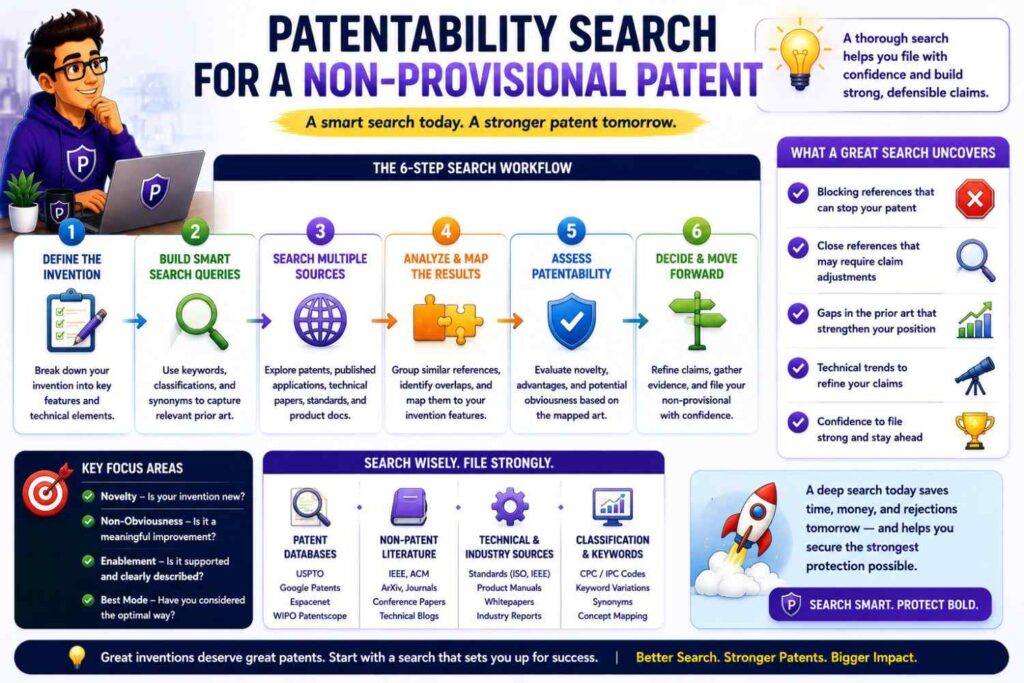
A non-provisional patent application will be examined.
That means the prior art matters.
Before filing, you should know the closest references and strongest claim angle.
The application should include enough detail to support broad and fallback claims.
If the search shows that sensor placement is the key, describe different placements and why they matter.
If the search shows the control loop is the key, describe the loop clearly.
If the search shows timing is the key, describe the timing windows and triggers.
If the search shows a manufacturing method is the key, include assembly steps and alternatives.
Do not file a hardware application that only describes the product at a high level.
Hardware patents need clear technical detail.
Common Mistake: Searching Only the Final Product
Many teams search the final product and miss sub-inventions.
A robot may include separate inventions in navigation, charging, gripper control, payload sensing, fleet coordination, safety, calibration, and manufacturing.
A drone may include inventions in landing, package release, wind response, battery control, sensor mounting, and flight planning.
A medical device may include inventions in sensor placement, tissue contact, cleaning, calibration, data capture, and safety lockout.
Search the sub-systems.
Each sub-system may have its own patent opportunity.
A portfolio built around several real technical features is often stronger than one broad filing on the whole product.
Common Mistake: Searching Only New Technology
Sometimes the invention is an old mechanism used in a new way.
Sometimes it is a simple part with a clever placement.
Sometimes it is a control loop around known hardware.
Do not assume patentability depends on a fancy new component.
A new arrangement of known parts can matter.
A new timing rule can matter.
A new calibration method can matter.
A new safety response can matter.
A new manufacturing step can matter.
Search the old parts and the new use.
That is how you find the real claim path.
Common Mistake: Ignoring Product Manuals
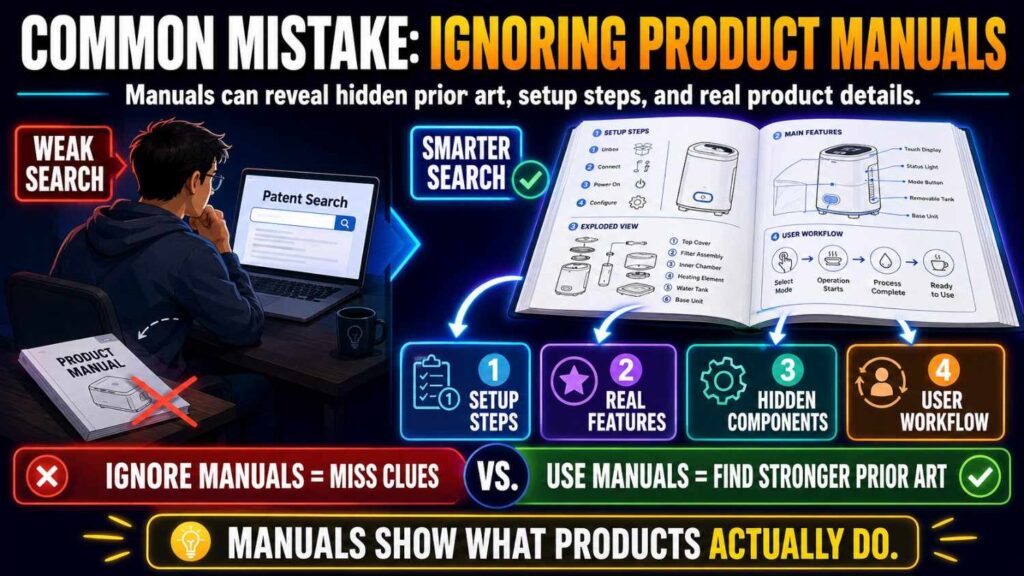
Product manuals can be very close prior art.
They may show diagrams, operating steps, calibration, maintenance, safety modes, and component placement.
For hardware and robotics, manuals are often more useful than marketing pages.
Search manuals for similar products.
Search PDF manuals.
Search old versions.
Search service guides.
Search installation guides.
Search user guides.
A service manual may show details hidden from normal users.
If it was publicly available, it may matter.
Common Mistake: Ignoring Standards
Robots and hardware may be shaped by standards.
Safety standards, communication standards, charging standards, medical device standards, industrial automation standards, and wireless standards may all matter.
A standard may disclose a method or requirement close to your invention.
If your invention sits near a standard, search it.
This is especially important for robotics safety, battery systems, medical hardware, industrial equipment, and communication protocols.
Common Mistake: Ignoring Foreign Patents
Hardware companies file globally.
A close patent may be in Japan, China, Korea, Germany, Europe, or another region.
Do not limit yourself to one country.
Use global patent search tools.
Look at machine translations.
Search foreign assignee names.
Search international patent families.
A foreign patent publication can still matter as prior art.
If it looks close, save it and share it with your patent team.
Common Mistake: Reading Only Text and Skipping Drawings
This is a big mistake for hardware.
Drawings may show the invention more clearly than the text.
Look at each figure.
Look at part numbers.
Read the description around those part numbers.
Compare drawings with your CAD or sketches.
Ask whether the reference shows the same structure, placement, movement, or path.
For robotics, watch sequence diagrams and flowcharts.
They may show control logic.
A figure can change the whole search outcome.
Common Mistake: Treating a Similar Product as a Blocker
A similar product is not always a blocker.
It may solve the problem differently.
It may lack your control loop.
It may use a different sensor placement.
It may act at a different time.
It may not disclose enough detail.
It may not have a patent.
It may still matter as prior art, but you need to compare carefully.
Do not give up because something looks similar.
Map it.
Find the exact difference.
Then decide.
Common Mistake: Filing Around the Wrong Feature
This happens often.
A team files around the visible feature, but the real invention is hidden.
They file on “a robot with a gripper,” while the strong invention is the slip-control loop.
They file on “a drone landing platform,” while the strong invention is the final-stage descent rule.
They file on “a battery monitoring device,” while the strong invention is matched-window pressure scoring.
They file on “a smart pump,” while the strong invention is test-pulse clog prediction.
A patentability search helps avoid this.
It shows which parts are old and which parts may be new.
Common Mistake: Not Capturing Test Data
Hardware teams generate test data all the time.
That data can explain the invention.
It can show why fixed thresholds failed.
It can show why a sensor location worked.
It can show why a control loop reduced damage.
It can show why a robot slowed earlier.
It can show why a manufacturing method improved yield.
Do not wait until the data is lost.
Capture it.
Even simple test notes can help your patent team write a stronger application.
Common Mistake: Waiting Until After Launch
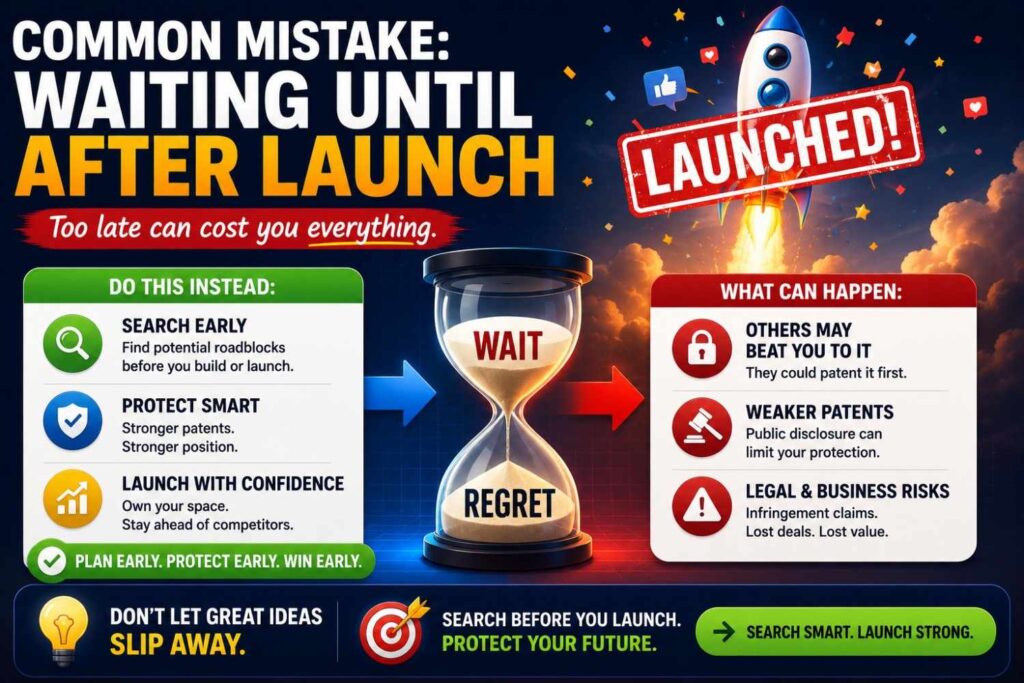
Hardware launches can reveal a lot.
Photos show structure.
Videos show motion.
Manuals show operation.
Product pages show features.
Customers may share teardowns.
Reviewers may post details.
Once public, the patent picture can get harder.
Before launch, run a search and decide what to file.
This is especially important if your product will be shown at a trade show, demo day, customer pilot, conference, or crowdfunding campaign.
Build an Internal Search Workflow
Hardware and robotics startups should build a simple invention review habit.
When a team solves a hard technical problem, capture it.
Ask:
What problem did we solve?
What did we try first?
What failed?
What structure, sensor, material, or control method worked?
What technical result improved?
Would a competitor want to copy this?
Will we show it publicly soon?
Is this part of the roadmap?
Then decide whether to run a patentability search.
This habit does not need to slow the team.
It can happen during design reviews, test reviews, pre-launch reviews, and manufacturing reviews.
PowerPatent helps teams turn those invention notes into a more structured patent process, backed by attorney oversight. See how PowerPatent works.
What a Good Hardware Search Report Looks Like
A useful search report should be clear and practical.
It should include:
The invention statement.
The technical problem.
The core elements.
The search terms.
The searched sources.
The closest references.
A short comparison.
The strongest gap.
The technical result.
The business value.
Keep it readable.
The goal is not to impress people with volume.
The goal is to help the company decide.
A good report might say:
“The broad idea of pressure-based battery swelling detection is crowded. The closest references show pressure sensors and fixed pressure thresholds. We did not find one reference that compares pressure drift during matched charging windows and adjusts the swelling score based on charge rate and temperature. This gap matters because it may reduce false alerts during fast charging. Recommend filing around matched-window pressure scoring with backup claims for other context signals and charge-control outputs.”
That is useful.
It turns search into strategy.
What a Weak Hardware Search Report Looks Like
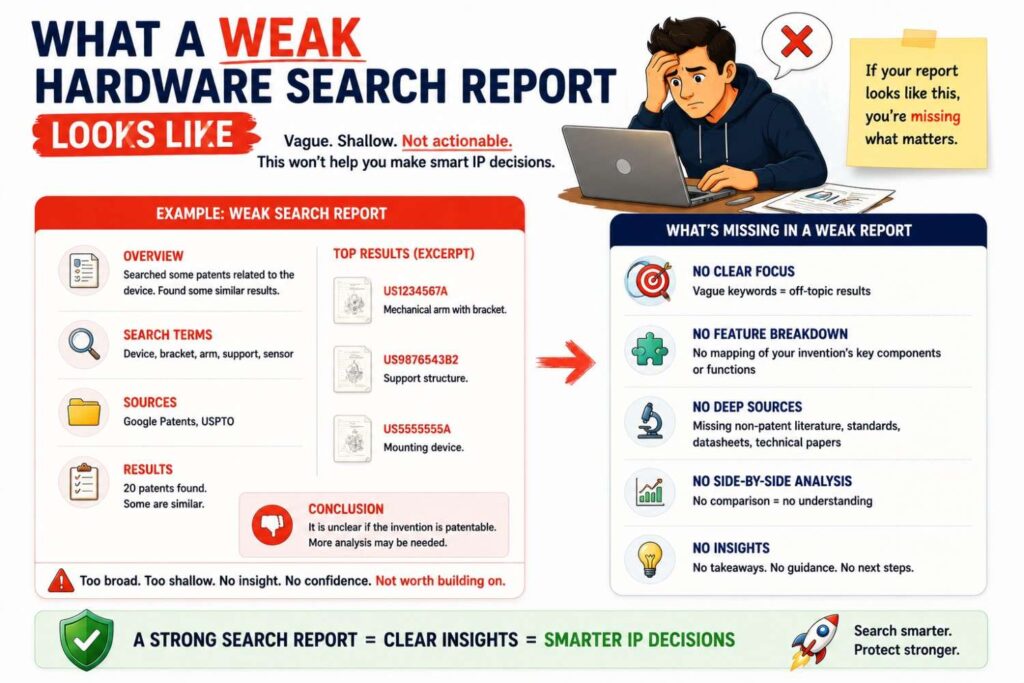
A weak report says:
“We searched and found some similar patents.”
Or:
“No exact matches found.”
Or:
“The product appears unique.”
That is not enough.
A patentability search should explain what was searched, what was found, what the closest art teaches, what it misses, and what the filing should focus on.
A weak report creates false comfort.
A strong report creates a decision.
Use Search to Build a Patent Portfolio
A hardware or robotics product may deserve more than one patent.
One filing may cover the main device.
Another may cover the control loop.
Another may cover the sensor mount.
Another may cover the gripper.
Another may cover fleet coordination.
Another may cover calibration.
Another may cover manufacturing.
Another may cover safety.
A search helps decide which inventions are worth filing first.
For startups, this matters because patent budget is limited.
You want to file where the technical edge and business value meet.
The goal is not to collect patents.
The goal is to protect the parts of the product that create advantage.
Use Search to Decide What to Keep Secret
Some hardware details may be better kept as trade secrets.
For example, a manufacturing process that cannot be seen from the product may be hard for competitors to copy unless they know it.
A test method used inside your factory may not be visible.
A tuning parameter may be hidden.
A supplier process may be confidential.
Patent filing requires disclosure. Trade secrets require secrecy.
Search can help decide.
If the feature is easy to reverse engineer, patent filing may make sense.
If the feature is hard to detect and valuable, trade secret protection may be worth discussing.
This is a business and legal decision.
PowerPatent can help organize the invention details so your patent team can guide the right protection path. Learn more here.
Use Search to Support Roadmap Protection
Your current prototype is not the whole story.
If your roadmap includes real technical variations, search and capture them.
For example:
Your current robot slows at blind corners. The roadmap adds rerouting and robot-to-robot warnings.
Your current gripper uses force sensing. The roadmap adds tactile arrays and object type detection.
Your current drone uses wind sensing. The roadmap adds payload swing prediction.
Your current pump uses pressure ripple. The roadmap adds acoustic sensing.
Your current battery system uses charge rate and temperature. The roadmap adds pack compression history.
If these versions are real and technically understood, they may belong in the patent disclosure.
A patent should not only protect yesterday’s prototype.
It should support where the business is going.
The Best Searches Are Done With Engineers
Patent searches for hardware and robotics should involve engineers.
Engineers know what was hard.
They know what broke.
They know what was tried and dropped.
They know where the sensor had to move.
They know why the control loop changed.
They know which part a competitor would copy.
They know which feature customers do not see but rely on.
Bring them into the search process.
Ask them to explain the invention in plain words.
Ask them to mark the key parts on a drawing.
Ask them to describe the failure mode.
Ask them to name the old approach.
Ask them what search terms they would use.
The best search terms often come from engineering language, not marketing language.
Make Search a Design Tool, Not Just a Legal Tool
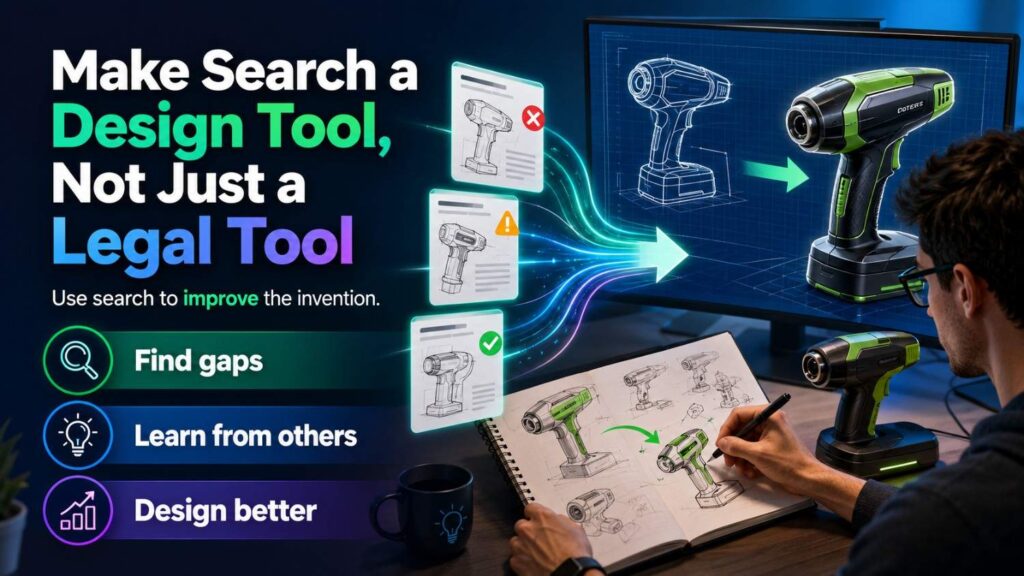
A patentability search can improve the product.
When you read prior art, you may find better ways to solve the problem.
You may find old failures to avoid.
You may find alternate designs.
You may find crowded areas where your design should shift.
You may find white space.
You may find a narrower but stronger invention.
This is not wasted time.
Good patent work can sharpen engineering strategy.
It can help your team understand the field and build with more confidence.
For hardware and robotics companies, that insight can save real money because design changes are expensive later.
How PowerPatent Helps Hardware and Robotics Teams
Hardware and robotics teams need patent help that understands real invention work.
The invention may be in a CAD detail.
It may be in a control loop.
It may be in a sensor location.
It may be in a test result.
It may be in a manufacturing fixture.
It may be in a failure mode fix.
It may be in a safety response.
PowerPatent helps founders and engineers capture those details and move toward stronger patent filings, with real attorney oversight.
Instead of starting with a vague product summary, PowerPatent helps build from the technical material your team already has.
That means better invention capture, clearer filing decisions, and less risk of missing the real edge.
A Practical Search Workflow for Hardware and Robotics
Start by writing the invention in one plain sentence.
Then name the physical or control problem.
Break the invention into structures, signals, actions, and results.
Identify the core element.
Build a search term bank with synonyms and older words.
Search patent databases.
Search product manuals, datasheets, supplier docs, standards, papers, and videos.
Search competitors, suppliers, labs, and adjacent industries.
Follow citations from close patents.
Review drawings carefully.
Map prior art against your invention elements.
Find the closest reference.
Identify the strongest gap.
Tie the gap to a technical result.
Decide whether to file, refine, search more, pause, or keep part of the invention secret.
That workflow turns a pile of search results into a business decision.
A Founder-Friendly Hardware Search Template
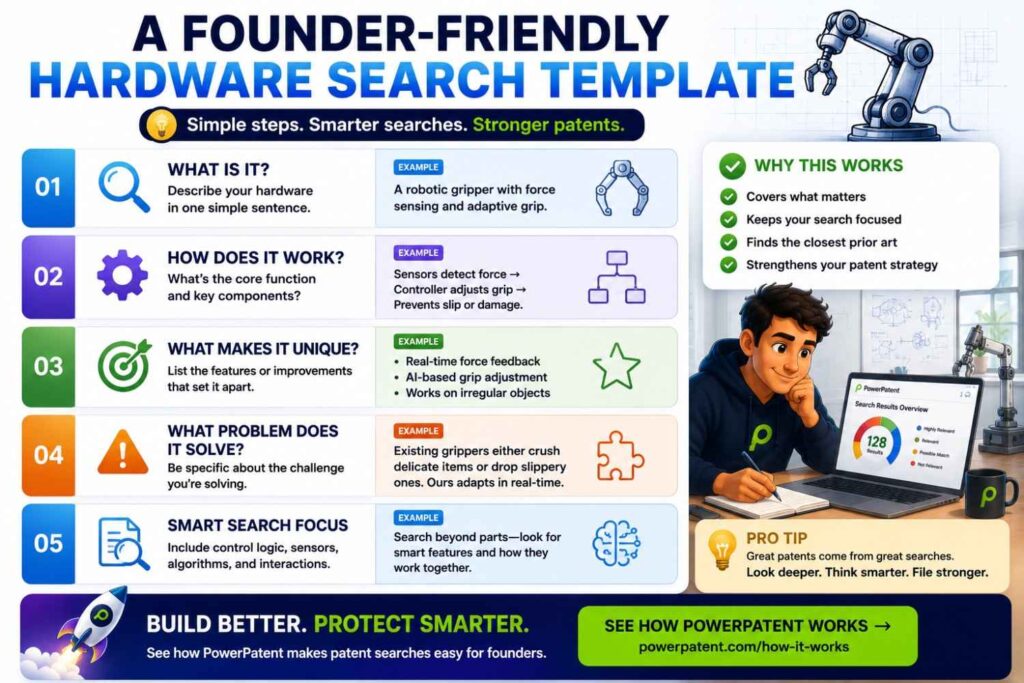
Use this template when your team finds a possible invention.
Invention name:
Plain-English invention statement:
Product or subsystem:
Physical problem:
Technical solution:
Core structure or control method:
Key parts:
Sensor inputs:
Control action:
Technical result:
Search terms:
Closest patents:
Closest papers or manuals:
Closest products or videos:
What the closest art shows:
What the closest art misses:
Strongest gap:
Why the gap matters:
Business value:
Public disclosure risk:
Recommended decision:
This does not need to be perfect.
It just needs to be clear enough to guide the next step.
What a Strong Finding Sounds Like
A strong search finding is specific.
For example:
“The broad idea of robot blind-corner slowing is known. The closest references slow robots near mapped corners or detect visible obstacles. We did not find one reference that predicts hidden crossing risk before visual detection using sound direction, map geometry, and recent traffic history. This gap matters because the robot can slow before a hidden person or forklift enters view. Recommend filing around the pre-visual risk prediction and speed-control method, with backup claims for rerouting and fleet warning outputs.”
That is strong.
It names the crowded area, the closest art, the gap, the result, and the filing path.
Another example:
“The broad idea of pump clog detection using pressure is known. The closest references use pressure thresholds or flow changes. We did not find one reference that applies short test pulses, reads pressure ripple patterns during the pulses, adjusts a clog score based on viscosity and motor temperature, and changes pump speed before a high-pressure stop. Recommend filing around the test-pulse clog prediction method.”
That is decision-ready.
What a Weak Finding Sounds Like
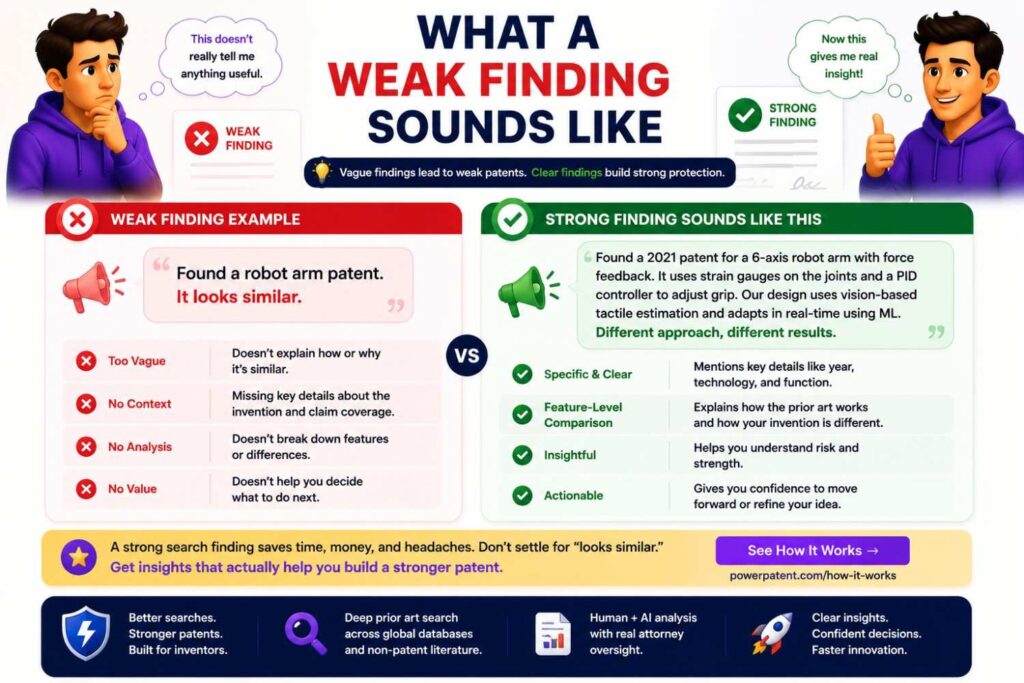
A weak finding says:
“Our robot seems different.”
Or:
“No exact match found.”
Or:
“There are many gripper patents.”
Or:
“This product looks similar.”
Those statements do not guide action.
A strong finding must answer:
What is the invention?
What is the closest art?
What does it teach?
What does it miss?
Why does the missing part matter?
What should we do next?
That is the difference between search activity and patent strategy.
Final Takeaway
A patentability search for hardware and robotics inventions should be physical, technical, and strategic.
Do not search only product names.
Search the structure, sensor placement, force path, signal path, motion, timing, control logic, calibration, safety response, and manufacturing method.
Look at patents, drawings, manuals, datasheets, papers, supplier docs, videos, standards, and related industries.
Compare the closest prior art element by element.
Find the real gap.
Tie that gap to a technical result.
Then decide whether to file, refine, search more, pause, or protect part of the work as a trade secret.
For hardware and robotics founders, this workflow can protect the work that took months or years to build.
And when you are ready to turn engineering notes, CAD details, robot workflows, test results, and invention ideas into stronger patent filings, PowerPatent can help you move faster with smart software and real patent attorney oversight.