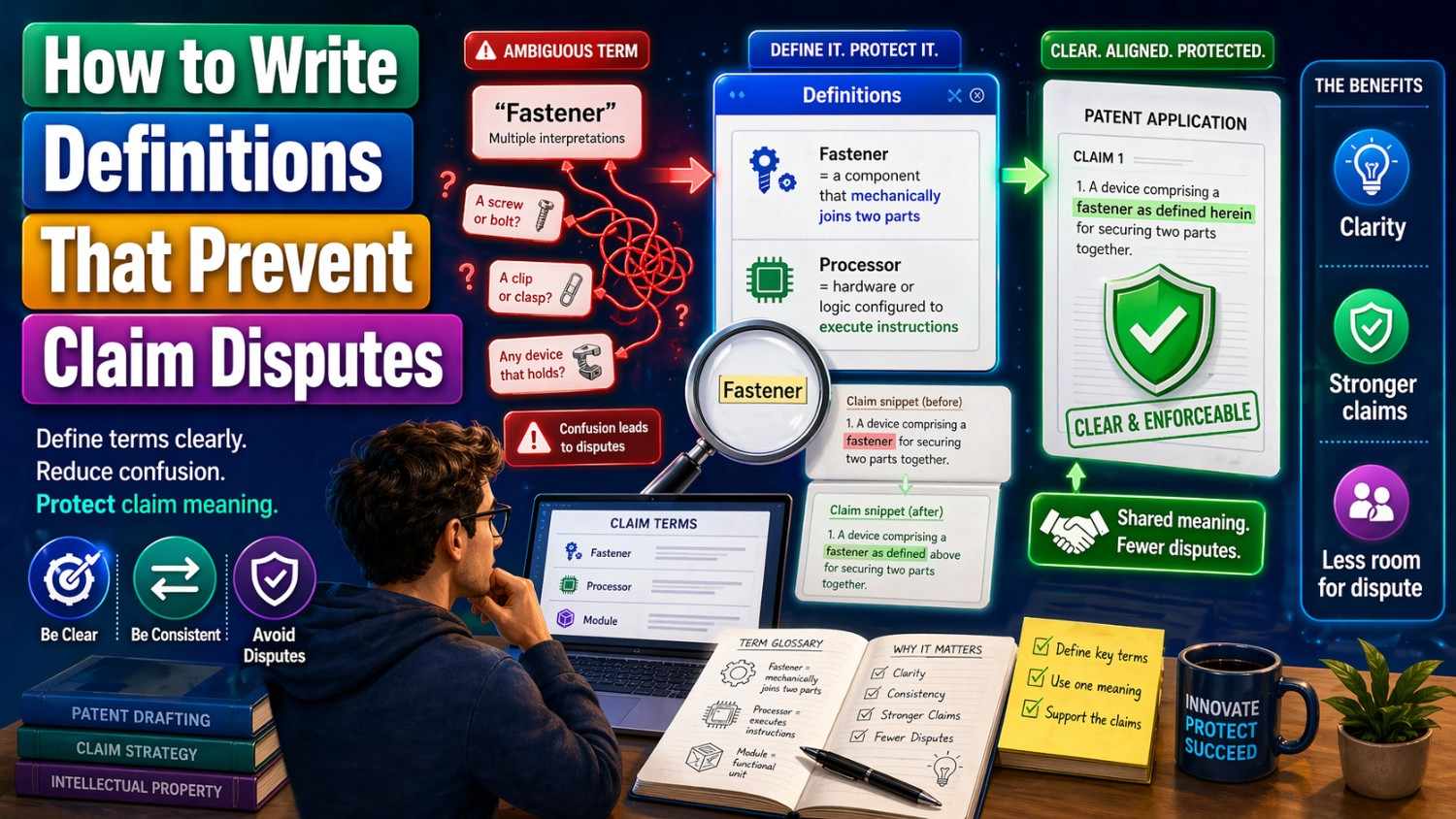
A patent claim can rise or fall on one word.
That is why definitions matter.
When a patent uses a word like “module,” “connected,” “real time,” “user,” “trained model,” or “automatic,” that word needs to be clear. If it is not clear, people can fight over what it means later. That fight can cost time, money, and control.
This article will show you how to write definitions that help prevent those fights.
And if you want a faster way to turn your invention into strong patent work, PowerPatent can help you move from idea to attorney-reviewed filing with less friction. See how it works here: https://powerpatent.com/how-it-works
Why Definitions Matter So Much
A patent is not just a story about your invention.
It is also a map.
The claims mark the borders of what you own. The written description explains how the invention works. The drawings help show the parts. The definitions help make sure the key words mean what you want them to mean.
When the words are not clear, the borders become weak.
That creates room for disputes.
Someone may say your claim is too broad. Someone else may say it is too narrow. A competitor may say your word means one thing. You may say it means another. A court, examiner, investor, buyer, or partner may need to decide who is right.
Good definitions reduce that risk.
They do not make a patent perfect. Nothing does. But they give your claims a stronger base.
For founders and engineers, this matters because your invention may change fast. Your first product may not be your final product. Your code may change. Your model may improve. Your system may get new features. A smart patent should protect the core idea, not just one version of it.
Definitions help you do that.
The Big Goal: Clear, Broad, and Safe
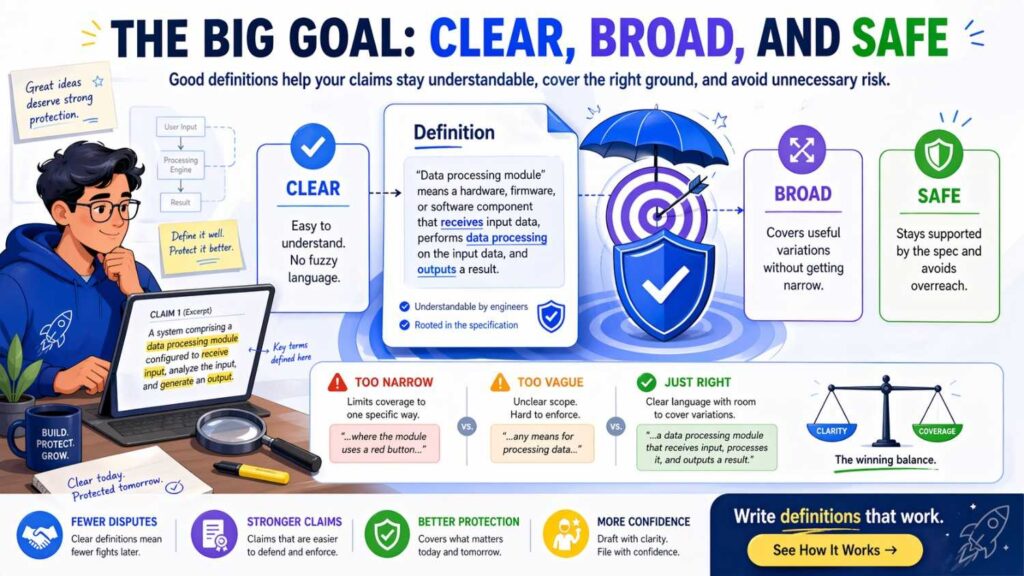
A good definition has three jobs.
It must be clear enough that people understand it.
It must be broad enough that it does not trap you inside one tiny version.
It must be safe enough that it does not create problems later.
Many people make definitions too narrow. They define a word by naming one exact tool, one exact chip, one exact app screen, one exact model type, or one exact step order. That may feel clear, but it can shrink the patent.
Other people go too broad. They define a word with vague phrases that sound smart but do not explain anything. That may feel flexible, but it can invite a fight.
The best definitions sit in the middle.
They explain the term in plain words. They allow different versions. They avoid locking the invention to one brand, one format, one language, one device, or one layout unless that detail truly matters.
This is where PowerPatent can be useful for technical teams. It helps you capture how the invention works while real patent attorneys review the work, so you can move faster without losing care. Learn more here: https://powerpatent.com/how-it-works
Start With the Words That Matter Most
You do not need to define every word.
That can make the patent hard to read. It can also create more ways to argue.
Focus on the words that carry weight.
These are usually words that describe the key parts of the invention, the key actions, the key data, or the key results.
For a software invention, this may include words like “model,” “input,” “feature vector,” “score,” “rule,” “workflow,” “event,” “profile,” “session,” “node,” “agent,” “policy,” or “recommendation.”
For a hardware invention, this may include words like “sensor,” “housing,” “coupled,” “channel,” “actuator,” “signal,” “controller,” or “surface.”
For an AI invention, this may include words like “training data,” “inference,” “embedding,” “classifier,” “prediction,” “prompt,” “context,” “rank,” or “confidence value.”
The best test is simple.
Ask yourself: “If someone twisted this word, could it change the scope of the claim?”
If yes, define it.
Do Not Define a Word Too Late
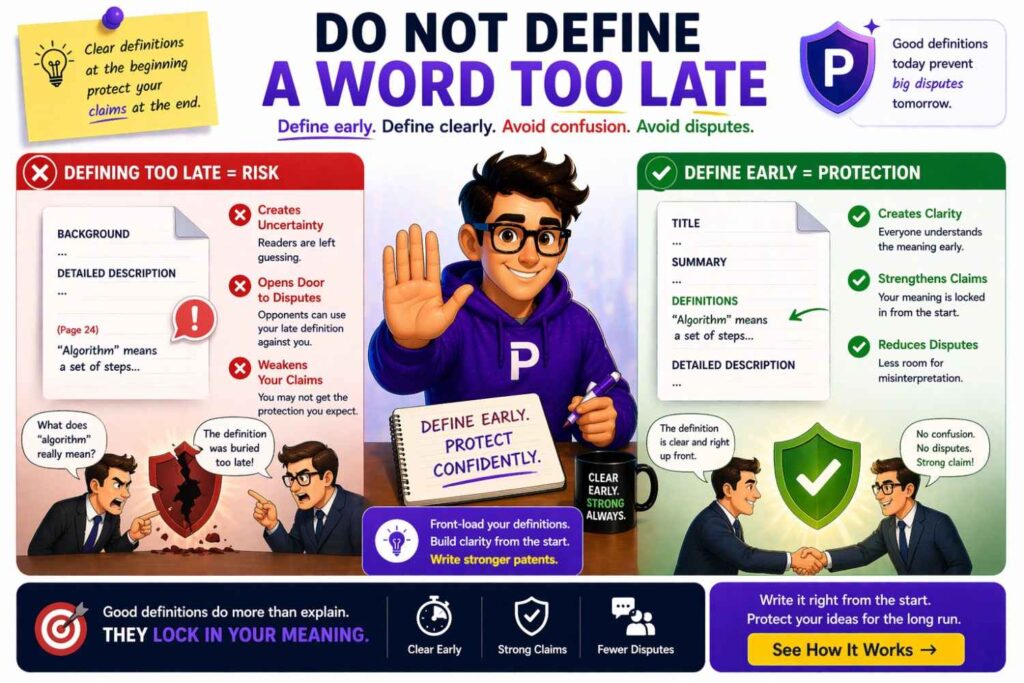
A common mistake is waiting until after the patent draft is almost done to think about definitions.
That is backward.
Definitions should shape the claims from the start.
Before writing claims, make a small term sheet. Pick the words that matter most. Write plain meanings for them. Then use those words the same way across the draft.
This helps keep the patent clean.
It also helps the attorney see what the invention really is.
For example, if your invention uses an “adaptive routing engine,” do not use five names for it in the draft. Do not call it an engine in one place, a module in another, a processor in another, and an AI layer somewhere else unless those words mean different things.
Pick the main term. Define it. Use it with care.
Use Plain Words First
A strong definition does not need to sound fancy.
In fact, simple words are often better.
Bad definition:
“An adaptive routing engine comprises a computationally instantiated decision architecture configured to dynamically facilitate transmission path optimization across heterogeneous network environments.”
Better definition:
“An adaptive routing engine means software, hardware, or both that selects a path for sending data based on one or more changing conditions.”
The second version is easier to understand. It also gives room for different versions.
It says the engine can be software, hardware, or both. It says the path is selected based on changing conditions. It does not force one exact algorithm unless needed.
Plain language is not weak.
Plain language is strong when it is precise.
Avoid Hidden Limits
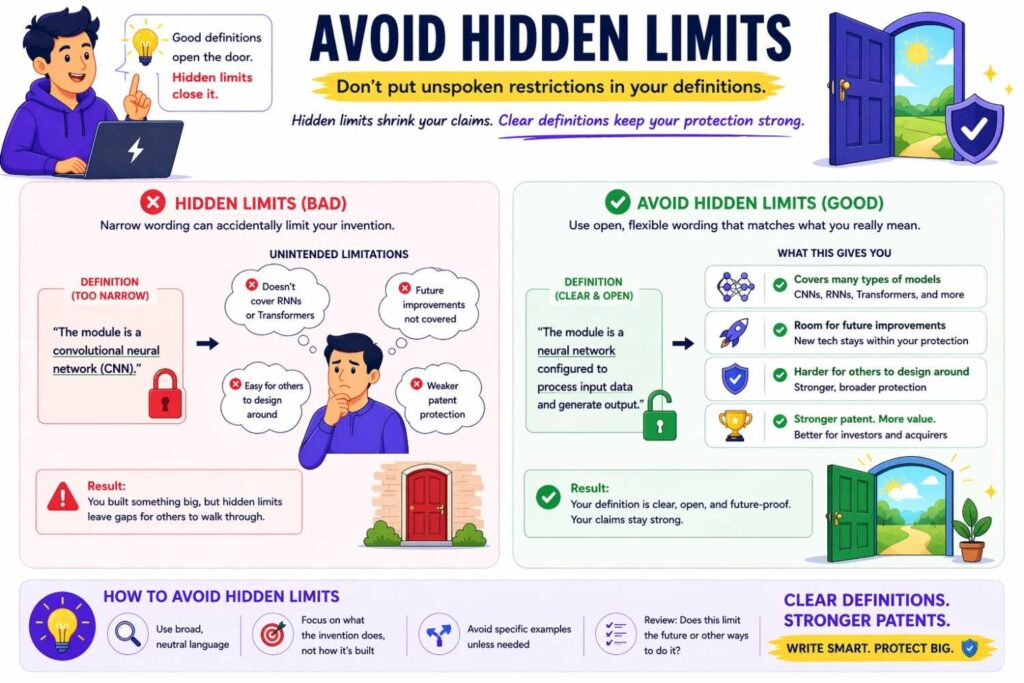
A hidden limit is a word that makes the claim smaller than you meant.
This happens all the time.
You may write “mobile phone” when you really mean any user device.
You may write “database” when you really mean any data store.
You may write “Wi-Fi” when you really mean any wireless link.
You may write “neural network” when you really mean any machine learning model.
You may write “image” when you really mean sensor data.
Each of these choices can narrow the invention.
A safer definition can keep the door open.
For example:
“User device means a device used by a person or system to send, receive, view, process, or store data. A user device may include a phone, tablet, laptop, desktop computer, wearable device, vehicle system, industrial terminal, or other computing device.”
This is clear. It gives examples. But it does not limit the term to the examples.
That last part is important.
Use words like “may include” instead of “means only.”
Be Careful With “Is”
The word “is” can be risky.
When you write “A server is a cloud server,” you may have limited the server to a cloud server.
But maybe your invention can also run on an edge device, a local machine, or a private data center.
A safer version is:
“A server may be a cloud server, local server, edge device, virtual machine, container, or other computing system that provides data or services to another system.”
That definition gives examples without locking you in.
The same idea applies to many terms.
Instead of saying “The model is a neural network,” say “The model may include a neural network, decision tree, support vector machine, rules-based model, statistical model, transformer model, or another model that maps input data to output data.”
Only use “is” when you truly mean it.
Define by Function, Not Just by Form
Many inventions are valuable because of what a part does, not what it looks like.
So define key parts by function.
For example, a “verification module” should not be defined only as a block of code in one file.
A better definition is:
“Verification module means software, hardware, or both that checks whether data, a user action, a system state, or a result meets one or more rules.”
This protects the job the module performs.
It does not depend on where the code lives.
That matters because engineers change implementation details all the time. A feature may start as one service, move into another service, become a library, shift to the edge, or get split across systems.
Your patent should not break just because your architecture changed.
Do Not Let Examples Become Traps
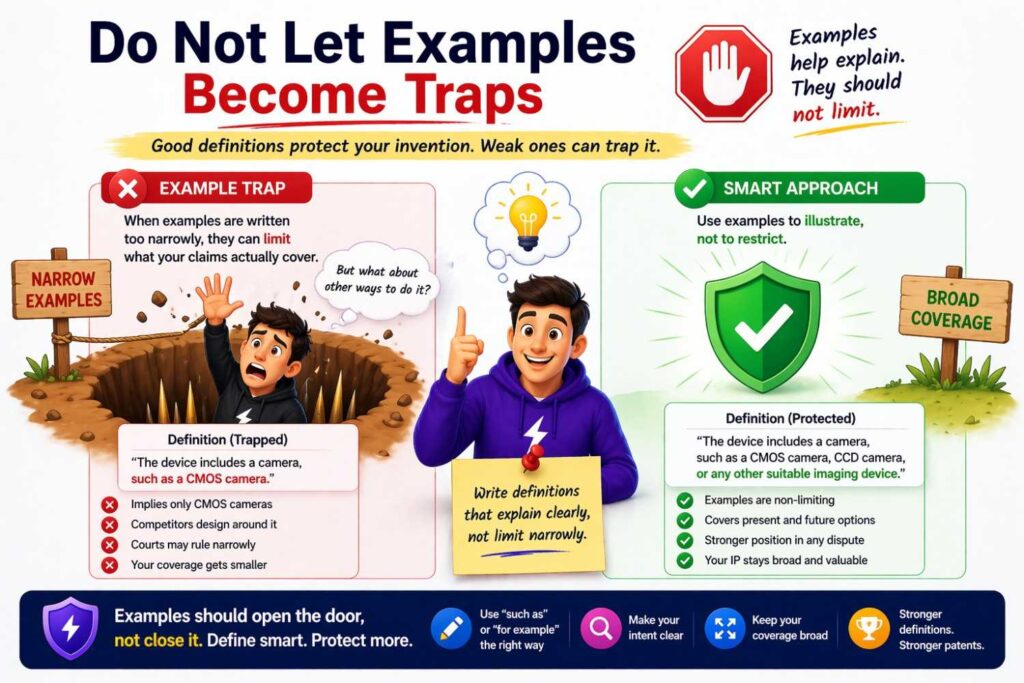
Examples are useful.
They make definitions easier to understand.
But examples must be framed the right way.
Bad:
“Training data means labeled images of vehicles.”
This may be too narrow.
Better:
“Training data means data used to train, tune, test, or update a model. Training data may include labeled data, unlabeled data, images, video, text, audio, sensor readings, logs, user actions, synthetic data, or other data.”
This is much stronger.
It covers more forms. It also covers more uses.
The phrase “may include” helps. The phrase “or other data” helps too. But do not overuse “or other” as a lazy escape. The definition still needs a clear center.
Use “One or More” With Care
“One or more” can be helpful.
It avoids forcing a single item.
For example:
“Condition data means one or more values that describe a state of a device, network, user, environment, process, or system.”
That lets the invention use many kinds of data.
But do not use “one or more” everywhere. If every sentence has it, the writing becomes heavy.
Use it when the number matters.
If a claim needs one rule or many rules, say “one or more rules.”
If a system can have one sensor or many sensors, say “one or more sensors.”
If the number is not important, keep the sentence simple.
Keep the Same Word for the Same Thing
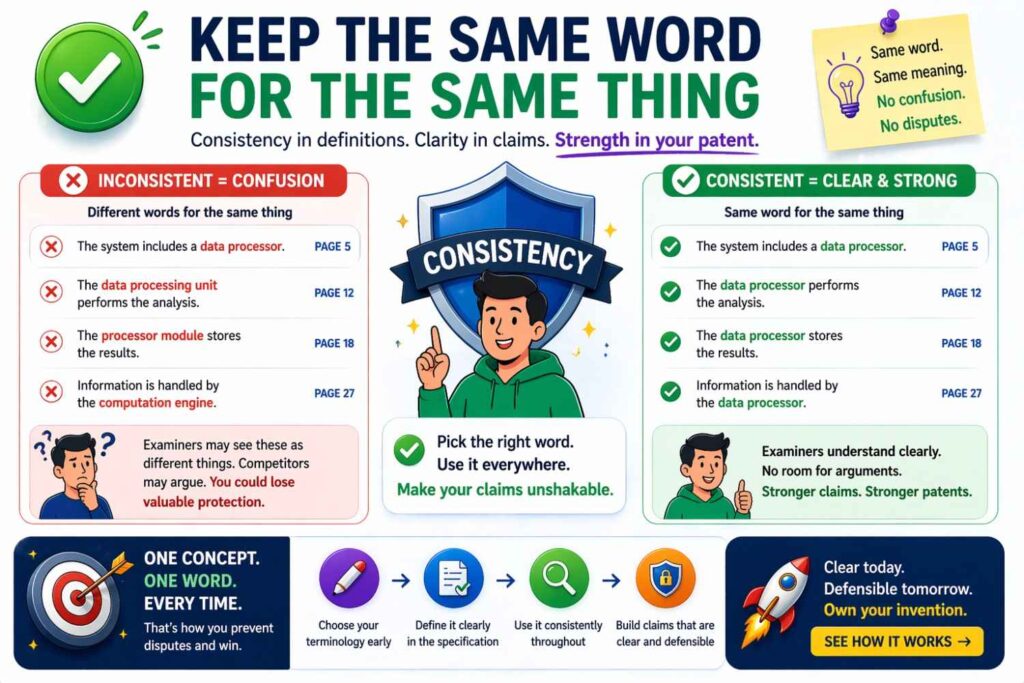
Patent disputes often start when the draft uses different words for the same thing.
For example, the patent may say “profile,” “record,” “account,” “user data,” and “user object” as if they are the same.
Later, someone may argue they are different.
That can create trouble.
Pick one main word.
If the terms are different, explain how.
For example:
“A user profile may include one or more user records. A user record may store data about a user, a device, an account, a role, a permission, or an activity.”
Now the relationship is clear.
Do not make the reader guess.
Do Not Use a Term One Way in the Claim and Another Way in the Description
This is a serious problem.
If the claim says “event” means a system trigger, but the description uses “event” to mean a calendar meeting, the word becomes muddy.
Before filing, scan the draft for each defined term.
Check every use.
Ask: “Does this use match the definition?”
If not, fix it.
This may feel boring. But it is one of the most useful things you can do.
A clean patent is often a stronger patent.
PowerPatent helps teams organize invention details so this type of review is easier and faster. You can see the workflow here: https://powerpatent.com/how-it-works
Define Technical Terms Before They Get Stretched
Some technical words already have common meanings.
That does not mean you can ignore them.
In fast-moving fields, terms can be used in different ways.
“Agent” can mean a software service, an AI system, a user representative, a robot, or a process that takes actions.
“Embedding” can mean a vector, a model output, a database item, or a way to represent meaning.
“Token” can mean a unit of text, an access credential, a blockchain item, or a security code.
If your invention depends on such a word, define it.
A simple definition can prevent confusion.
For example:
“As used here, token means a unit of data used by a system during processing. A token may represent text, code, an image portion, an audio portion, a command, a permission, or another data unit, depending on the system.”
This gives room while setting a clear base.
Do Not Rely Only on Industry Meaning
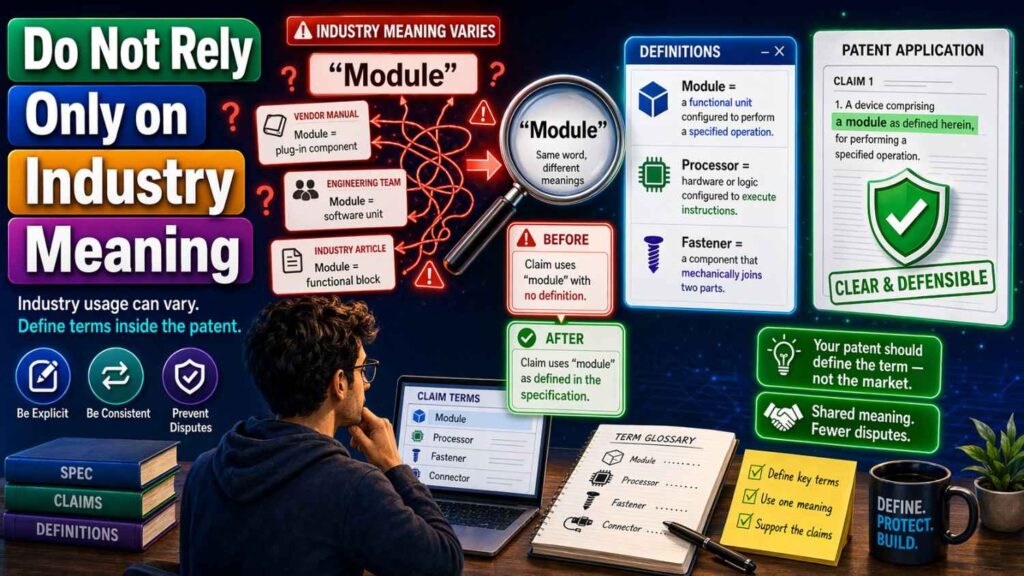
Industry meaning can help, but it can also hurt.
People in your field may use a word casually. A court or examiner may read it more strictly. A competitor may push for a narrow meaning.
Your draft should not depend on everyone having the same background as your engineering team.
Define the term in the patent.
Do it in a way that matches how your team uses it.
This is especially important for startups. Your product language may be ahead of the market. You may invent new words. You may use known words in a new way.
That is fine.
Just explain them.
Avoid Absolute Words Unless Needed
Words like “always,” “never,” “only,” “must,” “required,” and “essential” can be dangerous.
They sound strong, but they can box you in.
If you write, “The system always encrypts the data before sending it,” then a version that encrypts after packaging, or only encrypts certain data, may fall outside the wording.
If encryption is truly required, say so.
But if it is just one option, use softer wording.
For example:
“In some cases, the system encrypts at least part of the data before, during, or after preparing the data for transfer.”
That gives more room.
A patent should be firm where the invention needs firmness. It should be flexible where the invention allows flexibility.
Define “Coupled” Carefully
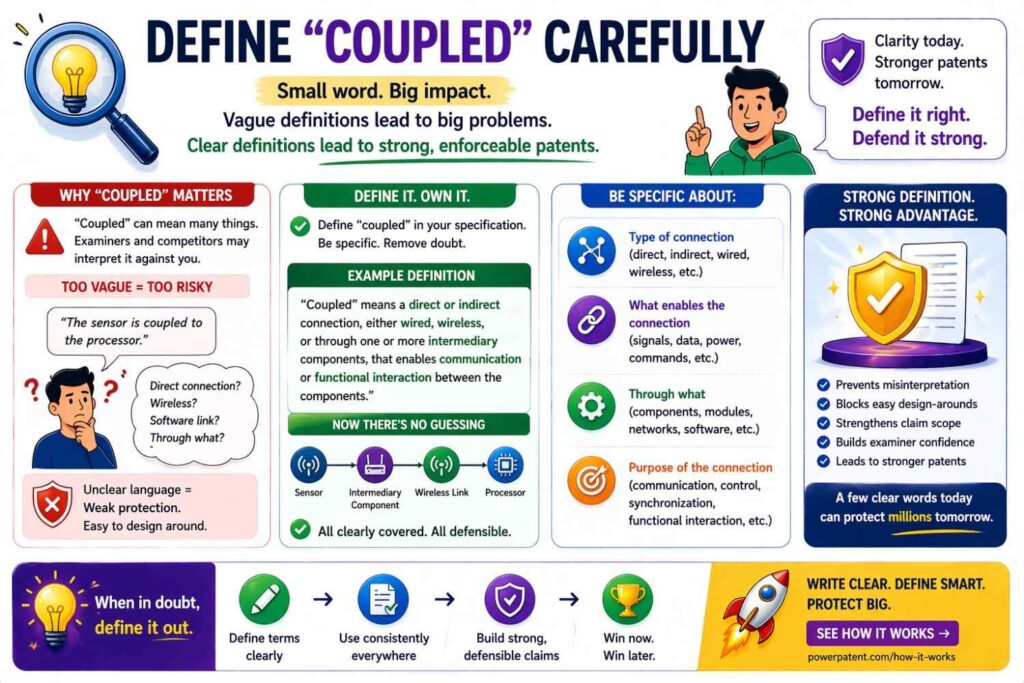
“Coupled” is one of the most fought-over words in patents.
It can mean direct connection. It can mean indirect connection. It can mean physical connection. It can mean data connection.
If you use it, define it.
For example:
“Coupled means connected directly or indirectly in a way that allows power, data, force, fluid, light, sound, control signals, or another interaction to pass between parts.”
This definition is broad and useful.
But make sure it fits your invention.
For software, you may use:
“Coupled means able to communicate, exchange data, call, access, control, or otherwise interact, directly or indirectly.”
That helps avoid a fight over whether two software parts need a direct link.
Define “Module” Without Locking It to Code
“Module” is common in software patents.
But it can cause disputes.
A module may be code, hardware, firmware, a service, a process, a model, an API, or a mix of these.
Define it broadly.
For example:
“Module means software, hardware, firmware, or any mix of these that performs one or more stated functions. A module may be part of one program, spread across many programs, run on one device, or run across many devices.”
This keeps the definition close to how modern systems work.
Most startups do not build one neat box. They build services, pipelines, apps, workers, models, APIs, databases, queues, and cloud jobs.
Your definitions should match that reality.
Define “Real Time” With Extra Care
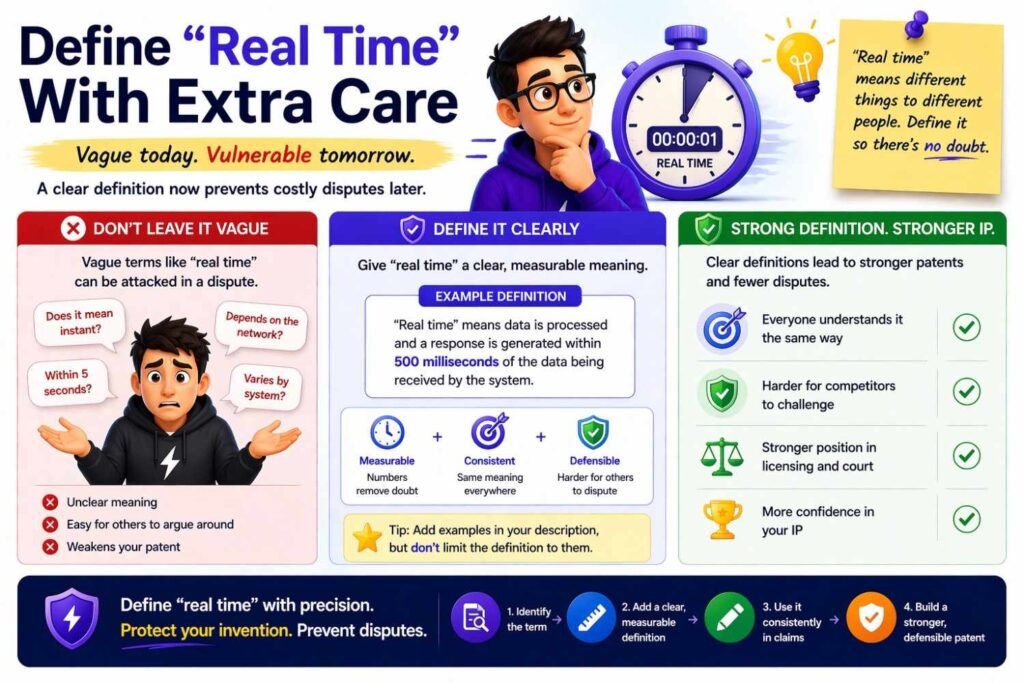
“Real time” can be risky because people may argue over speed.
Does it mean instant? Under one second? During a live process? Without planned delay?
Do not leave it open.
A good definition might say:
“Real time means during a process or soon enough for the result to affect that process. Real time does not require zero delay.”
That last sentence matters.
No real system has zero delay.
You may also define “near real time” if the timing is looser.
For example:
“Near real time means within a time period that allows a user or system to act on the result without meaningful loss of value.”
This is plain. It is practical. It avoids a fake promise.
Define “Automatic” and “Automated”
“Automatic” can create disputes too.
Does it mean no human ever touches the system? Does it mean one step happens without a human? Does it mean the whole process runs alone?
Define it.
For example:
“Automatic means performed by a computer system without a manual action for that specific step. Automatic does not prevent a user from starting, approving, configuring, or reviewing the process.”
This protects you.
Many systems are partly automated. A user may click start. An admin may set rules. A human may approve a result. But the key step may still be automatic.
Your definition should reflect that.
Define “User” Broadly
“User” may seem obvious.
It is not.
A user may be a person, a company, a device, a software process, an admin, an end customer, a developer, or another system.
If the invention works with both human and machine actors, define “user” broadly.
For example:
“User means a person, account, device, software process, organization, or system that interacts with the invention.”
This can prevent a competitor from saying, “Our system does not have a user because it is machine-to-machine.”
Simple definition. Big value.
Define Data Terms With Room to Grow
Data changes.
Today your product may use text. Tomorrow it may use video. Next year it may use sensor streams.
If your invention is not tied to one data type, your definition should not be tied to one data type.
For example:
“Input data means data received, accessed, generated, selected, or used by a system. Input data may include text, code, images, audio, video, sensor data, logs, records, metadata, user actions, or other machine-readable information.”
This is broad but still clear.
It also avoids saying data must be “entered” by a human. Many systems pull data from APIs, sensors, logs, or models.
Use words that match real technical flows.
Define AI Terms in a Future-Proof Way
AI moves fast.
Your patent should not depend on today’s hottest model name unless that name is truly part of the invention.
Avoid defining your invention only around one model type.
Instead of:
“The AI model is a transformer model.”
Try:
“Model means a system, set of rules, mathematical structure, machine learning model, neural network, transformer model, statistical model, or other process that maps input data to output data.”
Then, if transformers are important, describe them as examples.
This keeps your patent open to future model types.
It also helps if your product changes from one model provider to another.
Founders often move fast. You may use one model during your seed round and another model after scaling. Your patent should protect the invention, not just the vendor you used in month one.
Define “Training” Beyond the First Build
Many people think training means only the first model build.
But modern systems may fine-tune, update, retrain, personalize, adapt, or learn from feedback.
If your invention covers that, define training broadly.
For example:
“Training means creating, tuning, updating, adapting, testing, or improving a model using data.”
This is short and strong.
It includes many model lifecycle steps.
If feedback is important, add:
“Training may include using user feedback, system feedback, labels, scores, examples, synthetic data, or other data.”
That covers more real-world cases.
Define “Prediction” Without Forcing Certainty
A prediction does not need to be perfect.
It may be a score, label, rank, class, output, recommendation, or probability.
Define it that way.
For example:
“Prediction means an output that estimates, classifies, ranks, scores, recommends, or identifies a likely value, state, action, or result.”
This prevents someone from arguing that a prediction must be a final answer or a guaranteed truth.
In AI systems, many outputs are guesses with confidence levels.
Your definition should reflect that.
Define “Confidence” So It Covers More Than Probability
A confidence value may be a percentage. It may be a score. It may be a rank. It may be a label like high, medium, or low.
Do not limit it unless needed.
For example:
“Confidence value means data that shows how strongly a system supports an output. A confidence value may be a score, rank, percentage, label, distance, margin, or other value.”
This is useful for AI, classification, fraud detection, diagnostics, ranking, and many other systems.
Use Negative Definitions When Needed
Sometimes it helps to say what a word does not mean.
This is useful when a term may be misunderstood.
For example:
“Real time does not require zero delay.”
“Automatic does not require every step to occur without human involvement.”
“Cloud server does not require ownership by a third-party cloud provider.”
“Wireless communication does not require use of any specific wireless standard.”
These short statements can prevent future fights.
But use them only where the risk is real.
Too many negative definitions can make the patent feel defensive and hard to read.
Keep Definitions Close to the Invention
A definition should support the invention.
It should not become a random dictionary.
For example, if your invention is about routing medical device alerts, your definition of “alert” should focus on what the system does with alerts.
A weak definition:
“Alert means a notification.”
A stronger definition:
“Alert means data that indicates a condition, risk, event, threshold, status change, or action that may need attention by a user or system.”
This is still simple, but it connects to the invention.
It gives the word useful shape.
Do Not Over-Define Common Words
Not every word needs a definition.
If you define “and,” “or,” “data,” “system,” “device,” “network,” and “processor” in heavy detail, the draft can become slow and messy.
Define what matters.
Leave normal words alone unless they could cause a real dispute.
Good drafting is not about adding more words.
It is about adding the right words.
Use Open-Ended Language the Right Way
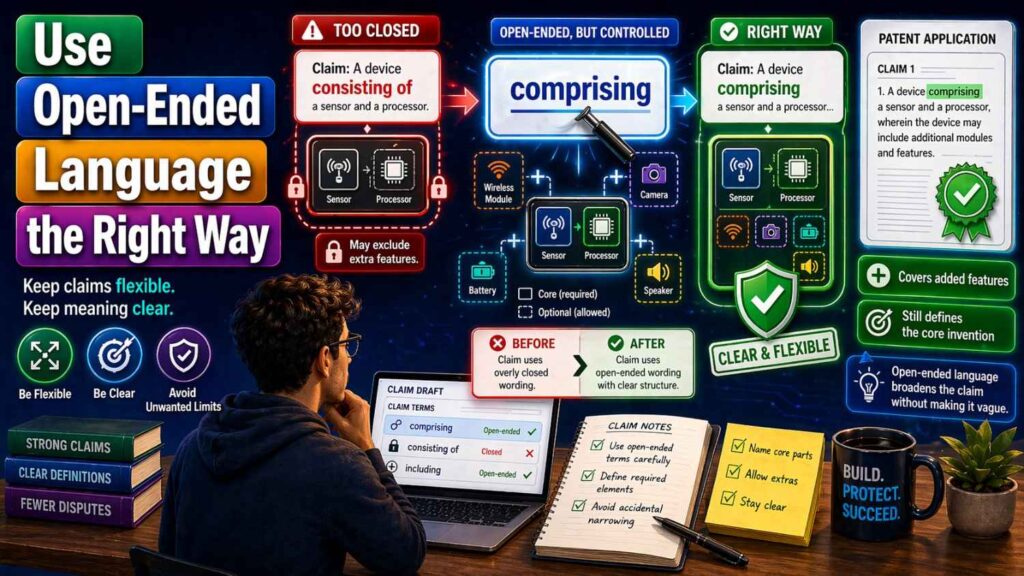
Patent writers often use open-ended language to avoid closing off options.
Phrases like “including,” “such as,” “for example,” “may include,” and “among others” can help.
But the sentence still needs to be clear.
Bad:
“Data may include anything.”
This is too vague.
Better:
“Data may include text, images, audio, video, sensor readings, logs, metadata, scores, labels, or other machine-readable information.”
This gives the reader a clear idea of the field.
The final phrase keeps it open.
That is the balance you want.
Make Sure the Claim and Definition Work Together
Definitions do not live alone.
They must fit the claims.
If the claim says:
“receiving sensor data from a wearable device”
and the definition says:
“sensor data means data from a temperature sensor”
you may have created a problem.
Maybe the invention also uses motion data, heart rate data, pressure data, or location data.
A better definition is:
“Sensor data means data generated by or based on one or more sensors. Sensor data may include motion, position, pressure, temperature, light, sound, biometric, chemical, electrical, magnetic, or environmental data.”
Now the claim has more support.
Before filing, read each claim term next to its definition. They should support each other.
Think Like a Competitor
To write better definitions, imagine a competitor trying to avoid your patent.
They may change the name of a part.
They may split one step into two.
They may combine two parts into one.
They may move the system from cloud to edge.
They may use a different model.
They may replace a database with a data lake.
They may replace a rule engine with a model.
They may replace a human user with an API call.
Your definitions should reduce easy design-arounds.
For example, if you define “recommendation engine” as “a server that shows a suggested item on a web page,” a competitor may use a mobile app, an API response, or a local model.
A better definition:
“Recommendation engine means software, hardware, or both that selects, ranks, filters, scores, or presents one or more items, actions, settings, or content objects for a user or system.”
That covers more useful forms.
Think Like an Examiner
An examiner may look for clarity.
The examiner may ask whether the claim is supported by the description.
The examiner may compare your words to prior patents.
Good definitions help here too.
They show what you mean.
They show the invention is not just a vague idea.
They help connect the claims to the examples.
If a claim says “context signal,” the description should explain what that means and give examples.
For example:
“Context signal means data that describes a condition around a user, device, system, item, process, or event. Context signals may include time, location, device state, user role, prior action, sensor output, network state, or workload.”
Now the examiner has something concrete to read.
Think Like a Judge
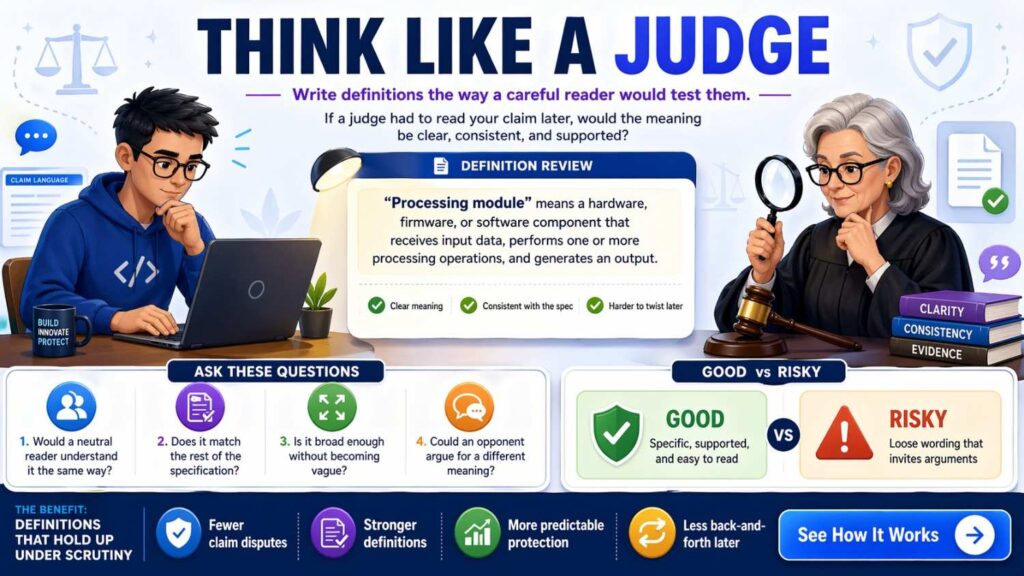
A judge may read the patent years later.
By then, your product may look different. The market may have changed. New words may be common. Old words may mean something else.
Good definitions help the patent stand on its own.
The patent should not depend on a founder being there to explain it.
The words should carry their own meaning.
That is why simple definitions are so powerful.
They travel well over time.
Do Not Use Marketing Words as Claim Terms
Founders often use strong product words.
“Magic routing.”
“Smart layer.”
“Trust engine.”
“Autopilot.”
“Brain.”
“Copilot.”
These may work in sales copy, but they are risky in claims if not defined.
If you must use a product-style term, define it in plain functional language.
For example:
“Trust engine means software, hardware, or both that generates a trust score, risk level, approval state, or other output based on one or more trust signals.”
This turns a marketing word into a useful patent term.
Still, in many cases, it is better to use a plain term in the claims and keep the brand language out.
Avoid Words That Depend on Opinion
Words like “easy,” “fast,” “better,” “optimal,” “high quality,” “secure,” and “smart” can be unclear.
They may be fine in the background or benefits section, but they are risky in claims unless tied to something measurable or functional.
Instead of “fast response,” define what fast means in context.
Instead of “secure data,” explain the security action.
For example:
“Protected data means data that has been encrypted, signed, masked, tokenized, access-controlled, or otherwise processed to reduce unauthorized access or use.”
This is much clearer.
Define Results Without Overpromising
Many inventions improve speed, accuracy, safety, cost, or user experience.
But do not define the invention in a way that requires the best possible result every time.
For example, avoid:
“The system always produces an accurate diagnosis.”
A safer version:
“The system may generate a diagnostic output, risk score, recommendation, or other result based on input data.”
Then explain how accuracy may be improved in examples.
Patents should describe what the invention does, not promise perfection.
Use Ranges Carefully
If your invention depends on values, ranges can matter.
For example, a sensor may sample between 10 Hz and 100 Hz. A model may use a threshold from 0.7 to 0.95. A device may heat to a range.
But ranges can also limit you.
Only include narrow ranges if they are important.
If the exact number is not central, use flexible language.
For example:
“The threshold may be fixed, user-selected, system-selected, learned, adjusted over time, or based on one or more operating conditions.”
This may be better than naming one exact number.
If you do include ranges, consider giving broad, middle, and narrow examples in the description.
That gives more support.
Define “Threshold” Broadly
“Threshold” is a common claim term.
It can mean a number, a rule, a score, a range, a limit, a condition, or a learned boundary.
A useful definition is:
“Threshold means a value, range, rule, condition, or other test used to decide whether data meets a stated requirement.”
This is broad and clear.
It also fits many technical systems.
Define “Rule” Without Blocking AI
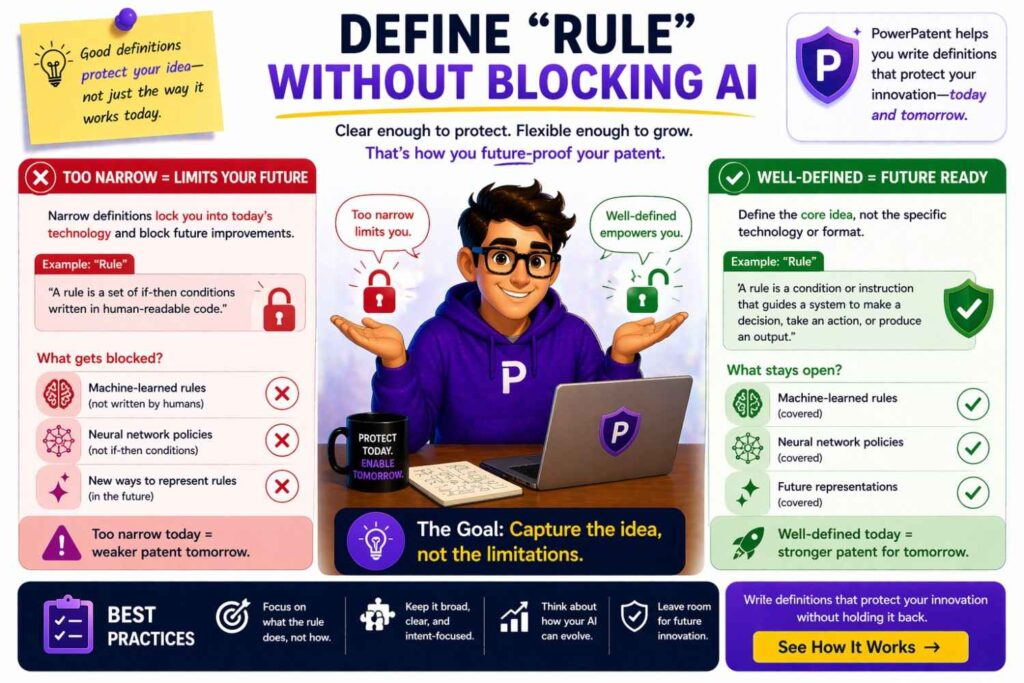
A rule may be hand-coded. It may be learned. It may come from a model. It may be set by a user.
If your invention can use different rule sources, say so.
For example:
“Rule means logic used to make, guide, or affect a decision. A rule may be set by a user, defined by code, learned from data, generated by a model, selected from a policy, or updated over time.”
This prevents the term “rule” from sounding only like a hard-coded if/then statement.
That matters in AI-heavy systems.
Define “Policy” Clearly
“Policy” can mean many things.
It may be a security policy, routing policy, access policy, pricing policy, compliance policy, or model behavior policy.
A good definition gives the term shape.
“Policy means one or more rules, settings, limits, roles, permissions, conditions, or preferences used by a system to control or guide an action.”
This covers many cases.
It also makes “policy” usable across software, AI, security, and workflow inventions.
Define “Profile” With Flexible Structure
A profile may not be one database row.
It may be a set of records, a graph, a vector, a token, a cache entry, or a model state.
Define it with room.
“Profile means stored, derived, or accessed data about a user, device, account, object, process, or system. A profile may include settings, history, roles, permissions, scores, preferences, behavior data, or other related data.”
This is useful because modern systems store profile data in many ways.
Define “Session” Beyond Login
A session may be a login period, a workflow, a device interaction, a model context, a connection, or a task window.
For example:
“Session means a period, context, or group of related actions in which a user, device, process, or system interacts with another system.”
This is broader than a web login session.
That may matter for AI agents, API flows, remote devices, and multi-step workflows.
Define “Context” With Examples
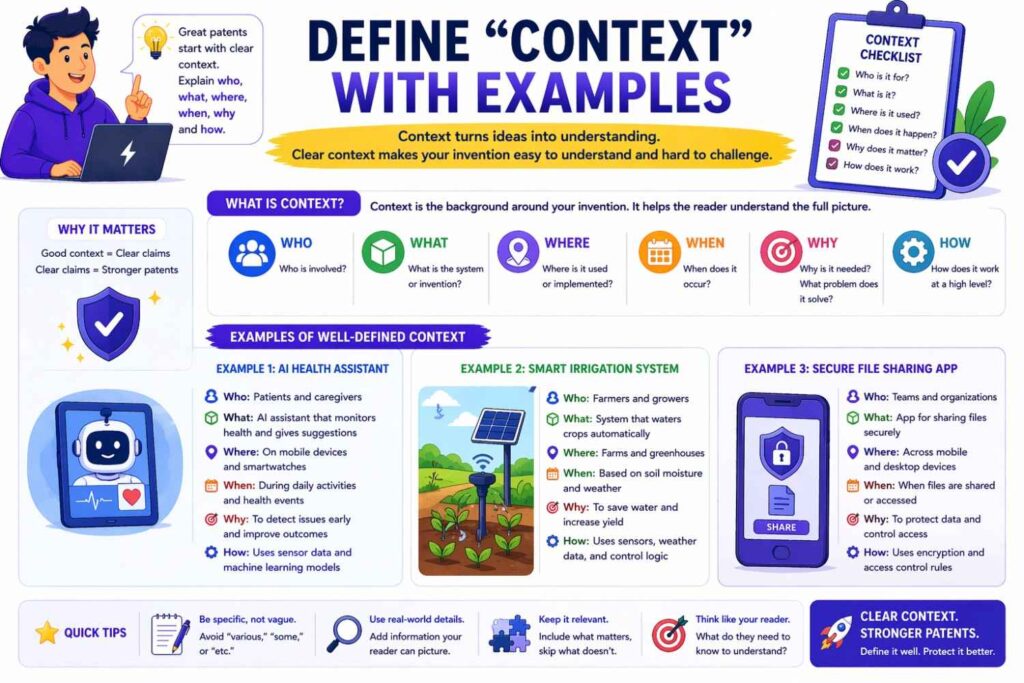
“Context” is useful but vague.
Define it well.
“Context means data that helps a system interpret, select, rank, modify, or generate an output. Context may include user data, device data, time, location, prior actions, system state, task data, environmental data, or other related data.”
This makes the term useful without being mushy.
For AI products, context is often key. It can shape prompts, search results, model outputs, permissions, and recommendations.
Define “Prompt” for AI Inventions
A prompt may be typed by a user, generated by a system, built from templates, or assembled from retrieved data.
A good definition:
“Prompt means data provided to a model to guide an output. A prompt may include text, code, images, audio, system instructions, user instructions, examples, retrieved data, tool results, or other input data.”
This avoids limiting prompts to user-typed text.
That is important for modern AI systems.
Define “Output” Broadly
A model output may not be a sentence.
It may be code, a score, a label, a tool call, a command, a file, a plan, or a structured object.
Define it broadly.
“Output means data produced, selected, generated, modified, ranked, or returned by a system, model, process, or device.”
Simple. Broad. Useful.
Define “Agent” With Care
“Agent” is now common in AI. But it can be unclear.
A good definition:
“Agent means software, hardware, or both that performs one or more actions based on data, rules, goals, model outputs, user input, or system state.”
If the agent uses tools, say so:
“An agent may select, call, control, or coordinate one or more tools, services, devices, models, or workflows.”
This helps cover AI agents without tying the invention to one current product style.
Define “Tool” in AI Systems
In AI systems, a “tool” may be an API, function, database, app, plugin, script, device, or service.
Define it.
“Tool means a function, service, API, program, device, database, model, or other resource that may be used by a system or agent to perform an action or obtain data.”
This keeps the term flexible.
Define “Workflow” Without Requiring a Fixed Order
A workflow may be fixed, dynamic, user-guided, model-guided, or event-driven.
Avoid making it too rigid.
“Workflow means a set of one or more actions, states, tasks, decisions, or data flows used to perform a process. A workflow may be fixed, changed by a user, changed by a system, or changed based on data.”
This helps if your invention adapts steps based on context.
Be Careful With Step Order
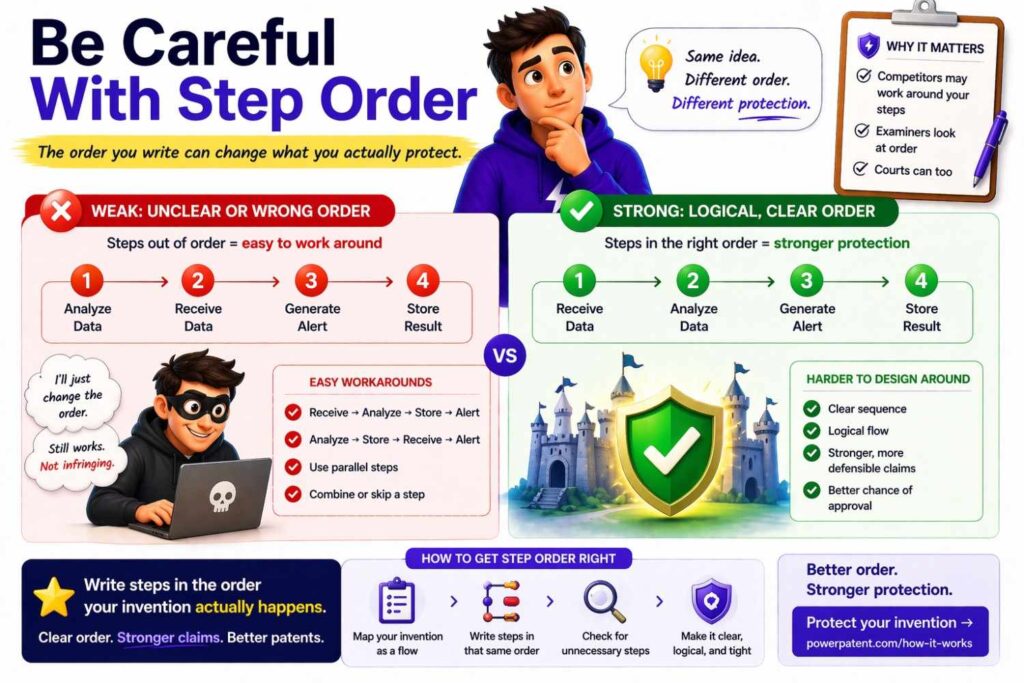
Definitions can affect step order.
If you define a process as “first receiving data, then analyzing it, then sending a result,” you may imply that order is required.
Only do this if order matters.
Many inventions allow steps to occur in a different order, in parallel, or many times.
You can say:
“Unless stated otherwise, steps may be performed in a different order, repeated, combined, omitted, or performed in parallel.”
This type of statement can help. But it should match the claims and the invention.
Do not use it to cover a lack of clarity. Use it to reflect real flexibility.
Define “Based On” Broadly
“Based on” is powerful.
It can mean using data directly, using data indirectly, using part of data, or using data with other data.
If needed, define it.
“Based on means based at least in part on. A result may be based on data even if the result also depends on other data, rules, models, values, or conditions.”
This helps prevent someone from arguing that a result must depend only on one listed input.
Define “Determine” Clearly
“Determine” can mean calculate, select, identify, infer, estimate, retrieve, or decide.
A broad definition can help:
“Determine means to calculate, select, identify, infer, estimate, generate, receive, retrieve, classify, or otherwise obtain.”
This is common and useful.
It prevents narrow readings.
Define “Generate” With Room
“Generate” may mean create from scratch, modify, select, assemble, or produce.
For AI and software systems, this matters.
“Generate means to create, select, modify, assemble, produce, or cause to be produced.”
This covers cases where a system builds an output from templates, retrieves content, modifies content, or creates new content.
Define “Send” and “Receive” for Modern Systems
Data may be sent through APIs, queues, streams, shared memory, files, events, or direct calls.
Define these terms if needed.
“Send means to transmit, provide, store for access, publish, write, call, or otherwise make data available.”
“Receive means to obtain, access, read, retrieve, detect, accept, or otherwise get data.”
These definitions can help avoid disputes over whether data was really “sent” if it was placed in a queue or written to a shared store.
Define “Store” Beyond Databases
“Store” does not need to mean writing to a permanent database.
It may include memory, cache, logs, files, object storage, model state, or temporary buffers.
“Store means to hold data in a memory, database, file, cache, buffer, ledger, model state, or other data storage location, for any length of time.”
The phrase “for any length of time” can help if storage is temporary.
Define “Database” Broadly
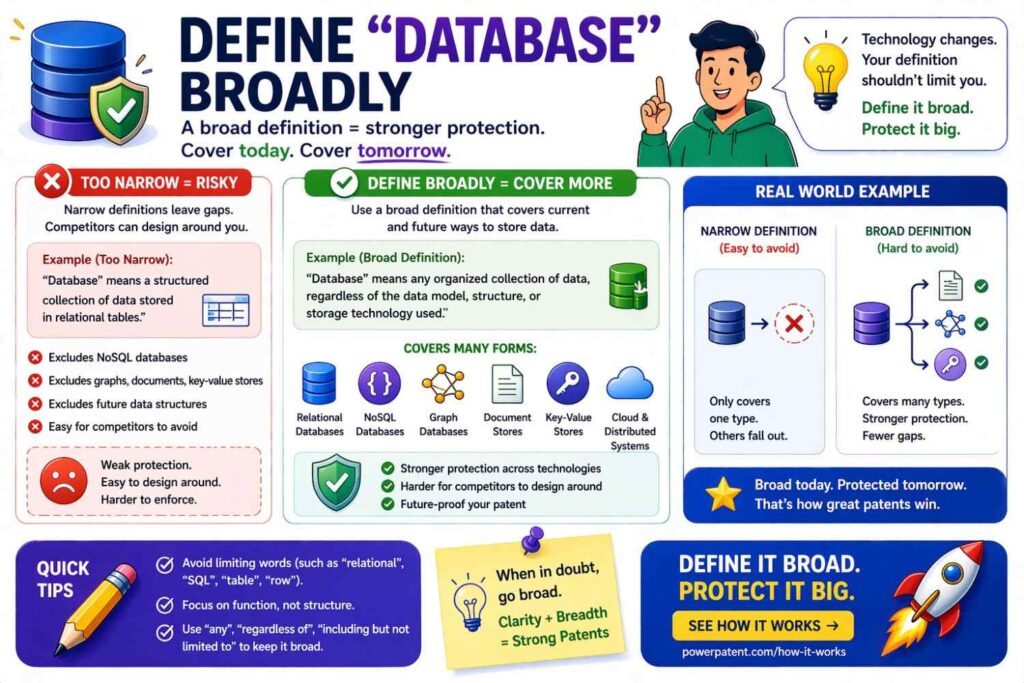
Many systems do not use classic databases.
They use object stores, vector databases, graph databases, logs, warehouses, data lakes, memory stores, or file systems.
A good definition:
“Database means one or more systems or structures that store data. A database may include a relational database, non-relational database, graph database, vector database, file system, data lake, data warehouse, ledger, cache, memory, or other data store.”
This keeps the patent from being tied to one storage type.
Define “Vector Database” If Relevant
For AI search and retrieval, a vector database can matter.
“Vector database means a data store that stores, indexes, searches, or retrieves vectors, embeddings, or related data.”
Do not make it depend on a specific product.
Avoid naming vendors unless needed.
Define “Embedding” Simply
“Embedding” is a key AI term.
“Embedding means data that represents an item, such as text, image, audio, video, code, user data, or another item, in a form that can be compared, searched, ranked, clustered, or processed by a computer.”
This is simple and practical.
It avoids forcing embeddings to be only vectors, though you can say they may be vectors.
Define “Similarity” Without One Formula
Similarity may be cosine similarity, distance, dot product, overlap, rank, model score, or another metric.
Define it broadly.
“Similarity means a measure, score, rank, distance, or other value that shows how alike or related two or more items are.”
This avoids tying the claim to one math method.
Define “Ranking” Clearly
“Ranking” can mean ordering, scoring, grouping, filtering, or selecting top items.
A useful definition:
“Ranking means ordering, scoring, sorting, filtering, grouping, or selecting items based on one or more values, rules, models, or conditions.”
This helps cover systems that do not produce a full ordered list.
Define “Recommendation” Broadly
A recommendation may be content, action, setting, route, alert, fix, product, document, response, or next step.
“Recommendation means an output that suggests, selects, ranks, presents, or identifies one or more items, actions, settings, changes, or results for a user or system.”
This is useful for many software inventions.
Define “Alert” So It Covers Machine Actions
Alerts are not always shown to people.
Sometimes alerts trigger workflows.
“Alert means data that indicates a condition, event, risk, status, or action. An alert may be shown to a user, sent to a system, stored, logged, or used to trigger another action.”
This avoids limiting alerts to pop-up messages.
Define “Notification” With Channels
A notification may be visual, audio, haptic, email, API, push, text, dashboard, or system event.
“Notification means data or a signal used to inform a user or system of information, an event, a state, or an action.”
Simple and broad.
Define “Interface” Broadly
An interface may be a user interface, API, command line, dashboard, voice input, device port, or software boundary.
“Interface means a way for a user, device, software process, or system to exchange data, commands, signals, or actions with another user, device, process, or system.”
This keeps it flexible.
Define “Dashboard” Without Requiring a Screen
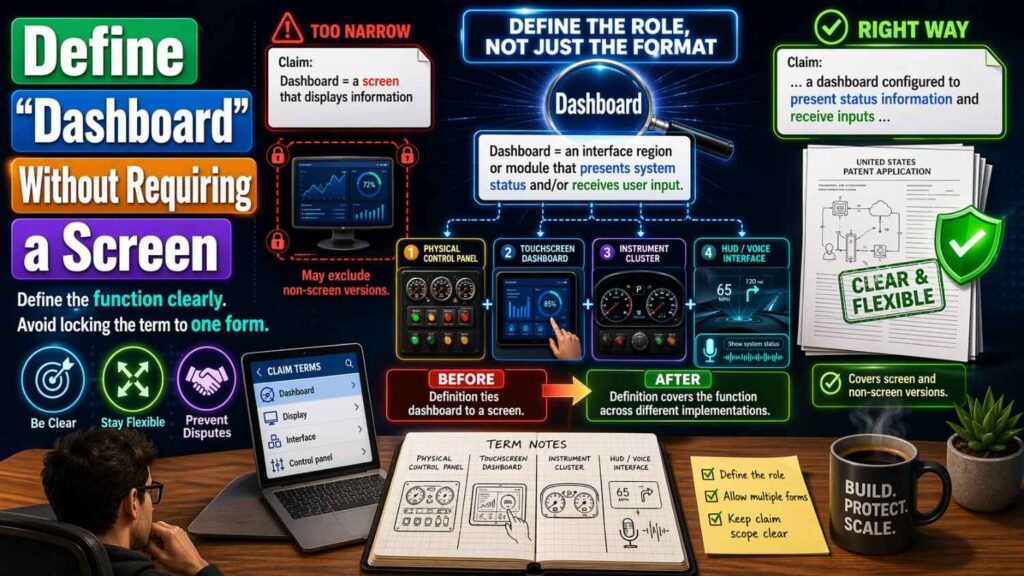
A dashboard may be a screen, report, API view, control panel, or data feed.
“Dashboard means an interface, view, report, panel, page, or data output that presents information or controls related to a system.”
This is broader than a visual screen.
Define “Display” Carefully
“Display” may imply a screen.
If your invention can provide data through non-screen channels, do not overuse “display.”
If you need it, define it.
“Display means to present information visually, audibly, haptically, electronically, or through another output mode.”
But if you truly mean visual display, say visual display.
Define Physical Terms With Real-World Flexibility
For hardware, terms like “upper,” “lower,” “front,” “rear,” “inner,” “outer,” and “vertical” can create disputes.
Products can be rotated. Parts can be mounted differently.
Use orientation terms carefully.
A helpful statement:
“Terms such as upper, lower, front, rear, inner, and outer are used for ease of description and do not require a fixed orientation unless stated otherwise.”
This helps prevent a part from falling outside the claim just because the device is turned.
Define “Attached” and “Connected”
For physical inventions, define connection terms.
“Attached means joined directly or indirectly, permanently or removably.”
“Connected means linked directly or indirectly in a way that permits mechanical, electrical, fluid, optical, magnetic, data, or other interaction.”
This gives room for real product variations.
Define “Integrated” Carefully
“Integrated” can mean built into, packaged with, connected to, or working as part of a system.
Define it.
“Integrated means included in, connected with, combined with, packaged with, or configured to operate with another part or system.”
This avoids fights over whether a part must be physically inside another part.
Define “Sensor” Broadly
A sensor may measure many things.
“Sensor means a device, circuit, component, or system that detects, measures, receives, or generates data about a condition, object, event, user, device, environment, or process.”
This is broad enough for modern systems.
Define “Signal” Clearly
A signal may be electrical, optical, wireless, digital, analog, acoustic, or data-based.
“Signal means data, energy, or a change in state that carries information.”
This simple definition can cover many forms.
Define “Controller” Without Locking to One Chip
“Controller means hardware, software, firmware, or a mix of these that controls, directs, adjusts, or manages one or more operations.”
This covers microcontrollers, processors, control software, cloud controllers, and distributed controllers.
Define “Processor” Broadly
A processor may be CPU, GPU, TPU, NPU, microcontroller, FPGA, ASIC, or virtual processor.
“Processor means one or more devices, circuits, cores, chips, virtual machines, or systems that execute instructions, process data, or perform logic.”
This is useful for software, AI, and hardware patents.
Define “Memory” Broadly
“Memory means one or more devices or systems that store data or instructions, either temporarily or permanently.”
Then examples can include RAM, flash, disk, cache, cloud storage, and so on.
Keep it simple.
Use Definitions to Support Multiple Versions
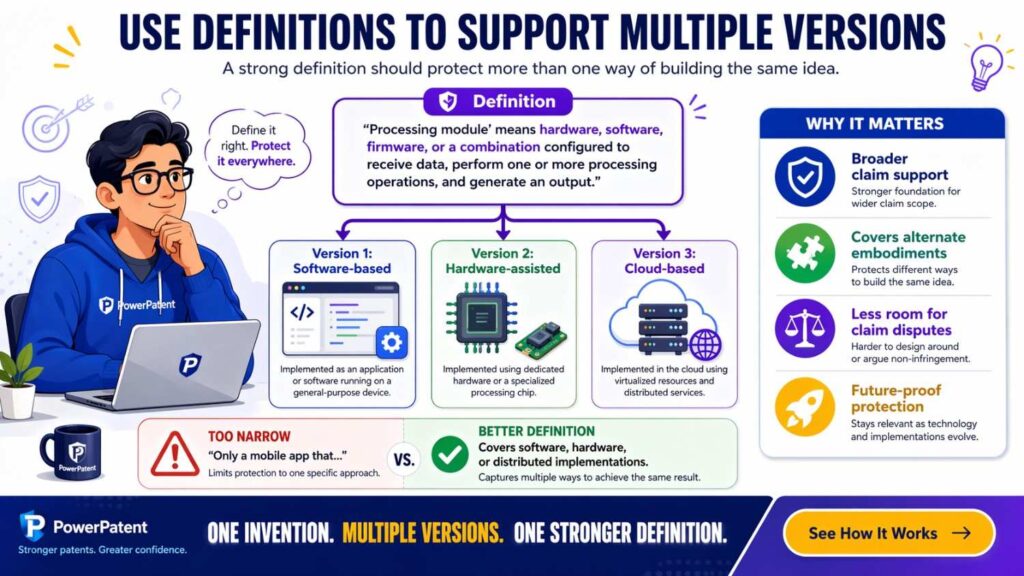
A strong patent often describes many versions.
Definitions help make that easier.
For example, your invention may run:
On a phone.
On a server.
On an edge device.
Across many cloud services.
Inside a vehicle.
Inside a robot.
Inside a browser.
Inside a model pipeline.
Rather than writing separate claims for every version, strong definitions can let one term cover the right range.
For example:
“Computing system means one or more devices, processors, servers, virtual machines, containers, edge devices, mobile devices, embedded devices, or other systems that process data.”
Now the draft can cover many deployments.
Avoid Defining Around Your Current Tech Stack
Do not define your invention by your current stack unless the stack is the invention.
Avoid narrow terms like “React component,” “Postgres database,” “AWS Lambda,” “Python script,” or “OpenAI API” in key definitions unless those are truly required.
Use neutral terms.
“Frontend interface” may be better than “React page.”
“Data store” may be better than “Postgres database.”
“Serverless function” may be okay if that is central, but “execution service” may be broader.
“Language model” may be better than a vendor name.
The patent should protect the idea even when your stack changes.
Define Vendor Terms Only as Examples
Sometimes vendor names help explain an example.
But they should rarely define the claim.
If you mention a vendor, make it clear it is only an example.
For example:
“The model may be provided by a local model, a cloud model, an open-source model, a third-party model service, or another model provider.”
This gives room.
A startup’s vendor choices can change. Your patent should not depend on one vendor staying important.
Define Around the Problem You Solve
A good definition supports the real problem.
For example, if your invention improves alert routing, define “routing condition” in a way that reflects the problem.
“Routing condition means data used to decide where, when, how, or to whom an alert, message, task, or data item should be sent.”
This ties the term to the invention.
It also makes the claim easier to understand.
Use Definitions to Protect the Core Insight
Every invention has a core insight.
Maybe you found a new way to rank model outputs.
Maybe you found a better way to reduce false alerts.
Maybe you found a new way to sync sensor data.
Maybe you found a new way to convert code into system diagrams.
Definitions should protect that core insight.
Ask:
“What parts of the invention must stay broad so competitors cannot copy the idea with small changes?”
Those words deserve careful definitions.
Keep Definitions Consistent With the Drawings
If the drawings show one version, the definitions can make clear that the invention is not limited to that version.
For example:
“Although the drawings show a phone, the user device may be any computing device.”
This helps.
Drawings are often specific. Definitions can keep the patent from being trapped by the drawings.
Keep Definitions Consistent With Examples
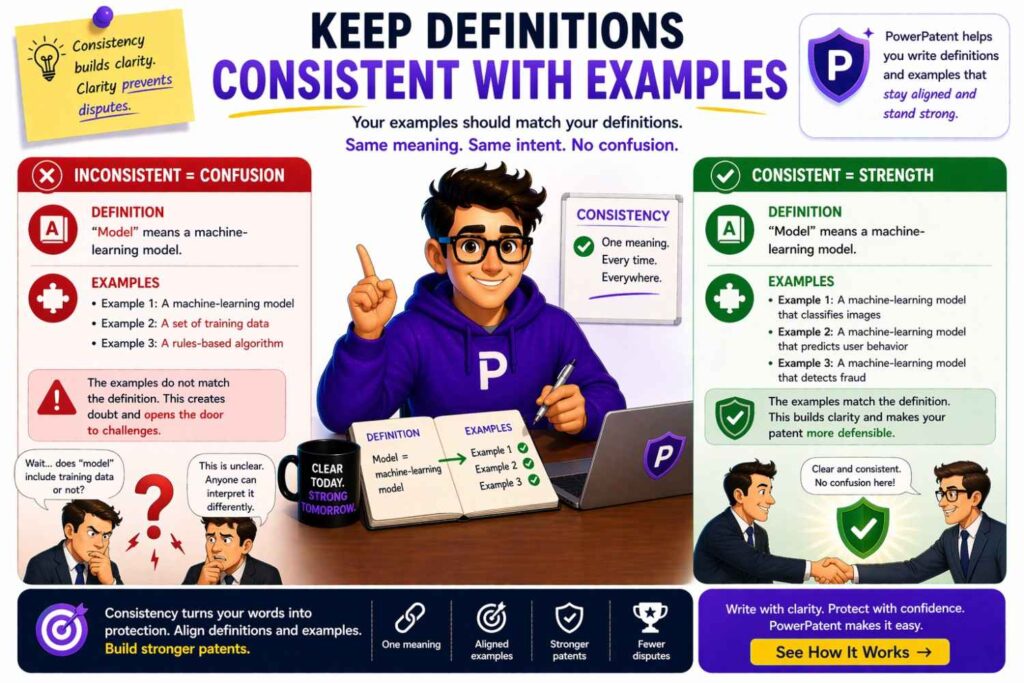
Examples should support definitions, not contradict them.
If your definition of “data store” includes a cache, but every example says data is permanently stored in a database, someone may argue the cache version is not supported.
Add examples that match your intended range.
For example, say the data may be stored temporarily or permanently.
That small phrase can matter.
Use Definitions to Avoid “Single Embodiment” Trouble
A patent may describe one main version in detail.
That is normal.
But if the language always says “the invention is” instead of “in some examples,” you may narrow the patent.
Definitions can help by saying the terms cover many versions.
Use phrases like:
“In some examples.”
“In one version.”
“In certain cases.”
“The system may.”
“The device can.”
Avoid making every feature sound required.
Define Optional Features as Optional
If a feature is not required, say so.
For example:
“The system may encrypt the data before storage.”
That is different from:
“The system encrypts the data before storage.”
The second sounds required.
Optional features should be described as optional. This gives you more room.
Do Not Put Key Limits Only in Definitions
Definitions should clarify. They should not hide the invention.
If a limit is central to patentability, it likely belongs in the claims too.
For example, if your invention is new because it uses a certain feedback loop, do not bury that only in a definition of “adaptive engine.”
Make sure the claims capture the feedback loop.
Definitions support claims. They do not replace them.
Avoid Circular Definitions
A circular definition uses the word to define itself.
Bad:
“Routing data means data used for routing.”
Better:
“Routing data means data used to select, change, rank, block, allow, or monitor a path, destination, channel, recipient, or next step.”
This gives real meaning.
Always check definitions for empty wording.
Avoid Definitions That Are Too Abstract
Some definitions are so broad they say almost nothing.
Bad:
“System means anything that does something.”
Better:
“System means one or more devices, programs, services, circuits, components, or processes that work alone or together to perform one or more functions.”
Still broad. Much clearer.
Use Examples That Match Real Alternatives
Do not add random examples just to look broad.
Add examples that a real competitor might use.
For an AI retrieval invention, good examples may include vector search, keyword search, graph search, metadata filters, model ranking, and hybrid search.
For an IoT invention, good examples may include edge processing, cloud processing, local gateways, sensor fusion, and intermittent connections.
For biotech or hardware, the examples will be different.
The best examples are not decorative. They protect real paths.
Define Terms at the Right Level
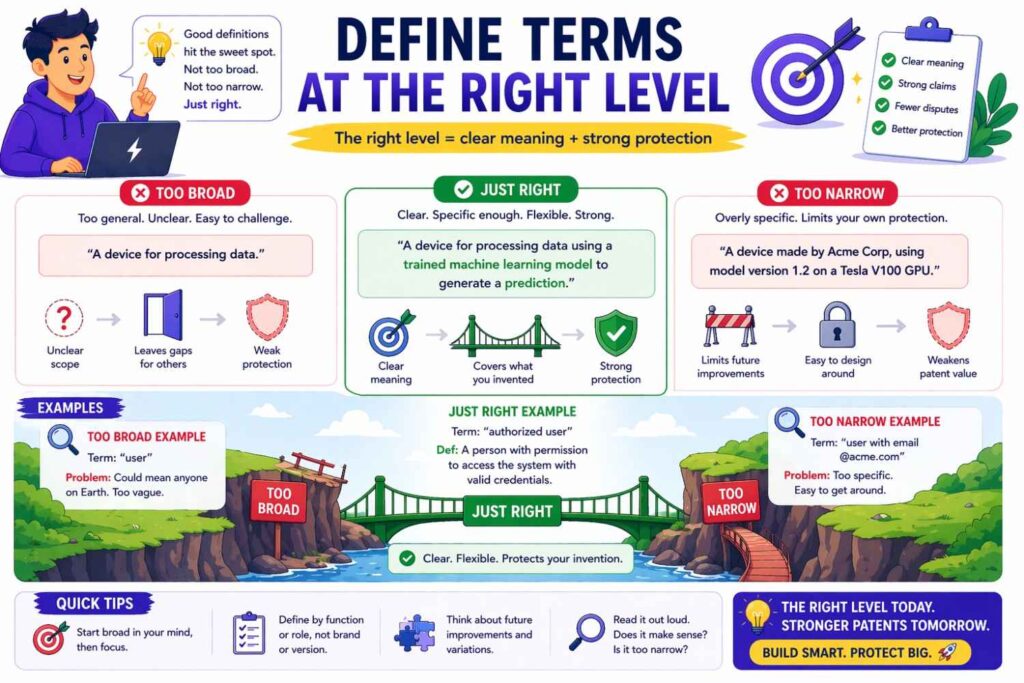
A definition can be too high-level or too low-level.
Too high-level:
“Model means a thing that gives an output.”
Too low-level:
“Model means a 24-layer transformer neural network trained using backpropagation on labeled training examples.”
Better:
“Model means a computer-based process that maps input data to output data using rules, learned parameters, statistical relationships, machine learning, or another data processing method.”
This hits the right level for many inventions.
Use Definitions to Handle Distributed Systems
Modern software is often distributed.
A “system” may have many parts in many places.
A claim should not fail because one part runs in the cloud and another runs on a phone.
Define distributed terms clearly.
“System means one or more components that may be located together or apart and may communicate directly or indirectly.”
“Processing by a system may be performed by one device or by multiple devices.”
This helps cover cloud, edge, hybrid, and local versions.
Define “On Device” If It Matters
If your invention depends on local processing, define it.
“On-device means performed at least partly by a user device, edge device, embedded device, or other local device, rather than only by a remote server.”
This leaves room for hybrid processing.
If you mean no cloud at all, say that. But only if it is required.
Define “Cloud” Without Vendor Limits
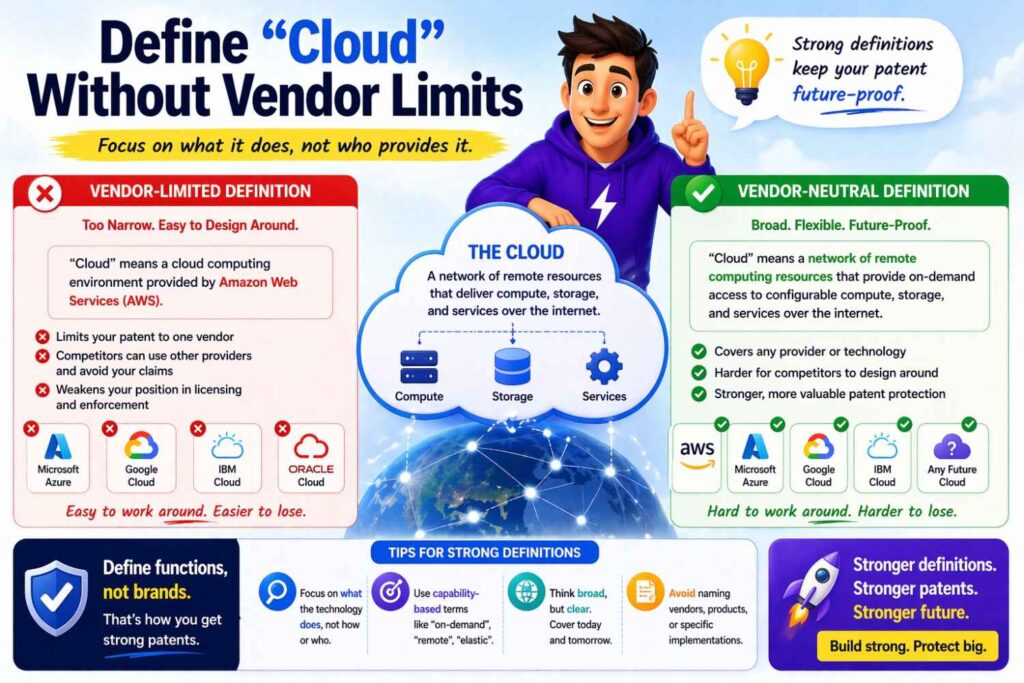
“Cloud means one or more remote computing resources that provide processing, storage, services, or data over a network.”
This covers public cloud, private cloud, and hybrid setups.
Do not tie it to one provider.
Define “Edge” Clearly
“Edge device” can mean many things.
“Edge device means a computing device located near a data source, user, machine, sensor, or operating environment and configured to process or route data.”
This works for IoT, robotics, vehicles, factories, and networks.
Define “Local” Carefully
“Local” can mean same device, same network, same facility, same region, or near a user.
If it matters, define it.
“Local means located on, near, or within a same device, network, site, region, or operating environment, depending on context.”
If the invention needs a tighter meaning, be more specific.
Define Security Terms With Actions
Security words can be vague.
Instead of saying “secure,” define the security action.
“Authentication means checking whether a user, device, process, or system is allowed to access or perform an action.”
“Authorization means deciding what access or actions are allowed.”
“Encryption means changing data into a protected form using one or more keys, rules, or cryptographic processes.”
“Tokenization means replacing data with a token that represents the data.”
This makes the patent clearer.
Define Privacy Terms Carefully
Privacy-related inventions often use words like “anonymized,” “de-identified,” “masked,” and “private.”
These words can be loaded.
Define them based on what the system does.
“Masked data means data that has been changed, hidden, removed, replaced, generalized, or limited to reduce exposure of sensitive information.”
This is safer than promising that data can never be linked back.
Avoid overpromising privacy unless the invention truly guarantees it.
Define Compliance Terms Without Legal Traps
If your invention helps with compliance, avoid making legal conclusions in the claims.
Instead of “compliant data,” use functional terms.
“Policy-checked data means data that has been compared against one or more rules, policies, or conditions.”
This avoids tying the claim to a legal standard that may change.
PowerPatent is built for teams working in fast-moving technical fields where words matter. The platform helps turn invention details into structured patent work with attorney oversight. You can explore it here: https://powerpatent.com/how-it-works
Define Medical Terms With Care
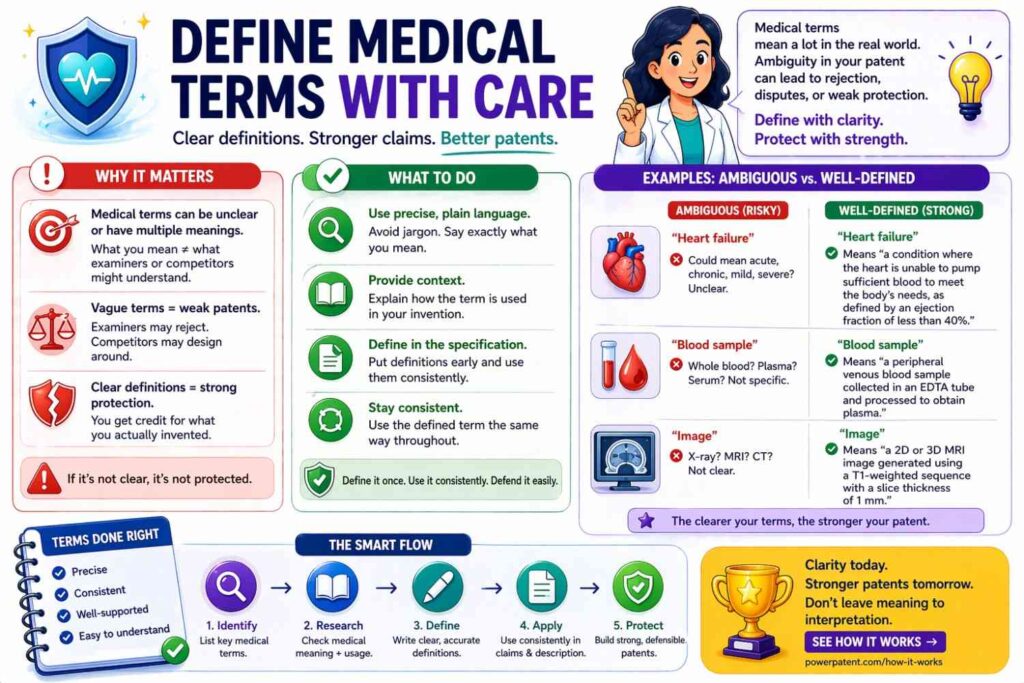
For health tech, terms like “diagnosis,” “treatment,” “patient,” and “clinician” can carry heavy meaning.
Use care.
If the system gives risk scores, do not call them diagnoses unless that is accurate.
For example:
“Health output means a score, label, alert, recommendation, measurement, risk level, or other data related to a health condition, patient state, or care action.”
This gives room without overclaiming.
Define “Patient” Broadly If Needed
“Patient” may include a person receiving care, being monitored, or associated with health data.
“Patient means a person whose health, care, status, activity, or related data is monitored, analyzed, stored, or used by the system.”
If your system also works for animals, research subjects, or simulations, define that separately.
Define “Clinician” Broadly
“Clinician means a doctor, nurse, technician, care provider, specialist, assistant, administrator, or other person involved in care or health-related review.”
This avoids making the term too narrow.
Define Financial Terms Functionally
For fintech, terms like “transaction,” “risk,” “account,” “fraud,” and “approval” can vary.
Use functional definitions.
“Transaction means an action, request, record, transfer, exchange, authorization, payment, trade, or other event involving value, data, access, or account activity.”
This is broader than a payment.
Define “Fraud” Without Needing Proof
A system may detect possible fraud, not proven fraud.
Define that.
“Fraud signal means data that indicates possible unauthorized, improper, risky, unusual, or suspicious activity.”
This avoids requiring actual fraud.
Define Robotics Terms With Action
For robotics, terms like “path,” “pose,” “task,” “object,” and “control command” matter.
“Pose means position, orientation, shape, configuration, or a combination of these.”
“Path means a route, sequence of states, motion plan, or set of control targets.”
“Control command means data used to cause, guide, limit, or adjust an action of a device, robot, actuator, or system.”
These definitions help cover different robot designs.
Define Vehicle Terms Broadly
If your invention can work in cars, drones, boats, robots, or industrial vehicles, do not define “vehicle” too narrowly.
“Vehicle means a movable machine, device, robot, aircraft, watercraft, ground vehicle, industrial vehicle, or other system used to move people, goods, sensors, tools, or itself.”
This can help future-proof the claim.
Define Energy Terms Clearly
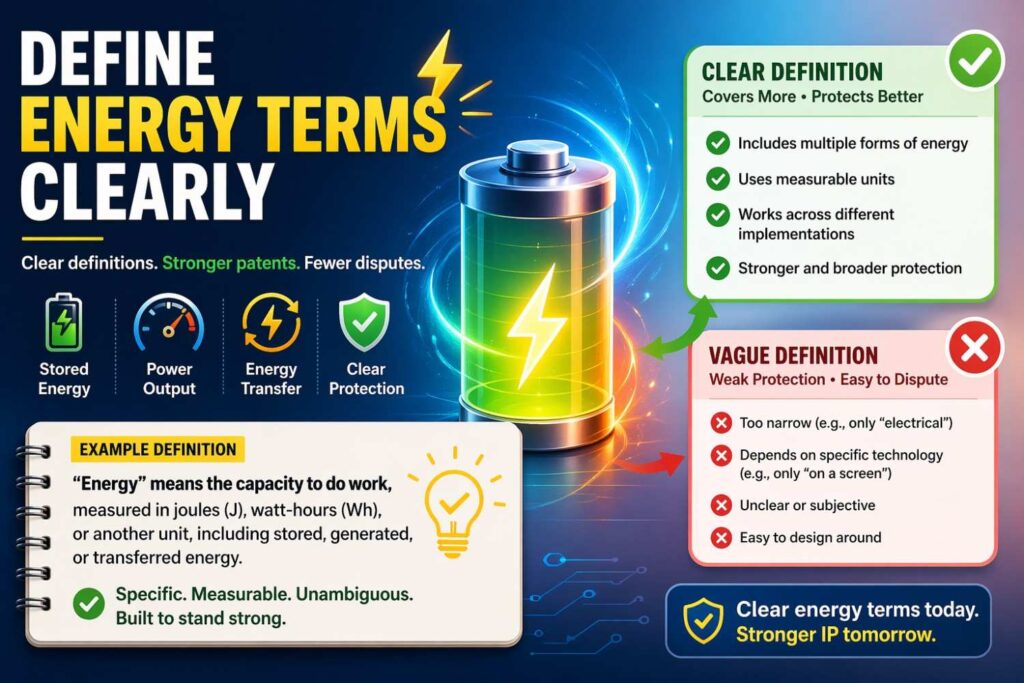
For climate, energy, and battery inventions, terms like “charge state,” “load,” “grid,” “storage system,” and “power source” matter.
“Power source means a battery, grid connection, generator, solar panel, fuel cell, capacitor, or other source of electrical energy.”
“Load means a device, circuit, machine, system, or process that consumes power.”
These terms should be clear and broad.
Define Manufacturing Terms Around Process
For manufacturing inventions, process words matter.
“Workpiece means an item, material, part, assembly, substrate, or object being processed, inspected, moved, formed, cut, joined, printed, coated, or otherwise changed.”
This is better than saying it is only a metal part, unless the invention truly requires metal.
Define “Quality” With Measures
“Quality” can be vague.
Define it through data.
“Quality value means a score, label, measurement, pass/fail result, defect count, tolerance value, inspection result, or other data that indicates a condition of an item or process.”
This turns a soft word into a technical term.
Define “Defect” Broadly
“Defect means a condition, feature, error, variation, damage, missing part, extra part, misalignment, contamination, or other result that does not meet one or more rules, targets, or expected states.”
This is useful for inspection systems.
Define “Event” Carefully
“Event” is one of the most common software terms.
It can mean anything unless defined.
“Event means a detected, received, generated, stored, or inferred occurrence, condition, message, action, state change, or trigger.”
This is broad but meaningful.
Define “State” Clearly
“State means data that describes a condition, mode, value, setting, status, configuration, or context of a user, device, system, process, object, or environment.”
This works across software, hardware, AI, and controls.
Define “Condition” Without Vagueness
“Condition means a state, value, rule result, event, context, threshold result, measurement, or other fact used by a system.”
This helps if claims use condition-based logic.
Define “Parameter” Broadly
“Parameter means a value, setting, weight, limit, rule, input, configuration, or other data used to control or affect a process.”
This can cover model parameters and system settings, but be careful. In AI, “model parameter” may have a narrower meaning. Define it if needed.
Define “Metadata” Clearly
“Metadata means data that describes, labels, indexes, identifies, or gives context to other data.”
Simple and useful.
Define “Label” Broadly
“Label means data assigned to, linked with, or used to describe another data item. A label may include a class, tag, score, category, result, annotation, or status.”
This helps for AI training and classification.
Define “Annotation” If It Matters
“Annotation means data added to, linked with, or associated with another data item to describe, classify, mark, explain, or modify that item.”
This covers human and machine annotations.
Define “Synthetic Data”
“Synthetic data means data generated or modified by a computer process to represent, simulate, augment, replace, or supplement other data.”
This is useful for AI inventions.
Define “Feedback”
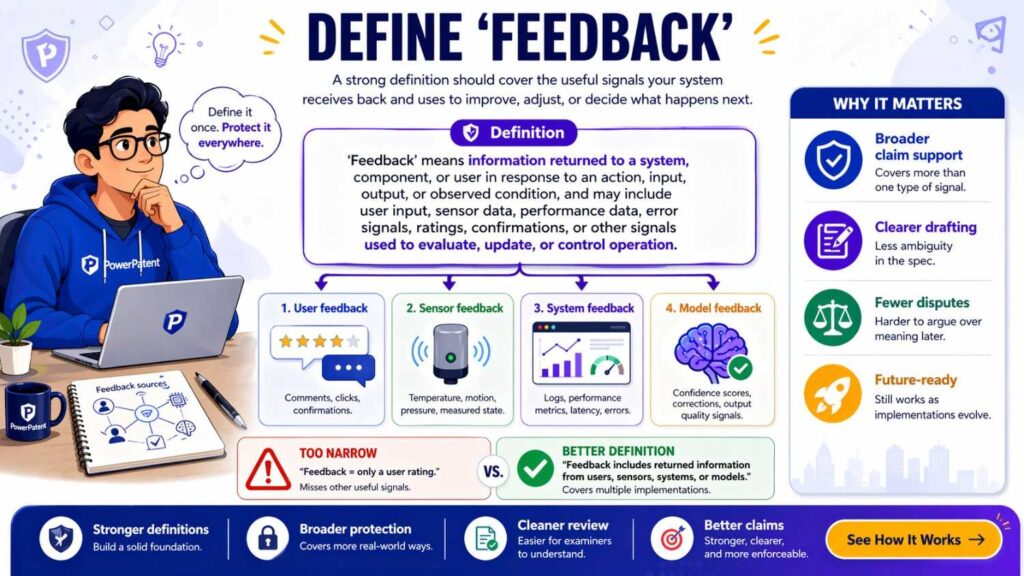
“Feedback means data that indicates a response, result, correction, rating, selection, rejection, action, outcome, or other information used to evaluate or change a system.”
This is broad and practical.
Define “Update”
“Update means to add, remove, replace, modify, tune, retrain, refresh, re-rank, reconfigure, or otherwise change.”
This avoids narrow readings.
Define “Adaptive”
“Adaptive means able to change based on data, rules, feedback, time, use, context, or system state.”
This is useful but should be backed by examples. Do not call something adaptive unless the patent explains what changes and why.
Define “Dynamic”
“Dynamic” can be vague.
“Dynamic means changed, selected, generated, or updated during operation based on data, conditions, rules, user actions, or system state.”
This gives it real meaning.
Define “Personalized”
“Personalized means selected, changed, ranked, generated, or presented based at least in part on data linked to a user, account, device, group, role, or context.”
This avoids limiting personalization to one person’s stated preferences.
Define “Role”
“Role means data that identifies, controls, or relates to permissions, duties, access rights, user type, system type, or function.”
Useful for security and workflow patents.
Define “Permission”
“Permission means data that indicates whether a user, device, process, or system may access, change, perform, view, send, receive, approve, or control something.”
Clear and broad.
Use Definitions to Make Claims Easier to Read
Claims are often dense.
Good definitions can reduce clutter.
Instead of repeating a long phrase in every claim, define a term once and use it carefully.
For example, instead of writing “data indicating a current state of a device, a user, a network, or an environment” every time, define “context data.”
Then use “context data” in the claims.
But do not invent too many terms.
A patent with too many custom terms becomes hard to follow.
The Best Definitions Feel Almost Invisible
A good definition should not stop the reader.
It should make the next sentence easier.
If the definition feels like a puzzle, rewrite it.
Read it aloud.
Would an engineer understand it?
Would a founder understand it?
Would an investor understand the basic idea?
Would a patent attorney see enough detail to work with?
Aim for all four.
Write Definitions in the Same Voice
Definitions should not sound like they came from five different people.
Use a steady style.
For example:
“X means…”
“X may include…”
“X does not require…”
Keep it clean.
Do not switch between long legal phrasing and casual product language.
A steady voice makes the whole patent easier to read.
Do Not Add Definitions That Conflict With Standard Patent Phrases
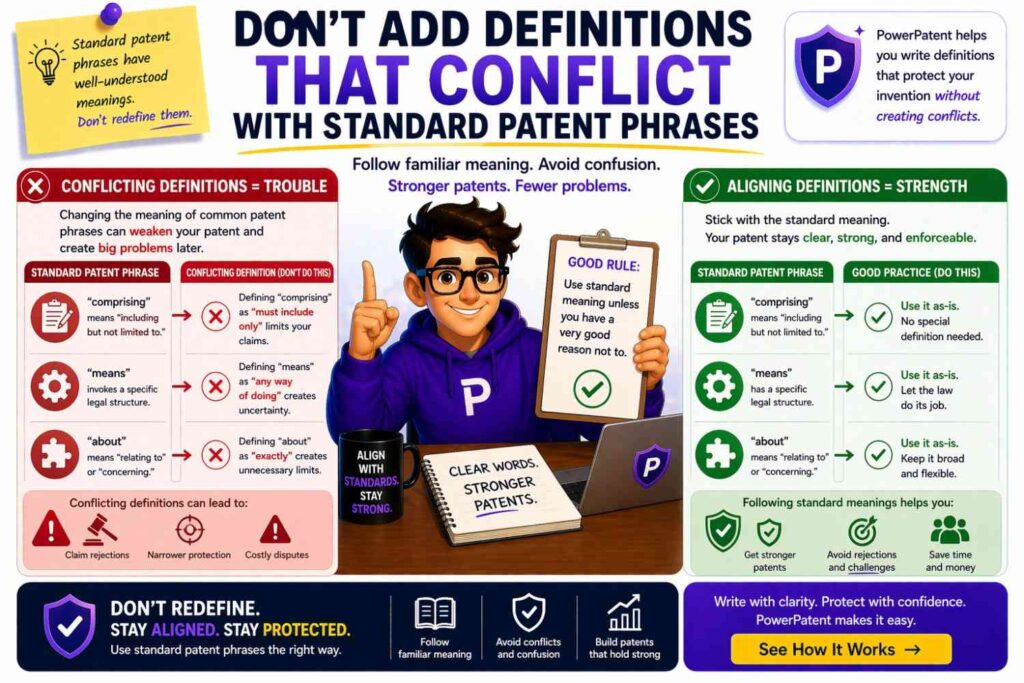
Some patent drafts include standard phrases like “comprising,” “including,” or “at least one.”
Be careful before redefining such terms.
These words can have special importance.
This is where attorney review matters.
PowerPatent combines smart software with real patent attorney oversight, so founders can move fast while still getting careful review. See the process here: https://powerpatent.com/how-it-works
Build a Definition Review Checklist
Before filing, review your definitions with a simple process.
Read the claims first.
Mark every term that seems important.
Check whether each key term is defined or explained.
Check whether the definition is too narrow.
Check whether the definition uses examples safely.
Check whether the same term is used the same way everywhere.
Check whether the definition matches the drawings and examples.
Check whether a competitor could avoid the claim by changing a small detail.
This review can catch many problems before filing.
Ask Engineers the Right Questions
Engineers often know where definitions should be broad.
Ask them:
Could this run on another device?
Could this use another model?
Could this use another data type?
Could this step happen in another order?
Could this be done by another service?
Could this output be a score instead of a label?
Could this be trained later instead of at setup?
Could this be manual in one version and automatic in another?
These questions uncover hidden flexibility.
That flexibility should show up in definitions and examples.
Ask Product Leaders the Right Questions
Product leaders know where the product may go.
Ask:
What features might change?
What markets might use this?
What integrations might be added?
What user types might matter later?
What data sources might be added?
What parts are core and what parts are just current packaging?
Definitions should protect the future business, not just the current sprint.
Ask Patent Counsel the Right Questions
When working with a patent attorney, do not just ask, “Is this okay?”
Ask better questions.
Ask whether a term is too narrow.
Ask whether examples could limit the claim.
Ask whether key words need definitions.
Ask whether a competitor could design around the term.
Ask whether the definition supports the claim scope.
This makes attorney review more useful.
PowerPatent is designed to help founders and engineers work with attorney oversight without turning the process into a slow, painful back-and-forth. Learn more here: https://powerpatent.com/how-it-works
Common Definition Mistakes
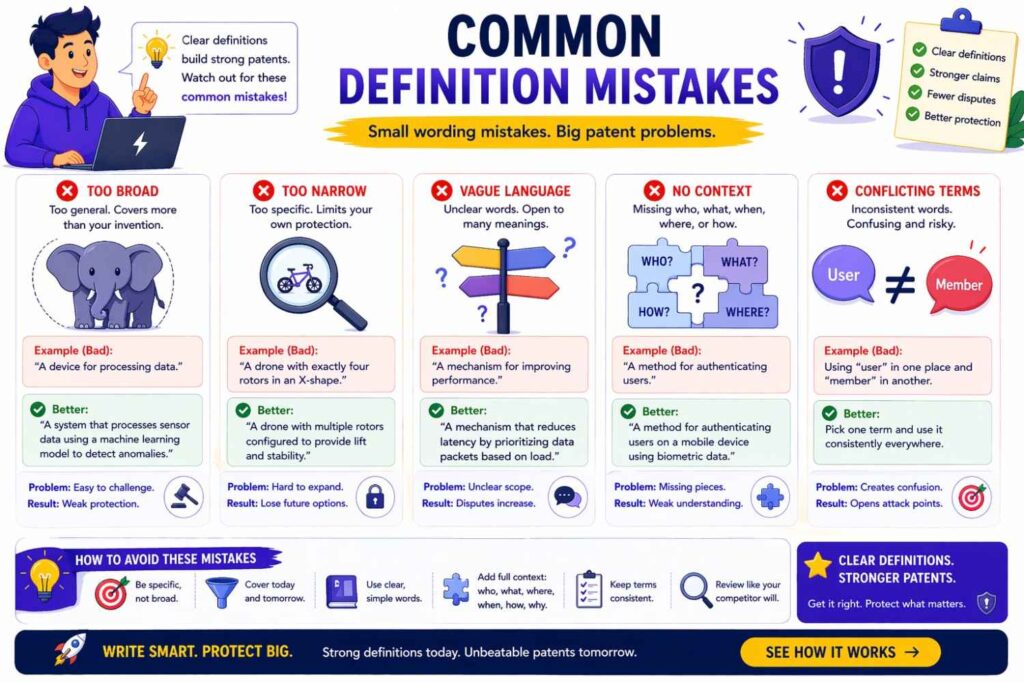
The first big mistake is defining terms only around the first product version.
Your first version is not your invention. It is one version of your invention.
The second mistake is using brand names as if they are required.
The third mistake is using vague words like “smart,” “optimized,” and “secure” without explaining what the system does.
The fourth mistake is switching terms across the draft.
The fifth mistake is making examples sound required.
The sixth mistake is failing to define timing words like “real time,” “automatic,” and “continuous.”
The seventh mistake is using technical words that have many meanings without explaining your meaning.
These mistakes are common because founders are busy. They write how they talk. That is normal. But patent claims need cleaner wording.
A Better Way to Draft a Definition
Here is a simple pattern:
Start with the main meaning.
Add what forms it can take.
Add examples.
Add what it does not require, if there is a likely dispute.
For example:
“Model means a computer-based process that maps input data to output data. A model may include a machine learning model, neural network, transformer model, statistical model, rules-based model, or other process. A model does not need to be trained by the same system that uses the model.”
This pattern works well because it is clear and flexible.
Example: Weak vs Strong Definition for “User Device”
Weak:
“User device means a smartphone.”
Strong:
“User device means a computing device used by or associated with a user. A user device may include a phone, tablet, laptop, desktop computer, wearable device, vehicle system, embedded device, or other device that sends, receives, stores, displays, or processes data.”
The strong version protects more real-world options.
Example: Weak vs Strong Definition for “Model”
Weak:
“Model means a neural network trained on user data.”
Strong:
“Model means a computer-based process that maps input data to output data using rules, learned parameters, statistical relationships, machine learning, or another method. A model may include a neural network, transformer model, classifier, regression model, ranking model, rules-based model, or other model.”
The strong version does not trap the invention inside one model type.
Example: Weak vs Strong Definition for “Alert”
Weak:
“Alert means a message shown on a screen.”
Strong:
“Alert means data that indicates an event, condition, risk, status, or action. An alert may be displayed to a user, sent to a system, stored, logged, or used to trigger another action.”
The strong version covers human and machine use.
Example: Weak vs Strong Definition for “Automatic”
Weak:
“Automatic means no human involvement.”
Strong:
“Automatic means performed by a computer system without manual action for the specific step being performed. Automatic does not prevent a user from starting, approving, configuring, or reviewing a process.”
The strong version matches real products.
Example: Weak vs Strong Definition for “Real Time”
Weak:
“Real time means instantly.”
Strong:
“Real time means during a process or soon enough for a result to affect the process. Real time does not require zero delay.”
The strong version avoids an impossible standard.
Example: Weak vs Strong Definition for “Database”
Weak:
“Database means a SQL database.”
Strong:
“Database means one or more systems or structures that store data. A database may include a relational database, non-relational database, vector database, graph database, file system, cache, memory, data lake, ledger, or other data store.”
The strong version fits modern systems.
Example: Weak vs Strong Definition for “Connected”
Weak:
“Connected means physically joined.”
Strong:
“Connected means linked directly or indirectly in a way that allows mechanical, electrical, data, signal, fluid, optical, or other interaction.”
The strong version covers many real connections.
Use Definitions to Protect Against Future Product Changes
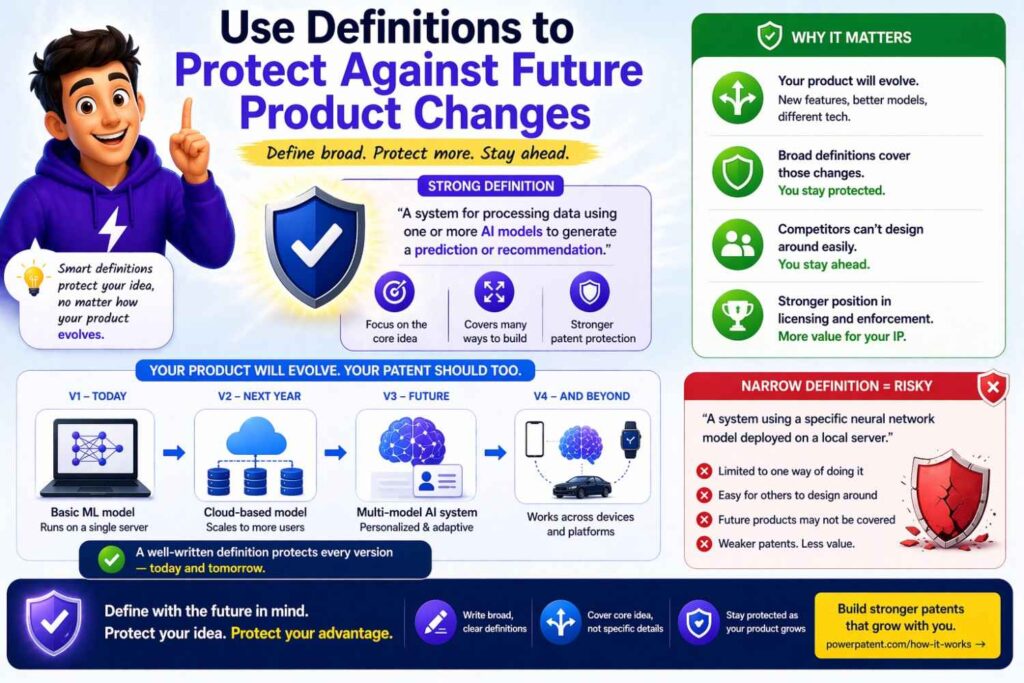
Startups change.
That is not a bug. That is how startups survive.
You may change your backend.
You may add AI.
You may move from cloud to edge.
You may add enterprise controls.
You may build APIs.
You may support new data sources.
You may shift from one customer group to another.
Your patent definitions should give you room for that.
A narrow patent can become outdated before the product even scales.
A smart patent protects the core invention as the company grows.
Definitions Should Support Business Value
A patent is not only a legal document.
It is also a business asset.
Investors may look at it.
Partners may ask about it.
Buyers may review it.
Competitors may study it.
Clear definitions make the patent easier to understand and harder to dismiss.
They also show that the company took the invention seriously.
For a startup, that can matter.
Definitions Help Avoid Costly Rework
Bad definitions can create expensive problems later.
You may need to amend claims.
You may need to explain unclear terms.
You may face avoidable disputes.
You may find that your patent does not cover the product you now sell.
Fixing words before filing is cheaper than fighting over them later.
That is one reason PowerPatent focuses on helping teams capture invention details early and turn them into better patent materials with real attorney review. See how it works here: https://powerpatent.com/how-it-works
Make Definitions Part of Your Invention Capture Process
Do not wait until drafting day.
When your team identifies a new invention, capture key terms right away.
Write what each term means.
Write what it does not require.
Write possible alternatives.
Write what may change in future versions.
Write what competitors might use instead.
This gives the patent team better raw material.
It also helps engineers explain the invention clearly.
Keep a Living Glossary
For startups with many inventions, a living glossary can help.
It keeps terms consistent across filings.
For example, if your company uses “agent,” “workflow,” “policy,” and “context” in many inventions, define them in a steady way.
But do not blindly copy definitions.
Each patent may need changes based on the invention.
A glossary is a starting point, not a cage.
Match Definitions to Claim Strategy
Some claims should be broad.
Some should be narrower.
Definitions can support both.
A broad independent claim may use flexible terms.
A narrower dependent claim may add details.
For example, the broad claim may say “model.”
A dependent claim may say “where the model includes a transformer model.”
This gives layers of protection.
The definition of “model” should support both.
Avoid Narrowing the Independent Claim by Accident
The independent claim is often the main fence.
Do not use definitions that make it tiny by accident.
If the independent claim uses “routing engine,” and the definition says the routing engine must use a specific algorithm, then the whole claim may depend on that algorithm.
Only do that if the algorithm is the point.
Otherwise, define the engine by the function and put the algorithm in a narrower example or dependent claim.
Use Dependent Claims for Specific Definitions
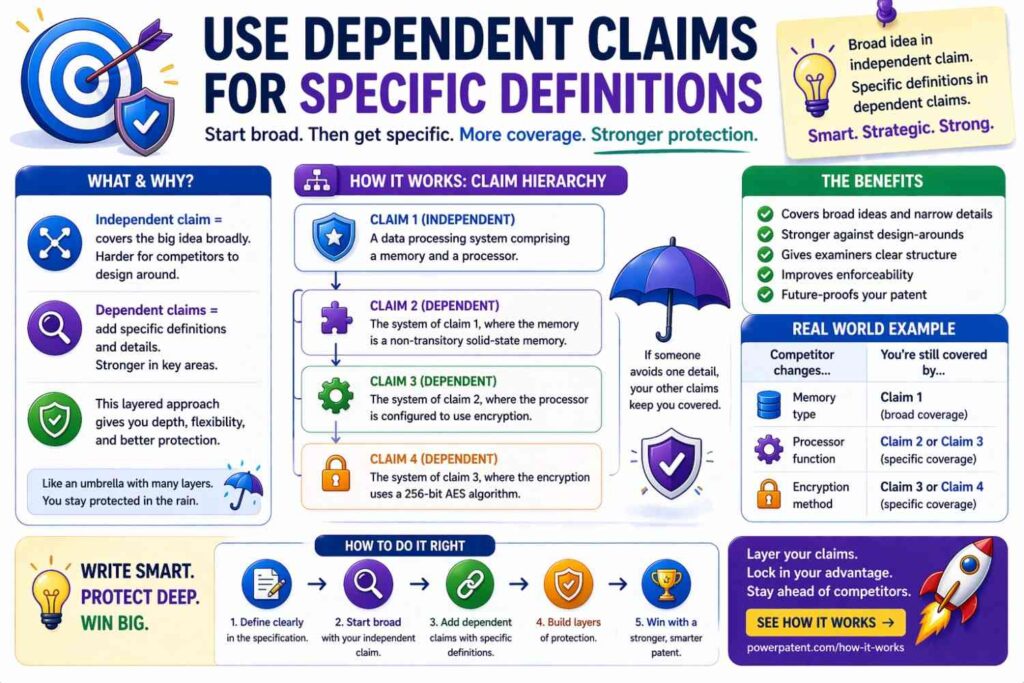
Sometimes you want to protect a specific version.
That is fine.
Put the specific version in a dependent claim or example.
For example:
Broad definition:
“Model means a computer-based process that maps input data to output data.”
Narrow claim:
“The method of claim 1, where the model includes a transformer neural network.”
This keeps the broad claim broad while still protecting the important version.
Beware of “Present Invention” Language
Phrases like “the present invention requires” can narrow the patent.
Use them carefully.
Better:
“In some examples, the system…”
“In one version, the device…”
“In certain cases, the method…”
This small change can preserve flexibility.
Definitions Should Not Fight the Specification
The whole patent must tell one clear story.
If the definition is broad but the rest of the draft only supports one tiny version, there may still be trouble.
Support broad definitions with enough examples.
If “data” includes audio, video, and sensor data, show at least some examples of how those forms can work if they matter.
If “model” includes rules-based models and neural networks, explain how both can fit.
Do not just add broad words. Support them.
Write for the Person Who Will Attack the Patent
A good patent is not written only for friendly readers.
It is written for unfriendly readers too.
Someone may look for weak spots.
They may ask:
Does this term really include our system?
Did the inventor clearly define it?
Did the examples narrow it?
Is the term used consistently?
Is there support for this scope?
Definitions are one place where you can close gaps before they become attacks.
Write for the Person Who Will Defend the Patent
Your future attorney may need to defend the patent.
Give them clean tools.
A good definition can be a strong tool.
It gives them language to point to.
It shows what the inventor meant.
It helps explain why a competitor’s small change should not avoid the claim.
This is why clarity now can create leverage later.
Write for the Buyer or Investor
Patent buyers and investors often look for coverage.
They want to know what the patent protects.
If the terms are muddy, the patent may feel weak.
Clear definitions help show the invention has shape.
They also make the patent easier to value.
For startups, this can support fundraising, partnerships, licensing, and exit talks.
Keep the Introduction Short, but the Definitions Deep
In the patent itself, the background should not do too much.
Do not spend pages on buzzwords.
Spend your energy on the invention, the terms, the examples, and the claims.
Definitions do not need to be flashy.
They need to be useful.
A Simple Definition Template
Use this when drafting:
“[Term] means [plain function or core meaning]. [Term] may include [examples]. [Term] may be [forms or locations]. [Term] does not require [thing people might wrongly assume].”
Example:
“Routing engine means software, hardware, or both that selects, changes, ranks, or controls a path, destination, channel, or recipient for data, messages, tasks, or signals. A routing engine may use rules, models, thresholds, user settings, system state, or context data. A routing engine may run on one device or across multiple devices.”
This is practical and strong.
Do Not Make Definitions Longer Than Needed
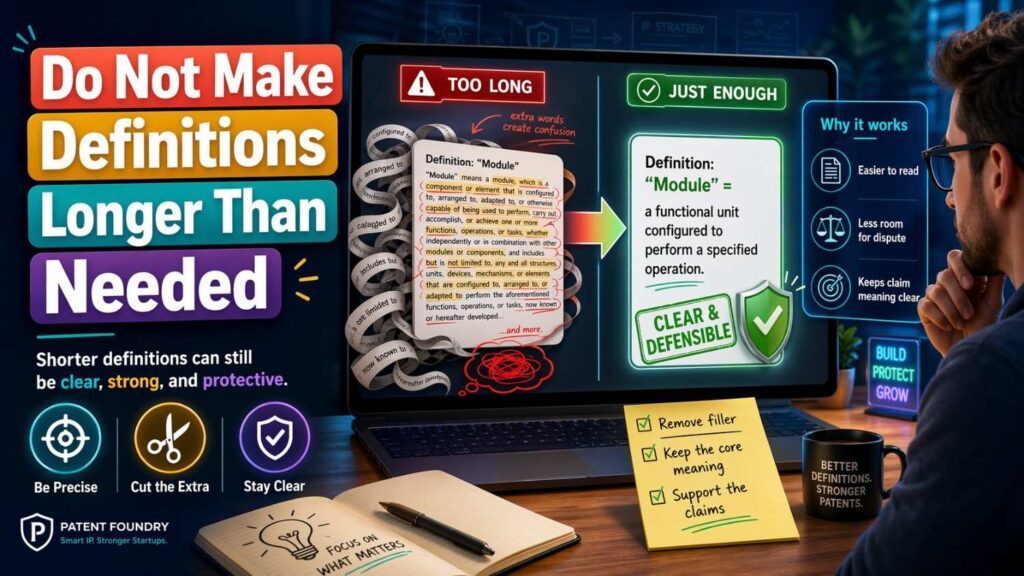
Long definitions can create their own problems.
If a definition runs for a full page, readers may miss the main point.
Keep it as short as you can while still doing the job.
For major terms, a few sentences may be right.
For minor terms, one sentence may be enough.
Length is not strength.
Clarity is strength.
Make Every Word Earn Its Place
When reviewing a definition, ask:
Does this word add clarity?
Does it create a limit?
Does it match the invention?
Could it be misunderstood?
Could it be removed?
This is how you sharpen definitions.
Patent writing is not about adding fancy words. It is about choosing words that protect value.
Definitions Should Help the Reader Trust the Draft
Good definitions make the whole patent feel more solid.
The reader sees that the terms were chosen with care.
The claims feel less random.
The invention feels more real.
This matters because patents are often read under pressure. Examiners are busy. Investors are busy. Attorneys are busy. Judges are busy.
Clear words help everyone.
The Founder’s Rule: Define the Word Before Someone Else Does
If you do not define a key term, someone else may define it for you later.
That someone may be an examiner.
Or a competitor.
Or a court.
Or an investor doing diligence.
Do not give away that control.
Define the words that matter while you still can.
The Engineer’s Rule: Protect the Idea, Not the Current Build
Your current build is evidence of the invention.
But the patent should protect the idea behind the build.
Definitions help make that jump.
They let you say:
This part can be code or hardware.
This model can be trained or rules-based.
This data can come from many sources.
This action can happen on device or in the cloud.
This output can be a score, label, alert, or command.
That is how you write for the future.
The Attorney’s Rule: Broad Is Good Only When Supported
Broad definitions are helpful only when the patent supports them.
Do not write a definition so broad that it becomes empty.
Tie broad terms to real examples.
Show enough detail.
Explain how the invention works.
PowerPatent helps teams turn technical detail into patent-ready material, with attorney review to help avoid risky gaps. Start here: https://powerpatent.com/how-it-works
Final Thoughts
Definitions are small parts of a patent, but they can carry huge weight.
They help prevent claim disputes by making key words clear, flexible, and supported.
The best definitions are plain. They avoid hidden limits. They match the invention. They leave room for future versions. They make it harder for competitors to twist your words.
For founders, this is not just a drafting detail.
It is a way to protect what you are building.
Your claims are only as strong as the words inside them. Choose those words with care.
And when you are ready to turn your invention into a stronger patent filing without slowing your team down, PowerPatent can help you do it with smart software and real attorney oversight.
See how PowerPatent works here: https://powerpatent.com/how-it-works