A patent search can fail for one simple reason.
You searched the wrong words.
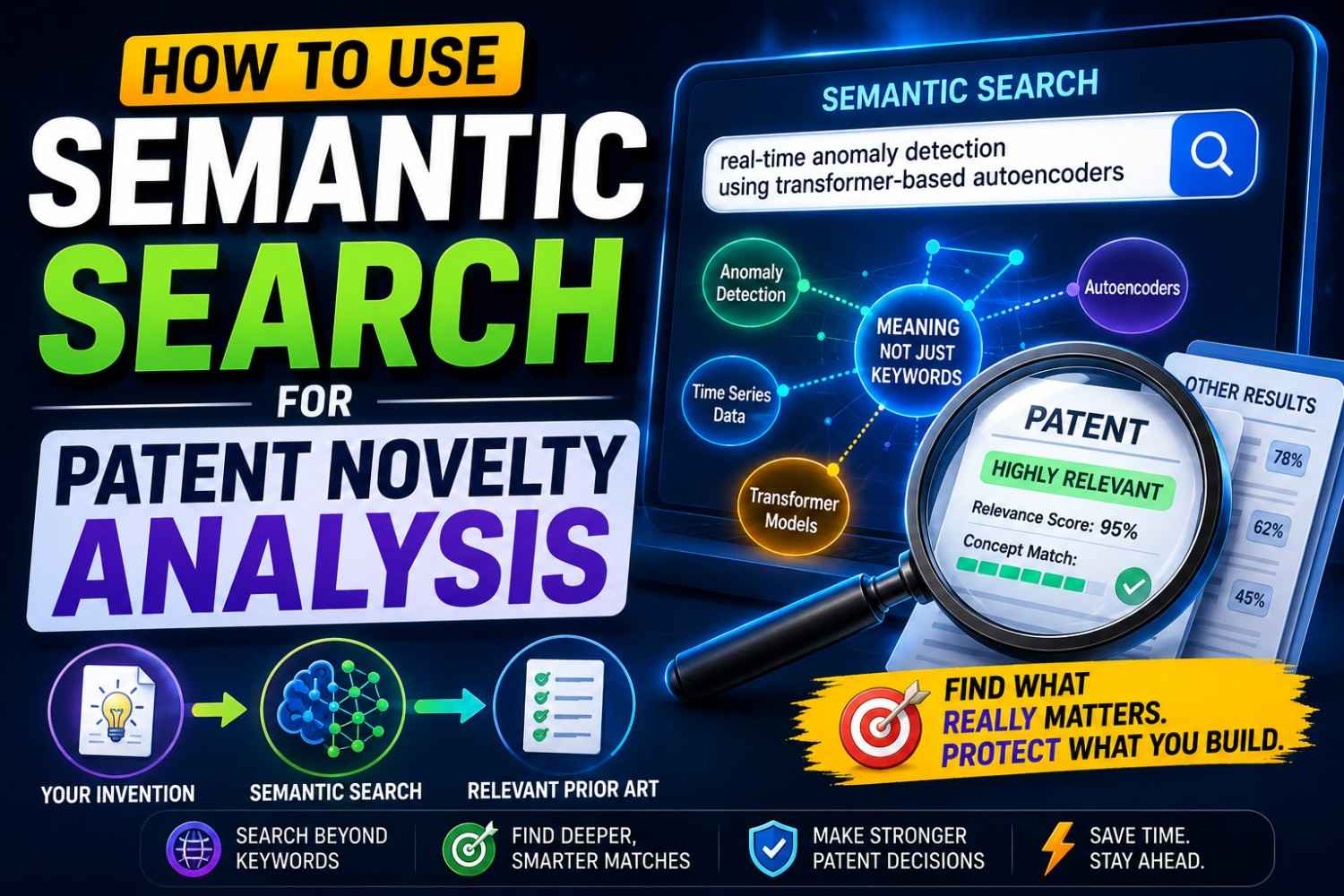
Semantic search helps solve that problem. It looks for meaning, not just exact terms. That makes it powerful when you are trying to understand whether your invention is truly new before filing.
This guide shows how founders, engineers, and startup teams can use semantic search for patent novelty analysis in a clear, practical, and business-smart way.
If you want help turning your invention into a stronger attorney-reviewed patent filing, PowerPatent helps founders combine smart software with real patent oversight. See how it works here: https://powerpatent.com/how-it-works
What Patent Novelty Analysis Really Means
Patent novelty analysis is the process of checking whether your invention was already shown before.
That sounds simple.
But in real life, it is not simple at all.
The old work may use different words. It may sit in a patent from another country. It may be hidden in a research paper. It may be shown in a product manual, GitHub repo, API guide, YouTube demo, datasheet, standard, slide deck, or public technical report.
The goal is not just to ask, “Has anyone done this?”
The better question is, “Has one public source already shown the same key invention before our filing date?”
That source is prior art.
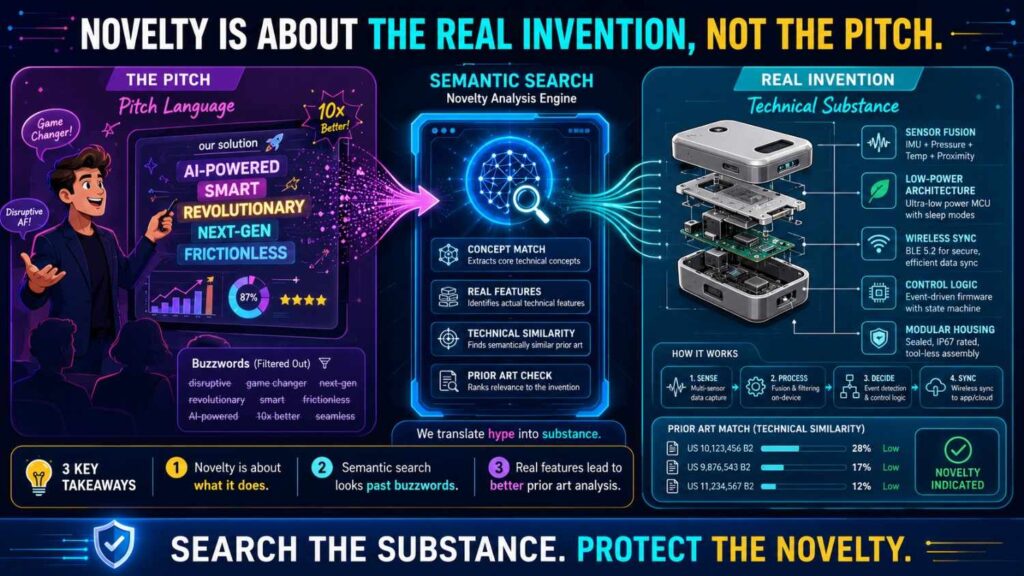
Novelty Is About the Real Invention, Not the Pitch
Founders often start with a broad product idea.
They say things like “AI for contract review,” “smart battery safety,” “robotic picking,” “automated code review,” or “clinical workflow AI.”
Those phrases are useful for a pitch deck.
They are not enough for novelty analysis.
A patent does not protect a broad vibe. It protects specific claims. Those claims are based on technical features.
So novelty analysis must focus on the real invention.
For example, “AI for contract review” is too broad.
The real invention may be a system that checks a draft contract against a company playbook, selects fallback clauses from past approved edits, and keeps each customer’s data separate during model updates.
That is much more specific.
That is what you need to search.
Novelty Is Not the Same as Market Newness
A product can feel new in the market but still include technical parts that were already known.
That does not mean the product has no patent value.
It means you need to find the true technical edge.
Maybe the category is old, but your timing method is new.
Maybe the user flow is known, but your data combination is new.
Maybe the model is standard, but your deployment method is new.
Maybe the hardware device is familiar, but your calibration step is new.
Novelty analysis helps separate what is old from what may still be protectable.
Semantic search helps because it can find old work even when the old work uses different words.
What Semantic Search Means in Plain English
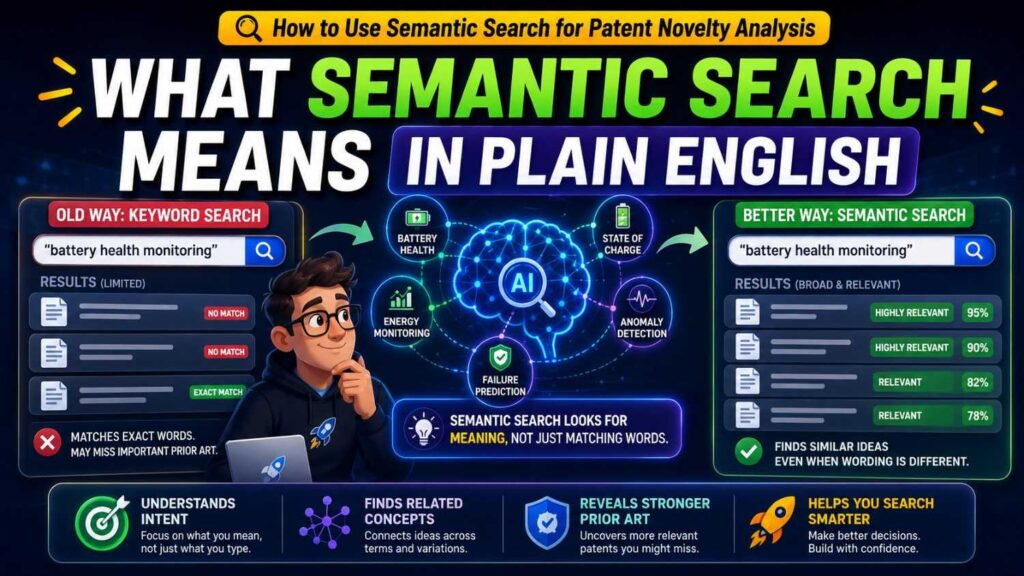
Keyword search looks for words.
Semantic search looks for meaning.
If you search “AI code review” with a keyword tool, it may look for those exact words or close word matches.
A semantic search tool may also find documents about automated source code analysis, defect prediction, reviewer recommendation, pull request risk scoring, software change impact analysis, and code quality classification.
Those sources may not say “AI code review.”
But they may describe something close in meaning.
That is why semantic search matters.
Why Meaning Matters in Patent Search
Patent language is often broad and formal.
Your team may say “smart alert.”
A patent may say “context-based notification generation.”
Your team may say “battery leak detection.”
A patent may say “determining an abnormal condition in an energy storage system based on sensor output.”
Your team may say “AI assistant with citations.”
A paper may say “retrieval-grounded answer generation with source attribution.”
Same world. Different words.
Semantic search helps bridge that gap.
Semantic Search Helps You Escape Your Own Vocabulary
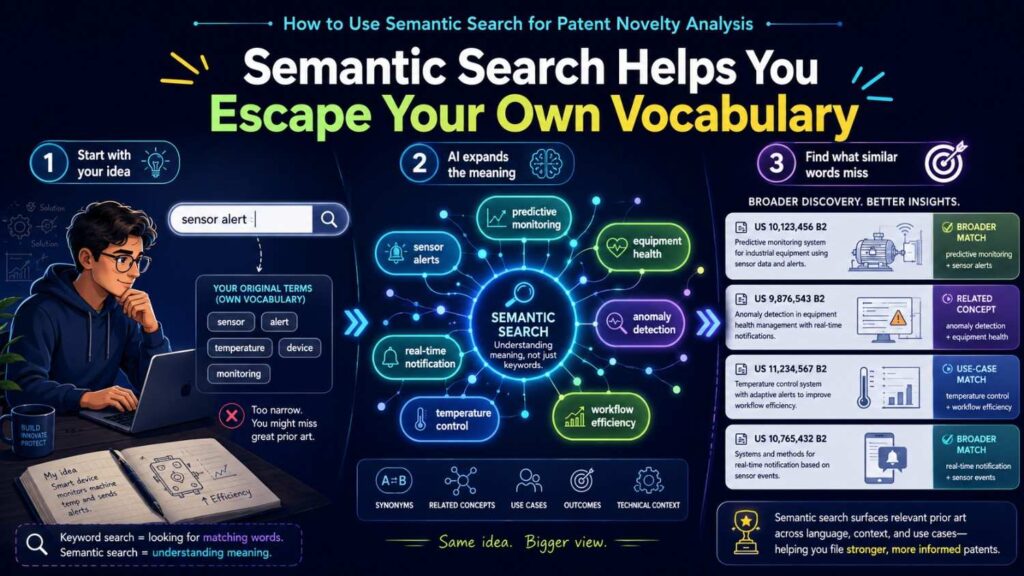
Every team has its own words.
Engineers use internal names. Product teams use customer language. Founders use pitch language. Researchers use academic language. Patent writers use broad legal-technical language. Developers use code names.
If you search only your own terms, you may miss close prior art.
Semantic search helps you look beyond your team’s words.
That is especially useful for startups because startup language is often newer than the underlying technical idea.
A phrase like “agentic workflow” may be new.
But older work on software agents, task planning, workflow automation, tool selection, and autonomous action systems may be very relevant.
Why Keyword Search Alone Can Miss Novelty Risks
Keyword search is still useful.
It can find exact terms, part numbers, chemical names, model names, product names, standards, protocols, and unique phrases.
But keyword search has a major weakness.
It depends on the words you choose.
If your words are too narrow, you miss things.
If your words are too broad, you drown in noise.
If your words are too modern, you miss older sources.
If your words are too product-focused, you miss technical sources.
Different People Name the Same Thing Differently
A founder may say “AI support routing.”
A product page may say “intelligent escalation.”
A GitHub repo may say “ticket_router.”
A paper may say “service request classification.”
A patent may say “assignment of a request to a responsible entity based on context data.”
All of those may point to similar prior art.
Keyword search may miss most of them.
Semantic search has a better chance of finding them.
New Buzzwords Can Hide Old Ideas
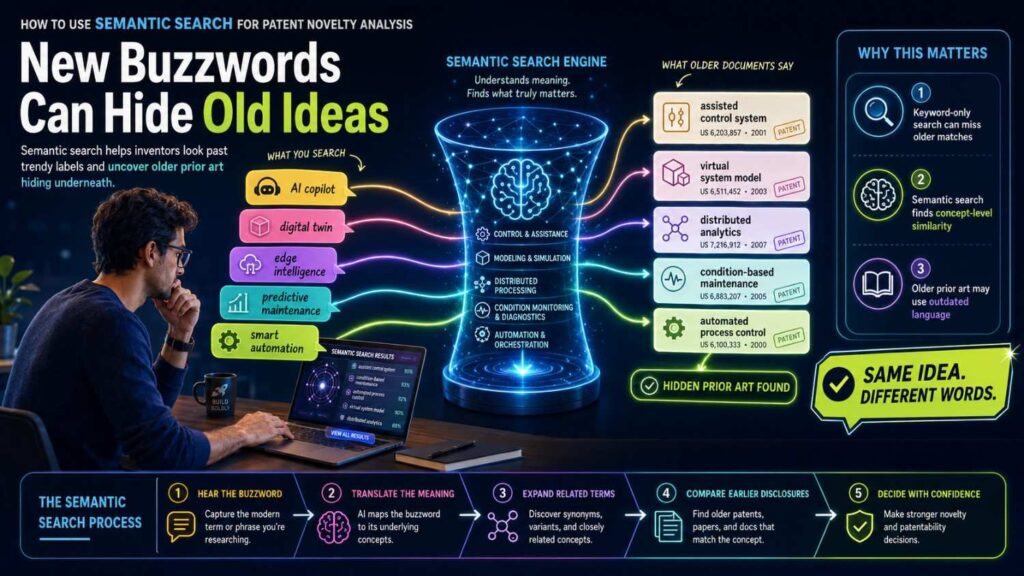
This is a big trap.
A new phrase can make an old concept feel new.
“RAG” may connect to older work on information retrieval, question answering, passage ranking, evidence retrieval, and grounded generation.
“Digital twin” may connect to older work on virtual models, asset simulations, state estimation, and process monitoring.
“Edge AI” may connect to older work on embedded inference, local classification, on-device processing, and low-power neural networks.
“Agentic AI” may connect to older work on software agents, planners, executors, autonomous workflows, and rule-based action systems.
Semantic search helps uncover those older roots.
Keyword Search Is Often Too Literal
A keyword tool may not know that “false alarm reduction” and “alert suppression” are related.
It may not know that “reviewer assignment” and “expert routing” are close.
It may not know that “vent gas monitoring” and “battery fault detection” may relate.
Semantic search is better at these meaning links.
That does not make keyword search useless.
The strongest novelty analysis uses both.
Semantic search finds broad meaning. Keyword search checks exact language.
Why Semantic Search Matters for Startups
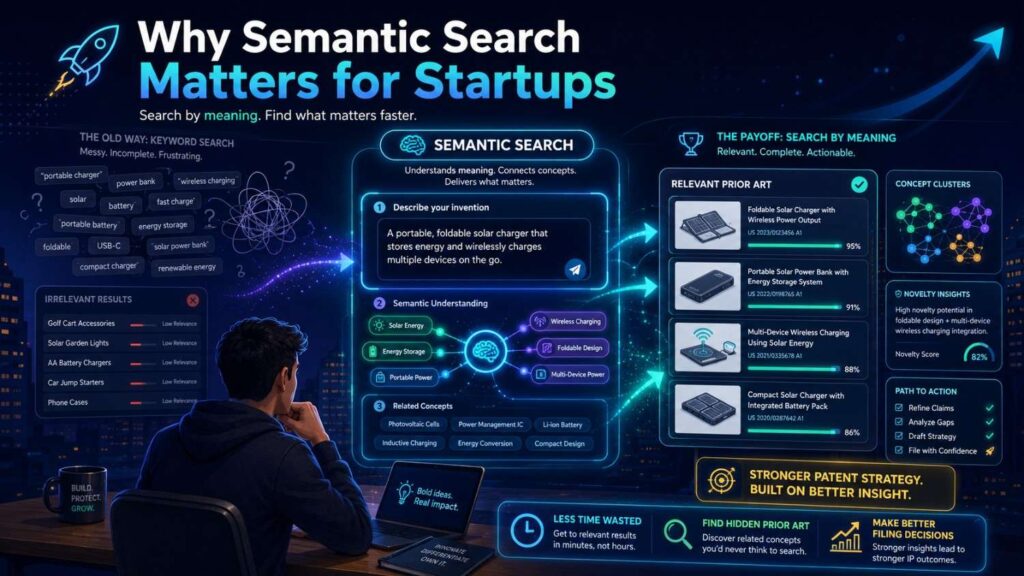
Startups need speed.
But they also need good decisions.
A weak patent search can lead to weak filings. A weak filing can waste money, create false confidence, and fail to protect the real edge.
Semantic search helps founders search earlier and better.
It can take a rough invention idea and find related sources that use different words.
It can reveal close art before filing.
It can help your team focus the patent on what is actually new.
It Helps You Avoid Filing on the Wrong Thing
Many startups file too broadly at first.
They try to protect the product category.
But the product category may already be crowded.
Semantic search can show that quickly.
Then the team can ask a better question: what part of our system is actually different?
Maybe the novelty is in the data pipeline.
Maybe it is in the control logic.
Maybe it is in the timing window.
Maybe it is in the way the system handles privacy, safety, latency, or feedback.
That narrower invention may be far more valuable than the broad pitch.
It Helps You Move Faster Before Launch
Startups often publish product pages, videos, docs, code, and demos before filing.
That can create risk.
Semantic search can help your team run a smarter early screen before public disclosure.
If a feature is important, you can search the meaning of the invention, find close sources, and talk to a patent professional before launch.
This does not need to slow the company down.
It helps prevent avoidable mistakes.
PowerPatent helps founders move faster from invention details to attorney-reviewed patent action, so patent work does not become a last-minute scramble. Learn more here: https://powerpatent.com/how-it-works
Semantic Search Is Not Magic
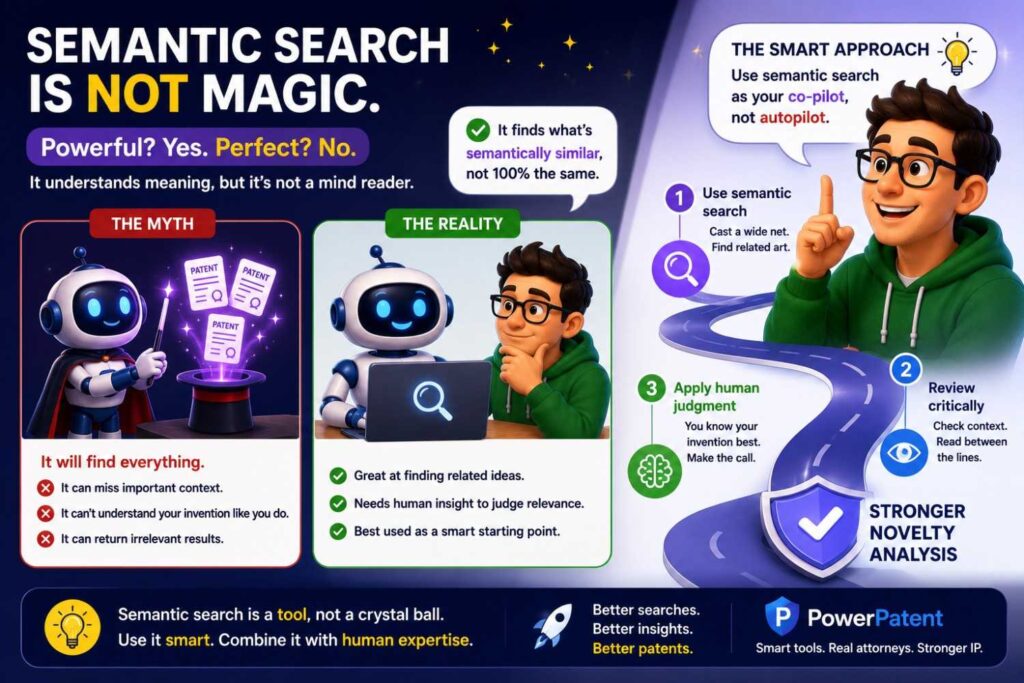
Semantic search is powerful.
It is not perfect.
It can find related sources, but it can also return sources that only sound related.
It can miss details buried in drawings, claims, code files, tables, appendices, videos, or scanned documents.
It may not search every source type.
It may not understand dates and versions well.
It may not know your business context unless you provide it.
Treat Semantic Results as Leads
A semantic search result is a lead.
It is not a legal conclusion.
A high-similarity result may be in the same field but not show your key feature.
A lower-ranked result may contain one detail that matters a lot.
You still need human review.
Engineers should verify technical meaning.
Patent professionals should review legal impact and claim strategy.
Do Not Let AI Replace Judgment
Semantic search tools may feel smart.
They may summarize sources clearly.
They may give scores.
They may rank results.
But novelty analysis is not just a score.
The real question is whether an earlier source shows the key claimed invention.
That takes careful comparison.
Use semantic search to find better sources faster.
Then use human judgment to decide what those sources mean.
Start With a Clear Invention Description
Semantic search depends heavily on your input.
If your input is vague, the results will be vague.
If you say “AI platform for finance,” the search tool has little to work with.
If you say “a system that flags risky invoices by comparing vendor history, purchase order terms, approval chain behavior, and payment timing,” the search becomes stronger.
Use Plain Words First
Do not start with legal language.
Start with clear human language.
Explain what the invention does.
Say what problem it solves.
Say what data, signals, parts, or user actions go in.
Say what the system does with those inputs.
Say what comes out.
Say what improves.
A good description might be:
“The system predicts whether a code change may cause a production incident by comparing changed files with past incidents, service ownership, dependency maps, and live traffic impact.”
That gives semantic search enough meaning to work with.
Avoid Empty Product Words
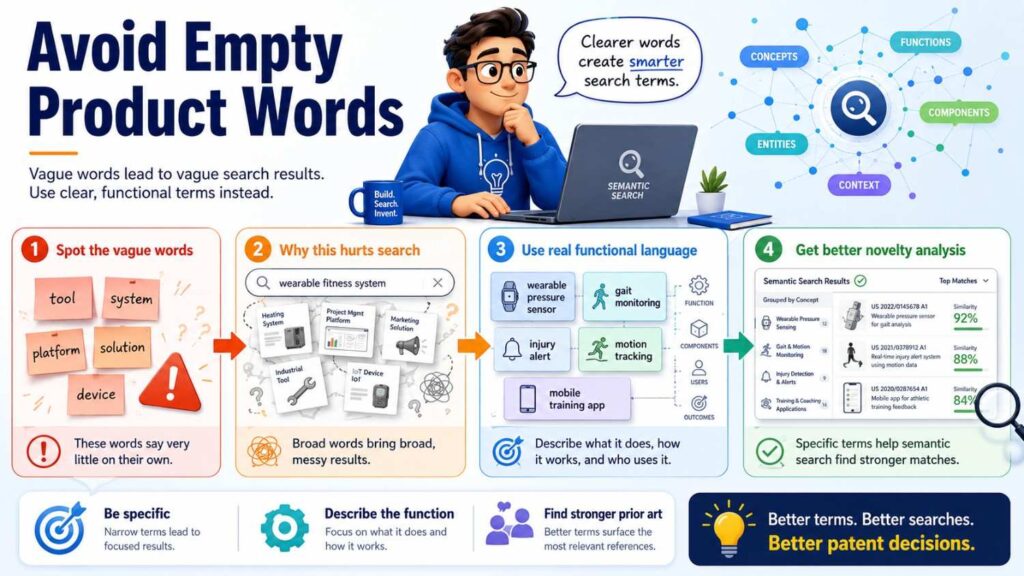
Words like smart, AI-powered, automated, seamless, intelligent, next-gen, secure, and real-time may be useful in marketing.
They are weak by themselves in novelty analysis.
If you use them, explain what they mean.
“Smart alert” should become “an alert that is suppressed when motion data shows the sensor reading is likely caused by movement.”
“AI-powered review” should become “a model that compares contract clauses to a company playbook and suggests fallback language from approved prior edits.”
“Real-time routing” should become “assigning a ticket to an available expert within the support workflow based on incident similarity and customer impact.”
The more concrete the input, the better semantic search works.
Use a Two-Level Description
A strong semantic search often uses two descriptions.
One is broad.
One is specific.
The broad version helps find the general field.
The specific version helps find close novelty risks.
The Broad Version Finds the Landscape
The broad version should describe the overall technical area.
For example:
“A system that uses machine learning to assess risk in software code changes.”
This can find sources on defect prediction, code review automation, software quality, and change impact analysis.
The broad version helps you see how crowded the space is.
It also helps you learn common terms.
The Specific Version Finds the Close Art
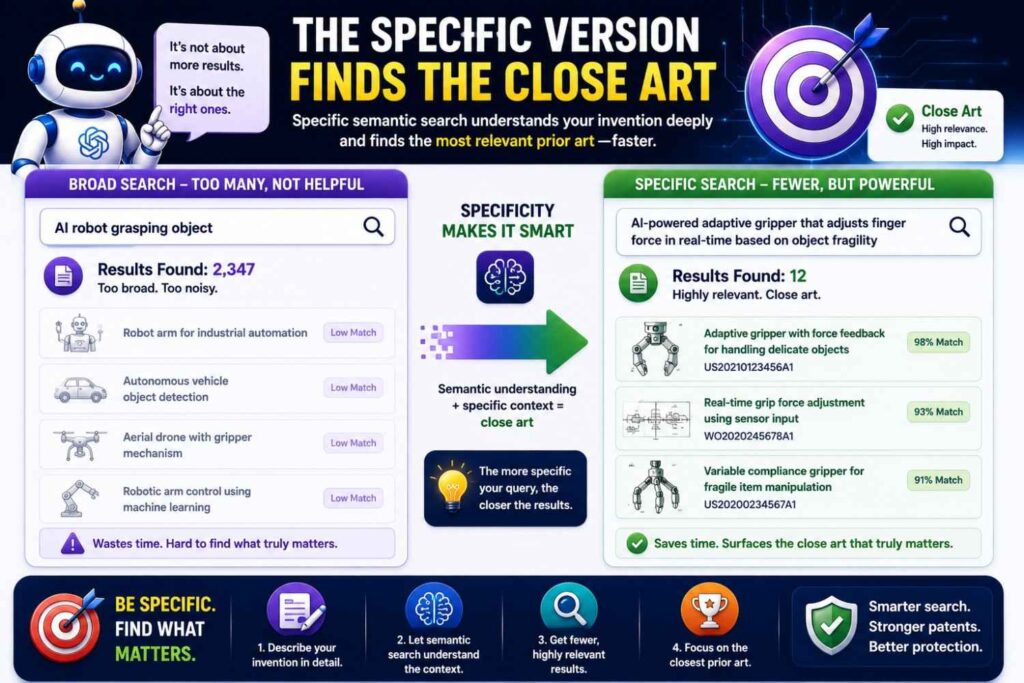
The specific version should describe your actual invention.
For example:
“A system that scores a pull request by matching changed files to past production incidents, mapping those files to service owners, estimating live customer impact, and routing the review to an available expert.”
This helps find closer art.
If the specific search finds close results, study them carefully.
If the broad search is crowded but the specific search is thin, that may mean your exact improvement deserves deeper review.
Compare the Two Result Sets
Do not run both searches and forget the difference.
Compare them.
If broad and specific results look the same, your invention may be closer to known work than you thought.
If broad results are crowded but specific results differ, your invention may live in a narrower technical improvement.
If both searches find little, keep searching with other terms and source types before drawing conclusions.
Break the Invention Into Meaning Blocks
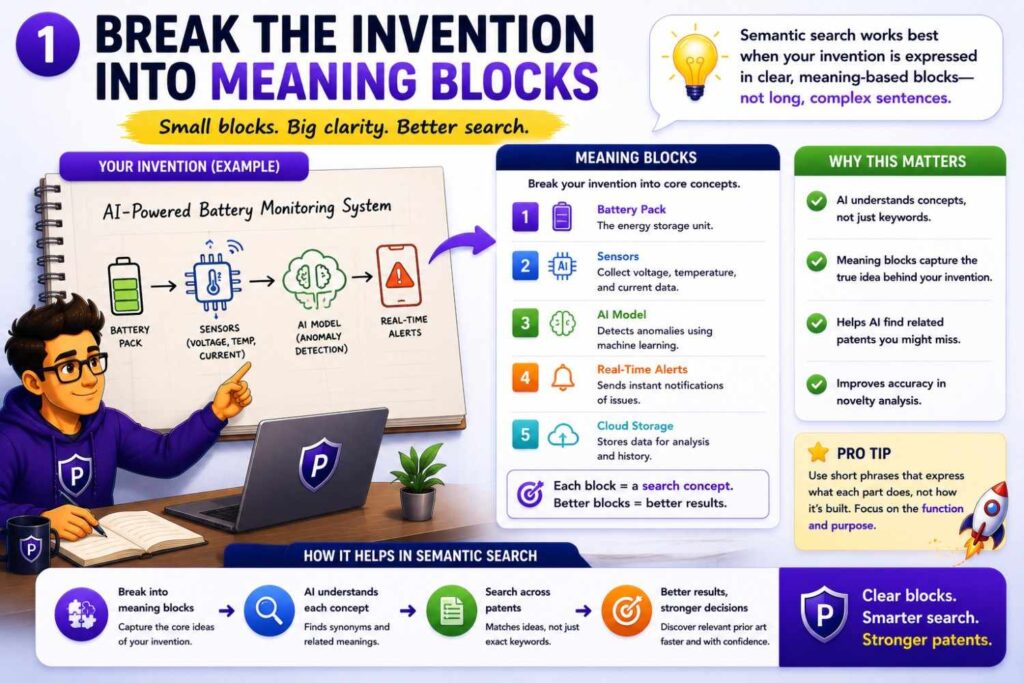
A meaning block is one important part of the invention.
Breaking the invention into blocks makes semantic search more precise.
For many inventions, the main blocks are problem, setting, inputs, process, output, improvement, and constraint.
Example: Code Review Risk Scoring
Suppose the invention is a system that scores pull requests based on changed files, incident history, service ownership, live customer impact, and reviewer availability.
The problem is risky code changes.
The setting is pull requests and software deployment.
The inputs are changed files, incident records, ownership maps, dependency graphs, traffic signals, and reviewer availability.
The process is matching, scoring, ranking, and routing.
The output is a risk score and review assignment.
The improvement is fewer risky deployments and faster expert review.
The constraint may be real-time operation inside a developer workflow.
Each block gives you a search path.
Why Blocks Matter for Novelty
Novelty often turns on whether one source shows the key combination.
A source may show one block but not another.
A paper may show defect prediction but not reviewer routing.
A GitHub repo may show reviewer routing but not incident similarity.
A product doc may show deployment risk but not live customer impact.
By searching blocks, you learn which parts are old and which parts may still be different.
That helps your patent attorney focus the claim strategy.
Search the Problem Semantically
Do not search only your solution.
Search the problem too.
Older sources may describe the same pain with different solutions.
Those sources can lead to better search terms and closer prior art.
Problem Search Finds the Field’s Language
If your invention reduces false clinical alerts, search the meaning of false alarm reduction, alarm fatigue, unnecessary alerts, patient monitor noise, motion-related false alerts, and alert suppression.
If your invention improves battery safety, search early fault detection, thermal runaway risk, pack safety, venting, false alarms, and battery health monitoring.
If your invention improves AI answer trust, search hallucination reduction, grounded answers, source verification, evidence-backed responses, policy checks, and output validation.
The problem search teaches you how the field talks.
That language improves every later search.
Problem Search Can Reveal Competitive Pressure
If many companies and papers discuss the same problem, the field may be crowded.
That is not always bad.
A known problem can show market need.
But your filing should focus on your specific technical solution, not the fact that the problem exists.
Semantic search helps separate the known pain from your new method.
Search the Technical Action
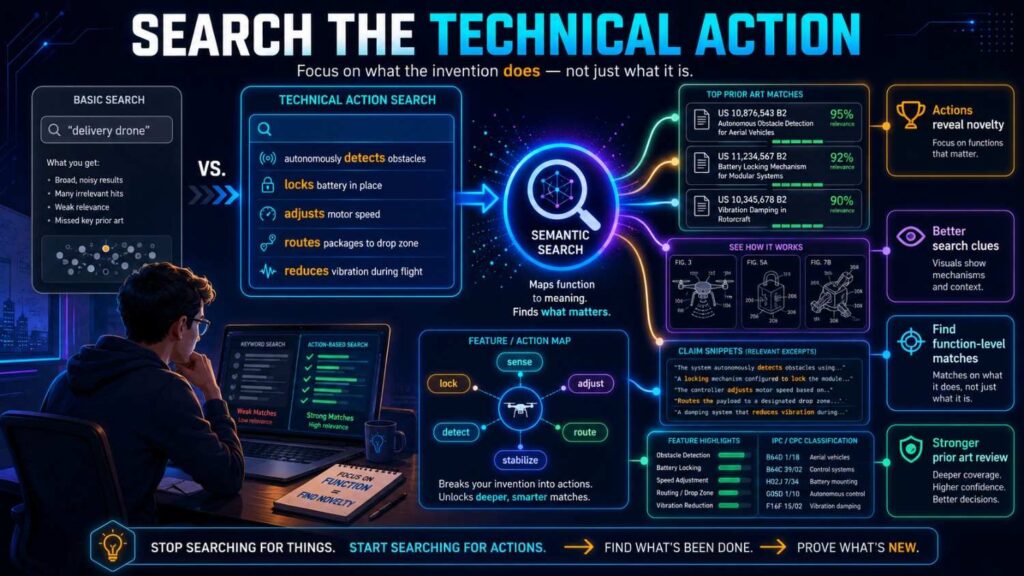
Every invention does something.
It detects, predicts, ranks, routes, filters, compares, compresses, encrypts, aligns, calibrates, fuses, blocks, triggers, updates, schedules, controls, or recovers.
That action should be part of your semantic search.
Actions Often Matter More Than Product Names
Product names change.
Actions reveal the invention.
“AI legal assistant” is broad.
“Selecting fallback clauses based on accepted redlines and playbook rules” is better.
“Smart factory sensor” is broad.
“Suppressing fault alerts based on vibration state and temperature drift” is better.
“Robot picker” is broad.
“Retrying a failed grasp using tactile slip and updated object pose” is better.
Search the action, not just the category.
Ask AI for Action Synonyms
A semantic tool can help expand action words.
Route can become assign, dispatch, escalate, recommend, match, prioritize, queue, or allocate.
Filter can become suppress, denoise, reject, smooth, compensate, correct, or remove artifacts.
Compare can become correlate, align, match, evaluate, determine a relationship, or measure deviation.
Recover can become retry, restore, restart, replan, compensate, return to state, or continue after failure.
These terms help you find sources that describe the same action in different ways.
Search the Inputs and Outputs
Many inventions are best found by searching their inputs and outputs.
This is especially true in AI, software, sensors, control systems, diagnostics, and robotics.
Input-Output Pairs Reveal the Technical Path
Ask what goes in and what comes out.
Gas sensor data plus temperature gradients produce early battery fault detection.
Pull request data plus incident history produce deployment risk score.
Speech transcript plus chart data plus doctor edits produce missing clinical fact alerts.
Camera data plus tactile slip signal produce robotic grasp recovery.
User query plus approved document set produce source-backed answer.
These input-output pairs are highly searchable.
They also make comparison easier.
If an old source uses the same inputs and produces the same output in the same way, it deserves close review.
Search Data Combinations
For many startups, the real invention is in the data combination.
A model may be common, but the data mix may be rare.
Search each input alone.
Then search important pairs.
Then search the full combination.
For example, in code review, search file ownership alone, incident history alone, traffic impact alone, and then combinations like incident history plus pull request risk or traffic impact plus deployment scoring.
This helps reveal whether your data mix is known.
Search the Constraint
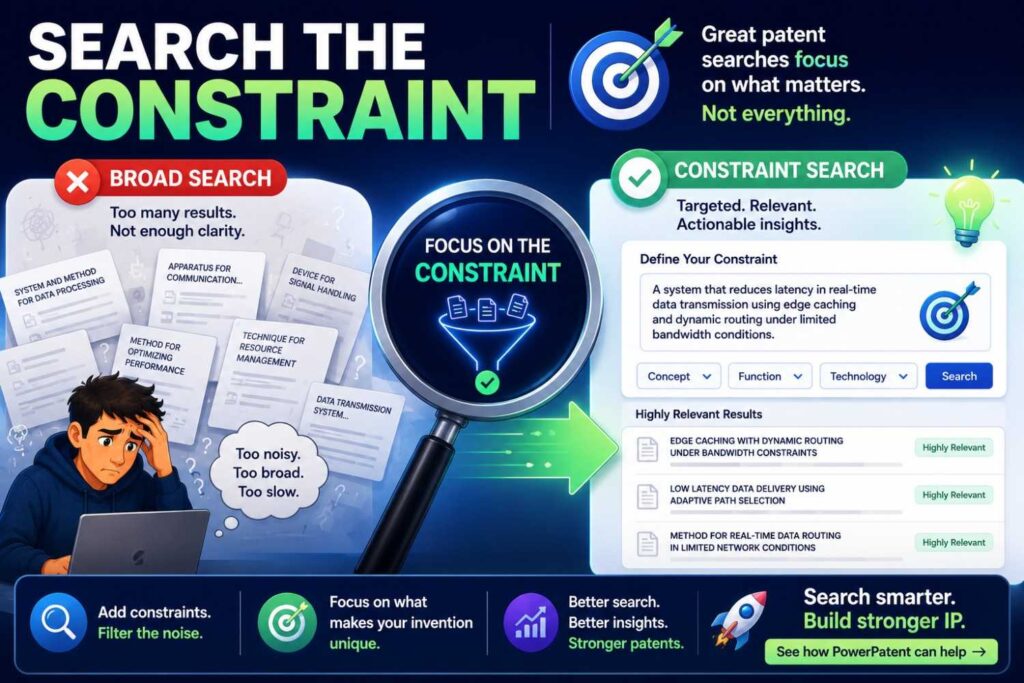
The constraint is often where the invention becomes valuable.
A system that works only in a lab may be less valuable than one that works in real time, on-device, with noisy data, under privacy limits, or with low power.
Constraints Make Search More Precise
Search the hard condition.
Real-time.
Low power.
On-device.
Private data.
Noisy sensors.
Low bandwidth.
Small training set.
Safety-critical control.
Motion-heavy environment.
These terms help you find close sources and filter out broad art.
For example, “object detection” is broad.
“Low-power on-device object detection for safety response” is more precise.
“Contract review AI” is broad.
“Customer-separated learning from approved contract edits” is more precise.
“Battery monitoring” is broad.
“Early battery fault detection with false alarm suppression using gas and temperature correlation” is more precise.
Constraints Can Point to Claim Focus
If the broad method is known, the constraint may be the claim focus.
Maybe others have done the method offline, but not in real time.
Maybe others have used cloud processing, but not on-device.
Maybe others have used the data, but not under privacy separation.
Maybe others have detected the fault, but not early enough to trigger a safe control response.
These differences may matter.
A patent attorney can help decide how to use them.
Search the Improvement
Search what gets better.
This connects novelty search to business value.
Does your invention reduce false positives? Lower latency? Improve yield? Save power? Reduce downtime? Improve safety? Increase accuracy? Protect privacy? Reduce manual review? Improve fault recovery?
Improvement Words Change Across Sources
The same improvement may be described many ways.
False positive reduction may appear as false alarm suppression, improved precision, fewer unnecessary alerts, better specificity, reduced alert burden, or lower escalation noise.
Lower latency may appear as real-time response, faster inference, reduced delay, low-latency processing, edge execution, or immediate control.
Better safety may appear as risk mitigation, early warning, fault prevention, hazard control, unsafe condition detection, or fail-safe response.
Semantic search can connect these phrases.
Improvement Search Helps With Business Strategy
If many sources promise the same improvement, the business should ask how its system achieves the improvement differently.
If few sources show that improvement in your setting, that may be a valuable sign.
Either way, improvement search helps connect patent work to market value.
A patent should protect what matters to the company, not just what sounds technical.
Use Semantic Search Before and After Keyword Search
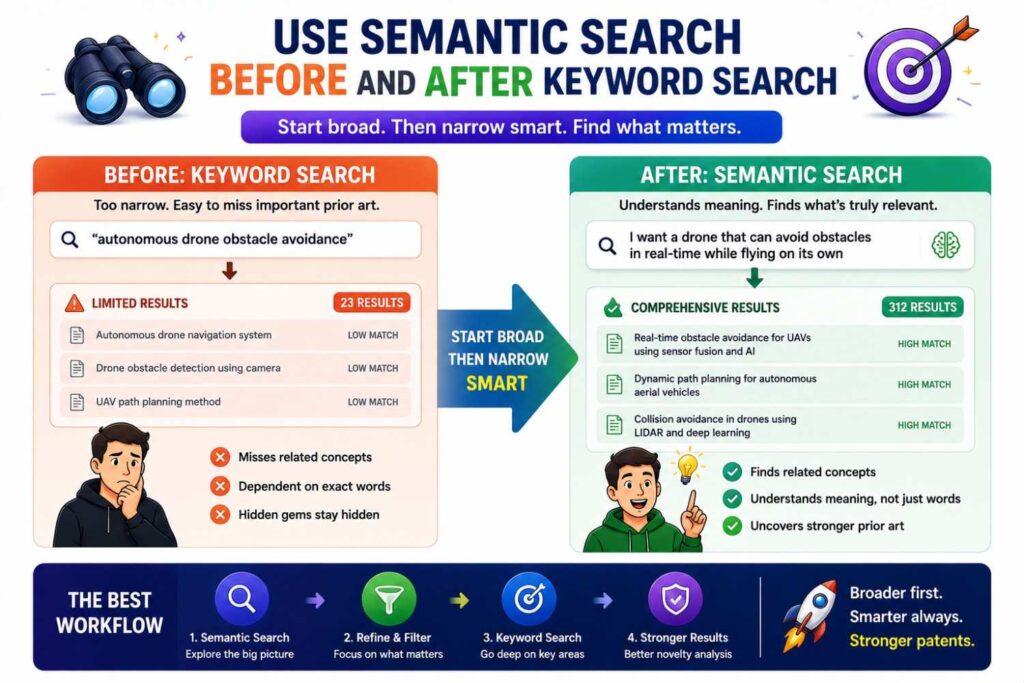
Semantic search and keyword search work best together.
Do not choose one and ignore the other.
Use Semantic Search First to Learn the Field
Start with your plain invention description.
Run semantic search.
Look at the best results.
Pull out terms, phrases, authors, companies, patent classes, product names, and source types.
This teaches you the language of the field.
Use Keyword Search to Check Exact Terms
After semantic search teaches you better words, use keyword search.
Search exact phrases from close references.
Search product names, standards, part numbers, model names, chemical names, dataset names, and file names.
Keyword search is still important for exact signals.
Use Semantic Search Again on Close References
When you find a close source, use it as a seed.
Run semantic search to find similar sources.
This may uncover older, clearer, or more detailed art.
The loop is simple.
Search meaning. Learn terms. Search exact words. Find close sources. Search meaning again from those sources.
That loop is much stronger than a single query.
Use Semantic Search to Find Patent Language
Patent language can feel strange.
Semantic search helps you learn it.
Study the Terms in Close Patents
When a semantic search returns close patents, read the title, abstract, claims, and summary.
Look for repeated phrases.
Maybe patents call your “support ticket” a service request.
Maybe they call your “drone” an unmanned aerial vehicle.
Maybe they call your “AI model” a trained classifier.
Maybe they call your “smart alert” a context-based notification.
Add those terms to your search.
Use Patent Language Without Losing Plain Meaning
Do not let patent words confuse the team.
Translate them back into plain language.
If a patent says “generating a notification based on an abnormal condition of an energy storage apparatus,” ask whether that means battery fault alert.
If a patent says “assigning a service request to a responsible entity,” ask whether that means ticket routing.
This back-and-forth helps founders and attorneys stay aligned.
PowerPatent helps founders capture technical ideas in plain words while still supporting attorney-reviewed patent work. See how it works here: https://powerpatent.com/how-it-works
Use Semantic Search to Find Non-Patent Sources
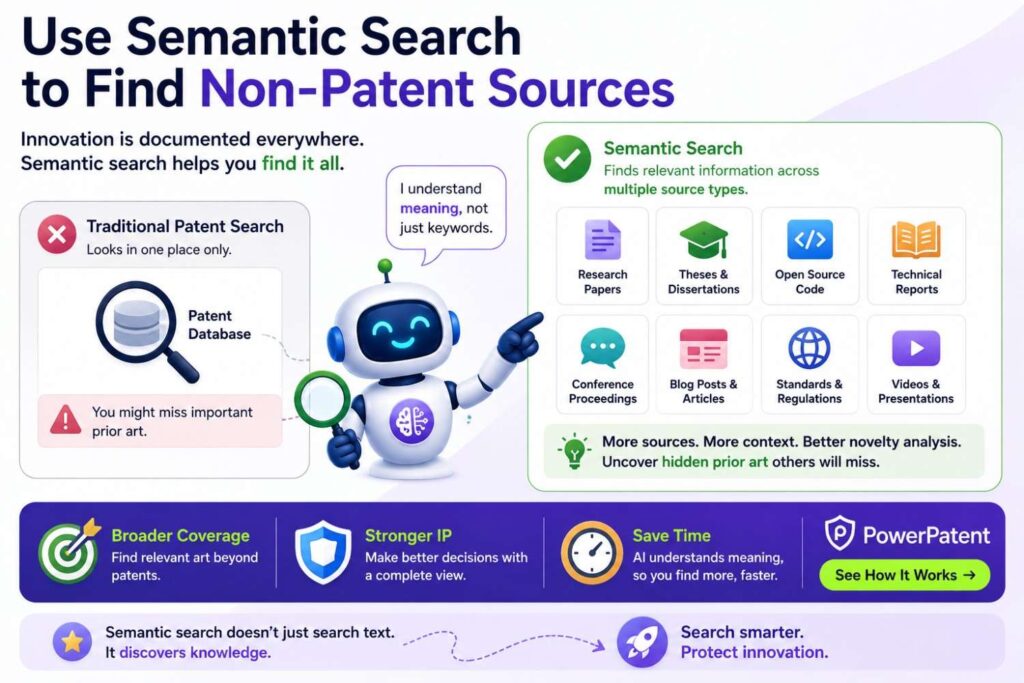
Prior art is not limited to patents.
Semantic search should help you search outside patent databases too.
Match the Source to the Field
For AI, search papers, preprints, GitHub repos, model cards, benchmarks, demos, and technical reports.
For software, search product docs, API docs, tutorials, changelogs, GitHub repos, engineering blogs, and forums.
For hardware, search manuals, datasheets, supplier application notes, teardown videos, standards, and product guides.
For robotics, search lab videos, papers, code, simulation files, and demos.
For cybersecurity, search tools, conference talks, CVE writeups, standards, repos, and technical blogs.
Semantic search can help create the right terms for each source type.
Translate the Same Idea for Different Sources
A patent term may be formal.
A GitHub term may be short.
A YouTube term may be demo-focused.
A product doc term may be customer-friendly.
For example, a patent term might be “context-based notification generation.”
A GitHub term might be “alert_router.”
A YouTube term might be “smart alert demo.”
A product doc term might be “automatic escalation.”
A paper term might be “alarm fatigue reduction.”
Semantic search helps create these translations.
That matters because the best prior art may not live in a patent.
Use Semantic Search to Find Hidden Competitor Art
Competitor materials can be a rich source of prior art.
They may include product pages, docs, API references, webinars, demos, videos, engineering blogs, GitHub repos, and release notes.
Competitors May Use Different Labels
If your invention routes incidents using service ownership and customer impact, a competitor may call it intelligent escalation, ownership-aware routing, impact-based triage, service context automation, or incident command routing.
If your invention verifies AI answers against approved sources, a competitor may call it grounded responses, trusted knowledge answers, source-backed output, enterprise answer control, or policy-safe assistant.
If your invention uses sensor fusion for battery safety, a competitor may call it multi-signal fault detection, early warning safety analytics, pack health monitoring, or thermal event prediction.
Semantic search helps you find those different labels.
Search Competitors Like a Business Strategist
Do not search competitors only by company name.
Search the problem they solve.
Search their feature names.
Search their docs.
Search their engineers and talks.
Search their release notes.
Search their GitHub organizations.
Search their demos.
The goal is not to copy.
The goal is to understand what they have already made public and how your invention differs.
Use Semantic Search to Study One Close Reference
One close reference is a doorway.
Do not stop there.
Use the Close Reference as a Seed
If you find a close patent, paper, repo, or product doc, run semantic search on that source.
Find sources that are similar to it.
Look for older documents.
Look for clearer explanations.
Look for related patents.
Look for papers or repos linked to the same idea.
Your first close result may not be the strongest prior art.
It may simply point to the strongest prior art.
Follow Names and Terms
Close references often contain useful names.
Author names.
Company names.
Project names.
Product names.
Patent classes.
Dataset names.
Standards.
Use those names for more search.
Semantic search finds the first path. Manual follow-up deepens it.
Use Semantic Search With Citations and Patent Classes
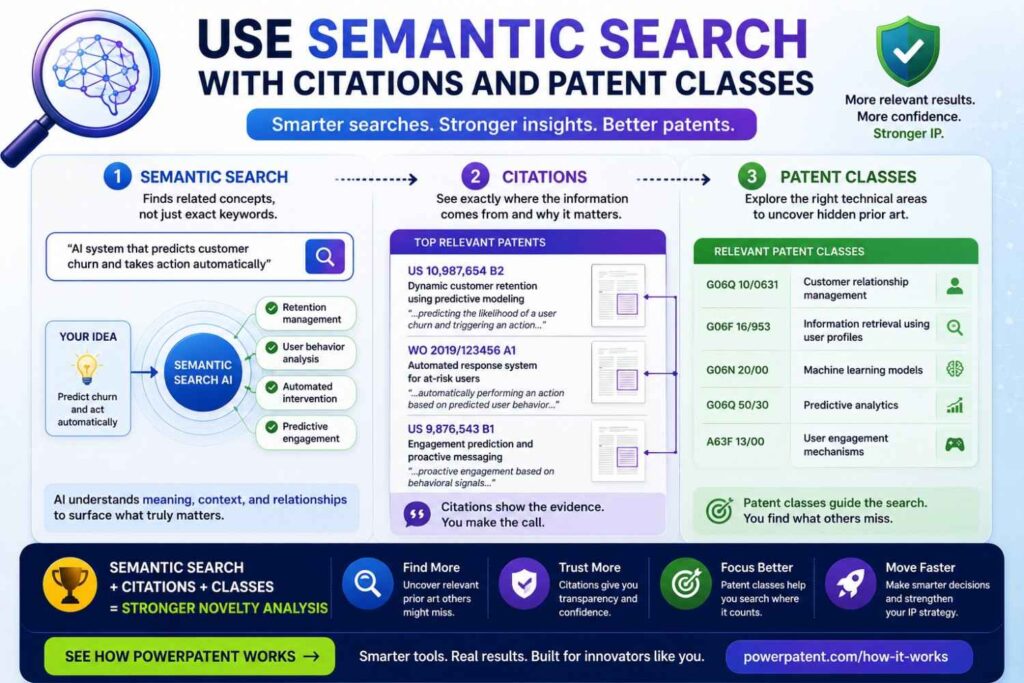
Semantic search should not stand alone.
Combine it with classic patent search methods.
Citations Show Relationships
When you find a close patent, check backward citations.
These can show older references.
Check forward citations too.
These can show later work that built on the same idea.
Citations can help you move through the patent landscape more deliberately.
Classes Show Technical Neighborhoods
Patent classification codes group patents by technical area.
If a close patent has useful classification codes, search those codes.
Then combine the class with keywords from your semantic search.
This can uncover close art that does not use your first terms.
Semantic search finds meaning.
Citations show links.
Classes show technical buckets.
Keyword search adds precision.
Together, they make novelty analysis stronger.
Use Semantic Search to Build a Feature Map
A feature map is one of the best tools for novelty analysis.
It lists the key parts of your invention and compares prior art against them.
Build the Map From the Invention
Start by listing the core features.
For a battery invention, features may include gas sensing, pressure sensing, local temperature gradients, time-window comparison, early fault detection, false alarm reduction, and safety response.
For a code review invention, features may include changed files, incident history, service ownership, dependency map, live traffic impact, reviewer availability, and risk-based routing.
For an AI answer system, features may include user query, approved document set, retrieval, source ranking, answer generation, policy check, confidence threshold, and audit log.
Compare Each Close Source
For each close source, ask what it shows.
Does it show the same input?
Does it show the same process?
Does it show the same output?
Does it show the same constraint?
Does it show the same improvement?
Does it show the same combination?
This makes the novelty issue clearer.
A source may look close but miss one key feature.
Or it may show the full combination.
Either way, you learn something important.
Do Not Confuse Similarity With Lack of Novelty
Semantic search finds similar sources.
Similar does not always mean your invention lacks novelty.
Similar Is Not the Same as Identical
A source may be in the same field but use a different method.
It may solve the same problem with different inputs.
It may show one part of your system but not the full combination.
It may describe the same result but not the same technical path.
It may be broad, while your invention is specific.
Do not panic when you find similar art.
Study it.
Close Art Can Improve the Patent
Close prior art can be useful.
It helps you find the true point of difference.
It helps your attorney draft smarter claims.
It helps you add fallback details.
It helps you avoid overclaiming.
A close reference is not always bad news.
Missing a close reference until later is much worse.
Do Not Confuse No Results With Novelty
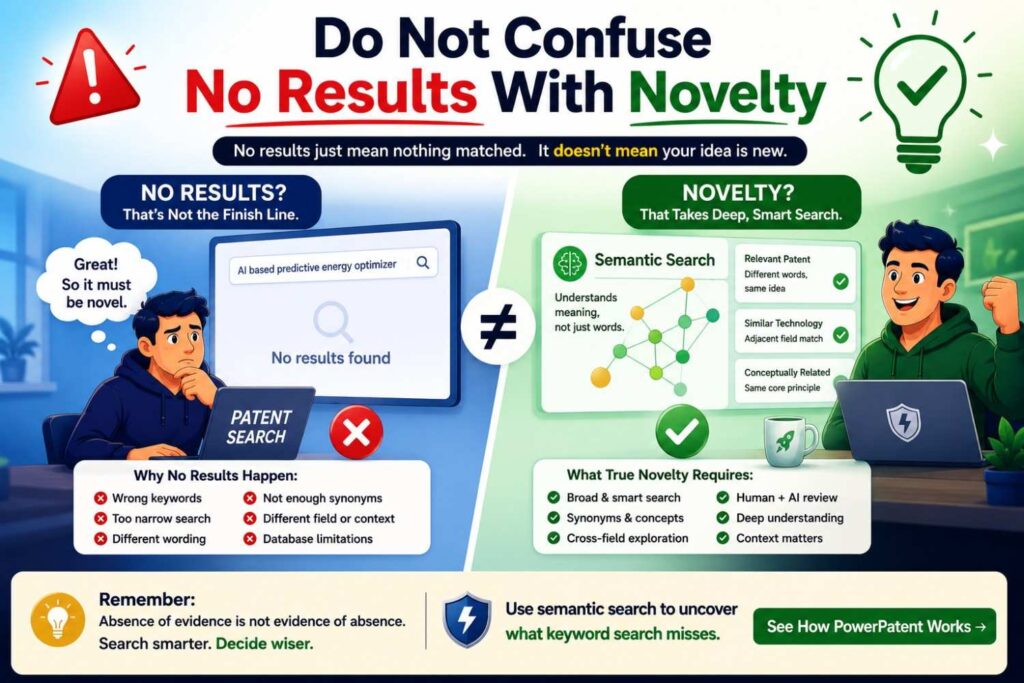
No results can feel good.
But no results do not prove novelty.
Empty Results May Mean the Search Was Weak
The invention description may be vague.
The tool may not cover the right sources.
The art may use older language.
The source may be in another field.
The source may be in a repo, manual, standard, video, archived page, or foreign document.
The semantic tool may have missed it.
Treat no results as a signal, not a guarantee.
Try New Angles
Search the problem.
Search the action.
Search inputs and outputs.
Search the constraint.
Search the improvement.
Search non-patent sources.
Search exact terms.
Search adjacent fields.
Then review with a patent professional.
A strong search process matters more than a blank first page.
Semantic Search Needs Good Human Questions
The tool is only as good as the questions you ask.
A vague prompt gives vague results.
A sharp prompt gives stronger matches.
Better Questions Produce Better Results
Instead of asking, “Find patents like my AI tool,” ask:
“Find prior art that uses user-approved document edits as feedback to update a contract review model while keeping customer data separated.”
Instead of asking, “Search battery safety,” ask:
“Find prior art that detects early battery cell failure by comparing gas sensor changes, pressure changes, and local temperature gradients before triggering a safety response.”
Instead of asking, “Find robot grasp patents,” ask:
“Find prior art where a robot detects grasp failure using tactile slip data and updates a camera-based object pose before retrying without resetting the task.”
Specific questions help semantic search do better work.
Ask the Tool to Challenge Your Wording
A useful prompt is:
“Rewrite this invention in five different ways: as a patent writer, a researcher, an open-source developer, a product manager, and a competitor might describe it.”
This helps you find more search paths.
It also helps you see how the same invention may appear in different sources.
A Practical Semantic Search Workflow
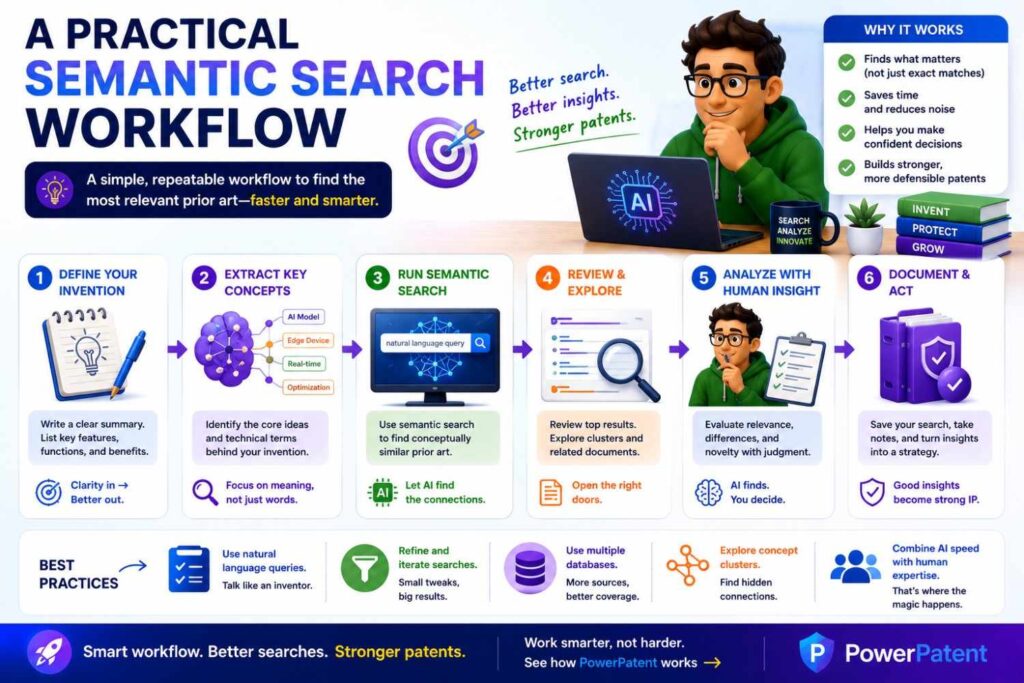
A good workflow keeps the search focused.
It also makes results easier to use.
Step One: Write the Plain Invention
Write the invention in one clear paragraph.
Avoid marketing words.
Include problem, inputs, method, output, improvement, and constraint.
Step Two: Create Broad and Specific Versions
Use the broad version to map the field.
Use the specific version to find close novelty risks.
Step Three: Break the Invention Into Blocks
Search the problem, setting, inputs, process, output, improvement, and constraint.
Each block may find different sources.
Step Four: Run Semantic Search
Run semantic search on the full invention and on the most important blocks.
Review the top results.
Collect new terms.
Step Five: Run Keyword Searches
Use the new terms for exact searches.
Search patents and non-patent sources.
Search names, standards, part numbers, datasets, file names, and product terms.
Step Six: Use Close Sources as Seeds
When a close source appears, search for sources similar to it.
Check citations, classes, authors, companies, repos, and linked materials.
Step Seven: Build a Feature Map
Compare close sources to your invention feature by feature.
Write what each source shows and what it does not appear to show.
Step Eight: Review With Counsel
Bring the sources, notes, and feature map to a patent professional.
Use the search to guide claim strategy.
PowerPatent helps founders organize this kind of workflow with smart software and attorney oversight. See how it works here: https://powerpatent.com/how-it-works
How Businesses Should Prioritize Semantic Search Paths
Semantic search can create many paths.
Do not search all paths equally.
Prioritize based on business value.
Search the Business Edge First
Start with the feature that customers pay for.
Search the feature competitors are most likely to copy.
Search the part that will be visible in product pages, demos, docs, APIs, or customer workflows.
Search the hard technical constraint.
Search the data combination that gives you an advantage.
Search the workflow step that changes the outcome.
This keeps the work practical.
Match Search Depth to Business Risk
A core invention deserves deeper search.
A minor feature may need a lighter screen.
A feature that will be publicly launched soon should be searched early.
A feature that is hidden may require a patent-versus-trade-secret discussion.
Semantic search should support business decisions, not create endless research work.
Semantic Search for AI Inventions

AI inventions need careful search because the field moves fast.
Papers, repos, product docs, demos, model cards, and technical reports may appear before patents.
Search the Function, Not the Buzzword
Do not search only “AI agent,” “RAG,” or “LLM tool.”
Search what the system actually does.
Does it retrieve evidence?
Does it rank sources?
Does it choose a tool?
Does it block unsafe output?
Does it learn from approved edits?
Does it route a task?
Does it verify a response?
Does it protect private data?
Those functions are better search targets.
Search AI Workflows End to End
AI inventions often live in the flow around the model.
Data is selected.
A model is called.
A rule is applied.
A human approves.
An audit log is created.
Feedback changes the next run.
Search each stage.
The model alone may not be new.
The workflow around the model may be.
Semantic Search for Software Inventions
Software inventions often hide behind workflow and data-flow language.
Search the Data Flow
What data enters the system?
How is it transformed?
What decision is made?
What action follows?
What feedback is saved?
Semantic search should follow that path.
Search Developer Language Too
Software prior art often appears in GitHub repos, docs, APIs, tutorials, changelogs, and engineering blogs.
A patent may say “assigning a service request.”
A developer may say “ticket_router.”
A product doc may say “smart escalation.”
Search all three languages.
Semantic Search for Hardware Inventions
Hardware inventions often include structure, placement, materials, signals, and control.
Search Physical and Functional Features
Do not search only the product type.
Search the physical structure and what it does.
If the invention is a cooling system, search the heat source, cooling path, airflow or fluid path, sensor feedback, control method, packaging constraint, and safety result.
If the invention is a sensor mount, search sensor placement, vibration isolation, thermal isolation, housing, calibration, signal quality, and environmental sealing.
Review Figures and Manuals
Semantic search can find sources.
But hardware prior art often appears in drawings, diagrams, manuals, datasheets, and videos.
Look at the visuals.
A figure may show what the words hide.
Semantic Search for Robotics Inventions
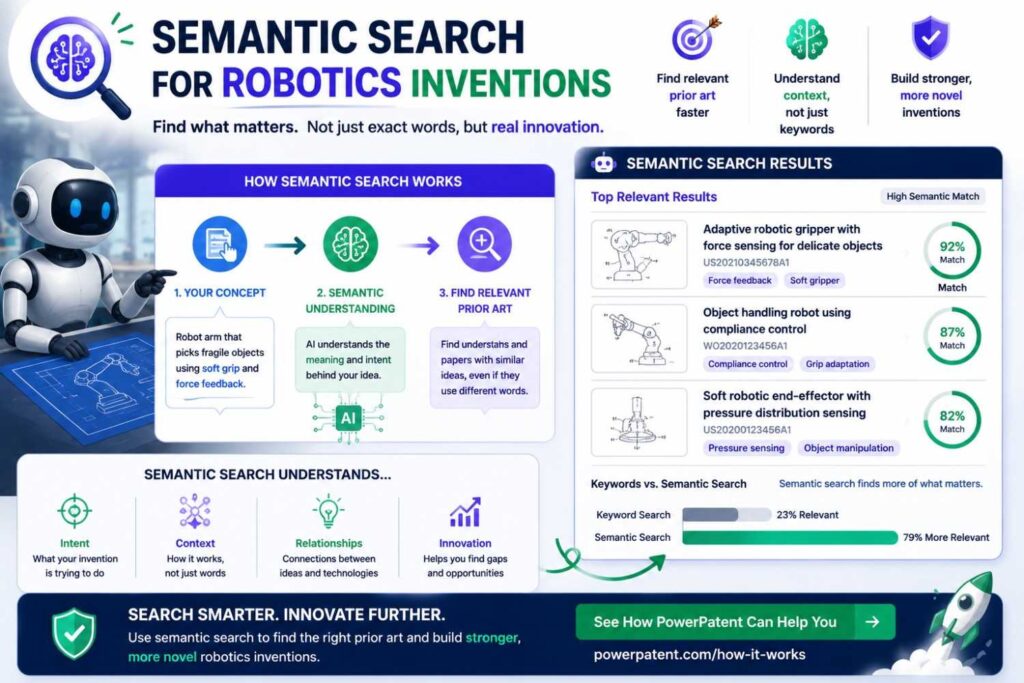
Robotics inventions are often about behavior over time.
A robot senses, plans, moves, detects failure, adapts, and tries again.
Search the Task and the Failure Mode
Search the robot task.
Search the environment.
Search the sensor inputs.
Search the control method.
Search the failure mode.
Search the recovery step.
For grasping, search tactile sensing, slip detection, visual servoing, pose update, retry policy, closed-loop control, bin picking, and manipulation in clutter.
Search Videos and Repos
Robotics prior art often appears in demos and code.
A video may show behavior.
A repo may show control logic.
A paper may explain the method.
Use semantic search to find the cluster, then review the actual source carefully.
Semantic Search for Medical and Health Tech Inventions
Medical and health tech inventions often use clinical language, sensor language, workflow language, and regulatory language.
Search Across Clinical and Technical Terms
A patient monitoring invention may be described as false alarm reduction, alarm fatigue mitigation, physiological signal filtering, remote monitoring, motion artifact removal, clinician alert workflow, or patient state detection.
A medical AI invention may be described as clinical decision support, documentation quality review, missing fact detection, chart data alignment, coding support, or risk stratification.
Search all of these angles.
Use Extra Care in High-Stakes Fields
Medical and health tech searches need careful review.
AI can help find and organize sources.
But attorney and subject-matter review are important.
Do not rely on AI alone for legal or technical conclusions.
Semantic Search for Cybersecurity Inventions
Cybersecurity prior art is spread across tools, blogs, talks, repos, standards, and patents.
Search Threat, Signal, and Response
For account takeover, search device fingerprinting, behavior anomaly, impossible travel, session risk, step-up authentication, login risk scoring, and identity threat detection.
For supply chain security, search dependency scanning, package reputation, malicious package detection, build provenance, SBOM analysis, and CI policy enforcement.
For phishing, search message classification, link analysis, sender behavior, domain reputation, user reporting, and automated response.
Search Public Tools and Talks
Security teams share a lot publicly.
Search GitHub tools.
Search conference talks.
Search technical blogs.
Search standards.
A patent-only search may miss important sources.
Semantic Search for Climate and Energy Inventions
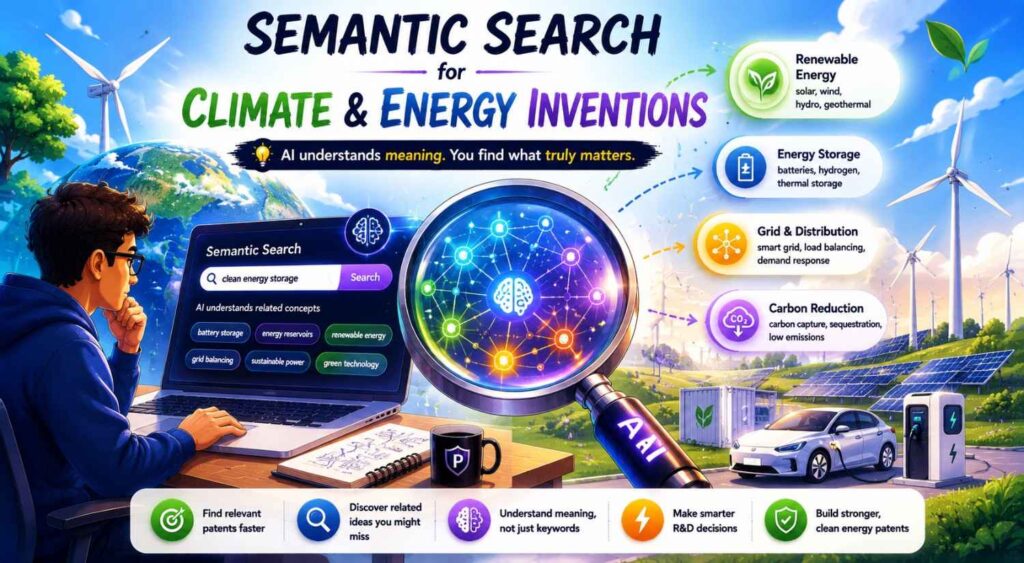
Climate and energy inventions often span materials, hardware, software, control systems, and field deployment.
Search the Layer Where the Invention Lives
For batteries, search materials, cell design, pack monitoring, thermal control, fault detection, safety response, and recycling.
For carbon capture, search sorbents, membranes, regeneration, process control, energy use, reactor design, and gas separation.
For grid software, search demand response, dispatch, forecasting, storage control, fault detection, grid balancing, and load prediction.
The broad climate category is usually too broad.
Focus on the technical path that creates the improvement.
Search System Integration
In energy, the invention may not be one component.
It may be how components work together.
Search control loops, sensor feedback, timing, deployment constraints, safety response, and operating conditions.
How to Review Semantic Search Results
Semantic search results can be noisy.
You need a review method.
Start With the Closest Technical Match
Look first for sources that share the same problem and technical action.
Then check inputs and outputs.
Then check the constraint and improvement.
Do not rely only on titles.
A boring title may hide close art.
A flashy title may be far away.
Read the Right Parts First
For patents, read the abstract, drawings, first claim, and detailed description around the key features.
For papers, read the abstract, method, figures, experiments, and conclusion.
For repos, read the README, examples, tests, key code files, and issues.
For product docs, read setup steps, screenshots, API examples, release notes, and support articles.
For videos, use transcripts, chapters, descriptions, and time marks.
Save Useful Notes
A good note says what the source shows and what it does not appear to show.
For example:
“This patent shows routing service requests based on priority and ownership, but does not appear to use past production incident similarity or live customer impact.”
“This paper shows wearable motion artifact reduction, but does not appear to suppress clinician alerts based on body position and persistence over time.”
“This repo shows retrieval and reranking for question answering, but does not appear to block answers based on policy level or user role.”
These notes make attorney review easier.
Use Semantic Search to Find Better Claim Focus
Novelty analysis should lead to better claim strategy.
It should not stop at “similar” or “not similar.”
Look for the Specific Difference
If semantic search shows the broad idea is old, look deeper.
Maybe old art shows routing, but not routing based on live load and incident similarity.
Maybe old art shows sensor monitoring, but not your specific time-window comparison.
Maybe old art shows retrieval, but not policy-based answer blocking.
Maybe old art shows robotic retry, but not retry without resetting task state.
These differences may become claim focus areas.
Protect the Part Competitors Need to Copy
The best claim focus is not always the most technical-sounding part.
It is the part that protects the business edge.
Ask what a competitor would need to copy to match your product’s value.
Then search that part deeply.
If the search supports it, discuss that focus with your patent attorney.
Use Semantic Search Before Public Disclosure
Semantic search is especially useful before launch.
Before you publish product pages, docs, demos, code, or papers, search the key invention.
Search Before the World Sees the Details
If the feature is important, do not wait.
A quick semantic search can reveal obvious close art and help decide whether to file before disclosure.
It can also help you decide what details to publish and what details to hold until filing.
This is not about slowing down marketing.
It is about avoiding preventable mistakes.
Build It Into Launch Planning
Before a major launch, ask:
Are we showing a technical feature that may be patentable?
Has the invention been captured?
Have we searched the meaning of the invention?
Have we reviewed close sources?
Should we file before launch?
PowerPatent helps founders move quickly from technical idea to attorney-reviewed patent action, so IP does not become a last-minute scramble. Start here: https://powerpatent.com/how-it-works
Use Semantic Search After an Examiner Finds Prior Art
Semantic search is not only useful before filing.
It can also help after an examiner cites prior art during patent review.
Search Around the Examiner’s Reference
If an examiner cites a reference, use semantic search to find similar sources.
This helps you understand the cluster around the examiner’s point.
You may find related documents, older sources, or clearer examples.
You may also find ways your invention differs.
Support Better Attorney Response
Do not handle office action strategy alone.
But semantic search can help gather useful context.
Your patent attorney can use that context to decide whether to argue, amend, or add focus to a different feature.
Use Semantic Search for Portfolio Planning
Semantic search can help decide what to file across a product roadmap.
Startups often have many invention ideas.
Not all deserve the same patent investment.
Compare Ideas Across the Roadmap
Run semantic searches on each important invention idea.
Look for crowded areas.
Look for close competitor sources.
Look for areas where your team has a clear technical edge.
Look for ideas tied to visible product features.
Look for ideas tied to revenue, safety, speed, or compliance.
This helps rank filing priorities.
Use Search to Decide Patent vs. Trade Secret
Some ideas may be better kept secret.
If a feature is hidden and hard to reverse engineer, trade secret protection may be worth discussing.
If a feature is visible, easy to copy, or likely to be disclosed, patent filing may matter more.
Semantic search helps you understand the landscape before making that choice.
Use Semantic Search to Support Fundraising Conversations
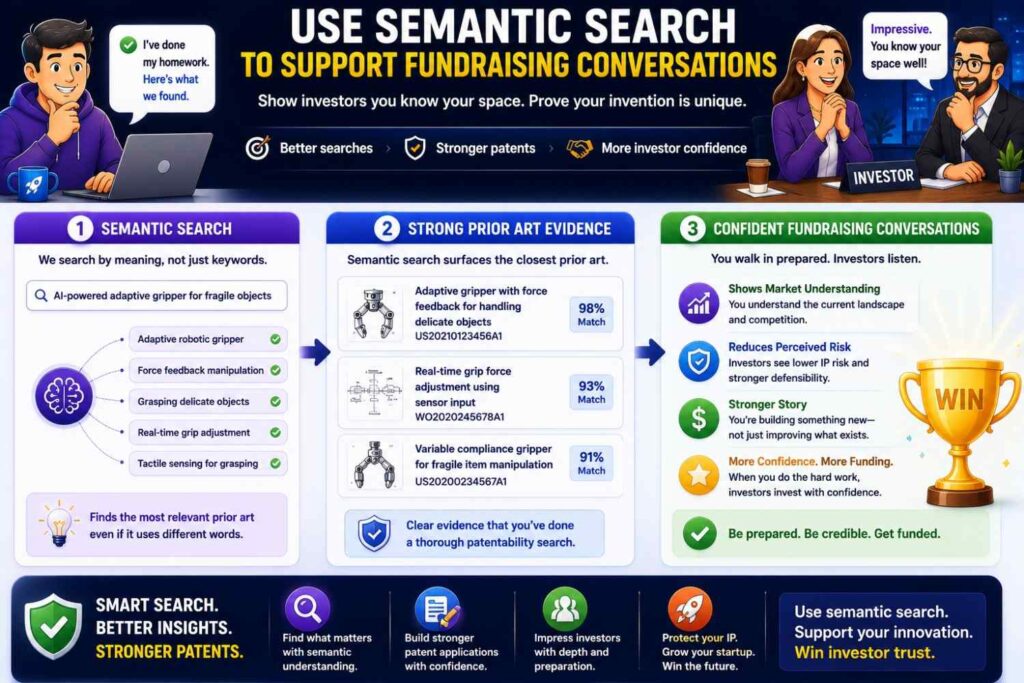
Investors care about defensibility.
They may not ask for every prior art result.
But they want to know what makes your company hard to copy.
Build a Stronger IP Story
Semantic search helps you understand what is crowded and what is different.
You can avoid saying, “No one has ever done this broad thing,” when the broad thing is clearly known.
Instead, you can say your patent work focuses on a specific technical improvement over known approaches.
That sounds more credible.
It shows you understand the field.
Connect IP to Business Value
A strong IP story connects the invention to the business.
What does the invention protect?
Why does it matter to customers?
Why would competitors want to copy it?
How does the search support the filing focus?
Semantic search helps answer those questions with more confidence.
Common Mistake: Searching Only the Buzzword
Do not search only the hottest term.
Buzzwords are often late labels for older ideas.
Search the Underlying Function
If you search only “agentic AI,” you may miss older work on software agents, planning systems, task automation, and tool selection.
If you search only “RAG,” you may miss older work on information retrieval, question answering, passage ranking, and grounded generation.
If you search only “digital twin,” you may miss older work on virtual models, asset simulations, and state estimation.
Semantic search helps, but you must describe the underlying function.
Search Old Terms Too
Ask the tool for older terms.
Ask what researchers may have called the idea five or ten years ago.
Ask what a patent drafter might call it.
Ask what an open-source developer might call it.
Then search those terms too.
Common Mistake: Trusting Similarity Scores Too Much
Some semantic tools give similarity scores.
Scores can help triage.
They are not legal answers.
A High Score Can Be Misleading
A high score may mean the source is in the same field.
It may not show your key combination.
Read the source.
Compare features.
Do not stop at the score.
A Lower Score Can Still Matter
A lower-ranked source may contain one important feature.
That feature may matter if it is central to your claim.
Review a reasonable spread of results, not only the top one.
Common Mistake: Ignoring Exact Terms
Semantic search is powerful, but exact terms still matter.
Keyword Search Still Has a Job
Part numbers, chemical names, gene names, model names, standards, protocols, product names, dataset names, and file names often require keyword search.
Do not abandon exact search.
Use both methods.
Semantic search finds meaning.
Keyword search finds exact signals.
Exact Terms Can Validate Semantic Leads
When semantic search finds a close source, pull exact terms from it.
Then search those exact terms.
This can reveal related documents, docs, repos, and patents that semantic search may not surface.
Common Mistake: Not Saving the Search Trail
Search without notes becomes messy fast.
Keep a Simple Search Record
Save your invention description.
Save the search paths.
Save key queries.
Save close sources.
Save dates.
Save notes on what each source shows.
This helps attorney review.
It also helps your team avoid repeating work.
Notes Should Be Specific
Do not write “similar.”
Write why it is similar.
For example:
“Shows reviewer assignment based on ownership, but not incident similarity or live traffic impact.”
That note is useful.
Common Mistake: Letting AI Make the Final Call
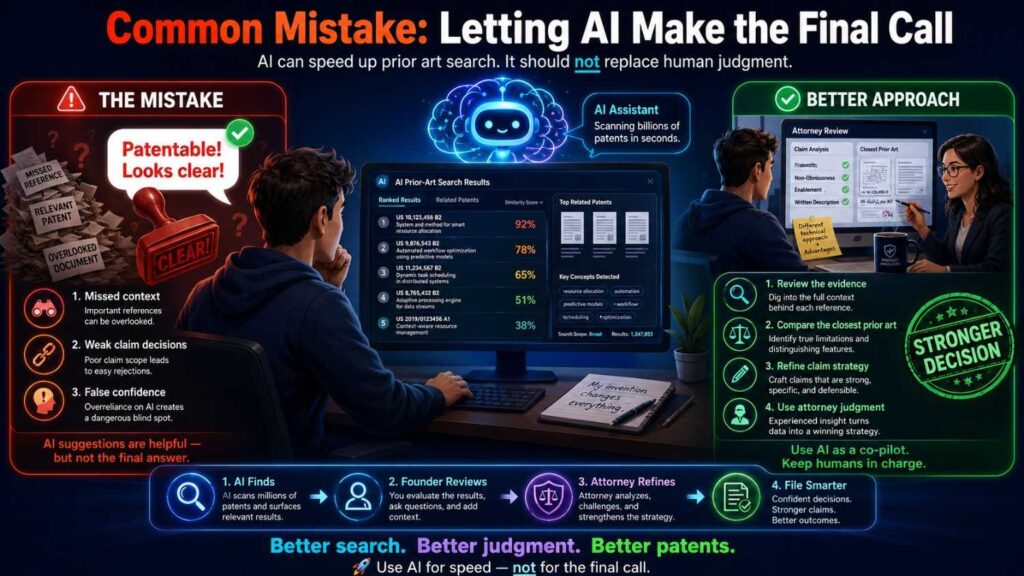
AI can help search.
AI can help compare.
AI can help summarize.
AI should not decide whether your invention is patentable.
Legal Judgment Still Matters
Novelty and claim strategy need attorney review.
A source may show one feature but not the full claim.
Several sources may matter in a different legal analysis.
Dates may be unclear.
A reference may come from another field.
The claims may need a different focus.
These are not simple AI decisions.
Use AI to Prepare, Not Replace
Use semantic search to prepare better material.
Then bring that material to a patent professional.
That is the safest and most useful workflow.
Advanced Semantic Search Tactics for Better Novelty Analysis
Once your team understands the basics, semantic search can become more than a research tool.
It can become a decision tool.
The goal is not to run more searches for the sake of it. The goal is to find the closest art, understand the invention more clearly, and make better patent choices before money and time are spent.
Search by What Would Break the Invention
One smart way to search is to ask what would make your invention fail.
This may sound odd, but it works.
Many technical inventions exist because normal systems break under certain conditions. They fail when data is noisy. They fail when the device moves. They fail when the network is slow. They fail when the user gives incomplete input. They fail when a model is uncertain. They fail when a sensor drifts. They fail when a robot loses grip. They fail when a battery cell starts to vent.
Search those failure points.
If your invention fixes hallucinations in an AI assistant, search hallucination, unsupported answer, stale retrieval, source mismatch, confidence failure, and answer verification.
If your invention improves robotic picking, search slip, failed grasp, occlusion, pose error, object shift, and recovery.
If your invention improves battery safety, search venting, pressure spike, thermal runaway precursor, cell swelling, electrolyte vapor, and false thermal alarm.
This type of search often finds deeper prior art because people write about failures before they write about solutions.
For a business, this is useful because the failure point is often tied to customer pain. If your product wins because it avoids that failure, the patent search should focus there.
Search by What the System Refuses to Do
Many modern inventions are valuable because they stop something from happening.
They block an unsafe action. They suppress a bad alert. They refuse to answer without support. They prevent a risky deploy. They stop a robot from moving too close to a person. They avoid sending private data to the wrong place.
Semantic search should cover the refusal logic.
This is especially important for AI, safety, security, medical, and industrial tools.
For example, an AI product may not be new because it generates an answer. Many systems generate answers. The stronger invention may be that it refuses to answer when the source evidence is weak or the user does not have permission to access the source.
A cybersecurity product may not be new because it scores a login. The stronger invention may be that it blocks a transaction only when the score, device change, and payment timing cross a certain risk pattern.
A robotics product may not be new because it detects humans nearby. The stronger invention may be that it changes its path only when predicted human motion intersects the tool path within a safety window.
Search stop, block, suppress, reject, withhold, prevent, deny, pause, isolate, disable, quarantine, refuse, and safe mode.
These terms may lead to prior art that a normal “automation” search would miss.
Search by the Trigger
A trigger is the condition that causes the system to act.
Triggers are often highly important in novelty analysis.
The broad action may be old, but the trigger may be new.
For example, alerting a clinician may be old. Alerting only when a signal remains abnormal across body positions may be different.
Routing a ticket may be old. Routing only when incident similarity and customer impact exceed a threshold may be different.
Shutting down a battery module may be old. Shutting it down when gas concentration changes faster than local temperature may be different.
Semantic search should include trigger logic.
Ask what event causes the system to do something.
Is it a threshold? A pattern? A match? A time window? A score? A confidence level? A user state? A sensor relationship? A predicted risk? A failed attempt? A policy rule?
Search the trigger and the action together.
For example, do not only search “battery shutdown.” Search “battery shutdown based on gas sensor and temperature correlation.”
Do not only search “AI answer blocking.” Search “blocking generated answer based on insufficient source confidence.”
Do not only search “reviewer routing.” Search “routing code review based on incident similarity and service ownership.”
This makes semantic search sharper.
Search by Timing
Timing can be the hidden invention.
A system may do a known thing, but at a new time.
It may detect a problem earlier. It may update a model after approval rather than after every edit. It may trigger a warning before a threshold is crossed. It may retry before resetting a task. It may route review before deployment rather than after failure.
Semantic search should include timing language.
Search early, before, after, during, real-time, continuous, delayed, periodic, event-based, time window, sequence, interval, latency, preemptive, predictive, and post-action feedback.
For example, “early thermal runaway detection” is different from general battery fault detection.
“Pre-deployment risk scoring” is different from post-incident analysis.
“Real-time source verification during answer generation” is different from offline document review.
“Feedback after approved redline” is different from learning from all user edits.
Timing can matter because it changes the business value.
Earlier detection may prevent damage. Real-time review may fit into a workflow. Post-approval learning may reduce risk. Preemptive control may avoid downtime.
If timing is part of why your invention matters, make it a search path.
How to Turn Semantic Search Results Into Filing Decisions
Semantic search is useful only if it leads to action.
The output should not be a giant list of links. It should help the business decide what to do next.
Sort Results by Strategic Meaning
After you run semantic search, sort the results into practical groups.
One group is close art that may affect claim scope.
Another group is background art that shows the problem is known.
Another group is adjacent-field art that may matter if the same method is used elsewhere.
Another group is competitor material that may affect business strategy.
Another group is non-patent literature that may need attorney review.
This sorting helps the team avoid panic.
Not every similar source is equally important.
A product page that vaguely says “smart automation” may be less important than a GitHub repo that shows the exact data flow.
A paper that explains the same model may be less important than a manual that shows the same sensor placement and alert trigger.
A patent in the same field may be less important than a patent in another field that shows your exact control method.
Semantic search finds candidates. Strategy decides priority.
Decide Whether to File Broad, Narrow, or Different
Search results can point to three different paths.
If the search finds little close art, your team may explore broader claim options, with attorney guidance.
If the search finds broad art but not your exact improvement, the filing may focus on the specific improvement.
If the search finds very close art, the best move may be to file on a different invention inside the product.
This is not failure.
It is smart steering.
A startup may start by wanting to file on “AI customer support.” Search may show that broad idea is crowded. But the same search may reveal that the real invention is a specific escalation rule using customer impact, incident history, and engineer load.
That narrower idea may be more useful than the original broad pitch.
Semantic search helps you find that path earlier.
Use Results to Improve the Specification
A search should not only change claims.
It should also improve the patent specification.
If semantic search shows that old art uses one data source, your filing should describe the additional data sources clearly.
If old art uses a fixed threshold, your filing should explain your adaptive threshold.
If old art shows offline analysis, your filing should describe your real-time workflow.
If old art shows cloud processing, your filing should explain your on-device or privacy-preserving version.
If old art shows a user flow, your filing should explain the internal steps that make your version technically different.
This matters because claims may change during patent review.
A strong specification gives your attorney room to adjust.
A thin filing may trap you.
Semantic search helps identify which details should be included before filing.
Use Results to Build Fallback Positions
A fallback position is a narrower version of the invention that may still be valuable if broader claims face prior art.
Semantic search can help identify fallback positions.
For example, your broad idea may be routing work based on risk. A fallback may be routing based on risk plus live team availability. A narrower fallback may be routing based on risk plus live team availability plus similarity to a past production incident.
Your broad idea may be detecting battery fault. A fallback may be detecting fault using gas and temperature. A narrower fallback may be comparing gas rate of change to local temperature gradient within a specific time window.
Your broad idea may be AI answer verification. A fallback may be source-backed answer generation. A narrower fallback may be blocking output when source confidence and user permission fail a combined rule.
Fallbacks can make a patent more resilient.
They also help align the filing with business value.
How Semantic Search Supports Competitive Strategy
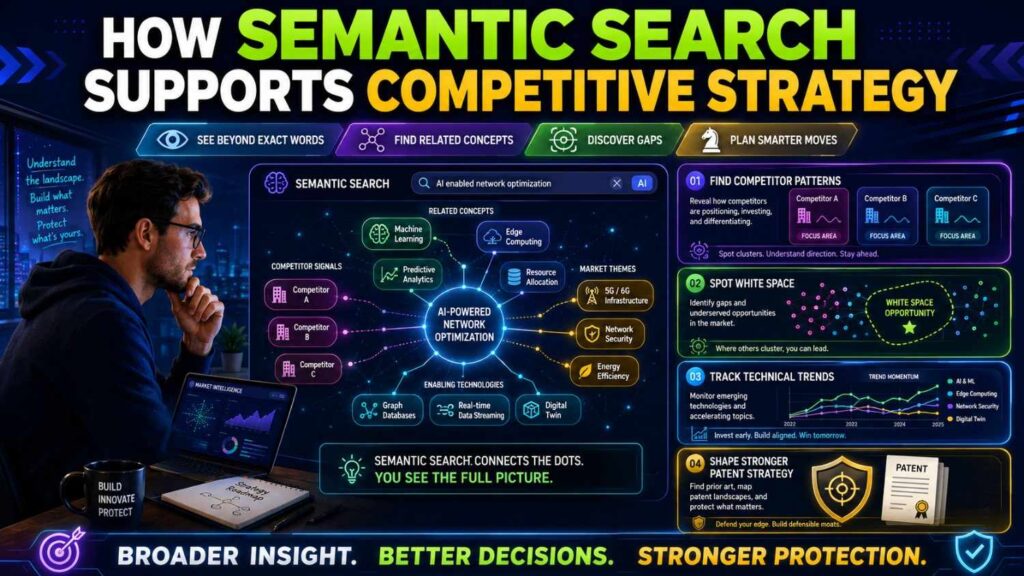
Patent novelty analysis is not only legal preparation.
It can also teach you about the market.
A good semantic search can show who is active, what they focus on, and where your edge may fit.
Find the Companies Filing and Publishing Around the Same Problem
When you search by meaning, you may find companies you did not expect.
A battery safety search may surface automotive companies, sensor suppliers, energy storage startups, universities, and chip makers.
An AI contract review search may surface legal tech firms, enterprise software companies, research labs, and document automation platforms.
A robotics search may surface warehouse automation companies, gripper makers, academic labs, and industrial control vendors.
This is useful.
It shows the real landscape around your invention.
If the same names appear again and again, study them.
Look at their patents, product pages, docs, papers, and demos.
Their work may affect both patent strategy and go-to-market strategy.
Spot White Space Carefully
Semantic search may reveal white space.
White space means an area where fewer sources appear.
But be careful.
White space can mean opportunity.
It can also mean your search terms are weak.
Before trusting white space, search it from several angles.
Search old terms. Search adjacent fields. Search non-patent sources. Search the problem, inputs, outputs, trigger, constraint, and improvement.
If the space still looks open after multiple search paths, it may be worth deeper patent review.
For a business, this can help prioritize filings.
If a feature is valuable, visible, and sits in a less crowded area, it may deserve attention.
Learn How Competitors Frame the Same Value
Competitors may talk about the same value differently.
Your product may say “AI compliance guardrails.”
A competitor may say “policy-safe response generation.”
Another may say “enterprise answer control.”
Another may say “trusted knowledge assistant.”
Semantic search helps connect these labels.
This is useful for patent search and marketing strategy.
If many competitors use similar value language, your patent should focus on the technical method, not the slogan.
If your technical method is different, make sure the filing captures that difference clearly.
How to Use Semantic Search With Product and Engineering Teams
Semantic search works best when product, engineering, and patent teams work together.
Each group sees a different part of the invention.
Product Teams Know the Customer Value
Product teams know why users care.
They know the pain, the workflow, the buying reason, and the feature that customers notice.
That information matters for patent search because it tells you which part of the invention is business-critical.
Ask product teams what customers would miss if the feature disappeared.
Ask what buyers compare against competitors.
Ask what part of the workflow creates the “aha” moment.
Then search that value semantically.
If the value is fewer false alerts, search false alarm reduction and alert suppression.
If the value is faster review, search review automation and workflow routing.
If the value is safer AI output, search source verification and policy-based blocking.
Engineering Teams Know the Technical Edge
Engineers know what was hard.
They know which version failed. They know which workaround made the system work. They know which data source changed performance. They know which timing choice mattered. They know which constraint was painful.
Ask engineers what they tried first.
Ask what did not work.
Ask what public papers, repos, docs, or tools they used.
Ask what is different about the final design.
Ask what a competitor would need to copy to match performance.
These answers create better semantic search inputs.
Patent Teams Know the Claim Risk
Patent professionals know how close sources may affect claims.
They can tell whether a source is background, close prior art, or a serious claim issue.
They can help decide whether to draft broad claims, narrower claims, fallback claims, or a different filing.
Semantic search gives them better raw material.
Attorney review turns that raw material into patent strategy.
That is the right division of work.
PowerPatent is built around this kind of collaboration: smart software to capture and organize invention details, with real attorney oversight to guide the filing. See how it works here: https://powerpatent.com/how-it-works
Semantic Search Prompts Founders Can Use
The quality of semantic search often depends on how you ask the question.
Here are practical prompts founders and teams can adapt.
Prompt for Turning an Idea Into Search Paths
“Here is our invention: [plain description]. Break it into problem, setting, inputs, process, output, improvement, trigger, constraint, and business value. For each part, suggest semantic search phrases that could find patent and non-patent prior art.”
This prompt helps convert a rough idea into a search map.
Prompt for Finding Older Terms
“Rewrite this invention using older technical terms that may have been used before the current buzzwords. Include terms a patent writer, researcher, open-source developer, and product documentation writer might use.”
This helps avoid missing older sources.
Prompt for Finding Adjacent Fields
“What other industries or technical fields may have solved a similar problem? For each field, suggest search phrases that keep the same technical function but remove our product category.”
This helps find cross-field prior art.
Prompt for Comparing a Source
“Compare this source to our invention. Identify which features appear to be shown, which are missing or unclear, and what questions we should ask patent counsel. Do not make a final legal conclusion.”
This helps create useful review notes without pretending the AI is the attorney.
Prompt for Finding Claim Focus
“Based on these prior art summaries, what specific technical differences may still distinguish our invention? Organize them as possible claim focus areas and fallback positions for attorney review.”
This helps turn search results into strategy.
Quality Control for Semantic Search
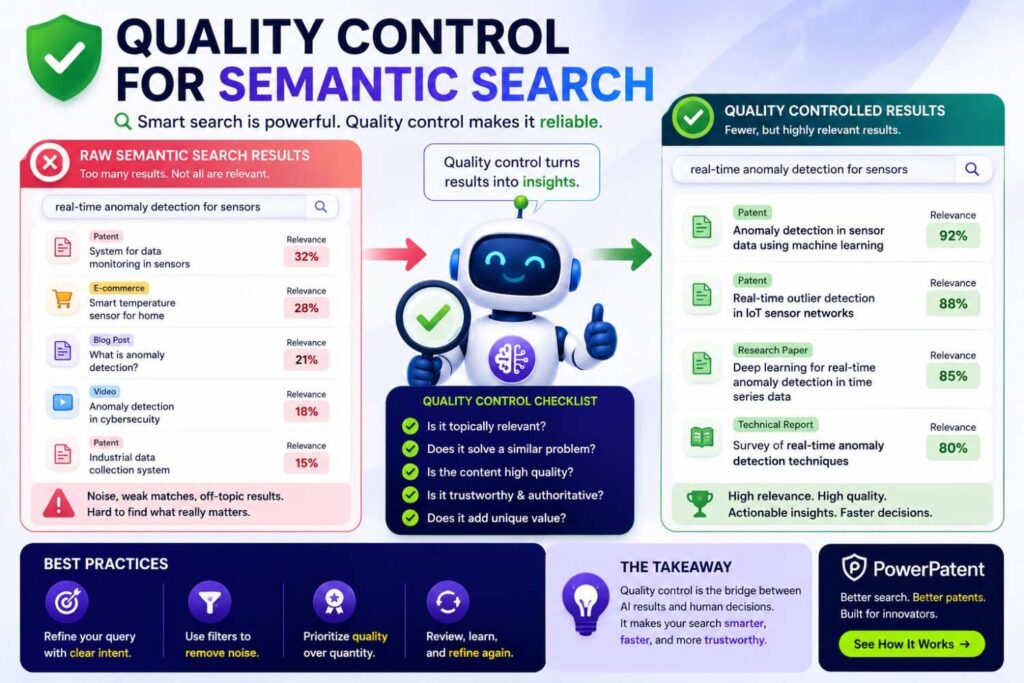
Semantic search is only useful if the results are checked.
A simple quality process can prevent mistakes.
Check Source Coverage
Ask what sources the tool searched.
Did it search only patents?
Did it include papers?
Did it include GitHub?
Did it include product docs?
Did it include manuals, standards, videos, or archived pages?
If important sources are missing, search them separately.
Check Dates
Record publication dates, filing dates, release dates, commit dates, upload dates, version dates, and archive dates when possible.
Do not rely on a vague “published online” note.
Dates can matter.
If a source is close, ask counsel to review timing.
Check the Actual Source
Do not rely only on the AI summary.
Open close sources.
Read the key parts.
Look at drawings, code, examples, tables, claims, manuals, and screenshots.
For videos, check the relevant time marks.
AI can summarize. Humans need to verify.
Check for Missing Features
For each close source, ask what it does not show.
This is as important as what it shows.
A source may show the same problem and same output, but miss the data combination.
It may show the method, but not the timing.
It may show the workflow, but not the trigger.
Missing features can help define the invention.
How Semantic Search Helps Avoid Costly Patent Mistakes
Patent mistakes are expensive because they often show up late.
A team files on a broad idea. Months later, the examiner finds close art. The claims must be narrowed. The filing may not have enough detail to support the narrower claim. The team spends more money and ends up with weaker protection.
Semantic search can help avoid that.
It Finds Close Art Earlier
If close art exists, it is better to find it before filing.
Then your team can draft around it, add needed details, or choose a better invention.
Early truth is cheaper than late surprise.
It Prevents Thin Filings
A thin filing often describes only the broad idea.
Semantic search can show why that is risky.
If the broad idea is old, the filing needs detail about the specific improvement.
That detail must be included early.
You cannot always add it later.
It Helps Avoid Filing for Vanity
Some patents are filed because they sound impressive, not because they protect a real edge.
Semantic search helps test the idea.
If the search shows the concept is common, the business can ask whether a different technical feature deserves filing.
That saves budget and strengthens the portfolio.
When Semantic Search Is Most Valuable
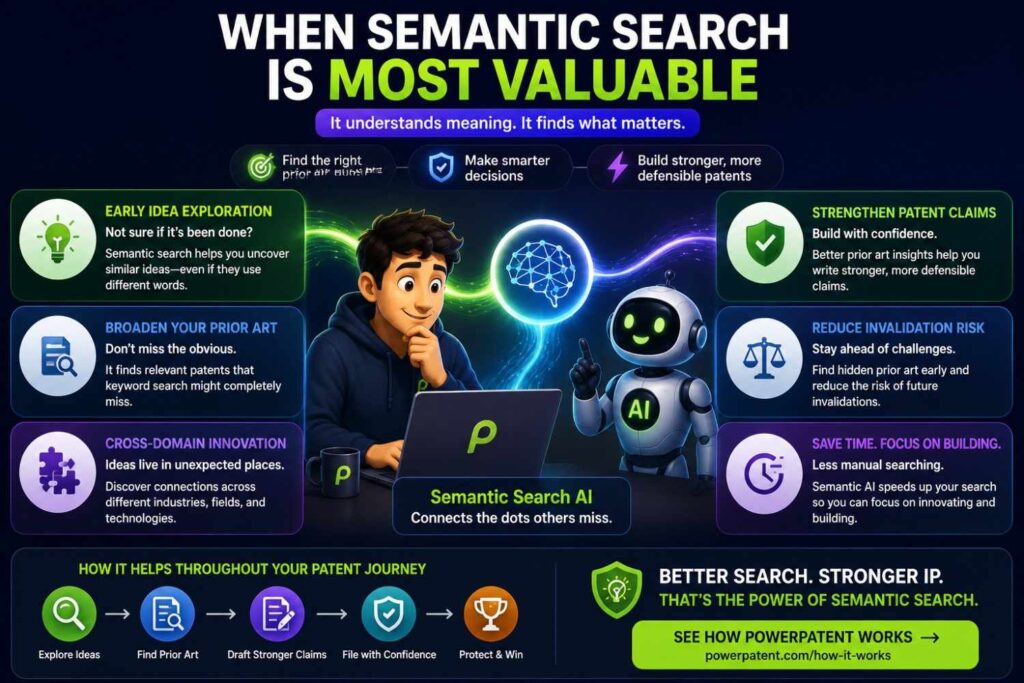
Semantic search is useful in many cases, but it is especially valuable in certain situations.
When Language Is Changing Fast
AI, software, cybersecurity, robotics, and climate tech often use fast-changing terms.
Semantic search helps connect new words to older ideas.
When the Invention Crosses Fields
If your invention combines hardware, software, data, and control, keyword search may miss related art in nearby fields.
Semantic search can help connect the ideas.
When the Product Pitch Is Broad
If the invention sounds like a market category, semantic search can help break it into technical parts.
This helps find the real patent target.
When Non-Patent Literature Matters
If the field has papers, repos, demos, docs, or standards, semantic search can help find terms for each source type.
This is key for modern startups.
When You Need a Fast Pre-Filing Screen
Before launch or fundraising, semantic search can help run a faster early check.
It is not a substitute for full legal review, but it can quickly reveal obvious risks and better filing focus.
When Semantic Search Is Not Enough
There are times when semantic search should be treated as only one part of a deeper process.
When the Invention Is Core to the Company
If the invention protects your main moat, do not rely on a light search.
Use semantic search, keyword search, classification search, citation review, non-patent search, and attorney analysis.
When the Field Is Very Crowded
Crowded fields require careful searching.
AI, batteries, semiconductors, medical devices, cybersecurity, telecom, and robotics can have dense prior art.
Semantic search helps, but deeper review is often needed.
When the Key Difference Is Small
If your invention differs by timing, threshold, placement, sequence, or data combination, the search must be careful.
Small details can matter.
AI summaries may miss them.
When Dates Are Critical
If a public disclosure date matters, do not rely on AI alone.
Check records, versions, archives, commits, uploads, and publication dates.
Ask counsel to review.
Building Semantic Search Into Your IP Workflow
The best teams do not treat search as a one-time panic step.
They build it into the way they capture inventions.
Capture Inventions When They Happen
When an engineer solves a hard problem, capture it.
When a model improves because of a new data flow, capture it.
When a hardware test leads to a better structure, capture it.
When a customer pain creates a technical workaround, capture it.
Then run a semantic search while the details are fresh.
Review Before Public Disclosure
Before publishing docs, videos, code, papers, or launch pages, check whether the feature should be searched and filed.
This habit can prevent painful timing issues.
Revisit Search as the Product Changes
Products evolve.
A feature may start simple and become more inventive later.
A workaround may become a core moat.
A data pipeline may become more important than the first model.
Run semantic search again when the invention changes.
Patent strategy should follow the real product, not an old snapshot.
How PowerPatent Fits In
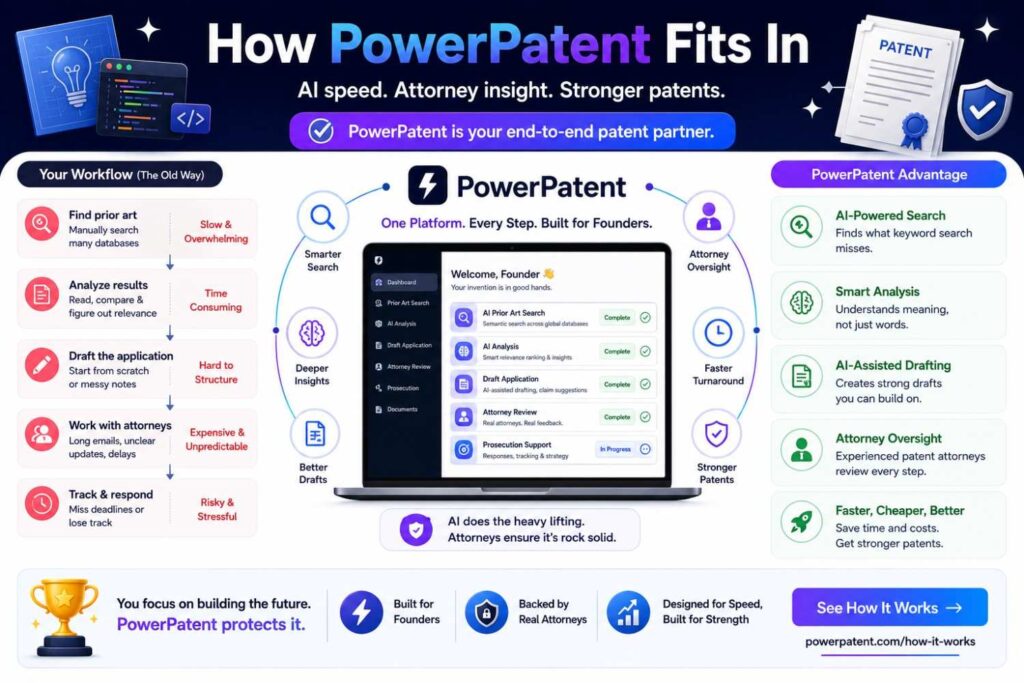
PowerPatent helps founders protect technical inventions without the old pain and delay.
The platform is built for teams that move fast and build hard things.
It helps capture invention details, organize technical information, and support the path to attorney-reviewed patent filings.
Better Invention Capture Makes Better Search
Semantic search works best when the invention is clear.
PowerPatent helps founders and engineers capture the real invention, not just the product pitch.
That matters because better input leads to better search.
Better search leads to clearer claim strategy.
Clearer claim strategy can lead to stronger filings.
Smart Software Plus Attorney Oversight
AI and software can help speed up search and organization.
Real patent attorneys help with judgment, claim focus, and filing strategy.
That combination gives founders speed without losing quality.
If you are ready to turn your invention into a stronger patent plan, see how PowerPatent works here: https://powerpatent.com/how-it-works
The Bottom Line
Semantic search helps patent novelty analysis by searching meaning, not just words.
It can uncover prior art that keyword search misses.
It can translate founder language into patent language.
It can reveal adjacent fields, older terms, competitor sources, and non-patent literature.
It can help build feature maps and find better claim focus.
But it is not a magic answer machine.
It must be used with clear invention descriptions, smart search paths, careful review, and attorney judgment.
The Practical Rule
Describe the invention clearly.
Search the meaning.
Search exact terms too.
Review close sources.
Compare features.
Use the results to focus the patent on the real technical edge.
That is how semantic search helps you file smarter.
That is how you protect what really matters.
PowerPatent helps founders do this with smart software and real attorney oversight. Learn more here: https://powerpatent.com/how-it-works
Closing Thought
Novelty is not about whether your pitch sounds new.
It is about whether the real invention was already shown before.
Semantic search helps you look past words and search the idea itself.
That makes it one of the most useful tools in modern patent work.
Use it early.
Use it carefully.
Use it with human review.
Then let what you find guide the filing.
The strongest patents are not built on hope.
They are built on clear invention details, smart search, and careful strategy.
When you know what came before, you can protect what is truly new with more confidence.