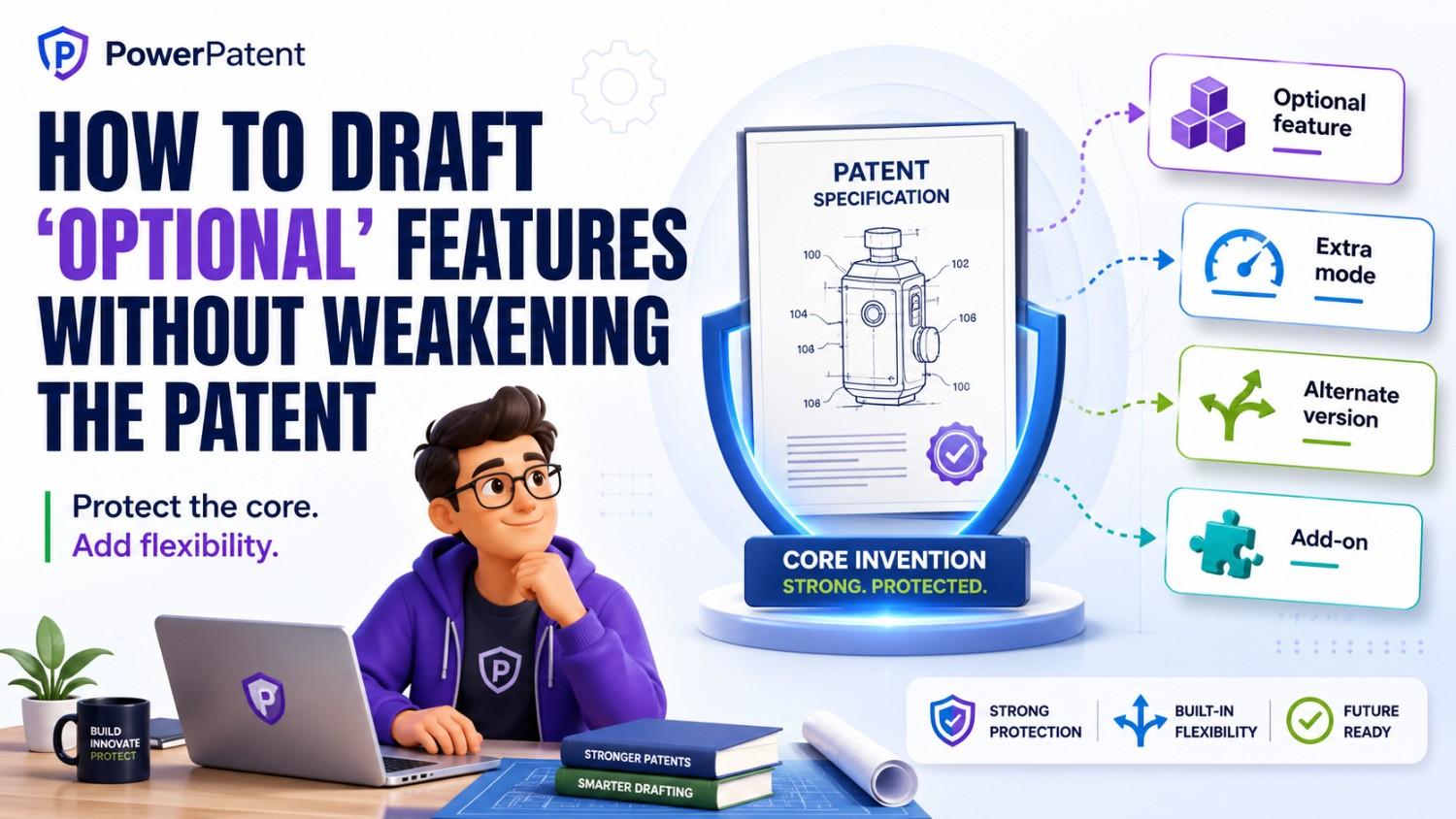
Optional features can make a patent stronger, but only when they are written the right way. If they are written poorly, they can make the invention look smaller, narrower, or easier to design around.
This matters a lot for founders, engineers, and inventors. Most real products have core parts and extra parts. Some features are must-have. Some are nice-to-have. Some may ship later. Some may never ship. A strong patent needs to protect the big idea without getting trapped by the extras.
That is the goal of this article.
We will show how to talk about optional features in a patent without making the patent weaker, too narrow, or too easy for others to avoid.
And if you are building something technical and want help turning it into a strong patent with smart software and real attorney oversight, you can see how PowerPatent works here: https://powerpatent.com/how-it-works
Why optional features are tricky
In startup life, almost everything changes.
The product changes. The model changes. The app changes. The hardware changes. The workflow changes. The user interface changes. The data source changes. The cloud stack changes. The customer need changes.
That is normal.
But patents are different. Once you file, the words matter. The patent application becomes a record of what you said your invention was. If the words are too tight, the patent may only cover one narrow version. If the words are too loose, the patent may fail to explain the invention well enough.
Optional features sit right in the middle of this problem.
Say your invention is a new system that detects machine failure before it happens. The core idea may be how you process sensor data, find a pattern, and trigger a warning. But your product may also have optional features like a dashboard, a mobile alert, a specific sensor, a training model, a fallback mode, a data filter, or a repair ticket workflow.
Those extra features may be useful. They may help sell the product. They may also help show real-world value. But if you write the patent as if all of those extras are required, you may limit the patent too much.
A competitor may copy your core idea but leave out the dashboard. Or use email instead of mobile alerts. Or use a different sensor. Or skip the repair ticket workflow. If your patent makes those features sound required, the competitor may have an easier path around you.
That is why optional features need care.
The point is not to hide them. The point is to place them in the right spot, use the right words, and keep the core invention clear.
First, know what the core invention is
Before you draft optional features, you need to know what is truly core.
This sounds simple, but many patent drafts go wrong here.
Founders often describe the whole product. Engineers often describe the best version. Product teams often describe the version they plan to ship. But a patent should protect the invention, not just the current build.
Your product is one form of the invention. It may be the first form. It may be the best form today. But it should not be the only form the patent can cover.
So before writing about optional features, ask a simple question:
What part would a competitor need to copy to get the main benefit?
That is usually the core.
For a software invention, the core might be a way of ranking data, training a model, routing a request, reducing compute cost, or detecting a hidden event.
For a hardware invention, the core might be a shape, a sensor layout, a control loop, a material structure, or a way parts interact.
For an AI invention, the core might be how input data is transformed, how a model is updated, how outputs are checked, how errors are reduced, or how the system improves over time.
For a biotech or deep tech invention, the core may sit in a process, a structure, a composition, a test method, or a treatment workflow.
Once the core is clear, optional features become easier to manage. They can support the story without taking over the story.
At PowerPatent, this is one reason we focus on helping founders turn technical work into patent-ready invention details. The goal is not just to describe what you built. It is to protect the value behind it. You can explore that process here: https://powerpatent.com/how-it-works
The biggest mistake: making optional features sound required
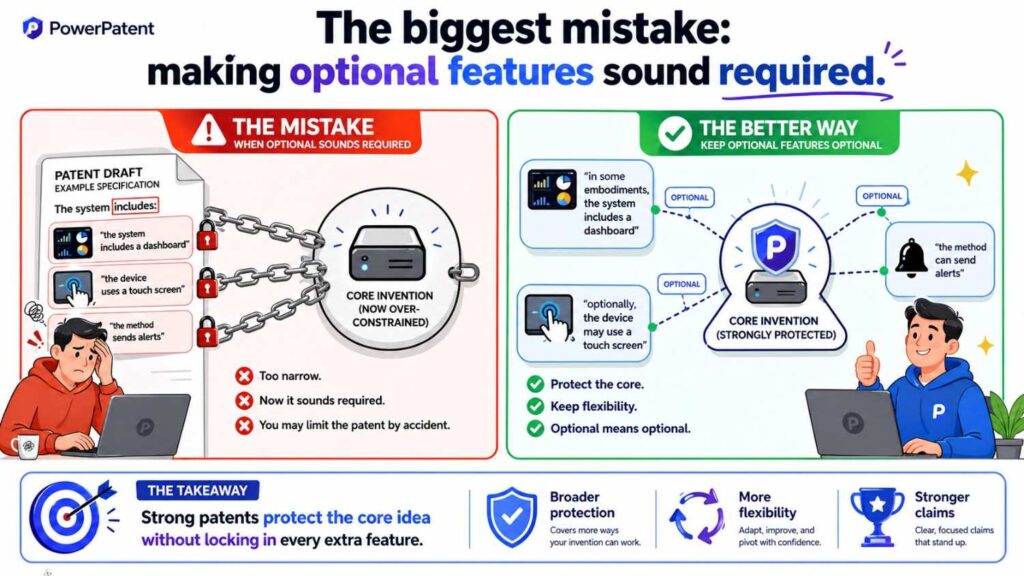
The most common mistake is simple.
A draft says “the system includes A, B, C, D, and E,” when only A and B are truly needed.
That one sentence can cause trouble.
When a patent says the system includes many parts, it may look like all those parts are part of the invention. Later, if you try to argue that C, D, or E were optional, the words may fight against you.
This is why patent drafting is not just writing. It is careful framing.
Consider this weak version:
“The system includes a camera, a thermal sensor, a GPS unit, a cloud server, a dashboard, and a mobile app.”
That may describe the product. But it may also make the invention look like it needs all six things.
Now consider a better version:
“In some examples, the system may use one or more sensors, such as a camera, a thermal sensor, or a location sensor. In some cases, processed results may be sent to a dashboard, a mobile app, or another user interface.”
This version gives room. It still describes useful features. But it does not make each one sound required.
The small words matter.
“May” matters.
“In some examples” matters.
“One or more” matters.
“Such as” matters.
“Or another” matters.
Those words help show that the feature is an option, not a limit.
But this does not mean you should sprinkle “may” everywhere without thought. The draft still needs to be clear. A patent that says everything “may” happen can feel vague. The better move is to define the core with care, then use optional language for extras.
Do not let the best product version become the only patent version
Engineers love detail. That is good. Detail helps patents. But detail can also trap you.
The version you built first may include many choices that were made for speed, cost, customer need, available parts, or current tools. Those choices may not be central to the invention.
For example, you may use AWS today. You may switch later. You may use Python today. You may rewrite parts in Go. You may use one model today. You may replace it next quarter. You may use one type of sensor today because it was easy to buy. You may use another in the next version.
A patent should not be locked to those choices unless those choices are the invention.
This is especially important for startups. Early products are often messy. They are smart, fast, and scrappy. But they are not always the final form. If your patent only covers your first build, you may leave future value exposed.
A good patent draft should protect the path from the current build to the bigger invention.
That means you can describe the current build as one example, but you should not let it define the whole thing.
A useful pattern is to write in layers.
The first layer is the broad idea.
The second layer is one useful implementation.
The third layer is optional improvements.
The fourth layer is specific examples.
This gives the patent room to breathe.
For example:
“The system receives sensor data from one or more devices and detects a change pattern that indicates a likely fault.”
That is broad.
“In some examples, the sensor data includes vibration data, temperature data, audio data, image data, or a mix of these.”
That adds options.
“In one example, vibration data is sampled at a first rate and temperature data is sampled at a second rate.”
That adds detail.
“In some examples, the system sends a warning through a dashboard, a message, an email, an API call, or another output channel.”
That adds more optional value without turning the output channel into the heart of the invention.
This is how optional features should work. They should expand the picture, not shrink it.
Optional features should support the invention story
A patent is not a sales deck. But it still needs a story.
The story should explain the problem, the old way, the pain, the new approach, and the benefit. Optional features should support that story.
They should not distract from it.
If you add too many optional features with no clear reason, the draft can feel like a pile of product notes. That is not strong. The reader should understand why each optional feature matters.
For example, do not just say:
“The system may include a dashboard.”
Say what the dashboard helps do.
“In some examples, the system may include a dashboard that shows the detected fault pattern, the likely cause, and a suggested next step.”
That is better because it ties the optional feature to the value.
Do not just say:
“The system may include a machine learning model.”
Say what role the model plays.
“In some examples, the system may use a trained model to classify the change pattern as normal, risky, or likely to fail.”
That is better because it explains why the feature exists.
Do not just say:
“The system may include a backup process.”
Say what it improves.
“In some examples, when a network link is not available, the device may store a local result and send the result after the link returns.”
That is better because it shows a real use case.
Optional features are strongest when they show practical value. They should help the reader see more ways the invention can work, more problems it can solve, and more forms it can take.
Use “in some examples” with care
“In some examples” is one of the most useful phrases in a patent draft.
It tells the reader that what follows is not always required.
But it should be used with care. If every sentence starts with “in some examples,” the draft can feel dull and robotic. It can also become hard to tell what is core and what is extra.
Use the phrase when you are moving into an optional form, a narrower version, or a specific implementation.
For example:
“In some examples, the alert may include a confidence score.”
This is clear. The confidence score is optional.
“In some examples, the system may compare the confidence score to a threshold before sending the alert.”
This is also clear. The threshold check is optional.
But the core should be stated more directly.
“The system detects a condition based on the input data and generates an output that indicates the condition.”
That sentence does not need “in some examples” if it is central to the invention.
The trick is balance.
Core steps should be direct. Optional features should be framed as examples.
This helps avoid a draft where nothing feels solid.
Avoid hidden limits
A hidden limit is a word or detail that seems harmless but quietly narrows the patent.
These show up often in optional feature language.
For example, a draft may say:
“The user receives a text message.”
Maybe text messages are not central. Maybe the system could send an email, push alert, dashboard update, API call, voice call, webhook, or machine signal. If the patent keeps saying “text message,” it may sound like text messaging is part of the invention.
A better version may be:
“The user may receive an alert through one or more channels, such as a text message, email, push notice, dashboard message, API call, or other output.”
This keeps the example but avoids the trap.
Here are common hidden limits:
A specific device when many devices could work.
A specific data format when many formats could work.
A specific network when any network could work.
A specific model type when many model types could work.
A specific user role when many users could act.
A specific order of steps when the order can change.
A specific storage location when the data could be stored elsewhere.
A specific interface when the action could happen through an API or automated process.
These details may be useful, but they should not be treated as required unless they really are.
A strong draft checks each detail and asks: is this needed, or is it only one way to do it?
That question alone can save a patent from becoming too narrow.
Be careful with “the invention is”
Few phrases cause more trouble than “the invention is.”
It sounds clean. It sounds confident. But it can create limits.
If you say “the invention is a mobile app that does X,” you may make it harder to cover a web app, server process, embedded system, API, or device workflow.
If you say “the invention is a dashboard,” you may make it harder to cover the back-end process that creates the dashboard result.
If you say “the invention is a sensor mounted on a drone,” you may make it harder to cover the same sensor logic on a robot, vehicle, or fixed station.
A better style is to speak in terms of systems, methods, devices, and examples.
For example:
“This disclosure describes systems and methods for detecting a target condition based on input data.”
That is broader and cleaner.
Then you can say:
“In some examples, the systems and methods may be used in a mobile app, web service, embedded device, drone, robot, or other computing environment.”
This lets the patent cover more forms.
The same idea applies to optional features. Avoid saying:
“The invention includes a dashboard.”
Say:
“In some examples, a dashboard may display the output.”
This is a small shift, but it matters.
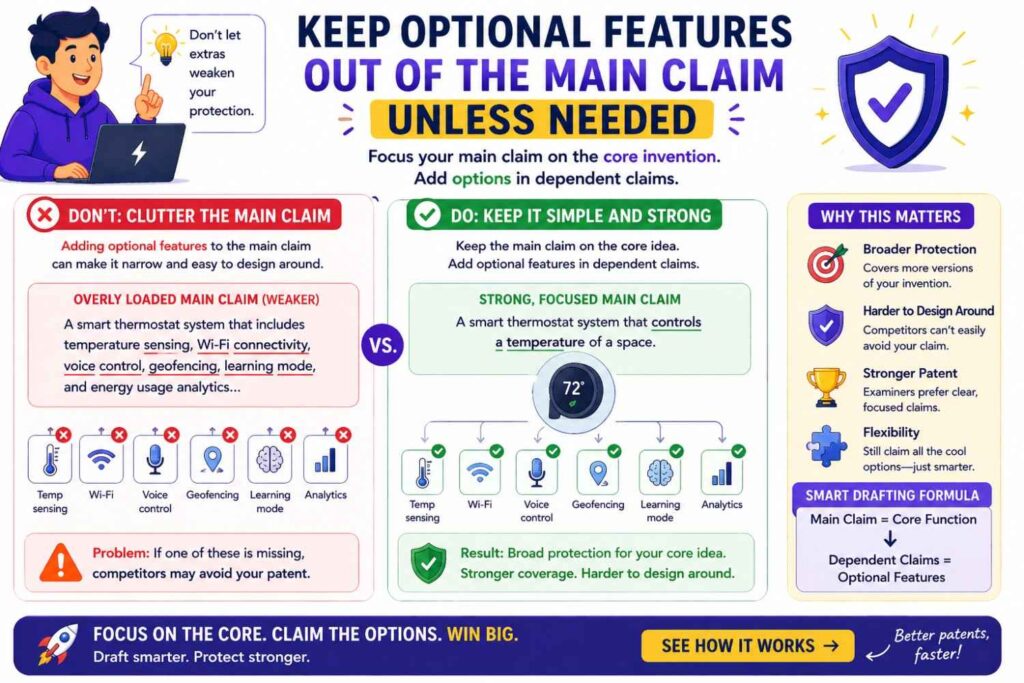
Keep optional features out of the main claim unless needed
The claims are the part of a patent that define the legal boundary.
This article is not legal advice, and patent claims should be handled by a skilled patent professional. But founders should still understand the basic point: if an optional feature is placed in the main claim, it may stop being optional.
That can weaken the patent.
Suppose the core invention is a way to detect fraud in real time using a risk score and a dynamic rule engine. Your product also shows the result in a color-coded dashboard. The dashboard is useful, but it may not be needed to catch infringers.
If the main claim requires the dashboard, then someone who uses the fraud detection method without the dashboard may be outside the claim.
That is not what you want.
A better approach is often to keep the main claim focused on the core invention and place optional features in other claims or in the detailed description.
For example, the main claim may focus on receiving data, generating a risk score, updating a rule set, and triggering an action.
A later claim may add the dashboard.
Another may add a confidence level.
Another may add a user feedback loop.
Another may add a specific model training method.
This layered approach gives you coverage at different levels. The broad version protects the core. The narrower versions protect useful add-ons.
This is one area where real attorney oversight matters. Smart software can help organize invention details, but claim strategy needs care. PowerPatent brings both together so founders are not left guessing. You can see how that works here: https://powerpatent.com/how-it-works
Use dependent claims to protect optional features
A simple way to think about claims is this:
The main claim should protect the core.
The later claims can protect extras.
Those later claims are often called dependent claims. You do not need to use that term in your own product notes, but the idea is useful.
Think of them as backup layers.
A broad claim might cover the big idea.
A narrower claim might cover the big idea plus a special alert.
Another might cover the big idea plus a local cache.
Another might cover the big idea plus a specific model update.
Another might cover the big idea plus a user approval step.
This helps because optional features can still matter. They may help show why your invention is different. They may help protect your product. They may help during review. They may help if a broad claim is challenged later.
But they should not always be pushed into the broadest claim.
The goal is not to ignore optional features. The goal is to put them where they add strength.
A good patent draft gives the core room, then surrounds it with well-written optional features.
Do not confuse “optional” with “unimportant”
Optional does not mean useless.
Some optional features are very valuable. They may be the features customers love most. They may make the system faster, safer, cheaper, easier to use, or more accurate.
But legally and technically, they may not be required to practice the core invention.
That is the key difference.
For example, a predictive maintenance system may work without a repair ticket workflow. The ticket workflow may still be valuable because it turns a warning into action.
A medical device may work without a cloud dashboard. The dashboard may still be valuable because it helps doctors track trends.
An AI coding tool may work without team analytics. Team analytics may still be valuable because it helps managers see adoption.
A battery control system may work without a mobile app. The app may still be valuable because it helps users see health and alerts.
Optional features can be commercially important without being technically required.
Your patent draft should reflect that.
One good phrase is:
“In some examples, this optional feature may improve…”
For example:
“In some examples, the local cache may improve operation when network access is limited.”
Or:
“In some examples, the confidence score may help a user decide whether to accept, review, or reject the output.”
This shows value without making the feature required.
Explain why each optional feature matters
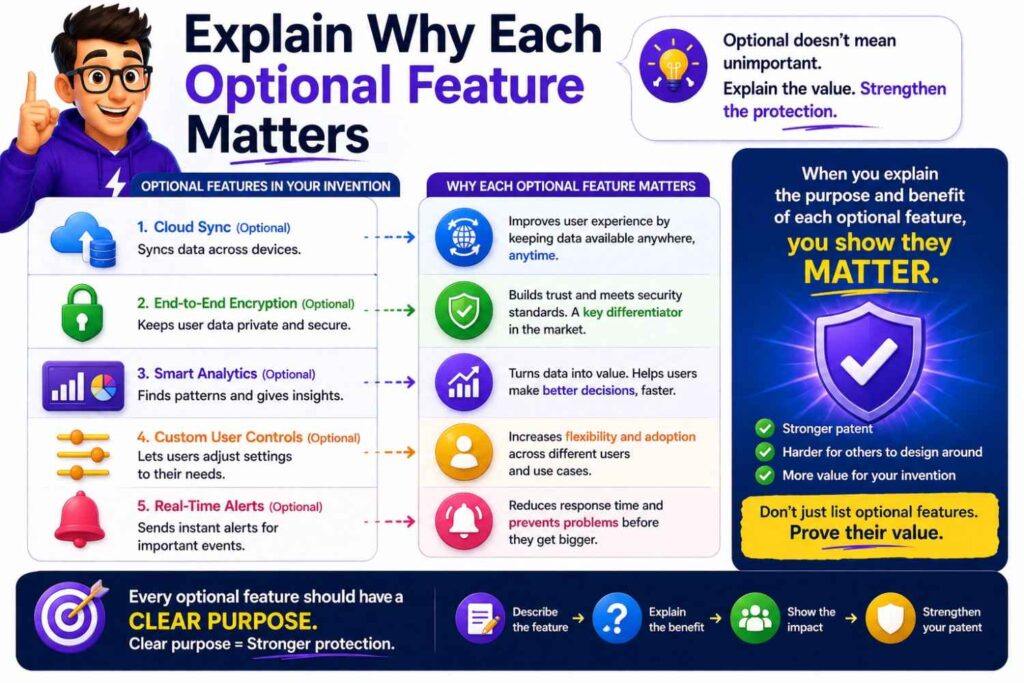
A weak patent draft lists features.
A strong patent draft explains function.
This matters because patents are not product catalogs. They should help the reader understand how the invention works and why the pieces matter.
When you describe an optional feature, try to answer three simple questions.
What does it do?
When is it used?
What problem does it help solve?
You do not need a long answer. One or two clear sentences can be enough.
For example:
“In some examples, the system may include a retry process. The retry process may resend a failed request after a delay, which may reduce lost data when a network connection is unstable.”
That is useful.
Another example:
“In some examples, the system may group similar alerts before showing them to a user. This may reduce alert fatigue and help the user focus on the most important event.”
That is clear.
Another example:
“In some examples, the system may use a human review step when the confidence score is below a set level. This may reduce the chance that a low-confidence result is used without review.”
That is practical.
These explanations help optional features strengthen the patent. They show more paths, more use cases, and more benefits.
Write optional features as choices, not requirements
Optional features should often be written as choices.
This is especially true when many versions can work.
For example:
“The system may use a local model or a remote model.”
“The alert may be sent before, during, or after the system stores the result.”
“The user interface may be a dashboard, a mobile app, a command-line tool, an API, or another interface.”
“The input data may include image data, audio data, sensor data, text data, transaction data, location data, or other data.”
“The output may include a score, label, warning, ranked list, control signal, recommendation, or other result.”
This kind of language helps avoid locking the invention to one path.
But again, do not overdo it. Too many open-ended lists can make the draft feel loose. The best approach is to name the most likely choices and then leave room for other similar choices.
A phrase like “or another suitable output” can help.
A phrase like “or a combination thereof” can help when different options may be used together.
A phrase like “one or more” can help when the number may vary.
These words are simple, but they do real work.
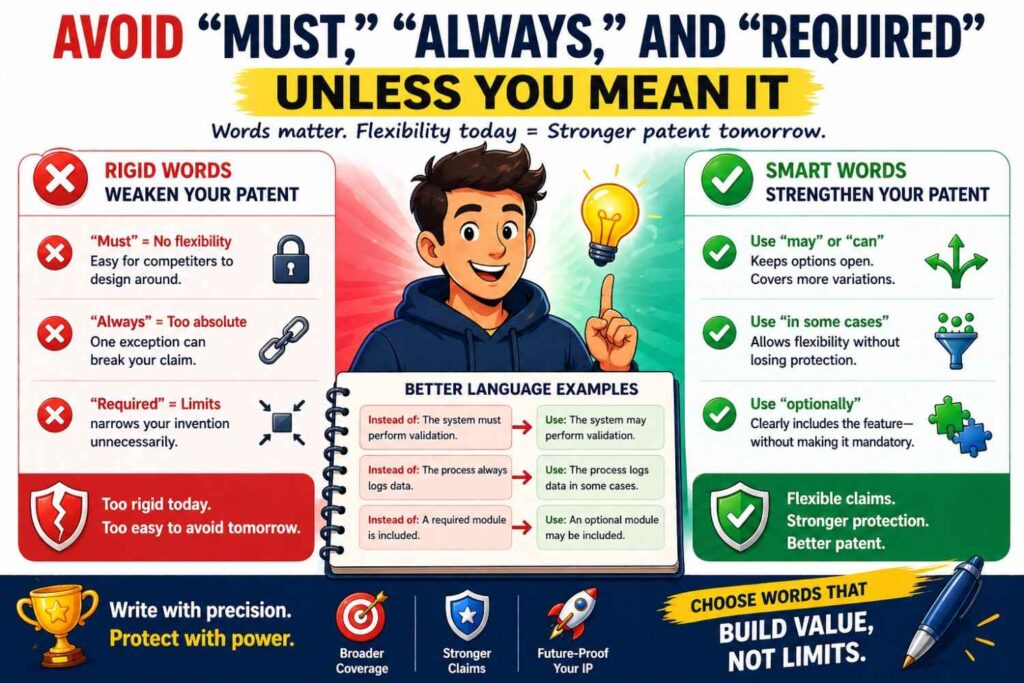
Avoid “must,” “always,” and “required” unless you mean it
Strong patent drafting avoids accidental absolutes.
Words like “must,” “always,” “required,” “necessary,” and “essential” can be risky when talking about optional features.
If a feature is truly required, say so.
But if it is only one useful version, do not use absolute words.
Weak version:
“The system must send the alert to a mobile phone.”
Better version:
“In some examples, the system may send the alert to a mobile phone.”
Even better:
“In some examples, the system may send the alert to a mobile phone, a dashboard, an email address, an API endpoint, or another output destination.”
Weak version:
“The model always retrains after user feedback.”
Better version:
“In some examples, the model may be updated based on user feedback.”
Even better:
“In some examples, the model may be updated after a set number of feedback events, after a time period, in response to a drop in accuracy, or in response to another update trigger.”
That last version protects more real-world cases.
Words like “always” can sound harmless, but they can create a narrow story. A patent should not make promises your future product may not keep.
Be careful with step order
Optional features often involve extra steps. But step order can limit a patent if written too tightly.
For example, say your system receives data, cleans it, scores it, stores it, and sends an alert. In some versions, it may store before alerting. In others, it may alert before storing. In others, it may do both in parallel.
If the draft says the system does these steps in a fixed order, that order may become part of the invention.
Sometimes order matters. Many inventions depend on a specific sequence. But many software workflows do not.
When the order can vary, say so.
For example:
“In some examples, the storing step may occur before, after, or at least partly in parallel with sending the alert.”
Or:
“The operations may be performed in a different order unless a specific order is required by the context.”
This helps keep optional workflow details from becoming hidden limits.
For startups, this is important because architecture changes fast. A background job may become a streaming pipeline. A batch process may become real time. A server step may move to an edge device. A manual review may become automated. Your patent should not break just because your system grew up.
Use examples to add detail without shrinking the invention
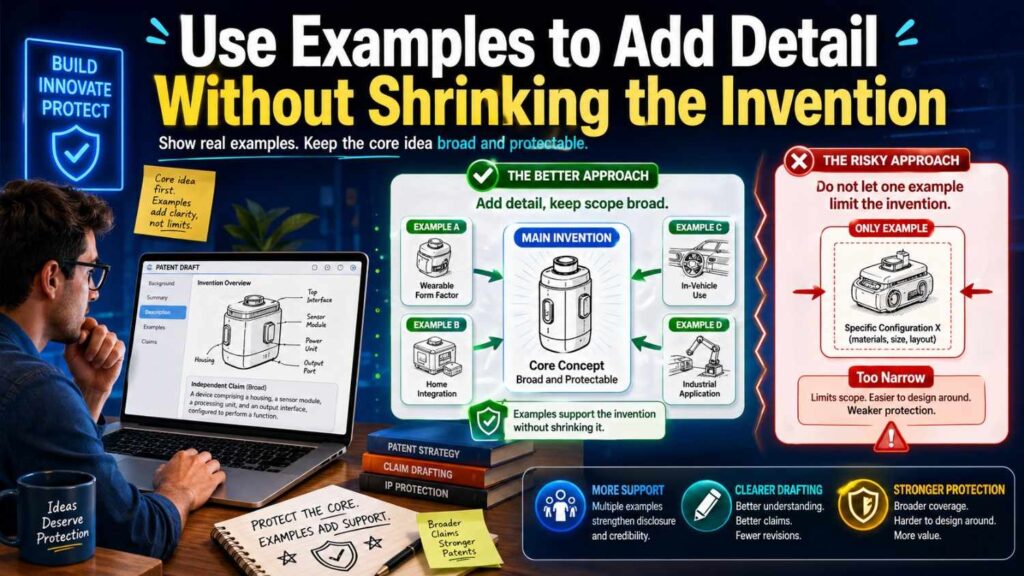
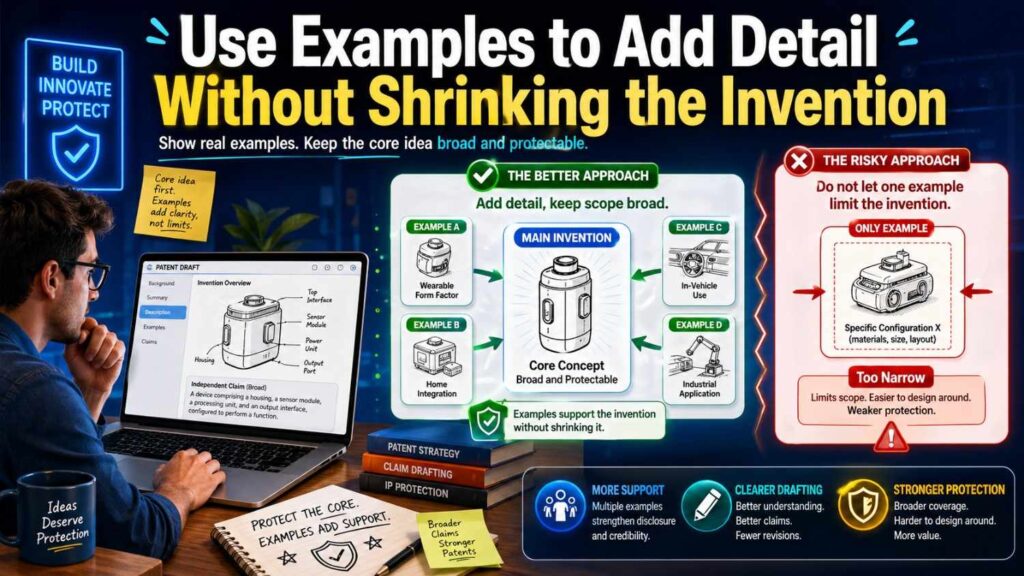
One of the best ways to include optional features is to call them examples.
Examples are powerful because they show real detail. They help meet the need to explain the invention. They also help show that the invention can take many forms.
But examples should be framed as examples.
Use phrases like:
“For example…”
“As one example…”
“In one implementation…”
“In some cases…”
“In certain versions…”
“In one possible arrangement…”
These phrases tell the reader that the detail is not the whole invention.
For instance:
“As one example, the system may use a neural network to classify the sensor pattern.”
This leaves room for other model types.
“In one implementation, the system may run the classification step on an edge device.”
This leaves room for cloud or hybrid versions.
“In some cases, the alert may be sent to a maintenance team.”
This leaves room for alerts to other people or systems.
A patent without examples may feel thin. A patent with examples written as limits may feel narrow. A good draft uses examples to enrich the disclosure while keeping the core broad.
Do not let drawings make optional features seem required
Patent drawings are helpful. They show the system, the flow, and the parts. But drawings can also create confusion if they show only one version.
Say your drawing shows a user device, cloud server, database, dashboard, and mobile app. If the text describes that drawing as “the invention,” the patent may appear tied to that setup.
A better way is to say the drawing shows “one example system.”
For example:
“Figure 1 shows an example system for performing the described techniques.”
Then explain that other versions may have fewer parts, more parts, or different parts.
For example:
“Other examples may omit one or more illustrated components, combine components, divide a component into multiple parts, or use additional components.”
This is very useful language.
It makes clear that the drawing is not a cage. It is one way to show the idea.
For software patents, this matters a lot. A box in a drawing may represent a server today. Tomorrow it may be a container, service, edge device, client app, or on-device module. The patent should allow that.
For hardware patents, drawings can also be tricky. If a drawing shows a bolt, bracket, latch, handle, sensor, or cable, the text should make clear whether that part is required or only one example.
A drawing should help explain the invention. It should not quietly narrow it.
Treat your shipped product as one example, not the full boundary
This point is worth repeating because it is so common.
Your product is not the same thing as your invention.
Your product is what customers use.
Your invention is the new technical idea that creates value.
A product has branding, UI choices, pricing rules, third-party tools, support workflows, account settings, admin screens, default values, and many other details. Most of those details do not belong in the broadest version of the patent.
When drafting, describe the shipped product as one example.
For example:
“In one example, the system is used in a web-based platform that allows an admin user to review alerts.”
This is fine.
But do not make the whole patent depend on the web-based platform or admin user unless those are core.
You can then broaden it:
“In other examples, the same techniques may be used in a mobile app, embedded device, cloud service, local software tool, or another computing system.”
This is how you protect the invention beyond your first go-to-market form.
PowerPatent is built for this exact problem. Founders often have code, models, diagrams, notes, and product specs, but they need help turning that into a patent story that protects the real invention. See how the platform helps here: https://powerpatent.com/how-it-works
Optional features can help show fallback positions
Patent review can be unpredictable. Sometimes a broad claim faces pushback. In that case, optional features can serve as fallback positions.
A fallback position is a narrower version that may still be valuable.
For example, the broad idea may be:
A system that detects a risky event based on data.
A fallback may be:
The system also uses a confidence score.
Another fallback may be:
The confidence score controls whether human review is needed.
Another fallback may be:
The system updates a model based on the human review result.
Another fallback may be:
The update is delayed until enough review events are collected.
Each optional feature gives another way to define the invention if needed.
This is why optional details are not filler. They can matter a lot. But they need to be written in a way that does not weaken the broad story.
The best patent drafts have both breadth and depth.
Breadth protects the core.
Depth protects strong versions, useful improvements, and backup paths.
Avoid “feature dumping”
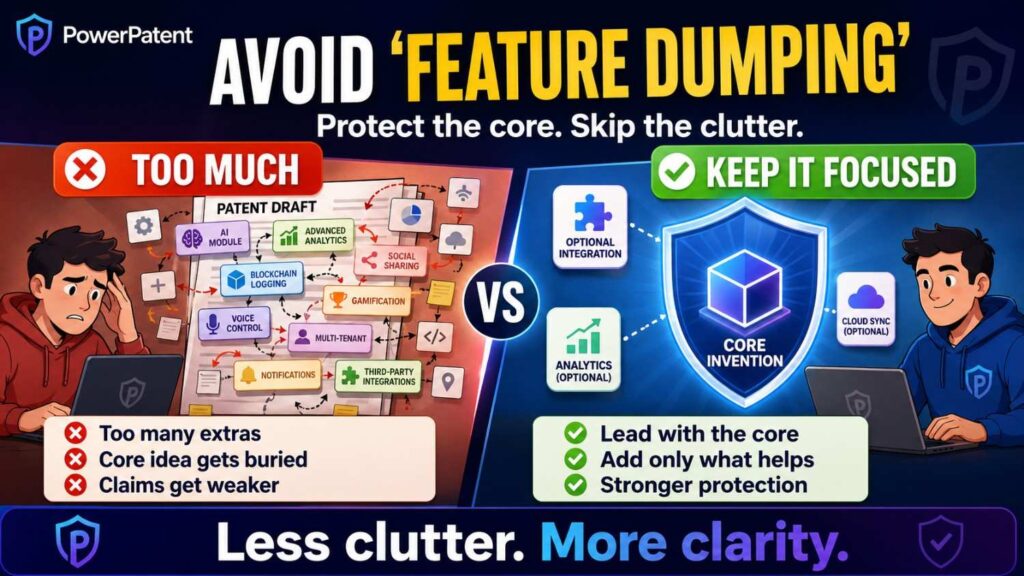
Feature dumping happens when a patent draft throws in every possible product feature without structure.
It may look detailed, but it often reads poorly.
A dumped paragraph may say the system can include a dashboard, calendar, email, SMS, AI model, chat tool, permissions, audit log, payments, device sync, search, export, import, templates, roles, and analytics.
That kind of writing does not help much unless the features are tied to the invention.
A better draft groups optional features by purpose.
For example, one section may discuss optional input sources.
Another may discuss optional processing methods.
Another may discuss optional output formats.
Another may discuss optional user controls.
Another may discuss optional safety checks.
Another may discuss optional deployment environments.
This gives the draft a clear shape.
It also helps the reader understand the invention from many angles.
Feature dumping feels like noise. Organized optional features feel like strength.
Use plain names, but do not over-name everything
Names help. If your invention has parts, giving them simple names can make the draft easier to read.
For example:
“data collector”
“risk engine”
“alert manager”
“review module”
“training controller”
“sensor hub”
“output generator”
These names are simple and useful.
But be careful. If you name every small optional feature, the draft can become crowded. Also, some names can create limits if they imply a narrow role.
For example, calling something a “mobile alert module” may be too narrow if it can send alerts to any interface.
A broader name like “alert module” may be better.
Calling something a “neural network engine” may be too narrow if it can use other models.
A broader name like “classification engine” may be better.
Calling something a “doctor dashboard” may be too narrow if nurses, technicians, patients, or automated systems can use it.
A broader name like “user interface” or “review interface” may be better.
Good names explain function without adding narrow limits.
Optional software features need special care
Software changes quickly. That makes optional drafting very important.
A software product may have many parts that are implementation choices rather than core invention pieces.
For example, your current version may use a certain database, queue, cache, API style, model host, front-end framework, logging tool, or cloud provider. These may be helpful to mention in some cases, but they should rarely define the broad invention.
When drafting optional software features, focus more on what the system does than on the brand or tool used.
Instead of saying:
“The system uses PostgreSQL to store event records.”
You might say:
“The system may store event records in one or more data stores.”
Then, if useful:
“In some examples, the data store may include a relational database, object store, key-value store, time-series database, local memory, or other storage system.”
This is better because it covers many real deployments.
Instead of saying:
“The system sends messages through Slack.”
You might say:
“The system may send messages through a communication platform.”
Then:
“In one example, the communication platform may include a team messaging service.”
This keeps the product example but avoids tying the patent to one vendor.
Instead of saying:
“The system runs in Kubernetes.”
You might say:
“The system may run in a cloud, local, edge, containerized, serverless, or hybrid environment.”
That gives room.
The rule is simple: name specific tools only when they matter. Otherwise, describe the function in broader words.
Optional AI features need even more care
AI systems are full of optional choices.
Model type. Training data. Labeling method. Prompt structure. Retrieval method. Fine-tuning. Embeddings. Evaluation. Human review. Safety filter. Feedback loop. Confidence score. Data cleaning. Model routing. Output checking.
Any of these may be important. But not all are core.
For AI inventions, it is easy to write too narrowly because the current model stack feels central. But models change fast. A patent tied too closely to one model type may age poorly.
Say your system uses a transformer model today. That may not need to be in the broadest version. The invention may be how you select context, test output, update a memory store, combine models, or trigger a decision.
A better draft may say:
“In some examples, the system may use one or more trained models to generate, classify, rank, score, or filter an output.”
Then you can add:
“The trained model may include a neural network, transformer model, tree-based model, regression model, rules-based model, or another model.”
This keeps room.
For generative AI inventions, optional features often include prompts, context windows, retrieval steps, grounding checks, user feedback, and response filters. Be careful not to make the invention depend on a specific prompt unless the prompt structure is the invention.
Instead of saying:
“The system sends the following prompt to the model…”
You might say:
“The system may generate a model input that includes a task instruction, selected context, and one or more output rules.”
That is broader.
Then you can give one example of the prompt structure.
This approach protects the technique, not just the exact wording used in your first build.
Optional hardware features need structure
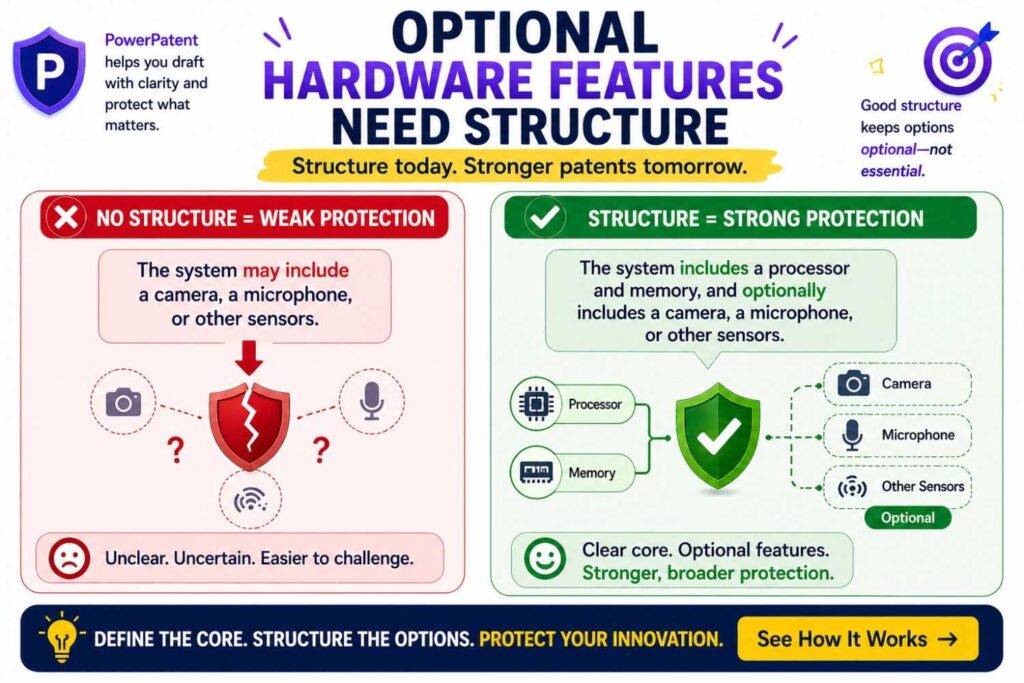
Hardware patents often need detail. Parts, shapes, materials, sizes, positions, and connections can matter.
But optional hardware features can also narrow the invention if they are not framed well.
For example, say your device has a housing, sensor, mount, battery, processor, and display. The core may be the sensor arrangement and control method. The battery and display may be optional.
A narrow draft may say:
“The device includes a display mounted on the front face.”
A better draft may say:
“In some examples, the device may include a display. The display may be mounted on a front face, side face, remote device, or other location.”
This keeps the option.
Another example:
“The sensor is attached with screws.”
Better:
“The sensor may be attached using screws, adhesive, clips, welding, magnetic coupling, friction fit, or another attachment structure.”
Another:
“The housing is made of aluminum.”
Better:
“The housing may be made of metal, polymer, composite, ceramic, or another material selected based on strength, weight, heat transfer, cost, or operating environment.”
This kind of drafting helps protect variants.
For hardware, also be careful with dimensions.
If a size is required, include it. If not, use ranges or functional descriptions.
Instead of:
“The channel is 2 millimeters wide.”
Consider:
“In some examples, the channel may have a width selected to allow fluid flow while blocking particles above a target size.”
Then, if needed, give example ranges.
Functional language can help explain why the dimension matters.
Optional user interface features should not limit back-end inventions
Many startup products have a user interface. It may be the part customers see. But the real invention may happen behind the scenes.
A patent draft can go wrong when it focuses too much on screens.
For example, if the invention is a new way to assign tasks using live machine data, the dashboard may be only one way to show the result.
Do not make the dashboard the invention unless it truly is.
Weak version:
“The invention is a dashboard that shows machine risk.”
Better version:
“The system may generate a risk output for one or more machines. In some examples, the risk output may be shown through a dashboard.”
This keeps the back-end technique central.
User interface features can still be valuable. A new UI workflow may be patentable in some cases, especially if it improves how a user works with technical data. But be clear about whether the UI is the core or just an output.
If it is optional, say so.
For example:
“In some examples, the user interface may allow a user to accept, reject, edit, or comment on a suggested action.”
That is useful.
Then explain how that feedback affects the system:
“The feedback may be used to update future suggestions, adjust a threshold, retrain a model, or create an audit record.”
Now the UI feature supports the technical loop rather than standing alone.
Optional data sources should be broad but clear
Many inventions depend on data. But data sources vary.
A fraud tool may use transaction data, device data, account history, location data, behavioral data, or network data.
A health tool may use sensor data, image data, lab data, patient data, clinician notes, device data, or medication data.
A robotics tool may use camera data, depth data, lidar data, map data, motor data, location data, or force data.
A good patent draft should avoid tying the invention to one data source unless that source is required.
For example:
“The system receives input data.”
Then:
“In some examples, the input data may include one or more of image data, text data, sensor data, event data, user data, device data, location data, time data, historical data, or other data.”
That is broad.
But do not stop there. Explain which data matters for the invention.
For example:
“The input data may include a time series that represents changes in a machine state.”
That is clearer.
Or:
“The input data may include user activity events that occur before a target action.”
That adds focus.
Optional data source drafting should balance breadth and meaning. Too broad can sound empty. Too narrow can miss future forms.
Optional outputs should cover machine and human actions
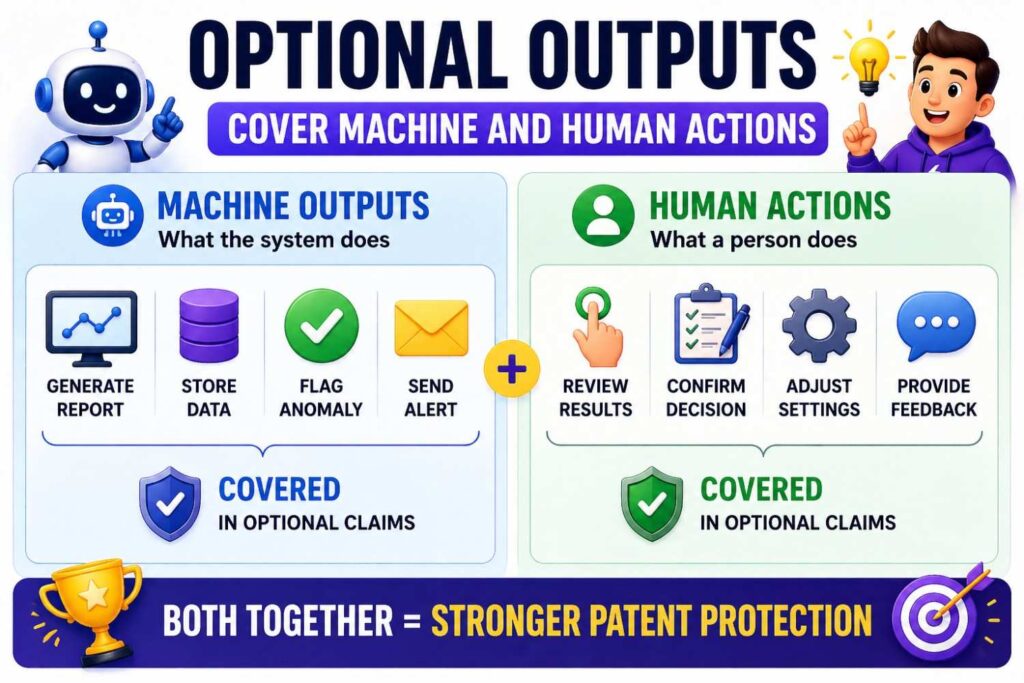
Many drafts assume the output goes to a human.
But in modern systems, outputs often go to machines.
A risk score may go to an API.
A control signal may go to a device.
A recommendation may go to a workflow engine.
A classification may go to another model.
An alert may go to a ticket system.
A patent draft should cover both human and automated outputs when possible.
Instead of:
“The system shows the result to the user.”
Consider:
“The system may provide the result to a user, device, software service, workflow engine, control system, database, or other destination.”
This is broader and more realistic.
For AI and automation startups, this matters a lot. The value may be in machine-to-machine action. If the patent only talks about screens and users, it may miss the future version where the system acts automatically.
You can still include user-facing examples.
“In some examples, the result may be displayed on a dashboard.”
But also include automated examples.
“In some examples, the result may cause a device setting to change, a task to be created, a transaction to be blocked, a file to be routed, or a control action to be performed.”
This helps protect the invention as it scales.
Optional thresholds should not be fixed unless needed
Thresholds are common in technical systems.
A score above 80 triggers an alert.
A temperature over 100 degrees causes shutdown.
A confidence below 0.7 sends the item to review.
A time delay over 5 seconds triggers retry.
These details are useful. But fixed numbers can narrow the patent.
If the exact number is not central, avoid making it required.
Instead of:
“The alert is sent when the score is greater than 80.”
Consider:
“The alert may be sent when the score satisfies a threshold.”
Then:
“In some examples, the threshold may be fixed, user-defined, learned, adjusted over time, selected based on a context, or selected based on a risk level.”
This is much stronger.
It covers more real-world versions.
A score threshold may change by customer, industry, user role, region, device type, model version, or system load. The patent should not be locked to the number in your demo.
If a range matters, include it as an example, not as the only form.
For example:
“In one example, the threshold may be between 0.7 and 0.9.”
This adds support without making that range the whole invention.
Optional model training steps should be separated from model use
AI systems often have a training stage and a use stage.
Training creates or updates the model.
Use, or inference, applies the model to new data.
Sometimes the invention is in training. Sometimes it is in use. Sometimes it is in both.
Do not accidentally make training required if the invention can work with a pre-trained model.
For example:
Weak version:
“The system trains a model and then uses the model to classify input data.”
This may suggest training is required.
Better version:
“The system may obtain a trained model and use the trained model to classify input data.”
Then:
“In some examples, obtaining the trained model may include training the model, fine-tuning the model, receiving the model from another system, loading a stored model, or selecting the model from a set of models.”
This is more flexible.
It covers cases where your customer uses a model you provide, a third-party model, a model trained on-site, or a model updated over time.
Likewise, do not make feedback training required unless it is central.
“In some examples, user feedback may be used to update the trained model.”
That keeps it optional.
This is important because many AI products change their model strategy. You may start with one model, move to another, add retrieval, add routing, or shift from fine-tuning to prompt-based methods. Strong drafting leaves room for that.
Optional security and privacy features can add value
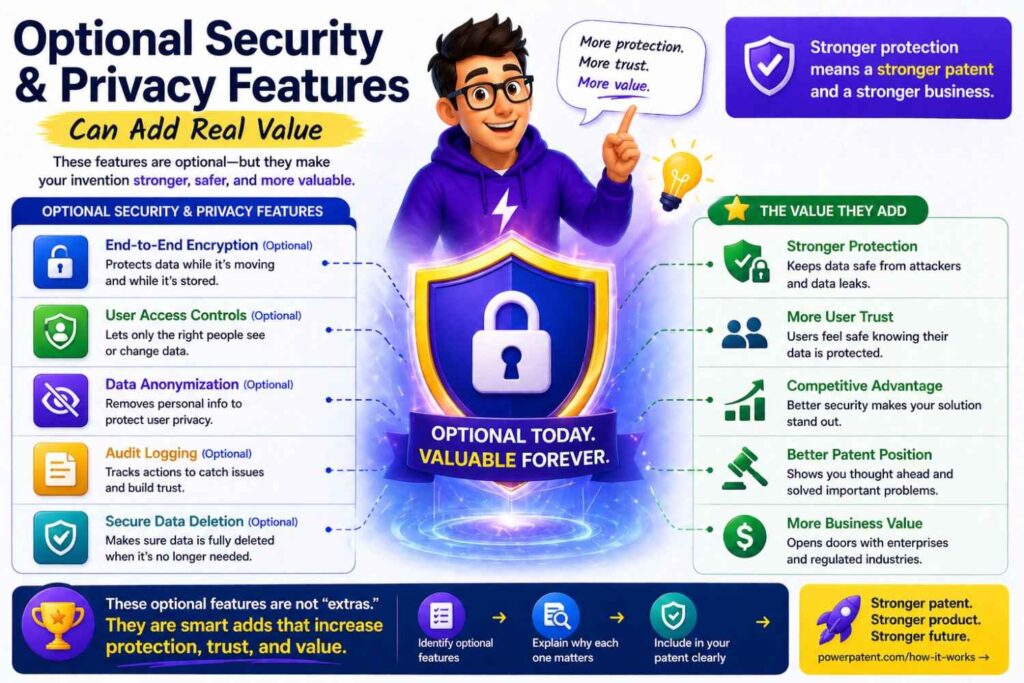
Security and privacy features are often optional, but they can make a patent richer.
Examples include encryption, access control, masking, anonymization, audit logs, consent checks, secure enclaves, role-based access, data retention rules, and local processing.
These features can be very important in fields like health, finance, defense, robotics, and enterprise software.
But again, do not make them required unless needed.
For example:
“In some examples, the system may remove or mask sensitive data before sending the input to a remote model.”
This is useful.
“In some examples, the system may store an audit record that identifies an input, output, user action, review result, or model version.”
This may matter a lot for regulated workflows.
“In some examples, the system may process at least part of the input data on a local device to reduce transfer of sensitive data.”
That gives a strong edge/local privacy story.
Optional security features can help show that the invention works in serious environments. They can also create backup claims. But place them carefully.
Optional human review should be drafted as a flexible control
Human review is common in AI, health, finance, legal tech, security, and enterprise tools.
But human review can be either central or optional.
If your invention requires human feedback to update a model, that may be core.
If human review is just one safety path, it should be optional.
Weak version:
“The system sends every output to a human reviewer.”
Better version:
“In some examples, the system may send an output to a human reviewer.”
Even better:
“In some examples, the system may send the output to a human reviewer when a confidence score is below a threshold, when the output relates to a high-risk event, when the user requests review, or when a rule indicates review is needed.”
This makes the review logic stronger.
It also covers more product forms.
You might add:
“The review result may be used to approve the output, reject the output, edit the output, create a record, update a rule, or update a model.”
Now the optional feature does more work in the patent.
Optional automation should be framed carefully
Some systems can act automatically. Others need user approval.
The draft should cover both if both are possible.
For example, a system may suggest a change to a machine setting. In some cases, a human approves it. In other cases, the system applies it automatically.
Do not lock the patent to one mode unless required.
You can write:
“In some examples, the system may cause the action to be performed automatically. In other examples, the system may request user approval before the action is performed.”
This covers both.
For safety-critical systems, the approval step may matter. For high-scale systems, automation may matter. A good patent draft gives space for both versions.
This is especially useful for startups because products often begin with human approval and later move toward automation as trust grows.
The patent should protect that path.
Optional deployment environments should be broad
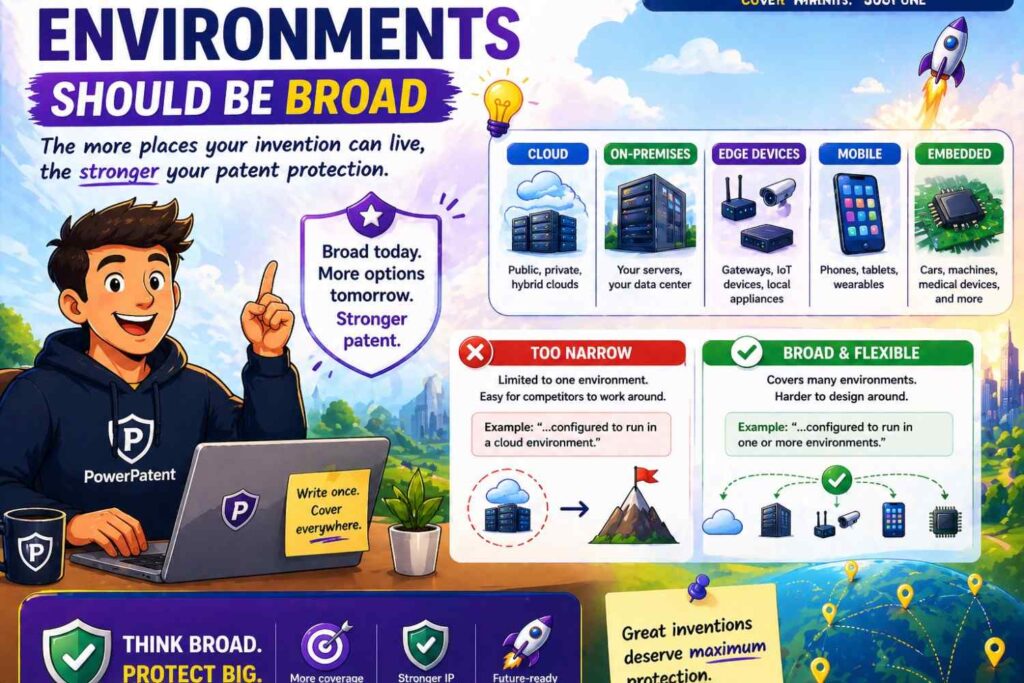
Modern systems can run anywhere.
Cloud. Edge. Device. Browser. Server. Phone. Robot. Vehicle. Factory machine. Private network. Hybrid stack.
A patent draft should not assume only one environment unless that environment is the point.
For example:
“The system may be implemented on one or more computing devices.”
Then:
“The one or more computing devices may include a server, cloud service, local computer, mobile device, embedded device, edge device, vehicle computer, robot controller, wearable device, or other device.”
This simple wording can prevent a lot of trouble.
It also helps cover future product changes.
A founder may start with a cloud product. Later, enterprise customers may demand on-prem deployment. Hardware customers may need edge inference. Healthcare customers may require local processing. Defense customers may need disconnected operation.
If the patent only describes a cloud server, it may not fit later forms.
Optional deployment language keeps the invention flexible.
Optional integrations should not become the invention
Startups love integrations. Customers ask for them. They help adoption.
But integrations are often not the core invention.
A product may integrate with Slack, Jira, GitHub, Salesforce, Epic, SAP, Snowflake, Datadog, or many other tools. These details may help explain use cases, but they should rarely define the broad patent.
Instead of naming tools in the main story, describe the type of system.
For example:
“The system may send the output to a task management system.”
“In one example, the task management system may create a ticket.”
“The system may receive data from a code repository, customer relationship system, electronic health record system, monitoring system, or other external system.”
This keeps it broad.
If a named tool matters to your actual product, you can mention it as one example if needed. But the patent should not depend on that brand unless the invention truly does.
Optional business rules should not crowd out technical value
Founders often mix product logic and business logic.
A system may recommend a price, rank leads, route claims, approve access, or trigger billing. Some of that may be technical. Some may be business rules.
Patent drafting should focus on the technical part that makes the system work better.
Optional business rules can be included, but they should not drown the technical invention.
For example, instead of focusing only on:
“The system offers a discount when a user has a high churn risk.”
Focus on the technical process:
“The system may generate a churn risk score based on changes in usage signals over time. In some examples, a downstream system may select an action, such as sending a message, changing a user segment, or offering a promotion, based on the churn risk score.”
This keeps the core in the data processing.
Optional business outcomes can show use, but the patent should explain the technical method.
This is especially important for software patents. A strong draft should show how the system works, not just what business result it produces.
Optional ranges should be examples, not traps
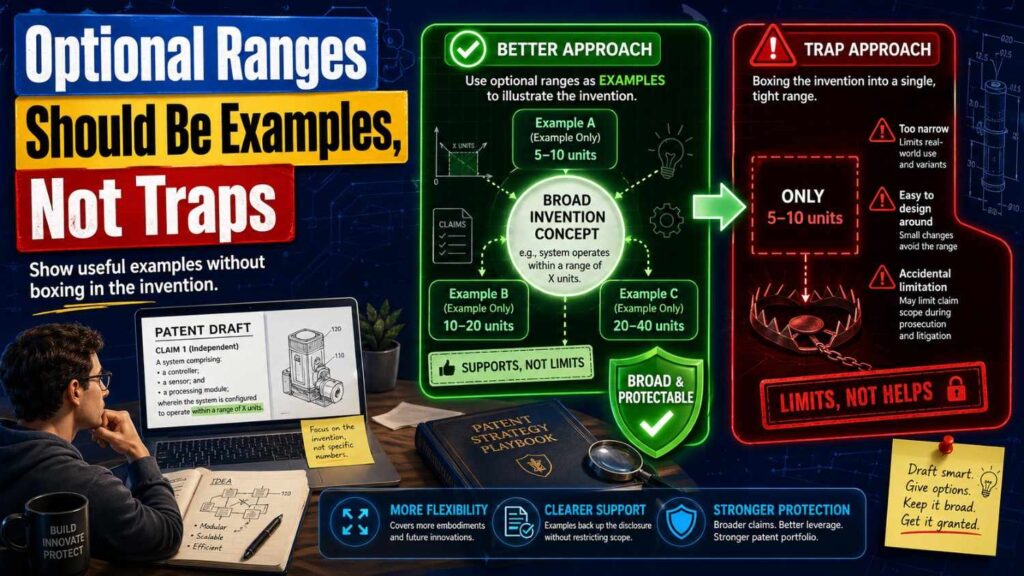
Technical inventions often use ranges.
Temperature ranges. Pressure ranges. Time ranges. Frequency ranges. Thickness ranges. Concentration ranges. Score ranges. Distance ranges. Size ranges.
Ranges can be powerful. They can show detail. They can support narrower claims. But they can also limit the invention.
If a range is not required, frame it as one example.
For example:
“In some examples, the delay period may be between 1 second and 30 seconds.”
But also say:
“The delay period may be fixed, random, user-selected, learned, or based on network conditions.”
This gives room.
For physical inventions, include why the range matters.
“In some examples, the layer thickness may be selected to provide a target strength while allowing heat transfer.”
This is better than a bare number because it ties the range to function.
When you know a useful range, include it. When you know a preferred range, include it. When you know a best range, include it. But be clear that these are examples unless they are required.
Optional materials should be described by function
Materials are common optional features.
A housing may be metal or plastic.
A coating may be hydrophobic.
A layer may be conductive.
A seal may be rubber.
A connector may be steel.
If the exact material is not required, describe the material by what it does.
For example:
“The seal may be made of a flexible material that reduces fluid leakage.”
Then:
“In some examples, the flexible material may include rubber, silicone, elastomer, polymer, or another sealing material.”
This is better than only saying “rubber.”
Another example:
“The layer may include a conductive material.”
Then:
“In some examples, the conductive material may include copper, aluminum, silver, carbon-based material, conductive polymer, or another conductive material.”
This gives options.
Material choices often change due to cost, supply chain, manufacturing, safety, or customer needs. A strong patent should not be limited to your first prototype material unless that material is central.
Optional sensors should be written by what they detect
Sensors are everywhere in deep tech.
A product may use a camera, microphone, accelerometer, gyroscope, temperature sensor, pressure sensor, lidar, radar, current sensor, voltage sensor, chemical sensor, biological sensor, or many others.
If the sensor type is not required, describe what is being sensed.
For example:
“The system may receive sensor data representing motion of the device.”
Then:
“In some examples, the sensor data may be generated by an accelerometer, gyroscope, camera, radar sensor, lidar sensor, or other motion-sensing device.”
This protects more versions.
Another example:
“The system may receive data representing a condition of a machine.”
Then:
“The data may include vibration data, temperature data, acoustic data, pressure data, electrical data, image data, or other machine condition data.”
This is better than only naming one sensor.
By focusing on what is detected, you protect the purpose rather than the part.
Optional communication methods should be flexible
Communication methods change.
Wi-Fi, Bluetooth, cellular, Ethernet, satellite, NFC, USB, CAN bus, optical links, and private networks may all be possible.
Do not lock the invention to one unless it matters.
For example:
“The device may send data through a wired or wireless communication link.”
Then:
“In some examples, the communication link may include Wi-Fi, Bluetooth, cellular, Ethernet, satellite, short-range radio, optical communication, a vehicle bus, an industrial network, or another link.”
This works well.
Also consider offline operation.
“In some examples, the device may store data locally when the communication link is unavailable and send the stored data after the communication link becomes available.”
That optional feature can be valuable. It shows the invention can work in real environments.
Optional storage should cover local, remote, and temporary data
Storage details can accidentally narrow a patent.
Your system may store data in a cloud database today. Later it may use local storage, object storage, customer-hosted storage, encrypted storage, or temporary memory.
Use broad storage language.
For example:
“The system may store the result in one or more memory devices.”
Then:
“The memory devices may be local, remote, cloud-based, distributed, temporary, persistent, encrypted, or otherwise configured.”
This covers many forms.
Also, if storage is not required, do not make it required.
Some systems can process data in memory and never store it. Others store only summaries. Others store full records.
You can write:
“In some examples, the system may store the input data, a processed form of the input data, the output, a confidence value, a user action, or a log entry.”
This shows flexibility.
Optional feedback loops can be very powerful
Feedback loops often make inventions stronger.
A system that learns from user action, device response, model error, or real-world outcome may have more depth than a one-way system.
But the feedback loop should be optional if the system can work without it.
For example:
“In some examples, the system may receive feedback that indicates whether the output was accepted, rejected, modified, ignored, or followed by a target result.”
Then:
“The system may use the feedback to adjust a threshold, update a model, select a different rule, change a ranking, or create a training record.”
This is strong because it explains how feedback improves the system.
Feedback can also support future product growth. Many startups launch with static rules and later add learning loops. If the patent describes feedback as optional, it can cover both early and mature versions.
Optional personalization should be tied to system behavior
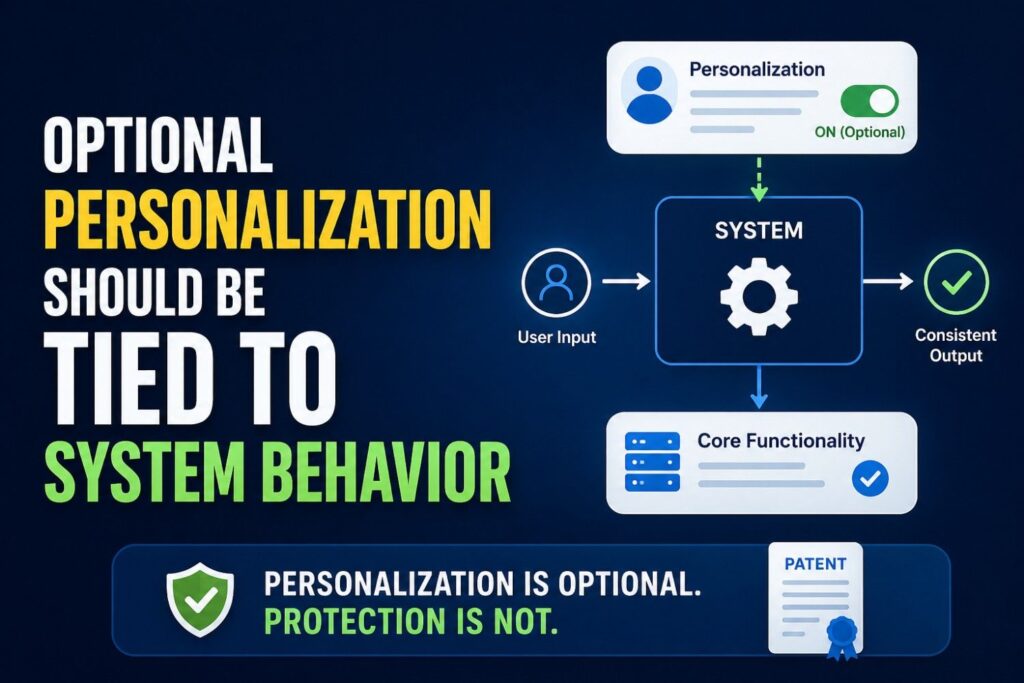
Personalization is common in software and AI.
A system may adapt to a user, team, company, device, site, patient, machine, or environment.
Personalization can be optional, but valuable.
Weak version:
“The system can be personalized.”
Better version:
“In some examples, the system may adjust a threshold, ranking, output format, model, rule, or alert setting based on user-specific, device-specific, site-specific, or organization-specific data.”
This explains what changes.
Then add why:
“This may allow the system to account for different operating conditions, user preferences, risk levels, or historical patterns.”
That makes the optional feature meaningful.
Optional grouping and filtering can show practical value
Many systems produce too much data. Optional grouping and filtering features can show how the invention becomes useful in real life.
For example:
“In some examples, the system may group related events into a single incident.”
This can reduce noise.
“In some examples, the system may filter outputs based on severity, confidence, user role, location, time, or device type.”
This can improve usability.
“In some examples, the system may suppress repeated alerts that relate to the same condition.”
This can prevent alert fatigue.
These optional features are not always core, but they can make the patent feel grounded. They show that the inventors thought about real deployment problems.
Optional ranking can be stronger than simple output
Ranking is often useful in AI and data systems.
Instead of only generating an output, a system may rank outputs, rank actions, rank risks, rank files, rank users, rank tasks, or rank devices.
If ranking is optional, write it that way.
For example:
“In some examples, the system may rank multiple candidate actions based on risk, cost, time, confidence, user preference, or expected impact.”
Then:
“The system may present the highest-ranked action, perform the highest-ranked action, or provide two or more ranked actions for review.”
This covers both automated and human-in-the-loop versions.
Ranking features can help show a more advanced invention. But they should not be required unless the core needs them.
Optional confidence scores can help, but should not limit
Confidence scores are common in AI systems.
They can help decide whether to show, hide, review, block, or act on an output.
But not every system needs a confidence score. If it is optional, keep it optional.
For example:
“In some examples, the system may generate a confidence value for the output.”
Then:
“The confidence value may be used to select an action, request review, change an output format, update a ranking, suppress an output, or trigger a fallback process.”
This gives the feature value.
Also, avoid requiring a numeric confidence score if other confidence forms can work.
You can write:
“The confidence value may include a score, label, range, probability, class, flag, or other measure of certainty.”
This covers more forms.
Optional fallback modes can strengthen the patent
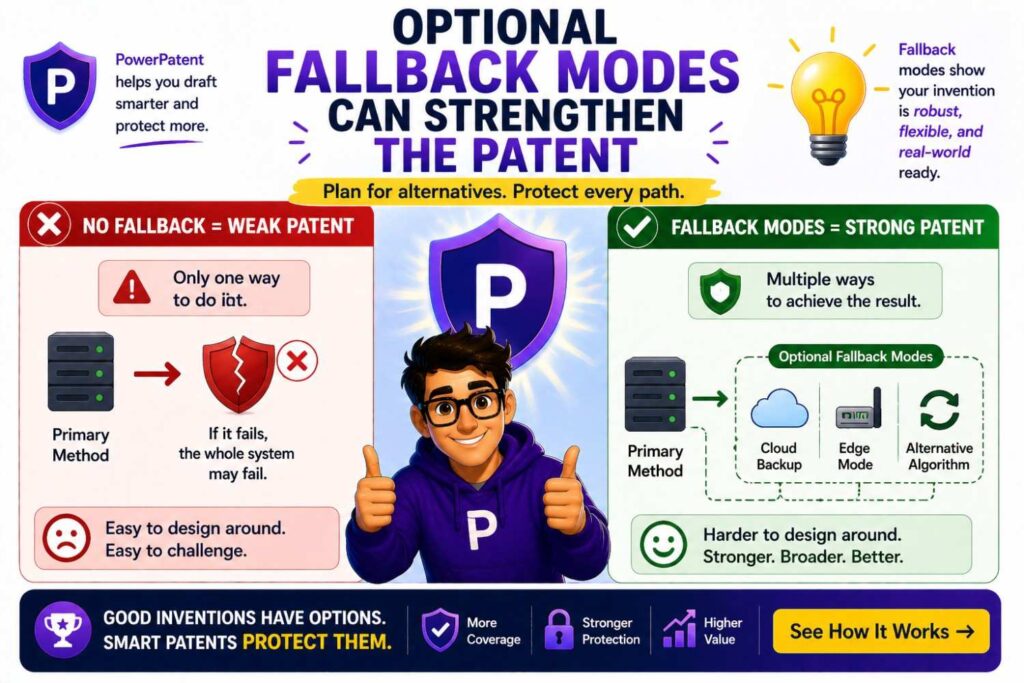
Fallback modes show that the system can handle failure.
This is useful in serious technical fields.
A fallback mode may happen when data is missing, a model fails, a network is down, a sensor is bad, a confidence score is low, a device overheats, or a user does not respond.
For example:
“In some examples, when the system cannot access a remote model, the system may use a local model, cached result, rule-based process, or default action.”
This is strong.
Another example:
“In some examples, when input data is incomplete, the system may request more data, use a reduced feature set, lower a confidence level, or route the case for review.”
This shows practical depth.
Fallback features are usually optional, but they can help show reliability.
They can also become valuable backup claims.
Optional audit features can matter in enterprise systems
Enterprise buyers care about records. They want to know what happened, who did it, when it happened, and why.
Audit features may not be core, but they can be very useful.
For example:
“In some examples, the system may create an audit record that includes the input, output, model version, rule version, user action, time, device, or review result.”
This is clear and practical.
Then:
“The audit record may be used to explain a decision, support review, detect error, train a model, or meet a recordkeeping rule.”
This ties the feature to value.
Audit features can be especially important for AI tools, healthcare tools, financial tools, cybersecurity tools, and industrial systems.
Optional explanations should be framed as one output type
Explainability is important in AI. But it may not always be required.
If your system can provide an explanation, include it as an optional feature.
For example:
“In some examples, the system may generate an explanation that identifies one or more input factors that affected the output.”
Then:
“The explanation may include a text summary, highlighted data, ranked factors, a rule trace, a model score, a chart, or another explanation form.”
This covers many types.
Do not say the system always explains every output unless that is central.
Some products may explain only high-risk outputs. Others may explain low-confidence outputs. Others may provide explanations only on request.
You can write:
“In some examples, the explanation may be generated when the output satisfies a risk condition, when a user requests the explanation, or when a review rule is met.”
That is flexible and useful.
Optional real-time operation should not block batch versions
Many founders like to say their system works in real time. That can be valuable. But be careful.
If the invention can also work in batch mode, do not make real-time operation required.
For example:
“The system may process the input data in real time, near real time, batch mode, scheduled mode, event-driven mode, or on request.”
This covers more versions.
If real-time is a key benefit, explain it as one example:
“In some examples, real-time processing may allow the system to trigger an action before a target event occurs or before a condition worsens.”
This shows value without excluding other modes.
The reverse is also true. If your current product runs batch jobs, but the invention could later run live, do not limit the patent to batch processing.
Optional edge processing should not exclude cloud processing
Edge processing is valuable. It can reduce delay, improve privacy, and work when networks are weak.
But not every version needs edge processing.
If edge is optional, write:
“In some examples, at least part of the processing may be performed on an edge device.”
Then:
“In other examples, at least part of the processing may be performed by a remote server, cloud service, local computer, or another device.”
This covers many architectures.
If the invention splits work between edge and cloud, explain the split.
For example:
“In some examples, a first processing step may be performed on the edge device, and a second processing step may be performed by a remote system.”
Then:
“The split may be based on latency, privacy, power use, network state, data size, model size, or other factors.”
This adds depth.
Optional cloud features should not exclude local systems
The same idea works in reverse.
If your product is cloud-based today, but could run locally, keep room.
For example:
“In some examples, the system may be implemented as a cloud service. In other examples, the system may be implemented locally, on-premises, on an edge device, or across a hybrid system.”
This is simple and strong.
Cloud terms can age quickly. Deployment choices often change due to customer needs. A good patent should protect the invention across those shifts.
Optional modules should be described as logical parts
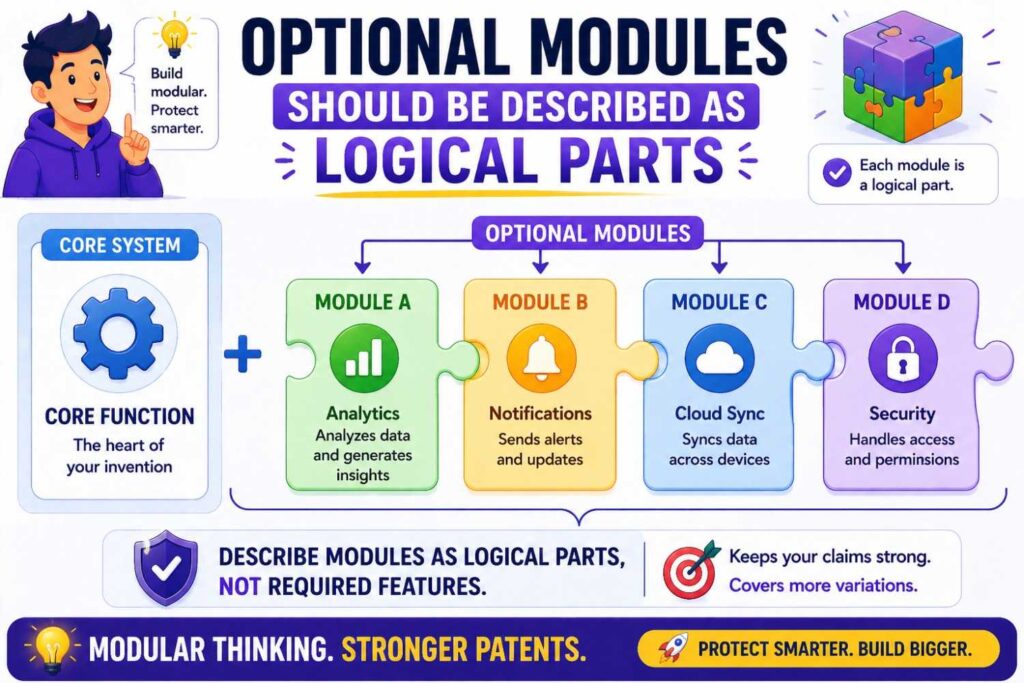
Software patents often use “modules.” A module can be a logical part of the system. But a module does not always need to be a separate physical component.
It helps to say that.
For example:
“The modules described here may be implemented as software, hardware, firmware, or a combination thereof. A module may be separate from or combined with another module.”
This prevents the draft from being limited to the exact boxes shown in a diagram.
If the drawing shows a data module, scoring module, and alert module, the real system may combine them in one service or split them into many services. The patent should allow that.
Optional modules should be flexible.
Optional combinations should be supported
Optional features often work together.
A confidence score may trigger human review.
Human review may create feedback.
Feedback may update a model.
A model update may change future confidence scores.
A dashboard may show the confidence score and review status.
A patent draft should not only list these features separately. It should also explain useful combinations.
For example:
“In some examples, the system may generate a confidence value, compare the confidence value to a threshold, route the output for review based on the comparison, receive a review result, and update a model or rule based on the review result.”
This is a strong optional chain.
It does not need to be the broadest claim. But it can be a valuable detailed example.
Combinations help show depth. They also help protect product workflows that competitors may copy.
Do not say “optional” too casually
It is fine to use the word “optional” in a patent draft sometimes. But often, phrases like “may,” “in some examples,” and “can include” are more natural.
The word “optional” can be useful when you want to be very clear.
For example:
“The dashboard is optional and may be omitted in some examples.”
This can be helpful if a drawing shows a dashboard and you want to avoid making it seem required.
But do not overuse it. A patent full of “optional” may read awkwardly.
Better to build optionality into the structure.
Start with the core. Then describe examples. Then describe variations. Then describe combinations. Then describe alternatives.
That creates a natural sense of optional features without repeating the same word.
Watch out for “preferred” language
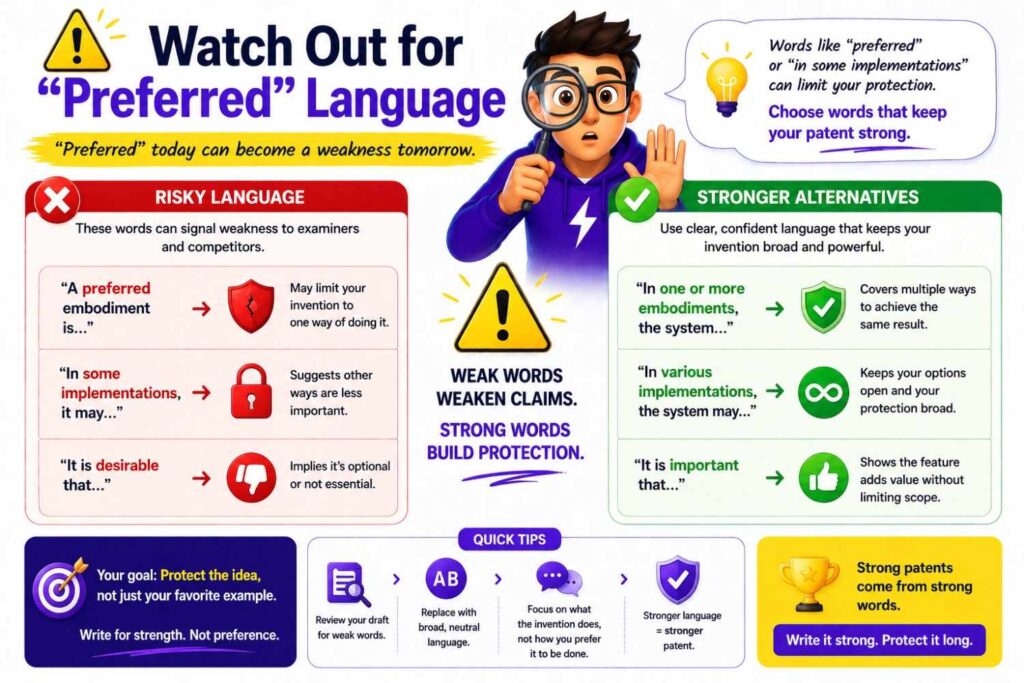
Older patent drafts often use phrases like “preferred embodiment.” Many modern drafts avoid leaning too hard on that style.
The word “preferred” can imply that one version is best or central. That may be fine in some cases, but it can also create unwanted focus.
Instead of:
“In the preferred embodiment, the system uses a mobile phone.”
Consider:
“In one example, the system may use a mobile device.”
That is cleaner.
Instead of:
“The preferred sensor is a thermal sensor.”
Consider:
“In some examples, the sensor may include a thermal sensor.”
This keeps things open.
The goal is not to hide your best version. The goal is to avoid making the best version look like the only version.
Use “configured to” and “operable to” carefully
Patent drafts often say a system is “configured to” do something.
This can be useful, but do not let it add optional features to the core by accident.
For example:
“A system configured to receive data, generate a score, display a dashboard, send an email, create a ticket, and update a model…”
This may be too much if only receiving data and generating a score are core.
A better structure may be:
“The system may be configured to receive data and generate a score.”
Then optional parts:
“In some examples, the system may be further configured to display a dashboard, send a message, create a ticket, update a model, or perform another action based on the score.”
This keeps the core clean.
The phrase “further configured to” is useful for optional features.
Use “based on” without making the input too narrow
“Based on” is common and useful.
But be careful with optional features that say an output is based on a long list of inputs.
For example:
“The system generates a risk score based on age, location, purchase history, device type, account status, IP address, and transaction amount.”
If all those inputs are not required, this may be too narrow.
A better version:
“The system may generate a risk score based on one or more risk factors.”
Then:
“The risk factors may include age, location, purchase history, device type, account status, IP address, transaction amount, or other factors.”
This keeps room.
Another useful phrase:
“Based at least in part on…”
For example:
“The system may generate the score based at least in part on the sensor data.”
This means other factors may also be used.
But do not use it as a crutch. The draft should still explain enough detail to be meaningful.
Optional features in the summary should be light
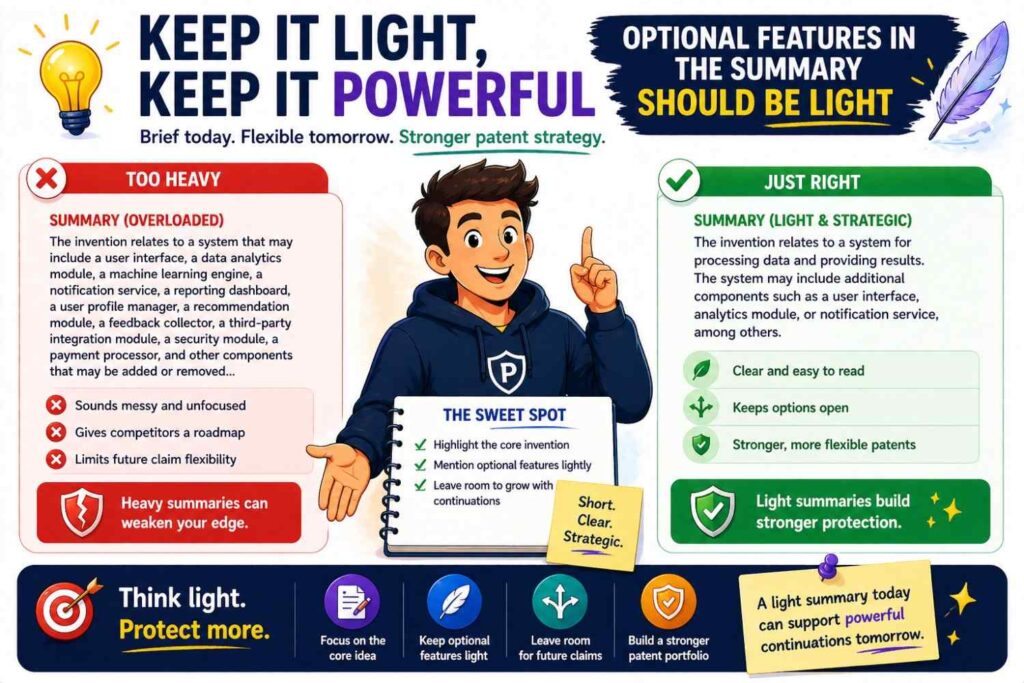
The summary section of a patent application should usually focus on the main idea. Optional features can be included, but do not let them crowd the summary.
A good summary might mention a few key optional variations.
For example:
“In some examples, the system may generate a confidence value, route low-confidence outputs for review, or update a model based on review feedback.”
That is enough.
The detailed description can carry more optional features.
If the summary lists every optional product feature, it can make the invention feel scattered. Keep the top-level story clean.
Optional features in the background should be avoided or limited
The background section should describe the problem and maybe the old ways. It should not usually describe your optional features in detail.
Why? Because the background is not where you define your invention. If you place too much invention detail there, it can create confusion.
Keep the background focused on the pain.
For example:
“Existing systems may generate too many alerts, fail to adapt to local conditions, or require manual review of large data sets.”
Then the invention can solve those problems.
Do not put your optional solution features too early unless the drafting strategy calls for it.
Optional features in the detailed description should be rich
The detailed description is where optional features can shine.
This is where you can explain different versions, alternatives, examples, combinations, edge cases, and fallback modes.
A strong detailed description does not just repeat the claims. It expands the invention.
It answers questions like:
What kinds of input can be used?
What kinds of processing can happen?
What kinds of outputs can be generated?
What happens if data is missing?
What happens if the score is low?
What happens if the network is down?
What happens if the user rejects the result?
What happens if multiple devices are used?
What happens if the system runs locally instead of in the cloud?
These details help make the patent stronger.
But they should be organized. Otherwise, the reader gets lost.
Optional features should match the drawings
If a drawing shows an optional feature, the text should say it may be optional.
For example, if Figure 1 shows a dashboard, write:
“Although Figure 1 shows a dashboard, other examples may omit the dashboard or may provide the output through another interface.”
This is very helpful.
If a flowchart shows a human review step, write:
“In some examples, the review step may be omitted, performed only for selected outputs, or replaced with an automated check.”
This keeps the flowchart from becoming too narrow.
If a hardware drawing shows a certain connector, write:
“The illustrated connector is one example. Other connectors or attachment structures may be used.”
This prevents the drawing from locking the invention.
Drawings and text should work together. The drawing shows one version. The text opens the door to others.
Optional features should match the claims
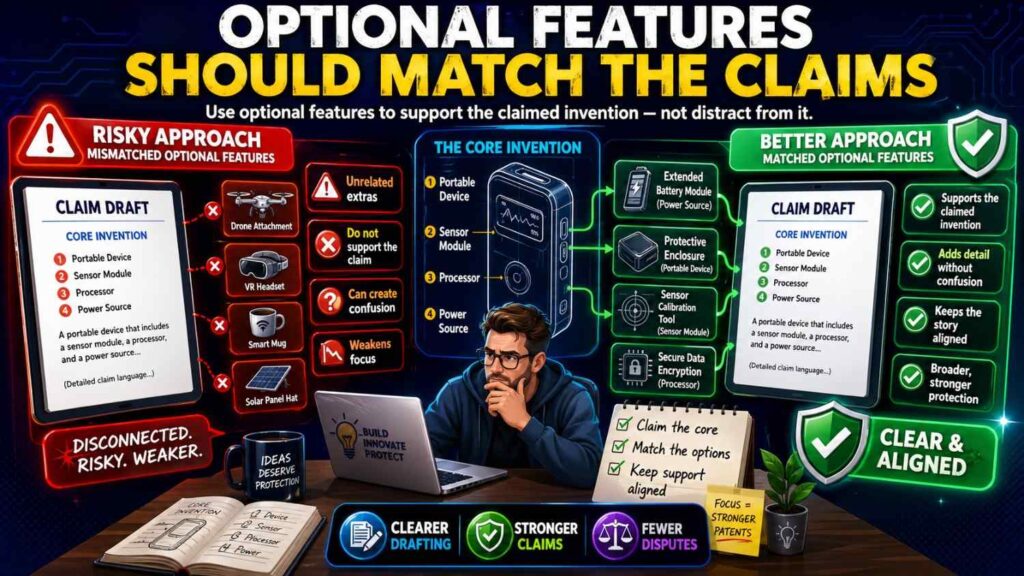
The detailed description should support the claims.
If a later claim adds an optional feature, the detailed description should explain that feature clearly.
For example, if a claim says the system routes low-confidence outputs for review, the description should explain what low-confidence means, what review can include, who or what can review, and what happens after review.
The description does not need to be long for every feature, but it should be enough to show real support.
This is where many rushed drafts fall short. They add optional claim features without giving enough detail in the description. Or they describe features in the product notes but fail to place them in claim-ready form.
PowerPatent helps founders avoid this gap by turning invention details into a more complete patent workflow with software support and attorney review. You can see the process here: https://powerpatent.com/how-it-works
Do not overpromise benefits
Optional features often come with benefits. It is good to explain benefits. But be careful with absolute promises.
Avoid saying:
“This always reduces errors.”
“This guarantees safety.”
“This prevents all false results.”
“This eliminates delay.”
Those statements can be risky and may not be true in every case.
Use more careful language:
“This may reduce errors.”
“This may improve safety.”
“This may reduce the chance of a false result.”
“This may lower delay in some operating conditions.”
This is more accurate and more flexible.
A patent should sound confident, but not reckless.
Tie optional features to technical problems
A strong patent does more than say a feature exists. It explains how the feature helps solve a technical problem.
For example, instead of:
“The system includes a cache.”
Say:
“In some examples, the system may store recent outputs in a cache to reduce repeated processing of similar inputs.”
That is better.
Instead of:
“The system includes a queue.”
Say:
“In some examples, the system may place incoming tasks in a queue to smooth spikes in data volume.”
Instead of:
“The system includes a local model.”
Say:
“In some examples, the system may use a local model when a remote model is unavailable or when input data should not leave a local device.”
These explanations make optional features feel useful and grounded.
Use “one or more” when number can vary
Many optional features involve number.
One sensor or many sensors.
One model or many models.
One user or many users.
One server or many servers.
One output or many outputs.
If the number can vary, say “one or more.”
For example:
“The system may receive data from one or more sensors.”
“The system may use one or more models.”
“The system may send one or more outputs to one or more destinations.”
This is simple but powerful.
Be careful, though. Do not use “one or more” if the invention truly requires multiple items. If comparing two sensors is core, say that. If using at least two models is core, say that.
The point is to match the real invention.
Use “at least one” when needed
“At least one” can also be useful.
For example:
“The system may select at least one action from a set of candidate actions.”
This covers one action or many.
Again, do not overuse it. Plain language is best where possible.
Use “or” instead of only “and”
“And” can make features look required together.
“Or” can show alternatives.
Weak version:
“The system sends an email and a text message and a dashboard alert.”
Better version:
“The system may send an email, text message, dashboard alert, push notice, API call, or another alert.”
If the system may send more than one, say:
“The system may send one or more of an email, text message, dashboard alert, push notice, API call, or another alert.”
This covers both single and multiple channels.
The difference between “and” and “or” can be huge.
Be careful with “each”
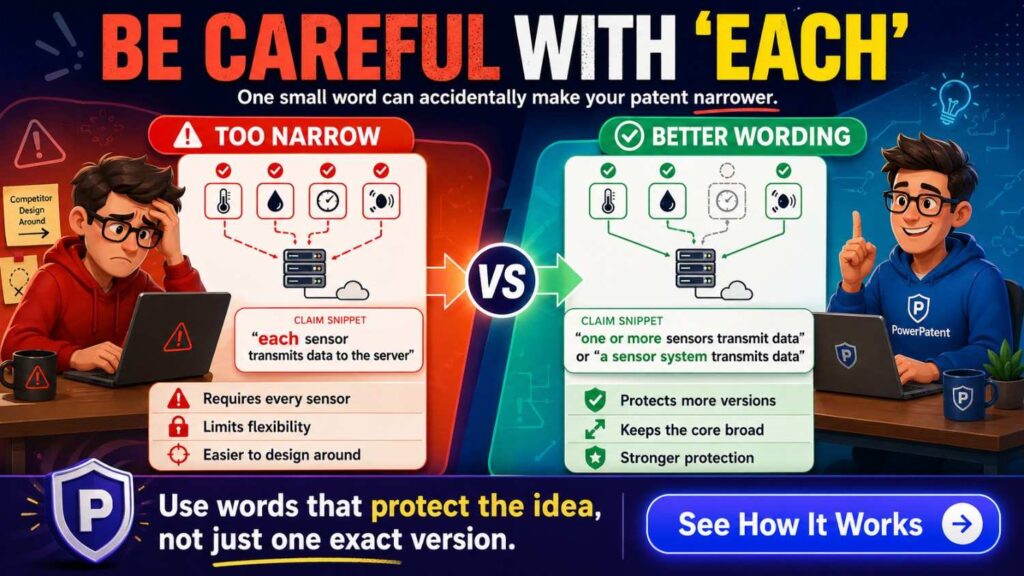
“Each” can create strict requirements.
For example:
“The system sends each output to a reviewer.”
That means every output.
If only some outputs are reviewed, say:
“The system may send selected outputs to a reviewer.”
Or:
“The system may send an output to a reviewer when the output meets a review condition.”
This is more flexible.
Likewise:
“Each sensor sends data every second.”
This may be too narrow.
Better:
“One or more sensors may send data at a sampling rate, which may vary by sensor type, power state, risk level, or operating mode.”
This avoids locking every sensor to the same behavior.
Be careful with “all”
“All” is another strict word.
“All data is stored.”
“All users receive the alert.”
“All devices run the model.”
“All outputs include an explanation.”
Unless that is truly required, avoid it.
Use “some,” “selected,” “one or more,” or “at least part of.”
For example:
“At least part of the data may be stored.”
“Selected users may receive the alert.”
“One or more devices may run the model.”
“Some outputs may include an explanation.”
This keeps room for real product behavior.
Optional features should not create contradictions
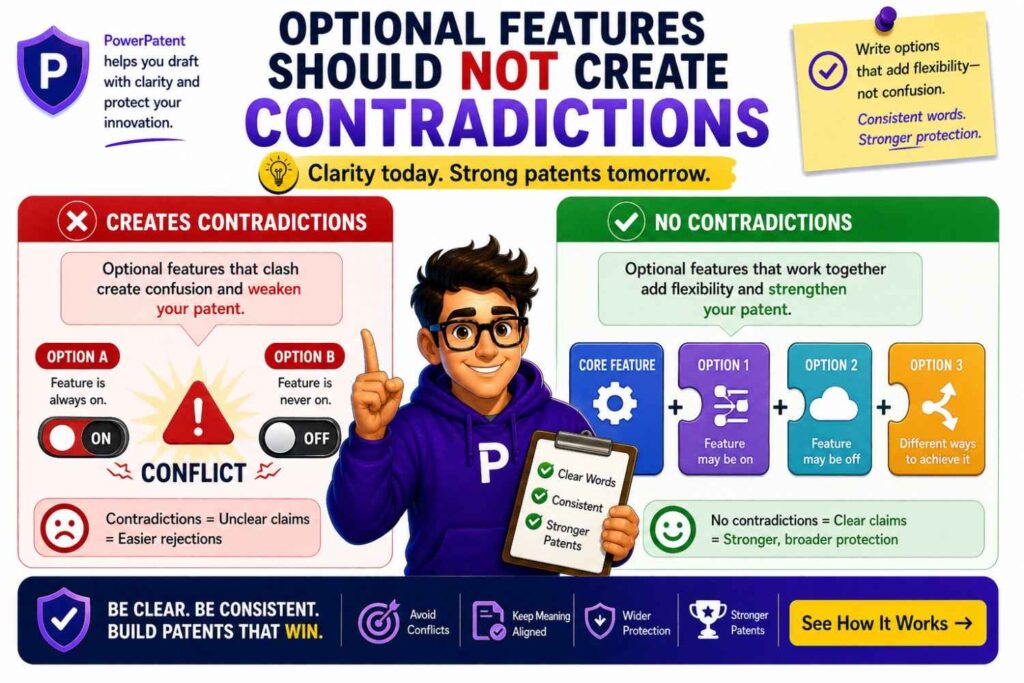
A patent draft may describe many versions. That is normal. But the versions should not conflict in a confusing way.
For example, one paragraph may say the system always performs local processing. Another may say the system sends all data to the cloud. That can create confusion.
A better way:
“In some examples, processing may be performed locally. In other examples, processing may be performed remotely. In still other examples, processing may be split between local and remote devices.”
Now the alternatives are clear.
When describing optional features, use clean transitions.
“In some examples…”
“In other examples…”
“In still other examples…”
“In some cases…”
“Alternatively…”
This helps the reader understand that different versions are being described.
Optional features should be drafted for design-arounds
A design-around is when a competitor changes something to avoid your patent while still taking the value.
Optional feature drafting should make design-arounds harder.
Ask yourself:
Could someone avoid the patent by changing the alert channel?
Could they avoid it by moving from cloud to edge?
Could they avoid it by using a different model?
Could they avoid it by removing the dashboard?
Could they avoid it by changing the order of steps?
Could they avoid it by using a different sensor?
Could they avoid it by using a threshold range outside your example?
Could they avoid it by using an API instead of a user screen?
If the answer is yes, the draft may need broader optional language.
This is one of the most practical ways to review a patent draft.
Do not only ask, “Does this describe our product?”
Ask, “Could a smart competitor copy the value while skipping one detail?”
That is the real test.
Optional features should protect future product versions
A patent can last for many years. Your product will likely change many times.
So when drafting optional features, think about where the product may go.
Will the system move from human review to automation?
Will the model change?
Will you add edge support?
Will you support more data types?
Will customers want on-prem deployment?
Will outputs go to machines instead of people?
Will the hardware use cheaper materials?
Will sensors change?
Will the workflow shift from dashboard-first to API-first?
Will the product become part of a larger platform?
You do not need to predict everything. But you should give the patent enough room to cover likely paths.
This is where founders often under-file. They protect what exists today, not what the company is becoming.
PowerPatent helps teams capture the invention behind the product, including future variants and optional features that may matter later. Learn more here: https://powerpatent.com/how-it-works
Optional features should be supported by real technical thinking
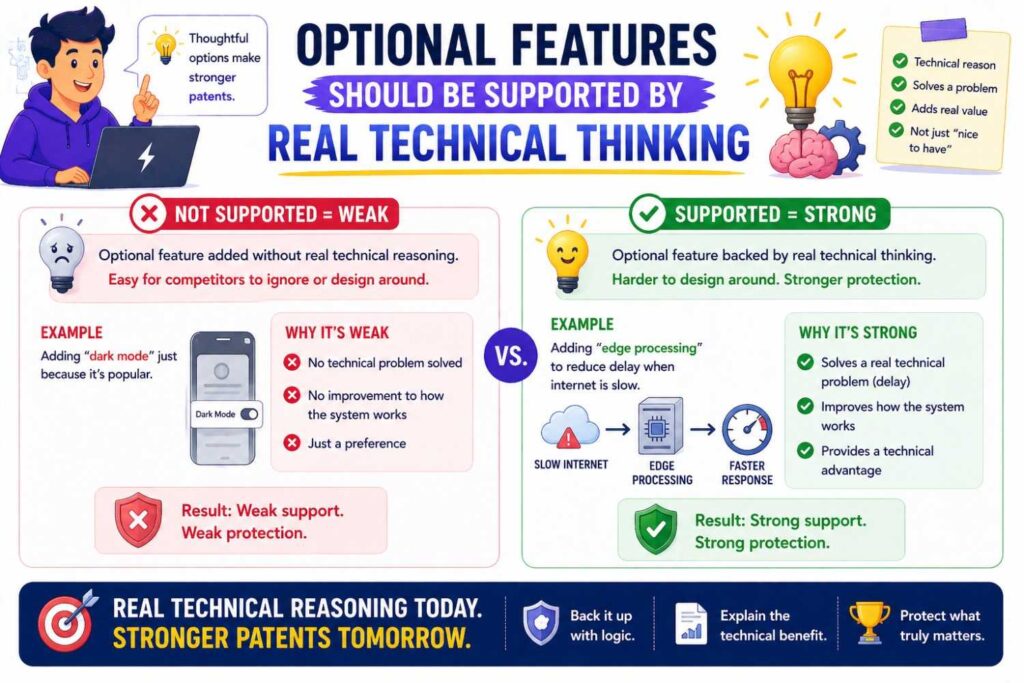
Do not add wild optional features that are not real.
A patent should be broad, but it should also be credible.
If a feature is included, the draft should explain it enough that it feels like part of the invention family.
For example, saying “the system may use any data” is not very helpful.
Better to say what kinds of data make sense and how they are used.
Saying “the device may be made of any material” is not as helpful as saying it may use materials selected for strength, flexibility, heat transfer, weight, or chemical resistance.
Saying “the model may be any AI model” is not as useful as saying the model may classify, rank, score, predict, generate, filter, or transform a specific kind of input.
Good optional drafting is not random breadth. It is thoughtful breadth.
Draft from function to example
A very useful pattern is:
Start with the function.
Then give examples.
For example:
“The system may generate an alert.”
That is function.
“The alert may include a score, label, warning, message, suggested action, or link to supporting data.”
Those are examples.
Another:
“The device may include an attachment structure.”
Function.
“The attachment structure may include a screw, clip, clamp, adhesive, magnet, bracket, snap fit, or other connector.”
Examples.
Another:
“The system may update a decision rule.”
Function.
“The decision rule may be updated based on user feedback, observed outcomes, model performance, data drift, policy changes, or a manual setting.”
Examples.
This pattern keeps the invention broad but grounded.
Draft from problem to option
Another useful pattern is:
State the problem.
Then describe the optional feature that helps.
For example:
“In some operating environments, network access may be intermittent. To address this, the device may store selected data locally and send the stored data when network access returns.”
This is strong because it explains why the optional feature exists.
Another:
“In some cases, a large number of low-value alerts may distract a user. To reduce this, the system may group related alerts or suppress repeated alerts that relate to the same condition.”
This shows practical value.
Another:
“In some cases, input data may be incomplete. The system may then request more data, generate a lower-confidence output, or route the output for review.”
This makes the optional feature feel natural.
Problem-to-option drafting is very readable. It also helps founders explain the invention in a way investors, engineers, and patent reviewers can understand.
Draft from broad to narrow
A strong optional feature section often moves from broad to narrow.
For example:
“The system may generate an output.”
Then:
“The output may include a risk score.”
Then:
“The risk score may be compared to a threshold.”
Then:
“The threshold may be adjusted based on past events.”
Then:
“In one example, the threshold may be adjusted when a rate of false alerts exceeds a target level.”
This structure works well because each sentence adds detail without forcing the detail into the broadest version.
It feels natural. It also gives multiple layers for claim drafting.
Draft alternatives clearly
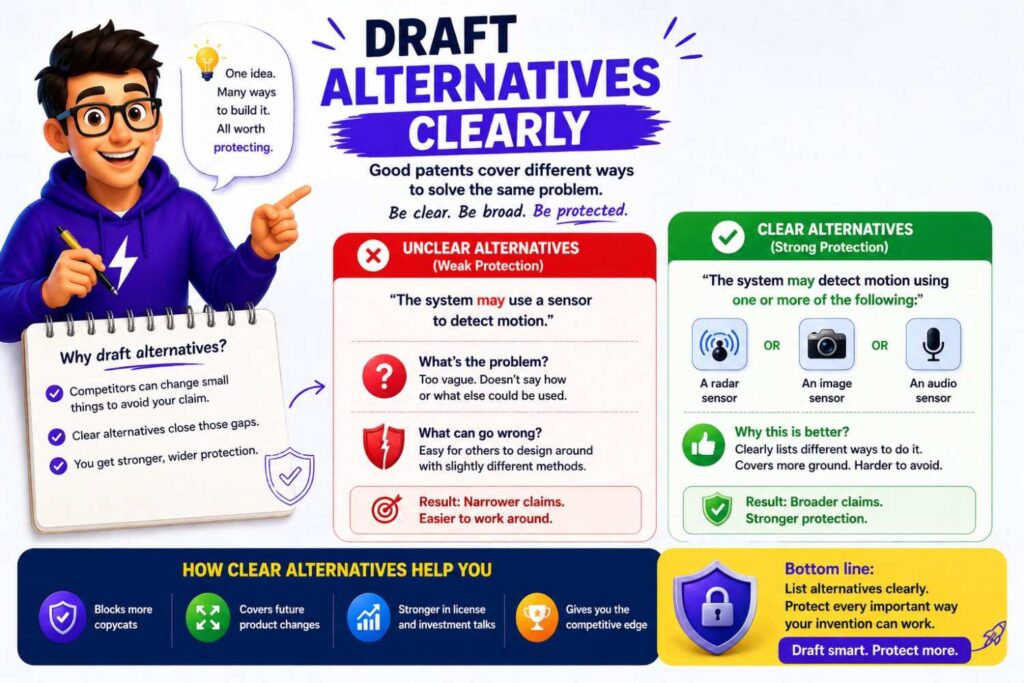
Alternatives are not the same as random options. They are different ways to do the same job.
For example, a system may classify data using a model, a rule set, or a hybrid process.
Write that clearly:
“In some examples, classification may be performed by a trained model. In other examples, classification may be performed by a rule set. In still other examples, classification may be performed by a combination of a trained model and a rule set.”
This is much better than hiding the alternatives in a long list.
When alternatives matter, give them their own space.
Use “may be omitted” when a drawing includes extra parts
This phrase is useful.
If a figure shows optional parts, say they may be omitted.
For example:
“Although the example of Figure 1 includes a user interface, the user interface may be omitted in some examples.”
Or:
“Although the example device includes a battery, other examples may receive power from an external source and may omit the battery.”
Or:
“Although the example process includes a review step, the review step may be omitted or replaced with an automated validation step.”
This makes optionality clear.
Use “combined or separated” for system parts
If a figure shows separate parts, but they could be combined, say so.
For example:
“The data collector, scoring engine, and alert manager are shown as separate components for ease of explanation. In other examples, two or more of these components may be combined, or one component may be divided into multiple components.”
This is very useful for software systems.
It also helps hardware and device systems where parts may be integrated.
For example:
“Although the sensor and processor are shown as separate parts, they may be formed in a common package or housing.”
This keeps the patent flexible.
Use “local or remote” for where things happen
Many inventions can perform steps in different places.
Use local/remote language when location is not fixed.
For example:
“The processing may be performed locally at the device, remotely at a server, or partly locally and partly remotely.”
Simple. Clear. Useful.
You can also add:
“The location of processing may be selected based on latency, data size, privacy, power use, cost, network availability, or other factors.”
This adds technical depth.
Optional features can help with investor and buyer value
Patents are not just legal tools. They are business assets.
A strong patent can help show that your startup is serious about its technology. It can support fundraising, partnerships, enterprise sales, and acquisition talks.
Optional features matter because they show that your invention is not a one-off demo. They show that you thought about real deployment, future versions, and hard edge cases.
A patent that only covers one narrow product screen may feel weak.
A patent that covers the core method, plus useful variants, plus deployment options, plus fallback modes, plus real-world outputs, can feel much stronger.
This does not mean stuffing the application with fluff. It means capturing the invention in a way that fits how startups grow.
Optional features can also hurt if they bury the core
There is a danger on the other side.
If you include too many optional features without focus, the core invention can get buried.
A reader may finish the draft and still not know what is new.
That is bad.
Every patent draft should make the core idea easy to find.
A good test is this:
Can a smart reader explain the invention in one or two sentences after reading the summary?
If not, the draft may need a cleaner structure.
Optional features should come after the core is clear.
Think of the core as the trunk of a tree. Optional features are branches. A tree with branches but no trunk is just a pile of sticks.
A practical drafting flow for optional features
When you are preparing invention notes, do not start by writing a patent claim. Start by sorting the invention.
First, write the core result in plain words.
For example:
“Our system predicts when a machine is likely to fail by comparing live sensor patterns to learned failure patterns.”
Then write what is truly needed to get that result.
Maybe it needs sensor data, a pattern comparison step, and an output.
Then write what improves it.
Maybe it has confidence scores, alerts, dashboards, review, repair tickets, and model updates.
Then write what can vary.
Sensors can vary. Models can vary. Alerts can vary. Deployment can vary. Storage can vary. Timing can vary.
Then write what future versions may include.
Edge processing. More sensors. Automatic repair scheduling. Fleet-wide learning. Local privacy mode. API outputs.
This gives patent counsel a much stronger starting point.
It also helps avoid the mistake of treating every product feature as equally important.
Example: weak optional feature drafting
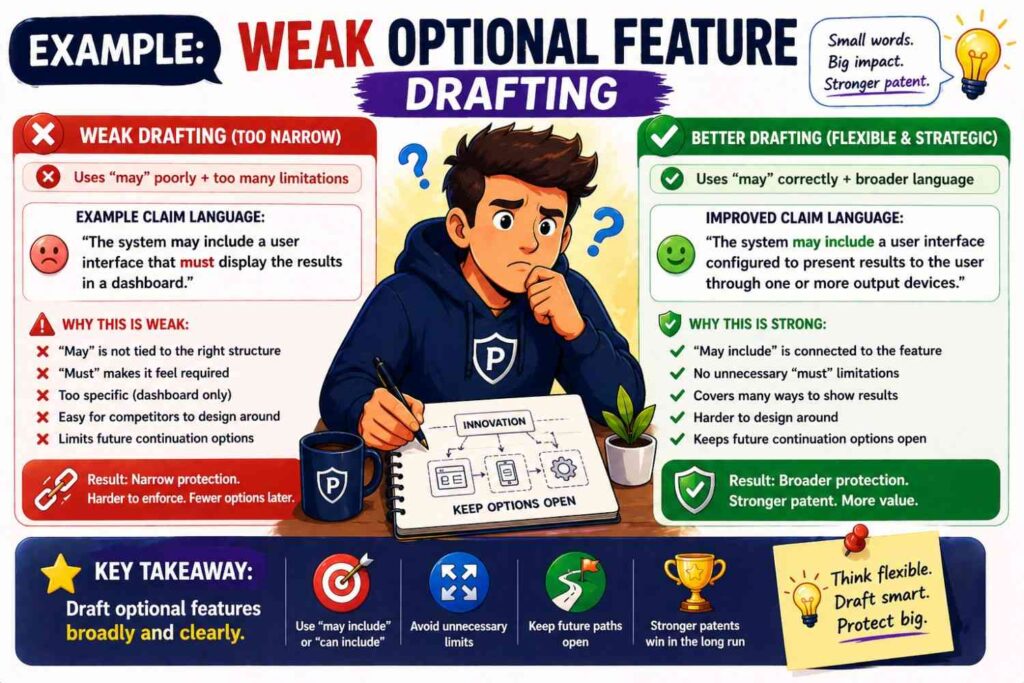
Here is a weak example:
“The invention is a mobile app for detecting poor sleep. The app uses a phone microphone, tracks snoring, sends results to a cloud server, shows a sleep score on a dashboard, and sends a text message to the user every morning.”
This may describe a product. But it has many limits.
It says the invention is a mobile app.
It requires a phone microphone.
It requires snoring.
It requires a cloud server.
It requires a dashboard.
It requires a text message.
It requires morning delivery.
A competitor may avoid this by using a wearable, measuring movement instead of sound, processing locally, using push alerts instead of texts, or sending results at night.
Now here is a stronger version:
“This disclosure describes systems and methods for detecting a sleep-related condition based on sensor data. The system may receive sensor data from one or more sensors, identify a pattern that indicates a sleep-related condition, and generate an output based on the identified pattern. In some examples, the sensor data may include audio data, motion data, heart rate data, breathing data, temperature data, or other data related to sleep. In some examples, the output may include a sleep score, alert, recommendation, trend, or control signal. The output may be shown in an app, sent as a message, provided through an API, stored in a record, or used to adjust another device.”
This is much stronger.
It still covers the app. But it also covers more forms.
Example: optional AI review feature
Weak version:
“The AI system sends every result to a human reviewer before use.”
Better version:
“In some examples, the system may send selected outputs to a human reviewer. The selected outputs may include outputs with a confidence value below a threshold, outputs linked to a high-risk event, outputs requested by a user, or outputs selected by a review rule. The review result may be used to approve, reject, edit, rank, store, or update the output. In some examples, the review result may be used to update a model, threshold, rule, or future workflow.”
This keeps review optional but valuable.
It also protects different review triggers and outcomes.
Example: optional dashboard feature
Weak version:
“The invention includes a dashboard that shows risk scores.”
Better version:
“In some examples, the system may provide a risk output through a user interface. The user interface may include a dashboard, mobile app, web page, report, command-line interface, API response, message, or other output. In one example, a dashboard may show risk scores for multiple items and may allow a user to filter the items by score, time, location, type, or status.”
This protects the dashboard without requiring it.
It also covers API-first products.
Example: optional sensor feature
Weak version:
“The device uses a camera to detect package damage.”
Better version:
“The device may receive sensor data representing a condition of a package. In some examples, the sensor data may include image data, depth data, pressure data, acceleration data, vibration data, temperature data, or other data that may indicate package damage. In one example, the sensor data includes image data captured by a camera.”
This keeps the camera as an example, not a limit.
Example: optional cloud feature
Weak version:
“The system sends all data to a cloud server for analysis.”
Better version:
“The system may analyze the data locally, remotely, or using a combination of local and remote processing. In some examples, a local device may perform an initial analysis and send selected data or a summary to a remote server. In other examples, the remote server may perform the analysis and return an output to the local device.”
This covers more real deployments.
Example: optional threshold feature
Weak version:
“The system triggers an alert when the score is above 90.”
Better version:
“The system may trigger an alert when the score satisfies an alert condition. The alert condition may include the score exceeding a threshold, falling below a threshold, changing by more than a threshold amount, matching a pattern, or satisfying another rule. In some examples, the threshold may be fixed, user-set, learned, or adjusted based on past results.”
This is far stronger.
It protects more scoring styles.
Example: optional feedback feature
Weak version:
“The user feedback retrains the model.”
Better version:
“In some examples, user feedback may be used to update the system. The update may include retraining a model, fine-tuning a model, adjusting a threshold, changing a rule, updating a ranking, storing a training example, or changing a future output workflow.”
This avoids locking feedback to one model update method.
The role of attorney review
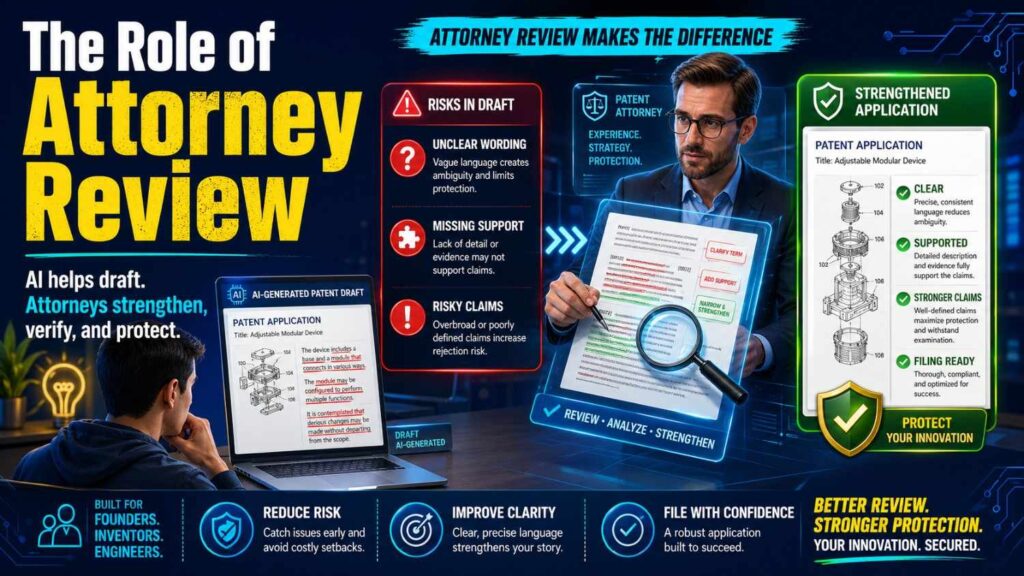
Optional feature drafting is not just a writing exercise. It is a strategy exercise.
A founder may know the product better than anyone. An engineer may know the technical details better than anyone. But a patent attorney knows how words can shape patent scope.
The best results happen when all three pieces come together.
The founder explains the business value.
The engineer explains how the system works.
The patent professional shapes the claims and wording.
PowerPatent was built around this idea. It helps technical teams move faster by using smart software to organize invention details while keeping real patent attorneys in the loop. That means you do not have to choose between speed and serious review. You can see how it works here: https://powerpatent.com/how-it-works
What founders should give their patent team
If you want better optional feature drafting, give your patent team better raw material.
Do not only send a pitch deck.
Send product notes, system diagrams, model details, data flows, screenshots, architecture notes, examples, edge cases, and future ideas.
Also explain what is core and what is optional in plain words.
For each feature, say whether it is required, preferred, optional, experimental, future, customer-specific, or just one implementation choice.
This helps the patent team avoid guessing.
For example, tell them:
“The dashboard is not required. The key output can also go through an API.”
Or:
“The model type may change. The important part is how we select context before sending data to the model.”
Or:
“The current prototype uses a thermal sensor, but any sensor that detects heat change could work.”
Or:
“The repair ticket is useful, but the core invention is detecting the failure pattern before the machine stops.”
These notes are gold.
They help turn product detail into patent strength.
Questions to ask before filing
Before filing, review optional features with a sharp eye.
Ask:
Does the broadest claim include any feature that is only nice-to-have?
Does the draft make the current product sound like the only version?
Do the drawings show optional parts that the text does not mark as optional?
Are specific tools, vendors, materials, sensors, or models named too often?
Does the draft cover cloud, local, edge, and hybrid versions when relevant?
Does the draft cover different input types and output types?
Does the draft explain why optional features matter?
Does the draft include fallback modes?
Does the draft support future versions?
Could a competitor copy the value by removing one optional feature?
These questions are simple, but they can improve the draft fast.
The “competitor copy” test
One of the best tests is the competitor copy test.
Imagine a competitor sees your product and wants the same value.
They ask their engineers:
“How can we copy the core benefit but avoid the patent?”
Now look at your draft.
Could they avoid it by using a web app instead of a mobile app?
Could they use a different sensor?
Could they send alerts through an API instead of a dashboard?
Could they process data locally instead of in the cloud?
Could they use a rules engine instead of a neural network?
Could they use a different threshold?
Could they skip the human review step?
Could they change the order of operations?
Could they use a batch process instead of real time?
If yes, the patent may need broader support around optional features.
This test is powerful because it moves you from product thinking to protection thinking.
The “future roadmap” test
Another useful test is the future roadmap test.
Look at your product roadmap.
Will you add new data sources?
Will you support new devices?
Will you change the model?
Will you move to edge processing?
Will you add automation?
Will you add review workflows?
Will you support enterprise integrations?
Will you expose APIs?
Will you support customer-specific rules?
Will you add audit logs?
Will you offer on-prem deployment?
If those paths are likely, your patent should consider them.
You do not need to claim every future idea broadly right away. But the application should include enough support where appropriate.
A patent filed today should not become stale next year because your product improved.
The “remove one feature” test
Take each feature in your draft and ask:
If we remove this, does the invention still work?
If yes, that feature may be optional.
For example:
Remove the dashboard. Does the system still produce value through an API?
Remove the mobile app. Can the system still run on a server?
Remove the cloud server. Can the device still process locally?
Remove the human review step. Can the system still generate a result?
Remove the specific model. Can another model work?
Remove the named sensor. Can another sensor detect the same condition?
This test helps identify hidden optional features.
It also helps decide what belongs in the broad claim and what belongs in narrower claims or examples.
The “replace one feature” test
Now ask:
Can this feature be replaced with something else?
Can a camera be replaced with lidar?
Can a neural network be replaced with a rule set?
Can an email be replaced with a push alert?
Can a database be replaced with object storage?
Can a cloud server be replaced with an edge device?
Can a human reviewer be replaced with an automated check?
If yes, the draft should cover alternatives where appropriate.
This test is great for design-around protection.
The “why it matters” test
For each optional feature, ask:
Why does this matter?
If you cannot answer, maybe it does not belong.
If you can answer, write that reason.
For example:
The cache matters because it reduces repeat processing.
The audit log matters because it helps review decisions.
The confidence score matters because it helps decide when to ask for review.
The local model matters because the system can work without a network.
The dashboard matters because it helps users compare many outputs.
The feedback loop matters because it improves future results.
This turns optional features from clutter into support.
Avoid making marketing words part of the invention
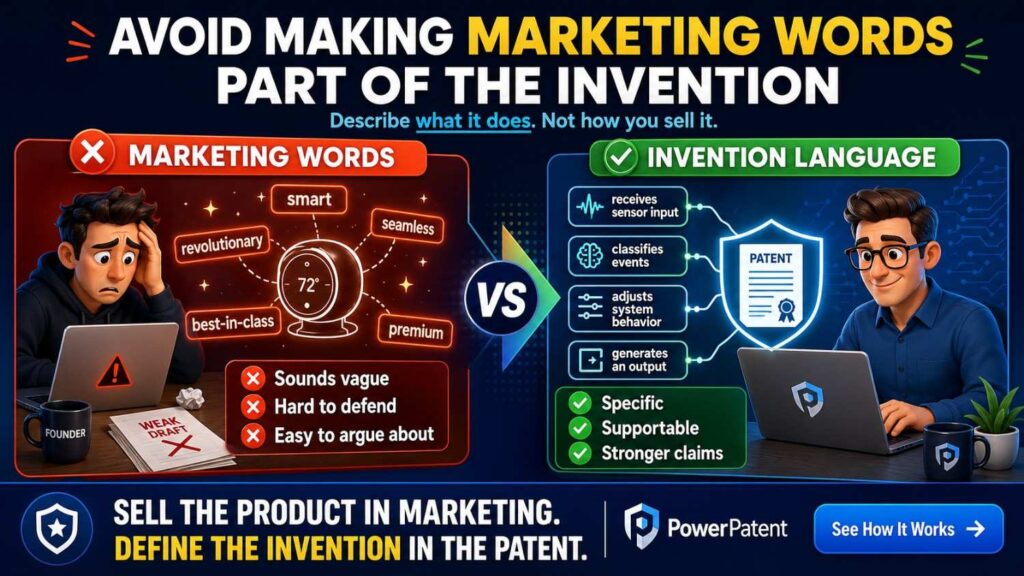
Marketing language can be risky in patent drafts.
Words like “seamless,” “beautiful,” “easy,” “intelligent,” “world-class,” or “best-in-class” do not add much technical value.
They may also distract.
Use plain technical words instead.
Instead of:
“The seamless dashboard gives users amazing insight.”
Say:
“In some examples, the dashboard may show a ranked set of outputs with related data that helps a user review the outputs.”
Instead of:
“The intelligent engine finds the best action.”
Say:
“The system may rank candidate actions based on a score and select an action based on the ranking.”
This is clearer and stronger.
A patent can still tell a good story, but it should be grounded in how the invention works.
Avoid making customer preferences part of the core
Customer-specific settings are often optional.
For example, one customer may want alerts at a certain level. Another may want weekly reports. Another may need data stored locally. Another may need a special workflow.
Include these as examples, not core limits.
For example:
“In some examples, one or more settings may be user-defined, organization-defined, device-defined, or automatically selected.”
This covers customization.
Then explain:
“The settings may include thresholds, alert channels, review rules, data retention rules, model selection rules, or output formats.”
This is broad and useful.
Optional features can show market fit without limiting scope
Some optional features show that the invention fits a real market.
For example, in healthcare, audit logs and human review may matter.
In manufacturing, edge operation and sensor fusion may matter.
In fintech, risk thresholds and rule updates may matter.
In robotics, real-time control and fallback modes may matter.
In developer tools, code context selection and repository integration may matter.
It is good to include market-specific features. Just frame them as examples.
For example:
“In some examples, the system may be used in a clinical workflow…”
“In some examples, the system may be used in a manufacturing environment…”
“In some examples, the system may be used to analyze source code…”
This helps show use without locking the invention to one industry unless that industry is central.
Optional features should not be “afterthoughts”
Do not tack optional features at the end like a junk drawer.
For example:
“The system may also include AI, blockchain, IoT, cloud, mobile, sensors, and analytics.”
This is weak. It sounds like buzzwords.
Instead, optional features should be woven into the explanation.
If AI matters, explain what it does.
If sensors matter, explain what they detect.
If cloud matters, explain what runs there.
If analytics matter, explain what is measured.
If a ledger matters, explain what record it stores and why.
Strong optional drafting is specific enough to be real and broad enough to avoid traps.
The role of examples in proving you had the idea
A patent application should show that you actually possessed the invention at filing.
Optional examples can help show that.
When you include different versions, you show that the invention is not just one thin concept. You show that you thought through how it can work.
For example, saying “the system can send alerts” is thin.
Explaining alert types, triggers, destinations, timing, suppression, grouping, and review gives much more support.
This is one reason detailed optional features matter.
But they must be plausible and connected. Random guesses do not help much. Real technical variants do.
Do not wait until after launch
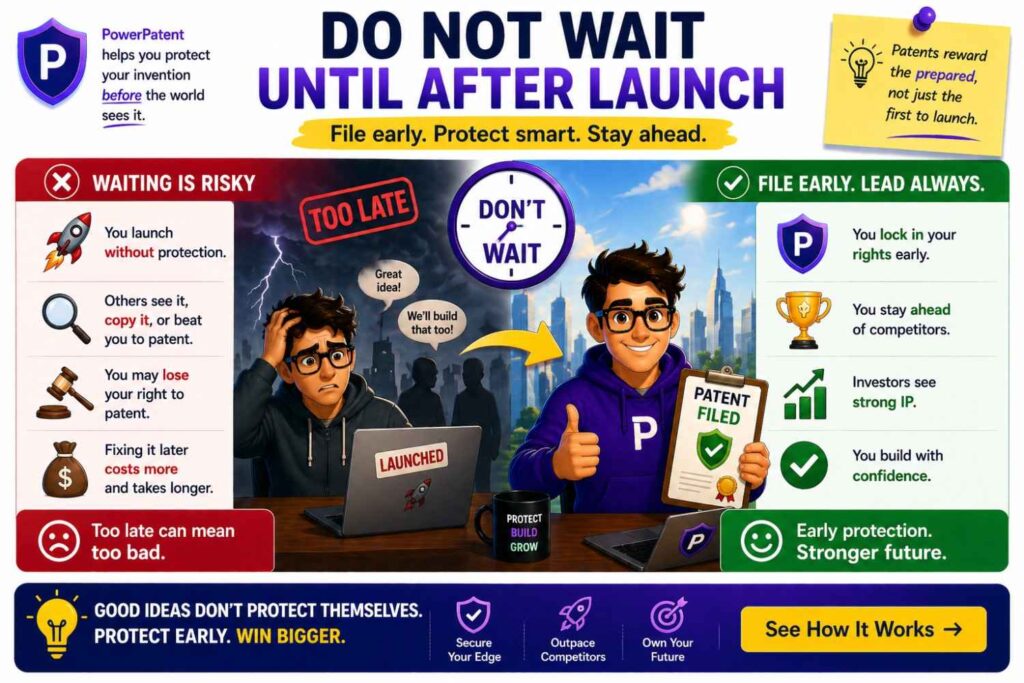
Many founders wait too long to think about patents.
They launch, sell, publish, pitch, demo, and then ask about protection.
That can create problems.
Optional feature drafting is easier when you capture invention details early, while the team still remembers why choices were made and what alternatives were considered.
Early notes often include valuable optional features that never make it into the product.
A rejected prototype.
A future version.
A different architecture.
A backup plan.
A customer-specific option.
A model variant.
A hardware alternative.
These details may help the patent.
If you are building something new, it is smart to start the patent process before public disclosure when possible. PowerPatent helps founders move quickly without getting buried in old-school back-and-forth. You can see the workflow here: https://powerpatent.com/how-it-works
Keep the patent readable
A detailed patent does not have to be hard to read.
Clear drafting helps everyone.
Use simple names. Use short sentences where possible. Use headings in internal drafts. Group related features. Explain function before examples. Avoid long tangled sentences.
Even though patents have formal parts, the invention story should still be understandable.
A readable draft is easier for founders to review. It is easier for engineers to correct. It is easier for attorneys to improve. It is easier for future investors or partners to understand at a high level.
Simple does not mean weak.
Simple often means strong.
Strong optional drafting helps avoid regret
Patent regret often sounds like this:
“We only protected the first version.”
“We included the dashboard in the main claim, but now customers use the API.”
“We named one model, but now we use another.”
“We focused on cloud, but enterprise wants on-prem.”
“We described one sensor, but the new device uses two different sensors.”
“We forgot to include the feedback loop.”
“We filed before we thought through edge cases.”
Most of these issues are optional feature issues.
They come from treating the first product version as the whole invention.
Good drafting reduces that risk.
Optional features and speed can work together
Some founders worry that better patents take forever. They imagine months of calls, long emails, and slow legal review.
That does not have to be the case.
The key is to capture the right invention details early and use a process built for technical teams.
PowerPatent is designed for founders, engineers, and deep tech teams that need strong patents without slowing down product work. It combines smart software with real patent attorney oversight so you can move faster and avoid costly gaps.
You can learn more here: https://powerpatent.com/how-it-works
A simple mental model
Here is the simplest way to think about optional features:
The core invention is the thing others should not be able to copy.
Optional features are the ways the invention can be improved, deployed, used, customized, or extended.
Do not let optional features shrink the core.
Do not leave optional features out if they add useful support.
Put each feature in the right layer.
That is the whole game.
Final thoughts
Optional features can make a patent stronger when they are handled with care.
They can show real-world use. They can support future versions. They can create fallback positions. They can make design-arounds harder. They can help protect the product as it grows.
But optional features can also weaken a patent when they are written as if they are required.
The best drafts keep the core clear, describe examples with care, explain why optional features matter, and avoid locking the invention to one product version.
For founders and engineers, this is not just a legal detail. It is a business move. Your patent should protect the value you are building now and the versions you may build next.
If you are working on a technical product and want to turn your invention into a strong patent without slowing your team down, PowerPatent can help. See how the process works here: https://powerpatent.com/how-it-works