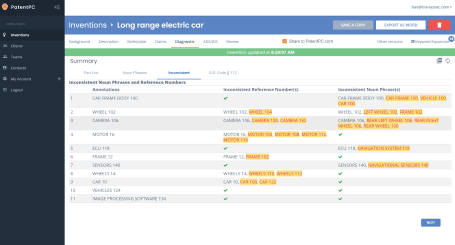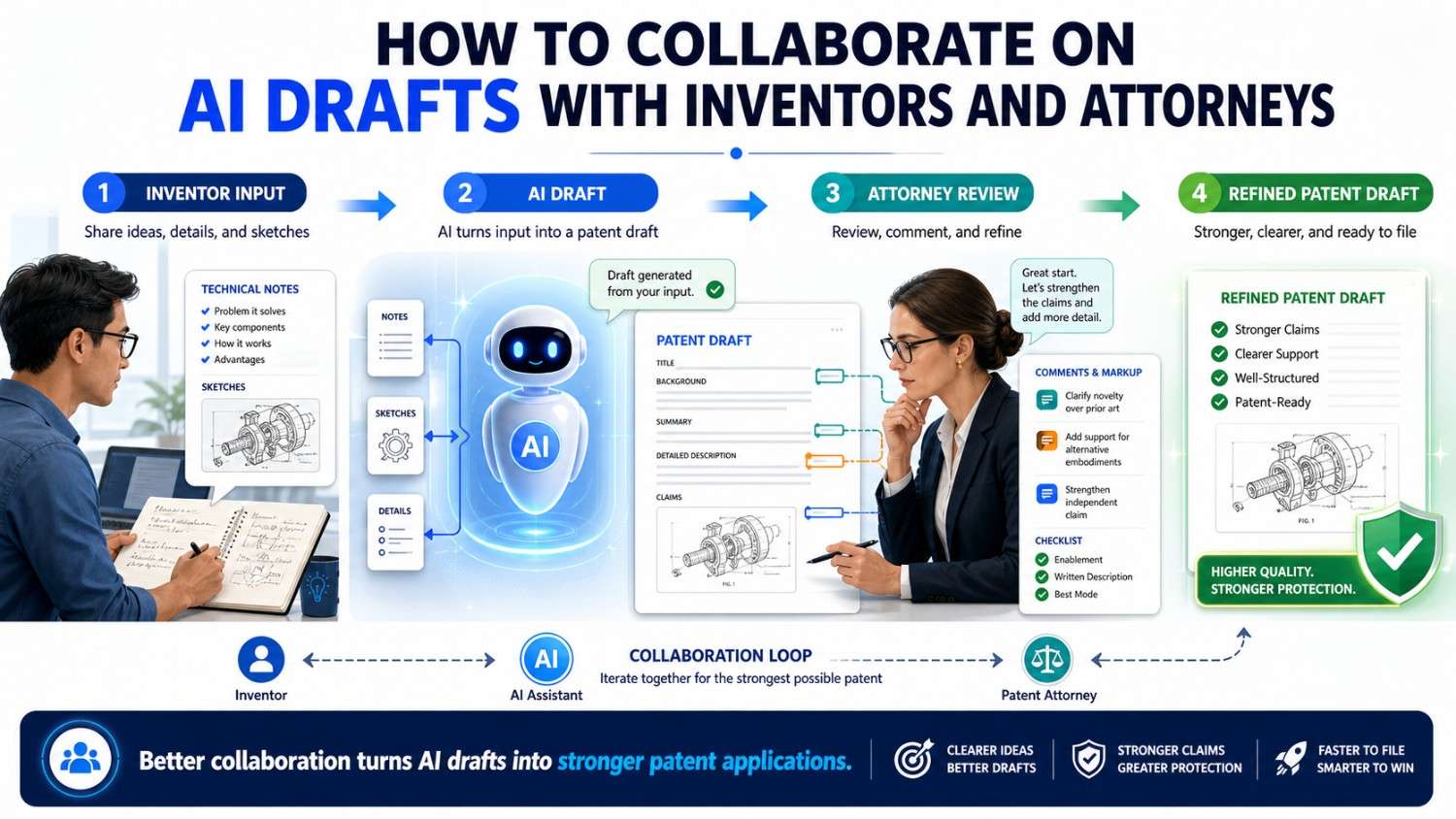
AI can help patent drafts move faster. But strong patent work still needs strong human teamwork.
Inventors know the technology. Founders know the business goal. Attorneys know how to shape protection. AI can help all three work faster, but only when the process is clear.
PowerPatent helps startups turn technical work into stronger patent filings with smart software and real patent attorney oversight. You can see how it works here: https://powerpatent.com/how-it-works
Why AI patent drafting needs teamwork
AI is good at turning notes into text.
It can take rough invention notes and turn them into a first draft. It can organize messy ideas. It can write figure descriptions. It can explain claims in plain words. It can compare one section against another. It can find terms that do not match. It can help make a long draft easier to review.
That is useful.
But AI does not know your invention by itself.
It does not know what your team actually built. It does not know which part took months to solve. It does not know which product feature is temporary. It does not know which future version matters. It does not know what should stay private. It does not know whether a sensor is required or just one example. It does not know whether cloud processing is the point or the thing your system avoids.
That knowledge lives with people.
The inventor knows the technical truth.
The founder knows the business value.
The attorney knows how to turn the invention into a filing that can support real protection.
AI can help these people work together. It can make the process faster and clearer. But it should not replace the people who understand the invention and the strategy.
When collaboration is weak, AI drafting can create risk. A draft may look polished but still be wrong. It may include fake parts. It may describe an old architecture. It may use five names for the same thing. It may treat an optional dashboard as required. It may draft claims around a side feature while missing the real technical moat.
When collaboration is strong, AI becomes a serious advantage. It helps the team capture the invention sooner. It helps attorneys get better inputs. It helps inventors review only the parts that need their attention. It helps founders understand what the patent is trying to protect.
The point is not to let AI write a patent in isolation.
The point is to use AI to help the right people create a better patent faster.
That is the modern path.
A patent draft is a team document
A patent draft may look like a legal document, but it is also a team document.
It contains technical facts from inventors.
It contains business choices from founders.
It contains legal strategy from attorneys.
It may include product context, diagrams, examples, claim language, technical flows, and future versions.
No single person usually has all of that in their head.
The inventor may know how the model works but may not know which claim scope is best.
The founder may know what investors care about but may not know every technical step.
The attorney may know how to draft claims but may need clearer invention details.
AI may generate text but may not know whether the text is true.
That is why teamwork matters.
A good patent process should make it easy for each person to give the right input at the right time.
The inventor should not have to become a patent lawyer.
The founder should not have to rewrite technical sections line by line.
The attorney should not have to guess the invention from a sales deck.
AI should not silently invent missing facts.
A strong collaboration process keeps each role clear.
That is how the draft gets stronger without slowing the startup down.
Start with one clear invention story
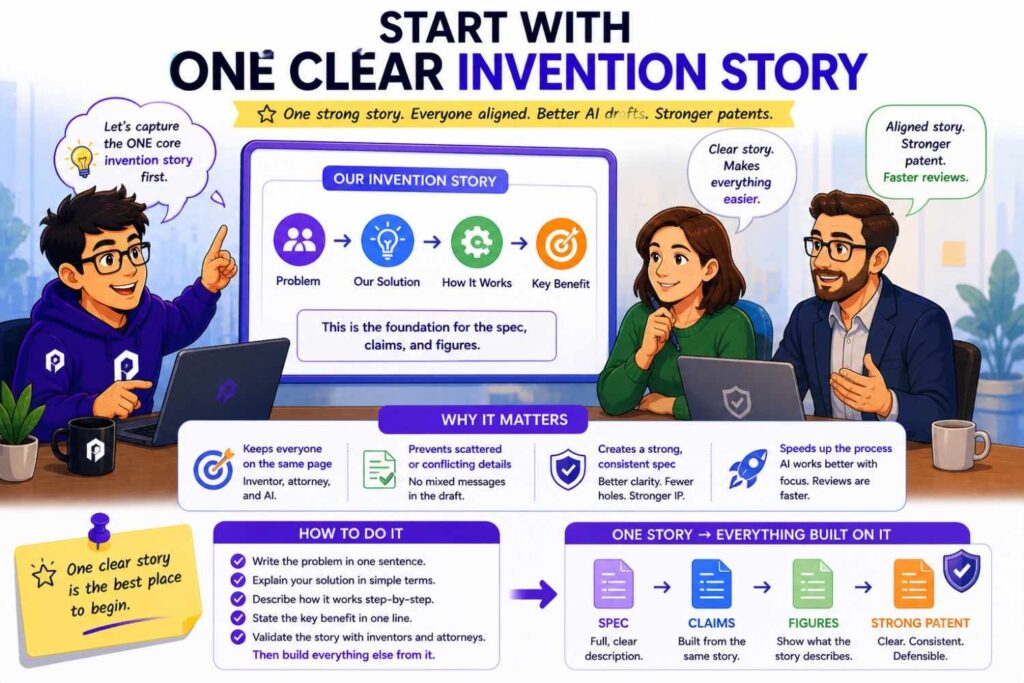
Every strong patent draft starts with one clear invention story.
This story should be simple enough for everyone on the team to understand.
It does not need legal words.
It should sound like a clear technical explanation.
For example:
“Our system predicts machine failure risk from sensor data and changes a maintenance schedule before failure happens.”
Or:
“Our robot uses live sensor data and map data to create a route risk score, then changes its path before entering a risky area.”
Or:
“Our system sends smaller model updates to edge devices by selecting update parts based on device state.”
These are not claims. They are not formal patent paragraphs. They are invention stories.
They give the team a shared center.
The inventor can say whether the story is technically true.
The founder can say whether it matches the business moat.
The attorney can say whether it points to a useful claim strategy.
AI can use it as the base for drafting.
Without this shared story, the draft can drift. One section may focus on cloud processing. Another may focus on a dashboard. The claims may focus on data storage. The figures may show an old system. Everyone may think they are talking about the same invention, but the document may tell several different stories.
That is how weak drafts happen.
A shared invention story keeps the team aligned.
Before using AI to draft, write the story in plain words. Keep it short. Make sure the inventor, founder, and attorney agree on it. Then use that story to guide the draft, claims, figures, and review.
PowerPatent is built to help founders capture this kind of clear invention story before the draft gets messy. Learn more here: https://powerpatent.com/how-it-works
Why the first version of the story matters
The first invention story shapes everything that follows.
If the first story is too narrow, the draft may become too narrow.
If the first story is vague, the AI may fill in the gaps.
If the first story focuses on the product interface, the draft may miss the technical system behind it.
If the first story focuses on a side feature, the claims may miss the real value.
That is why the team should take a little time to get the first story right.
A weak story may sound like:
“We use AI to improve maintenance.”
That is too broad.
A better story may be:
“Our system uses machine sensor data to create a future failure risk score, then changes a maintenance schedule based on that score before the machine fails.”
This second version gives the team something useful.
It names the input.
It names the output.
It names the action.
It shows the value.
It points to the invention.
AI can draft from that.
An attorney can shape claims from that.
An inventor can correct details around that.
A founder can explain the business value around that.
The first story does not have to be perfect. But it should be clear enough to stop AI from guessing the wrong invention.
Give each person a clear role
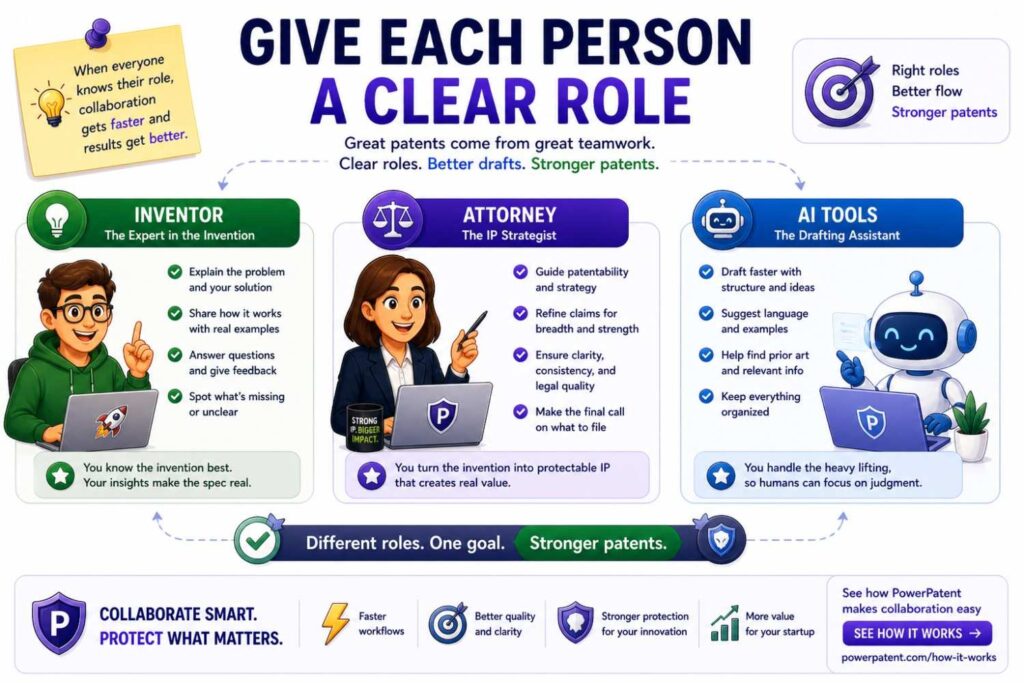
Good collaboration starts with clear roles.
The inventor does not need to write patent claims.
The attorney does not need to reverse-engineer the invention from vague notes.
The founder does not need to edit every paragraph.
AI does not need to decide the strategy.
Each person has a job.
The inventor’s job is to explain what is true.
The founder’s job is to explain what matters.
The attorney’s job is to shape what is protectable.
AI’s job is to help collect, organize, draft, compare, and check.
When roles are clear, the process moves faster.
When roles are not clear, the process gets noisy. The inventor may edit legal style instead of fixing technical facts. The founder may focus on wording instead of scope. The attorney may spend too much time asking basic questions. AI may fill missing facts with guesses.
A better workflow lets each person work where they are strongest.
This is how startups can move quickly without losing quality.
The inventor’s role: technical truth
The inventor brings the facts.
That means explaining how the invention works, what problem it solves, what parts matter, and what details should not be misunderstood.
Inventors should not worry about making their notes sound formal. Rough notes are fine. Diagrams are fine. Short comments are fine. What matters is truth.
An inventor might say:
“The model receives vibration data, motor current data, and recent run-time data. It creates a failure risk score for the next two hours. If the score is high, the scheduler moves the maintenance task earlier.”
That is useful.
It gives AI real material.
It gives the attorney support for the spec and claims.
It helps the founder see what is worth protecting.
Inventors should also explain what is not true.
For example:
“The system does not require GPS.”
“The cloud server is optional.”
“The model does not train on customer data.”
“The dashboard is not required.”
“The output is a recommendation, not a command.”
“The robot can act locally in the main version.”
These negative facts are very important because AI often adds common features by default.
If an invention avoids cloud processing, but AI adds cloud processing as required, the draft may harm the very point of the invention.
If an invention avoids personal data, but AI adds user profiles, the draft may become wrong and risky.
If a model does not update during use, but AI says it trains in real time, the spec may become inconsistent.
Inventors prevent those problems by bringing technical truth into the process early.
The founder’s role: business value
The founder brings business direction.
A patent should protect what matters to the company. That is not always the same as what appears most often in product notes.
A product may have many parts. It may include a dashboard, model, API, database, workflow, mobile app, admin screen, and reporting layer. But the invention may be one technical part inside that product.
The founder helps identify that part.
The founder should ask:
What is the moat?
What would a competitor copy?
What part of the product is hardest to rebuild?
What supports our fundraising story?
What technical feature gives us speed, accuracy, safety, privacy, cost savings, or scale?
What product detail may change soon?
What future version should the patent support?
For example, a startup may have a polished dashboard. But the real moat may be a model pipeline behind it. If the patent focuses on the dashboard, a competitor may copy the pipeline and use a different interface.
Or a startup may pitch itself as an edge AI company. If the patent draft makes cloud processing required, the filing may not match the company’s story or future direction.
The founder does not need to review every legal phrase. The founder needs to check whether the patent is aimed at the right business target.
A strong founder comment can change the whole draft.
For example:
“This should protect the scoring method, not the dashboard.”
Or:
“Our future version will use an API instead of a mobile app, so do not make the app required.”
Or:
“Our moat is local processing. Cloud should be optional.”
These comments help the attorney and AI keep the filing aligned with the company’s future.
The attorney’s role: patent strategy
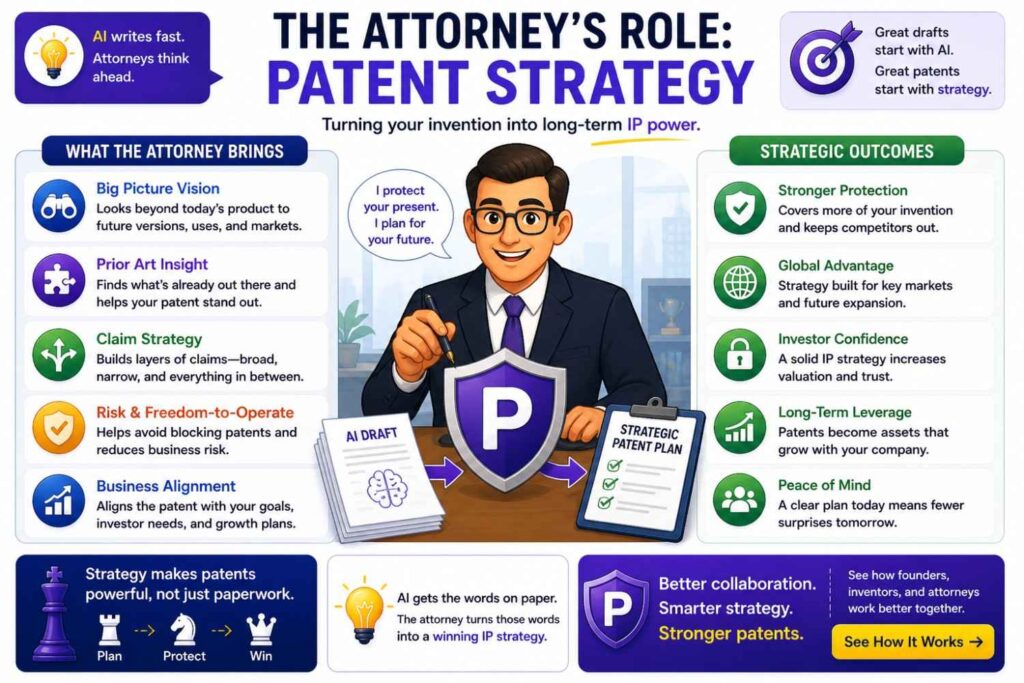
The attorney brings patent judgment.
That means the attorney helps decide how to frame the invention, what to claim, what details support broad protection, what wording may narrow the filing, and what examples should be included.
AI can write text that sounds like a patent. But patent-sounding text is not enough.
The attorney looks at the draft and asks deeper questions.
Are the claims aimed at the real invention?
Does the spec support the claims?
Are we protecting the current product or the deeper technical idea?
Are optional features written as optional?
Are there useful fallback positions?
Are terms consistent?
Do figures support the claims?
Could a competitor design around this too easily?
Should this be one filing or more than one?
These are judgment calls.
For example, AI may draft a claim that requires a camera because the current product uses a camera. The attorney may ask whether the invention can work with other sensors. If yes, the attorney may broaden the language to sensor data and make sure the spec supports camera, vibration, temperature, or other sensor examples.
Or AI may draft a very broad claim that says the invention uses “any model.” The attorney may ask whether the spec supports that or whether the invention really depends on a specific model update method, scoring method, or control process.
This is where attorney oversight matters.
PowerPatent combines AI-supported drafting with real patent attorney review so startups can move quickly without relying on AI alone. See how that works here: https://powerpatent.com/how-it-works
AI’s role: speed and structure
AI brings speed and structure.
It can turn rough notes into a clean invention brief.
It can organize messy technical material.
It can draft a first spec.
It can summarize claims in plain words.
It can find terms that do not match.
It can compare a draft to the invention brief.
It can list assumptions.
It can create a claim support map.
It can help prepare questions for inventors.
It can help turn attorney comments into revision instructions.
These are valuable tasks.
But AI should not silently guess.
That is the main rule.
If AI does not know whether the model runs locally or in the cloud, it should mark that as unknown. If AI does not know whether the dashboard is required, it should ask. If AI is suggesting an alternative, it should label the alternative as a suggestion.
A good AI workflow makes uncertainty visible.
A bad AI workflow hides uncertainty inside smooth text.
This is why collaboration matters so much. The people catch what AI does not know.
Create a shared invention brief before drafting
The invention brief is the shared source of truth.
It should be written before the full patent draft.
It does not need to be long. It needs to be clear.
A good invention brief explains the problem, the solution, the main parts, the core flow, the required features, the optional features, the things to avoid, the key benefit, and the important future versions.
For example:
The problem is that robots may react too late to unsafe areas.
The invention creates a route risk score before the robot enters a route segment.
The system uses map data, sensor data, and a risk model.
The route planner changes the robot’s path or speed based on the score.
The model may run on the robot or an edge server.
GPS is not required.
The dashboard is optional.
Human approval may be used in some modes but is not required in all modes.
This brief gives everyone a shared base.
The inventor can correct it.
The founder can confirm it matches the moat.
The attorney can use it to guide claims.
AI can use it to draft.
Without a brief, the team may rely on scattered notes, old docs, memory, product screenshots, and assumptions. That increases risk.
The invention brief is simple, but it is one of the most powerful tools in AI patent drafting.
Make the invention brief easy to review
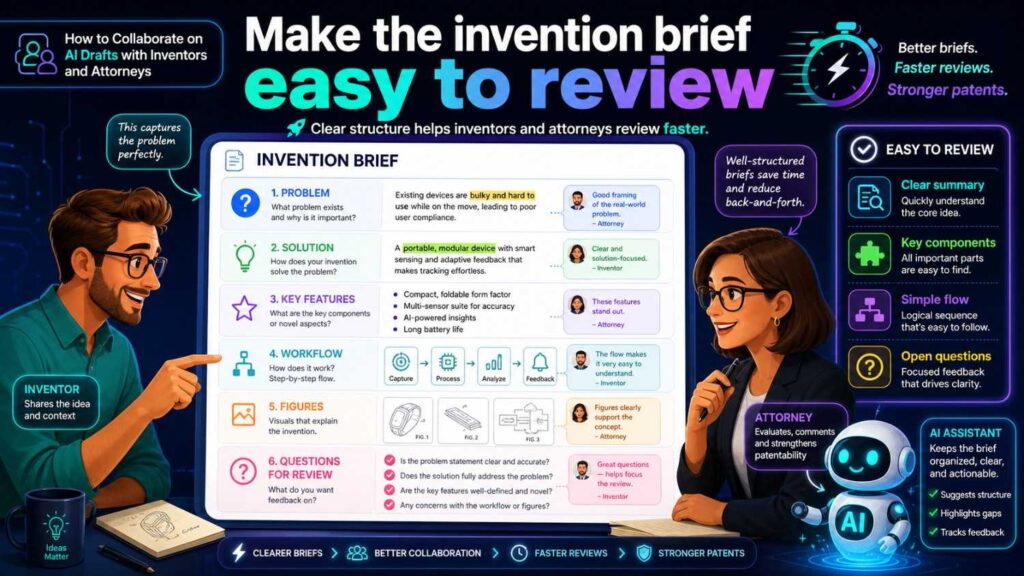
A good invention brief should be easy for a busy team to review.
It should not read like a dense patent draft.
It should be written in plain words.
The brief should help people say yes, no, or fix this.
For example, an inventor should be able to scan the brief and say:
“Yes, that is the model input.”
“No, the model does not output a command.”
“Cloud is optional.”
“GPS should not be included.”
A founder should be able to scan it and say:
“Yes, this is the moat.”
“No, the dashboard is not central.”
“We need to cover API use too.”
An attorney should be able to scan it and say:
“We need more detail on the score.”
“We should add examples of different sensor data.”
“We need to separate training and use.”
The brief should create faster review, not more work.
Use a “must, may, avoid” section
The invention brief should include three simple sections.
What the invention must have.
What the invention may have.
What the draft should avoid.
This helps prevent AI from turning optional features into required ones.
For an AI maintenance invention, the brief may say:
The invention must receive machine data, create a failure risk score, and change a maintenance action based on the score.
The invention may use vibration data, temperature data, motor current data, edge processing, cloud processing, a dashboard, or technician alerts.
The draft should avoid requiring GPS, requiring a mobile app, saying the system guarantees no failures, or saying the model trains on customer data if that is not true.
This simple framework keeps the draft grounded.
It also helps attorneys.
If the attorney knows what is required and what is optional, they can make better claim choices.
It also helps inventors review.
They can quickly see whether AI added something wrong.
For startups, this matters because products change. The patent should protect the invention, not trap the company in one current product version.
Make AI list assumptions before drafting
Before asking AI to draft, ask it to list assumptions.
This is one of the best ways to avoid hidden errors.
A safe instruction is:
“Before drafting, list any assumptions you are making. Do not include assumed features in the draft unless they are approved. Mark unknown details with brackets.”
This forces AI to show its guesses.
It may say:
“I assume the system includes a cloud server.”
“I assume the model is trained using historical data.”
“I assume a dashboard displays the score.”
“I assume the user approves the action.”
Now the team can respond.
The inventor may say, “The cloud server is optional.”
The founder may say, “The dashboard is not the moat.”
The attorney may say, “We should support both automatic and manual modes.”
This small step can save hours of revision.
It also builds trust.
A draft with hidden assumptions is hard to review. A draft with visible assumptions is much safer.
Use AI to interview the inventor
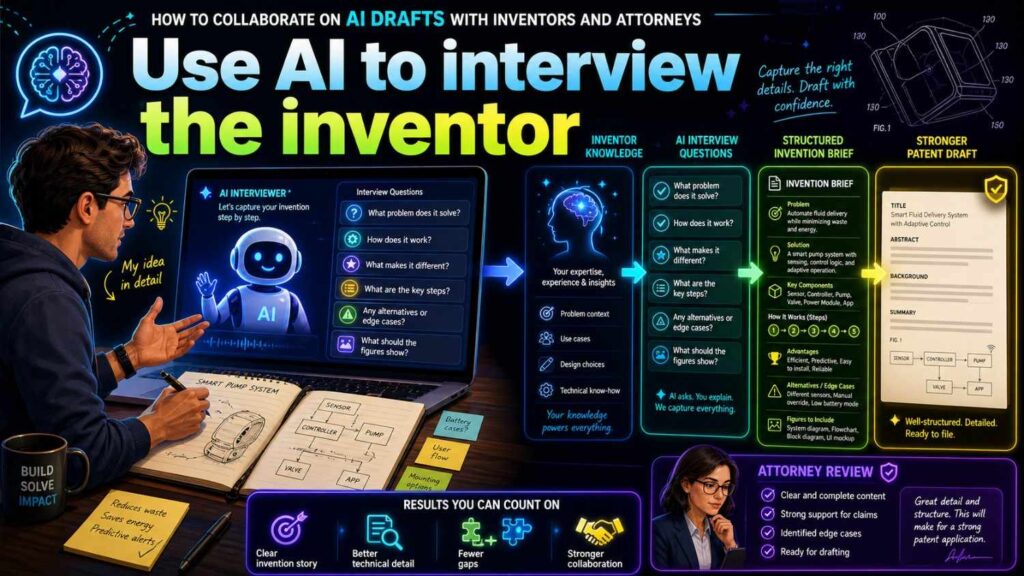
Inventors are often busy. They may not know what information a patent draft needs.
AI can help by asking clear questions.
The questions should be simple.
What problem did you solve?
What was hard about it?
What did earlier systems fail to do well?
What data or signals are used?
What happens first?
What happens next?
What does the model receive?
What does the model output?
What action happens because of the output?
What parts are required?
What parts are optional?
What should not be included?
What would a competitor likely copy?
These questions help turn technical knowledge into useful drafting material.
The inventor should answer in their own words. They do not need to sound formal.
AI can then organize the answers.
The attorney can review them.
This is much better than asking the inventor to fill out a dense legal form or review a long patent draft with no guidance.
Ask better questions about AI inventions
AI inventions need special care because words like model, training, score, confidence, prediction, label, embedding, vector, retrieval, and feedback can mean different things.
The inventor should be asked specific questions.
What kind of data goes into the model?
Is the data raw data, cleaned data, features, embeddings, or another form?
What does the model output?
Is the output a class, score, ranking, command, alert, summary, recommendation, or label?
Does a higher score mean higher risk, higher confidence, or something else?
Is the model trained before use?
Does the model update after deployment?
Does feedback change the model?
Where does the model run?
Does the model run on a device, server, edge gateway, robot, phone, or cloud system?
What happens if model confidence is low?
Does a human review the result?
These questions prevent vague AI drafting.
They also help the attorney understand what should be claimed.
Ask better questions about hardware inventions
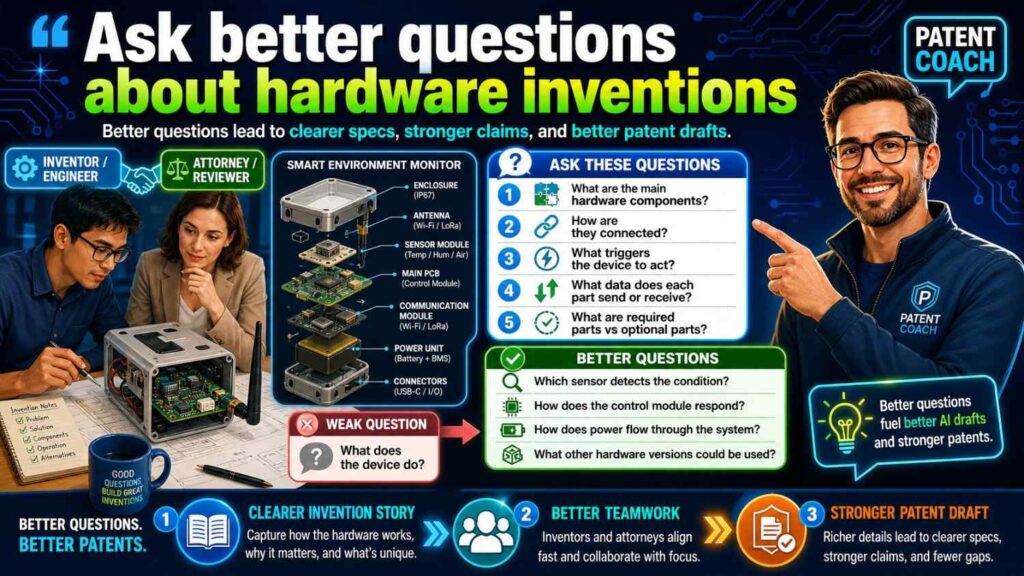
Hardware inventions need physical truth.
AI may describe hardware too generally unless the inventor gives details.
The inventor should explain what parts exist, how they connect, what moves, what stays fixed, what signals travel, what materials matter, what shape matters, and what changes during operation.
For example, a hardware invention may depend on sensor placement. Or a cooling path. Or a hinge shape. Or a circuit layout. Or a timing sequence.
AI may miss these details if it only receives a high-level prompt.
Ask:
What part is new?
Where is it located?
What is it connected to?
What does it do?
What problem does that arrangement solve?
What can vary?
What must stay the same?
Does the figure show the right structure?
These answers help the attorney draft a stronger spec and claims.
Ask better questions about robotics inventions
Robotics inventions often combine sensors, models, control, movement, safety, and environment data.
The inventor should explain the full loop.
What does the robot sense?
What data does it use?
Where is the model or controller?
What output is created?
What command is sent?
What physical action happens?
Does the robot slow, stop, turn, reroute, lift, grip, release, or alert?
Is the action automatic?
Does a human approve it?
What happens if data is missing?
What happens if the robot is offline?
What happens if the risk is high?
These details matter because a robot invention is often defined by how data becomes action.
AI may say “the robot uses AI to navigate,” but that is too vague.
A stronger draft explains the route risk score, control action, and timing.
Ask better questions about software infrastructure inventions
Software infrastructure inventions often involve data routing, resource control, model updates, security, scheduling, caching, compression, distributed systems, or system monitoring.
The inventor should explain the system flow.
What triggers the process?
What data is received?
Where does processing happen?
What is selected, ranked, compressed, routed, stored, or updated?
What system resource changes?
What device receives the result?
What happens when the network is slow?
What happens when a node fails?
What can be local, edge, or cloud-based?
What part creates the technical benefit?
These questions help prevent the draft from becoming generic software language.
A strong infrastructure patent should explain the technical mechanism, not just a business result.
Use AI to turn rough notes into clean input
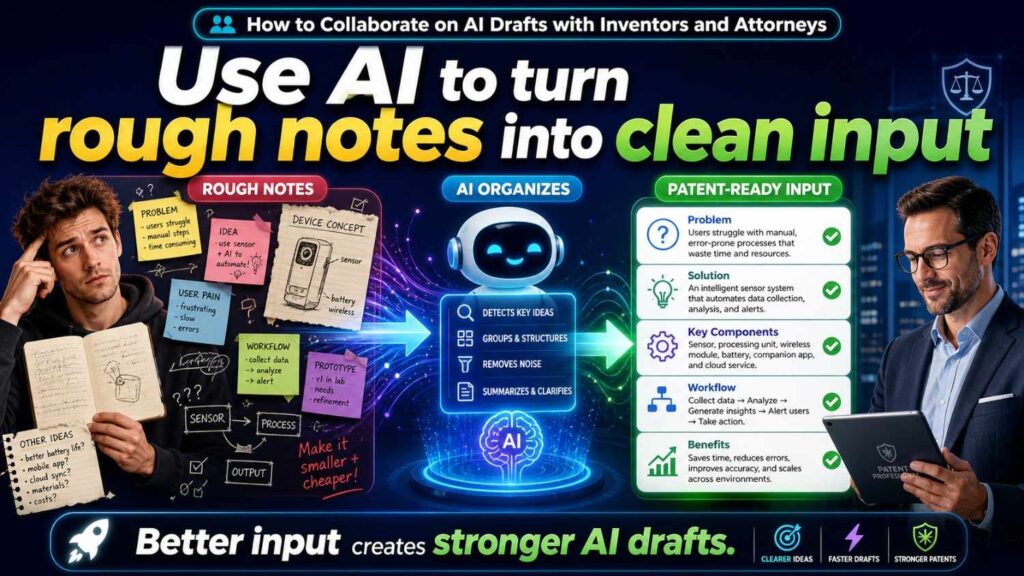
Inventor notes often look rough.
That is normal.
They may include shorthand, code names, diagrams, arrows, acronyms, or quick comments.
AI can help clean them up.
For example, an inventor may write:
“Box gets temp/vib/current, predicts 2hr fail risk, sends PM change if high. No GPS. Cloud optional for fleet view.”
AI can turn that into:
“In some examples, a local device receives temperature data, vibration data, and motor current data from a machine. A risk model generates a failure risk score for a future two-hour window. A maintenance scheduler changes a planned maintenance action when the score satisfies a risk condition. The system does not require GPS. In some examples, a cloud service may be used for fleet-level viewing, but cloud processing is not required.”
That is much more useful.
But the inventor should still confirm it.
AI may misunderstand shorthand. It may add meaning that was not intended.
The loop should be:
Inventor gives rough input.
AI organizes it.
Inventor confirms it.
Attorney shapes it.
That is a strong workflow.
Use AI to translate attorney questions for inventors
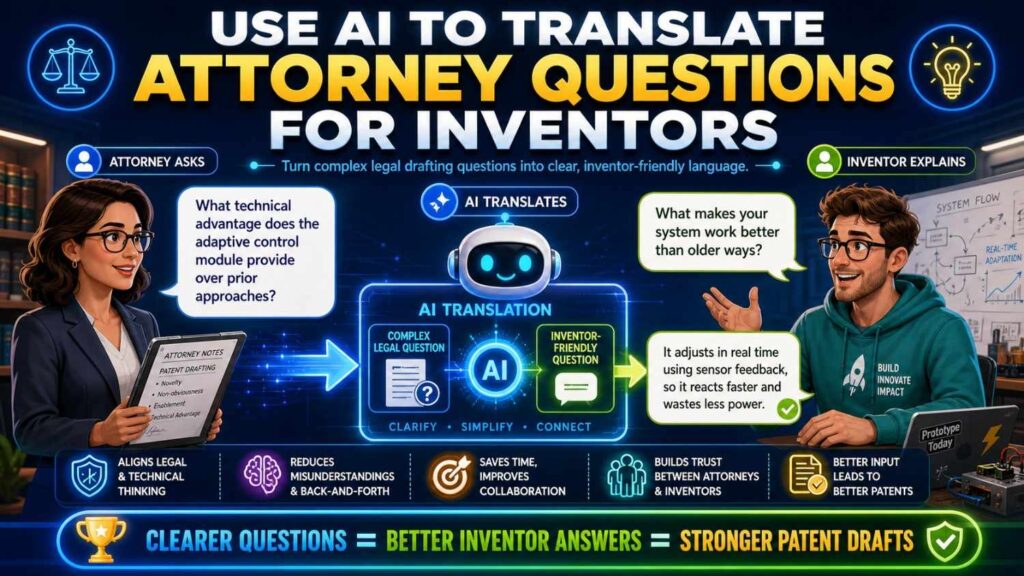
Patent attorneys may ask questions in a way that sounds formal.
An inventor may not know how to answer.
For example, an attorney might ask:
“What are the alternative embodiments for the scoring process?”
AI can translate that into a simpler question:
“What are other ways the system could create or use the score? Could it use other data, run on another device, output another value, or trigger a different action?”
That is easier for an inventor to answer.
AI can help bridge the language gap between patent strategy and engineering detail.
This is one of the best uses of AI in collaboration.
It lets attorneys ask what they need while helping inventors respond in plain words.
Use a shared glossary
A glossary keeps everyone using the same words.
This is very important in AI-assisted patent drafting because AI may change names as it writes.
A “risk score” may become a “confidence value.”
A “route planner” may become a “navigation engine.”
A “model update package” may become a “training payload.”
A “sensor device” may become a “user device.”
These changes can create confusion.
The glossary should define the key terms.
For example:
Risk model: the model that creates the failure risk score.
Failure risk score: a value showing predicted risk of machine failure during a future time window.
Maintenance scheduler: the component that changes a planned maintenance action based on the failure risk score.
Edge device: a device near the machine that can process data locally.
Sensor data: data from one or more machine sensors, such as vibration, temperature, or motor current sensors.
Use the glossary in AI prompts.
Tell AI:
“Use these terms consistently. Do not create alternate names unless needed and explained.”
Then ask AI to check the draft for terms that drift.
This simple step makes the draft much easier to review.
Keep comments clear and useful
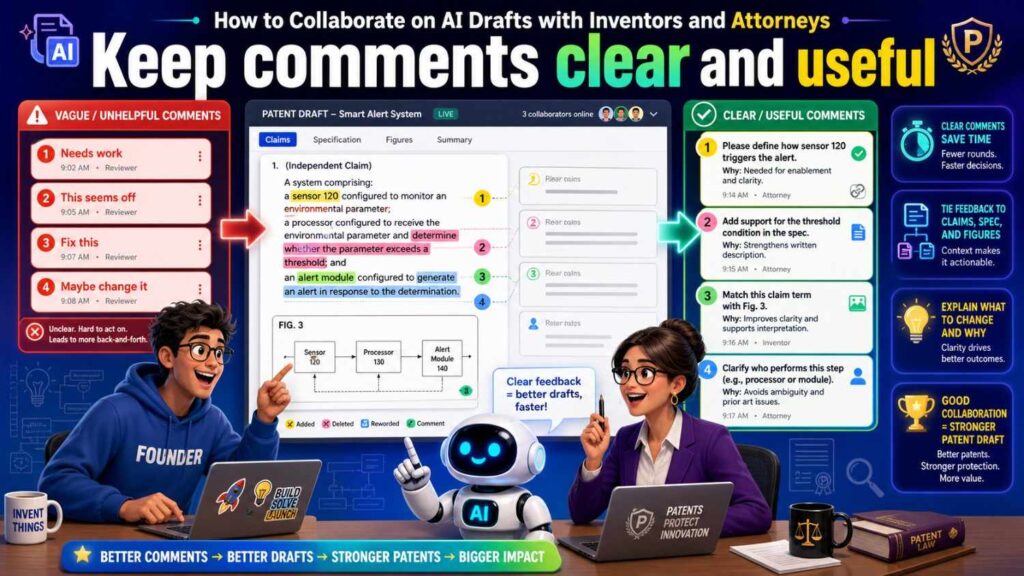
Comments are the heart of collaboration.
But comments should be clear.
A good comment explains the issue and, when possible, the reason.
Instead of writing:
“Wrong.”
Write:
“The model does not train on live customer data. It only uses live data during prediction.”
Instead of writing:
“Too narrow.”
Write:
“Camera should be one example. The invention should also cover vibration and temperature sensors.”
Instead of writing:
“Fix cloud.”
Write:
“Cloud is optional. Main version runs on the edge device.”
Clear comments help the attorney revise correctly.
They also help AI apply changes without creating new errors.
Silent edits are less useful because they hide the reason behind a change.
When possible, use comments to explain the decision.
This saves time later.
Avoid silent edits when meaning changes
Silent edits can create problems.
If an inventor changes “server” to “edge device” without a comment, the attorney may not know whether the server version is wrong or just optional.
If a founder removes a dashboard section without comment, the attorney may not know whether the dashboard is not real, not valuable, or too sensitive.
If an attorney changes “must” to “may,” the inventor may not understand that the change keeps the feature from becoming required.
When an edit changes meaning, add a comment.
The comment does not need to be long.
For example:
“Changed to ‘may’ because this feature is optional.”
“Removed GPS because the invention does not use it.”
“Kept cloud as one example, but not required.”
These small notes make collaboration much smoother.
Do not ask everyone to review everything
A long patent draft can overwhelm a team.
The founder, inventor, and attorney should not all review the whole draft in the same way.
Each person should have a focused review pass.
The inventor checks technical truth.
The founder checks business fit.
The attorney checks protection strategy and filing quality.
AI helps prepare summaries and issue lists.
This makes review faster and better.
If everyone reviews everything, people get tired. They may miss important issues. They may comment on things outside their role. The process may become noisy.
Focused review is cleaner.
The inventor review pass
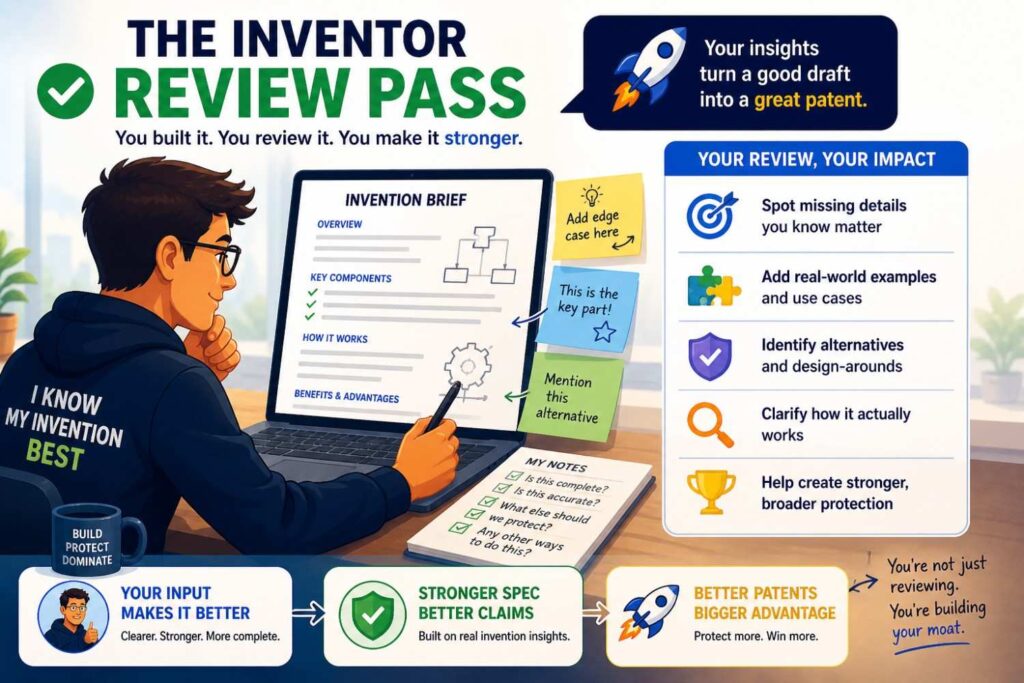
The inventor should review the technical sections, examples, and figures.
They should ask:
Does the system work this way?
Are the parts real?
Are any parts fake?
Are the steps in the right order?
Does the model receive the right input?
Does the model produce the right output?
Does the action match what the system actually does?
Are optional features marked as optional?
Are old product details still present?
Does the figure show the right architecture?
The inventor should focus on meaning, not legal style.
They do not need to fix every sentence. They need to flag anything that is technically wrong or misleading.
A short inventor comment can prevent a major patent problem.
For example:
“This says the server creates the score. In the main version, the edge device creates the score.”
That one comment matters.
The founder review pass
The founder should review the title, abstract, summary, main claim summary, main figure, and key examples.
They should ask:
Does this protect our moat?
Does it match our pitch?
Does it support our roadmap?
Does it avoid locking us into the current product UI?
Does it cover likely future versions?
Does it avoid giving away sensitive business details?
Would a competitor care about this patent?
Would an investor understand why it matters?
The founder’s review is about value.
A patent can be technically correct but still miss the business point.
For example, the draft may protect a notification workflow when the real moat is the data scoring method. Or it may focus on a current customer use case while missing the platform-level invention.
The founder helps keep the draft aimed at the right target.
The attorney review pass
The attorney should review the draft for claim scope, support, consistency, examples, figures, and filing strategy.
They should ask:
Are the claims aimed at the right invention?
Does the spec support each claim element?
Are there unwanted limits?
Are optional features written correctly?
Are terms consistent?
Are figures useful?
Are there fallback positions?
Could a competitor design around the claims too easily?
Should the application cover one invention or more than one?
Is the draft ready for the type of filing planned?
This review requires patent judgment.
AI can help prepare the materials, but attorney review is still essential.
PowerPatent keeps real attorney oversight in the process while using smart software to make the work faster and clearer. You can see how it works here: https://powerpatent.com/how-it-works
Use plain-language claim summaries
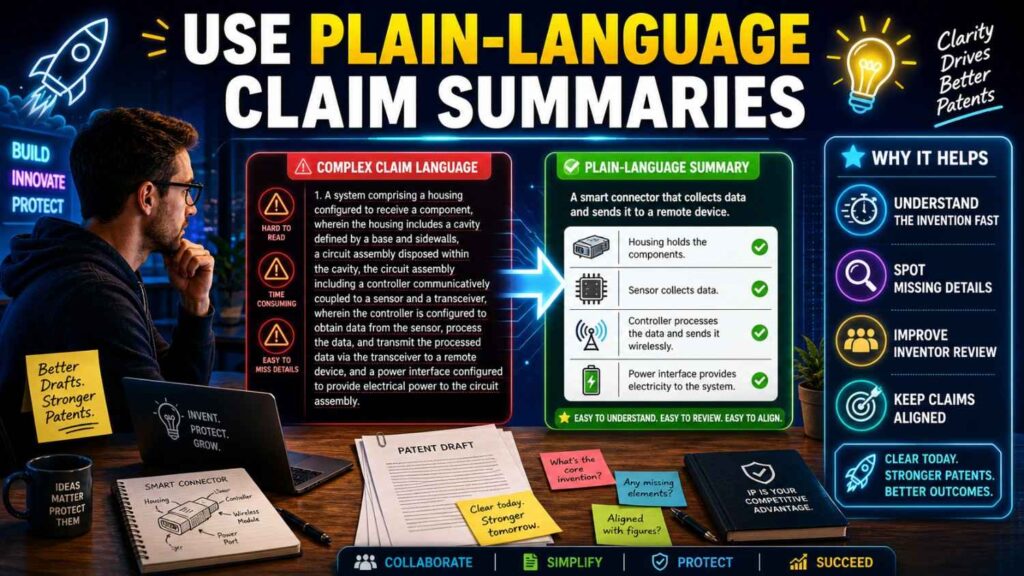
Claims can be hard for founders and inventors to read.
AI can help by translating them into simple words.
For example:
“Claim 1 protects a system that receives sensor data from a machine, creates a future failure risk score using a model, and changes a maintenance schedule based on that score.”
This summary lets the team check the claim’s meaning.
The inventor can say whether it is technically true.
The founder can say whether it covers the moat.
The attorney can confirm whether the summary matches the actual claim.
If the summary sounds wrong, the claim may need revision.
For example, the summary may reveal that the claim requires a cloud server when cloud should be optional. Or it may reveal that the claim protects alerts but not automatic control, even though automatic control is important.
Plain-language summaries make claim review a team sport without forcing everyone to become a patent expert.
Use claim support maps
A claim support map shows where each claim element is explained in the spec.
This is a very useful collaboration tool.
For example, if a claim includes receiving sensor data, applying a risk model, generating a failure risk score, and changing a maintenance schedule, the map should point to the spec sections that explain each element.
AI can create a first-pass map.
The attorney reviews it.
The inventor checks whether the mapped sections are technically right.
If an element has no support, the spec may need more detail.
If the spec uses a different term, the terms may need alignment.
This helps the team catch weak spots before filing.
It also reduces vague feedback. Instead of saying, “The claims need more support,” the team can see exactly where support is missing.
Review figures together
Figures are often the easiest way to spot problems.
A figure may show the wrong processing location.
It may show an old architecture.
It may label an optional dashboard as central.
It may show a cloud server when the invention is local.
It may show a user approval step when approval is optional.
The inventor should review the figures for technical accuracy.
The founder should review whether the figures focus on the real invention.
The attorney should review whether the figures support the claims.
AI can help draft figure descriptions and check labels, but humans should verify meaning.
A good figure can make a complex invention easier to understand.
A bad figure can create confusion.
Do not leave figure review until the end.
Handle optional features with care
Optional features are useful.
They help the patent cover different versions.
But they can cause trouble if they are written as required.
Collaboration is important here because each person sees optionality differently.
The inventor knows what the system needs to work.
The founder knows what product parts may change.
The attorney knows how claim language may limit scope.
AI may not know any of that unless told.
For example, the product may currently use a dashboard. The inventor may say the dashboard is not needed for the core system. The founder may say future customers will use an API instead. The attorney may decide to describe the dashboard as one example.
That is the right collaboration.
Without it, AI may write:
“The invention displays the risk score on a dashboard.”
A safer version may be:
“In some examples, the risk score is displayed on a dashboard. In other examples, the risk score is provided through an API or used by a controller.”
That keeps the invention flexible.
Watch for old product details
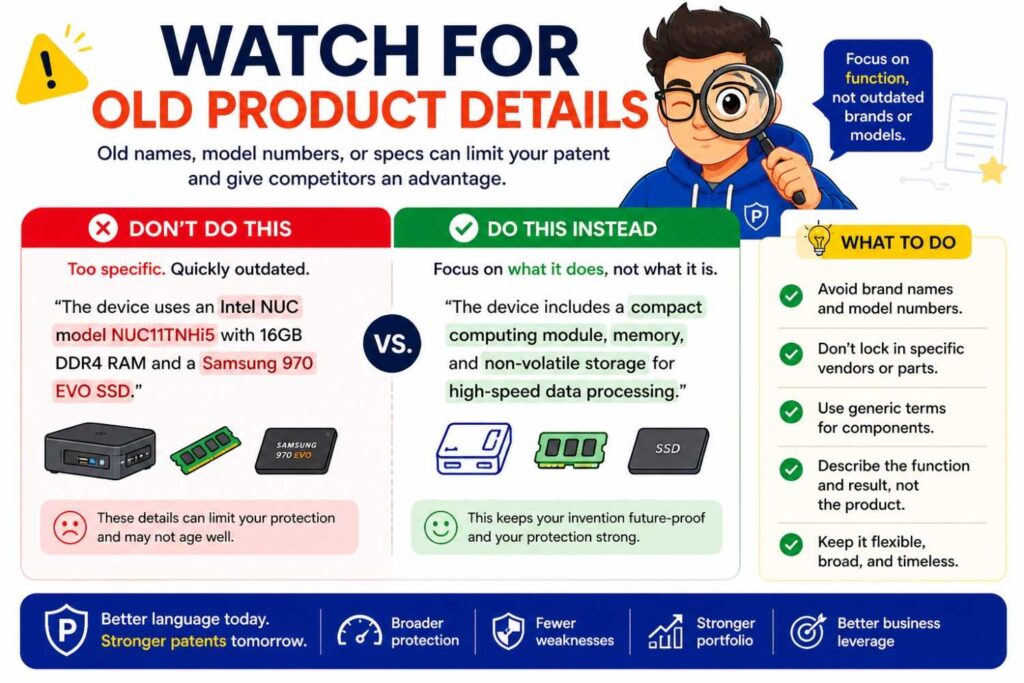
A patent draft may include old details if AI uses old notes.
The inventor may have changed the architecture. The product may have moved from cloud to edge. A manual step may have become automatic. A sensor may have been removed. A dashboard may have been replaced by an API.
Old details can create contradictions.
During review, ask:
Is this still true?
Is this an old version?
Should the old version remain as an example?
Should it be removed?
Does the claim rely on an old feature?
Does the figure show the current architecture?
AI can help compare old notes to new notes, but the team must decide what belongs.
A patent can describe old, current, and future versions if they are useful. But the draft must make those versions clear.
Watch for fake AI details
AI may add features that sound normal.
Cloud storage.
Mobile apps.
User profiles.
Admin dashboards.
Payment systems.
Feedback loops.
Training databases.
GPS modules.
Notification engines.
Some may be useful. Some may be fake.
Every AI-added feature should be checked.
The inventor should confirm whether it is real.
The founder should confirm whether it matters.
The attorney should decide whether it helps or hurts the filing.
Do not keep fake details because they make the draft look complete.
A patent draft should protect the real invention, not an imagined product.
Watch for terms that change meaning
AI may use the same word in different ways.
For example, “model” may mean machine learning model in one section, data model in another, and product model in another.
“Score” may mean risk score in one place and confidence score in another.
“User” may mean operator in one place and administrator in another.
These shifts can confuse the draft.
The glossary helps, but review still matters.
Ask AI to list key terms and possible conflicts.
Then have the team check them.
If a term has more than one meaning, use clearer names.
For example, use “risk model” instead of “model.”
Use “failure risk score” instead of “score.”
Use “operator device” instead of “user device” if the user role matters.
Clear terms make the patent stronger.
Keep sensitive information out unless needed
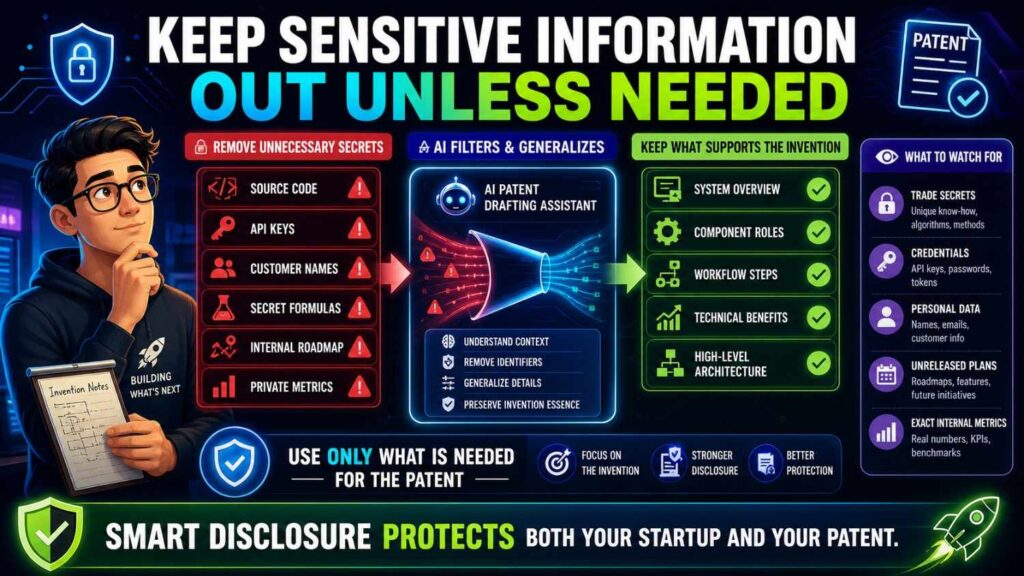
Patent applications may publish.
That means the team should be careful with sensitive details.
AI drafting may pull in information from notes that should not appear in the filing.
Review for customer names, private datasets, internal code names, exact model weights, secret tuning values, private performance numbers, internal roadmaps, and confidential business plans.
Some technical detail is needed for patent support. But not every internal detail belongs in the application.
This is a strategy question.
The inventor knows what details exist.
The founder knows what details are sensitive.
The attorney can help decide what should be disclosed and what may be kept as trade secret.
AI can help scan for sensitive information, but humans should decide.
PowerPatent helps founders move through patent drafting with more control over technical inputs and attorney oversight. Learn more here: https://powerpatent.com/how-it-works
Decide what stays secret
Patents and trade secrets are different.
A patent can protect an invention, but it requires disclosure.
A trade secret stays private, but it may be harder to protect if others discover it or build it independently.
Some startup details may belong in a patent.
Others may be better kept private.
For example, the broad method for creating a smaller model update package may be worth patenting. Exact internal tuning values may not need to be disclosed.
A system flow for predicting failure may be worth patenting. Private customer data may not belong in the filing.
This decision should involve the founder, inventor, and attorney.
AI should not decide it alone.
The best collaboration process includes a clear discussion about what to disclose.
Use a decision log
A decision log is a short record of important choices.
It can include:
Cloud is optional.
Dashboard is optional.
GPS should not be required.
The main claim should focus on risk scoring and action.
The model output is called “failure risk score.”
Human approval is optional.
Model training is not part of the main invention.
Do not include customer names.
This log helps keep the team aligned.
It also helps stop old mistakes from returning.
If AI keeps making cloud required, add a decision log entry: “Cloud processing is optional and must not be described as required.”
Then include that instruction in future prompts.
A decision log is simple, but it saves time.
Turn comments into clear revision instructions
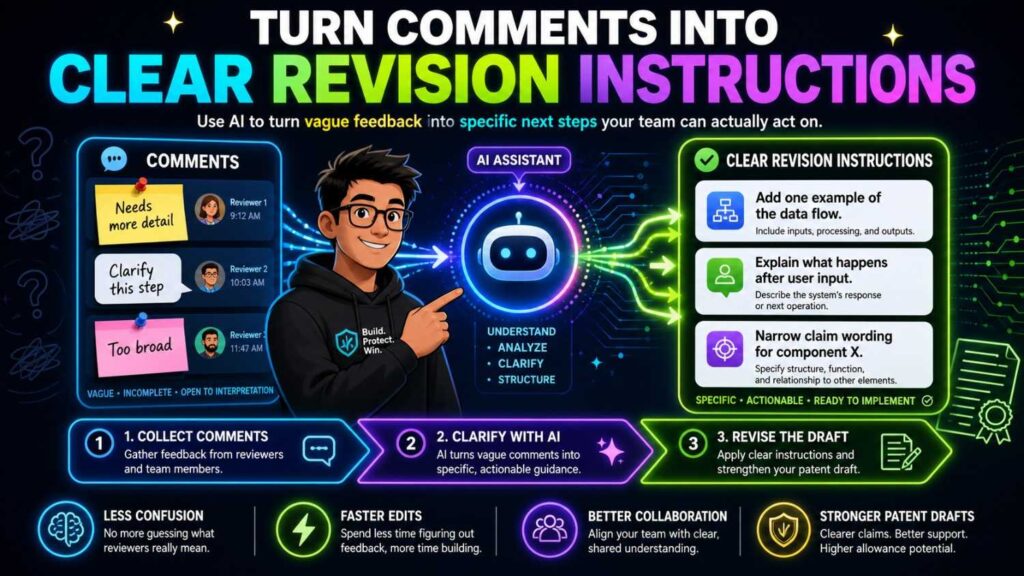
After review, do not just feed a messy comment thread to AI and hope for the best.
Turn the comments into clear instructions.
For example:
“Revise the draft so the risk model may run on the edge device or a server. Do not state that a cloud server is required. Use the term ‘failure risk score’ consistently. Describe the dashboard as optional. Remove GPS from required features. Keep human approval as an optional mode.”
This kind of instruction is much better than vague edits.
AI responds better to clear direction.
Attorneys also benefit because they can see exactly what is being changed.
After AI revises, the team should check whether the instructions were followed.
AI can fix one problem while creating another.
Review AI revisions carefully
AI revisions are not automatically safe.
If you ask AI to broaden sensor language, it may add unrelated data sources.
If you ask it to make cloud optional, it may remove useful server examples.
If you ask it to simplify the spec, it may remove important support.
If you ask it to fix terms, it may change claim meaning.
Every revision should be checked.
Compare the revision to the decision log, glossary, and invention brief.
Then have the attorney review important claim changes.
This is especially important near filing.
Late AI edits can introduce hidden risk if they are not reviewed.
Use meetings for hard questions only
Not every issue needs a meeting.
Many points can be handled with comments.
But some questions deserve live discussion.
For example:
What is the real invention?
Should the filing cover one invention or several?
How broad should the claims be?
Should model training be included?
Should cloud processing be claimed?
Should a sensitive detail be disclosed?
Should automatic action be covered, or only recommendations?
These are strategy questions.
A short focused meeting can save a lot of back-and-forth.
Bring the invention brief, draft, claim summary, and open questions.
End the meeting with decisions.
Add those decisions to the decision log.
Then revise the draft.
Avoid review chaos
Review chaos happens when everyone comments on everything at once.
The draft becomes covered in conflicting edits.
AI rewrites sections before the attorney reviews them.
The inventor corrects technical terms that the attorney later changes.
The founder asks for broader language that the spec does not support.
Nobody knows which version is final.
Avoid this by setting review order.
First, confirm the invention brief.
Then draft the spec.
Then do inventor technical review.
Then do founder business review.
Then do attorney claim and scope review.
Then do consistency review.
Then do final attorney review.
This order keeps the process clean.
It also reduces wasted work.
Use AI to make attorney review faster
Attorney review is still needed, but AI can make it more efficient.
Before attorney review, AI can prepare a plain-language invention summary, a glossary, a list of assumptions, open questions, a claim support map, a list of terms that changed, a list of features in the draft that were not in the invention brief, a summary of inventor comments, and a summary of founder concerns.
This helps the attorney focus.
Instead of spending time untangling messy notes, the attorney can work on scope, support, and strategy.
That is a better use of expert time.
Use AI to make inventor review easier
Inventors may not want to read a full patent draft.
AI can make review easier by creating a technical review packet.
That packet can include the plain invention story, main system flow, model input and output, main figures, key examples, technical statements to confirm, and assumptions.
This lets the inventor focus on truth.
The inventor can mark what is right, wrong, optional, or unknown.
That is much faster than asking them to review every paragraph.
Use AI to make founder review easier
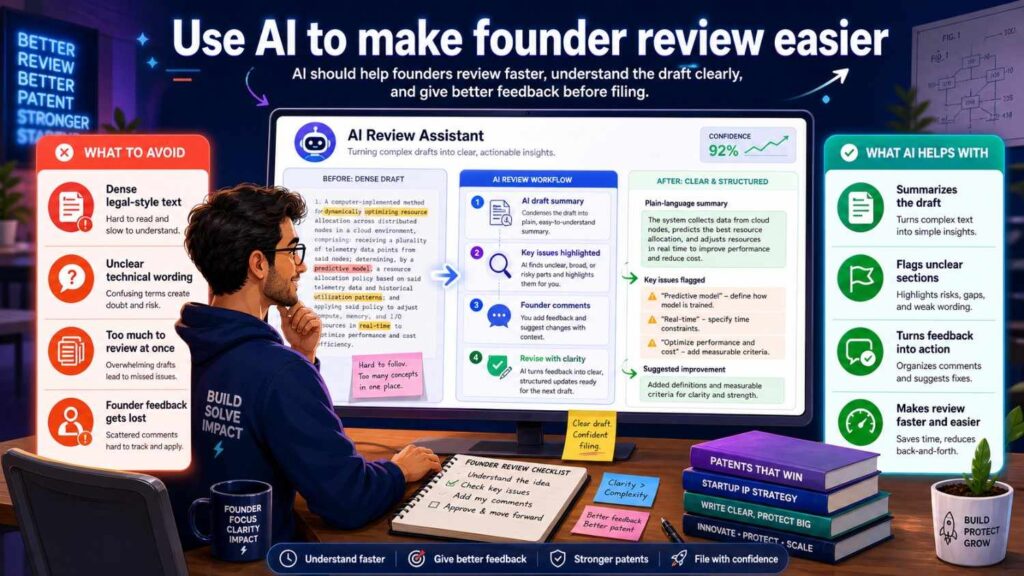
Founders are busy too.
AI can create a founder review summary.
It can explain what the draft appears to protect.
It can summarize the main claim in simple words.
It can list the business-relevant features.
It can flag whether the draft focuses on the dashboard, model, data flow, control action, or hardware.
It can list future versions covered.
It can list possible narrow limits.
The founder can then quickly decide whether the patent story matches the company story.
This makes founder review practical.
Keep the draft connected to the roadmap
A patent should protect not only what exists today, but also the future versions that matter.
Founders and inventors should discuss roadmap fit.
Will the system move from cloud to edge?
Will the dashboard become an API?
Will the model use more data types?
Will the system move from alerts to automatic control?
Will the hardware be used in more environments?
If future versions are likely and tied to the invention, the spec may need to support them.
The attorney can help decide how to include them.
AI can help draft them as examples.
But the team must make sure they are real and useful.
Do not add random future ideas just to sound broad.
Keep the draft connected to competitors
A good collaboration process should ask how competitors might copy the invention.
The founder may know the market.
The inventor may know which technical steps are hard to copy.
The attorney may know how to draft around design-arounds.
AI can help brainstorm possible workarounds.
For example, a competitor may use a different sensor. They may move processing to the cloud. They may show the output through an API instead of a dashboard. They may use a rule-based model instead of a neural network. They may send a recommendation instead of a command.
The team can decide which variations should be covered.
This helps avoid claims that are too easy to avoid.
Keep the draft connected to the figures
The figures should match the story.
If the story is about a model creating a score that changes an action, the figures should show that.
If the story is about edge processing, the figures should not show only cloud processing.
If the story includes training and use phases, the figures may need to show both clearly.
Inventors should verify figure accuracy.
Attorneys should verify figure support.
Founders should verify figure focus.
AI can help write figure descriptions and check labels, but humans must confirm meaning.
A figure that looks simple can carry a lot of weight.
Review it carefully.
Keep claims, spec, and figures aligned
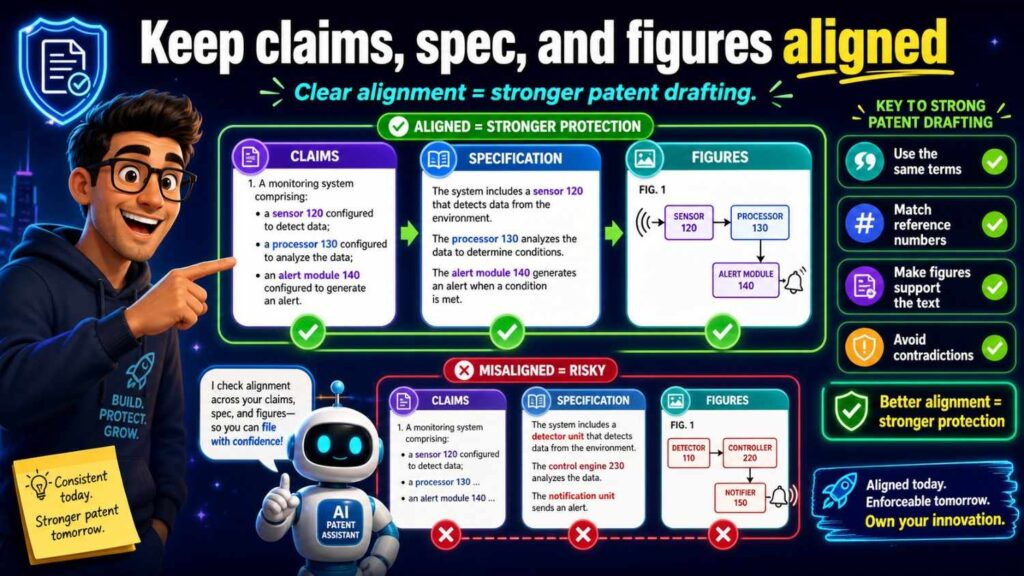
Claims, spec, and figures should tell the same invention story.
AI can draft these parts separately, which can create mismatch.
The claim may require one thing.
The spec may describe another.
The figure may show a third.
A collaboration workflow should include a consistency check.
Ask:
Do the claims use terms from the spec?
Does the spec explain every claim element?
Do the figures show the main claim flow?
Do figure labels match the spec?
Do optional features stay optional?
Does any section contradict the invention brief?
AI can help run this check. The attorney should review the results.
Consistency is one of the best signs of a strong draft.
Watch for overbroad AI language
AI may write broad phrases that sound impressive but do not help.
For example:
“The invention can be used in any industry with any data to improve any process.”
That is broad, but weak.
A better spec gives real examples that connect to the invention.
For example:
“The sensor data may include vibration data, temperature data, motor current data, acoustic data, pressure data, or other machine operation data.”
That is still broad, but more grounded.
The attorney can help decide how broad to go.
The inventor can confirm what is technically possible.
The founder can confirm what markets matter.
AI can help draft examples, but the team should choose them carefully.
Watch for narrow AI language
AI can also make the draft too narrow.
It may say the invention requires a mobile app, cloud server, neural network, camera, GPS module, or dashboard.
Those may be examples, not requirements.
Review strong words.
Must.
Always.
Only.
Required.
Necessary.
Essential.
Every.
If a feature is not truly required, do not write it that way.
This is one of the easiest ways for a team to improve an AI draft.
Keep the tone clear and professional
Patent drafts should be clear.
They do not need to sound dramatic.
Avoid hype.
Avoid words like revolutionary, game-changing, perfect, guaranteed, or best-in-class.
Use simple, careful language.
Say what the invention does.
Say how it may help.
Tie benefits to technical features.
For example:
“By generating the risk score before the machine reaches a failure state, the system may allow maintenance to be scheduled earlier.”
That is much better than:
“The system eliminates machine failure.”
Clear language builds trust.
Use AI to find repeated or stale sections
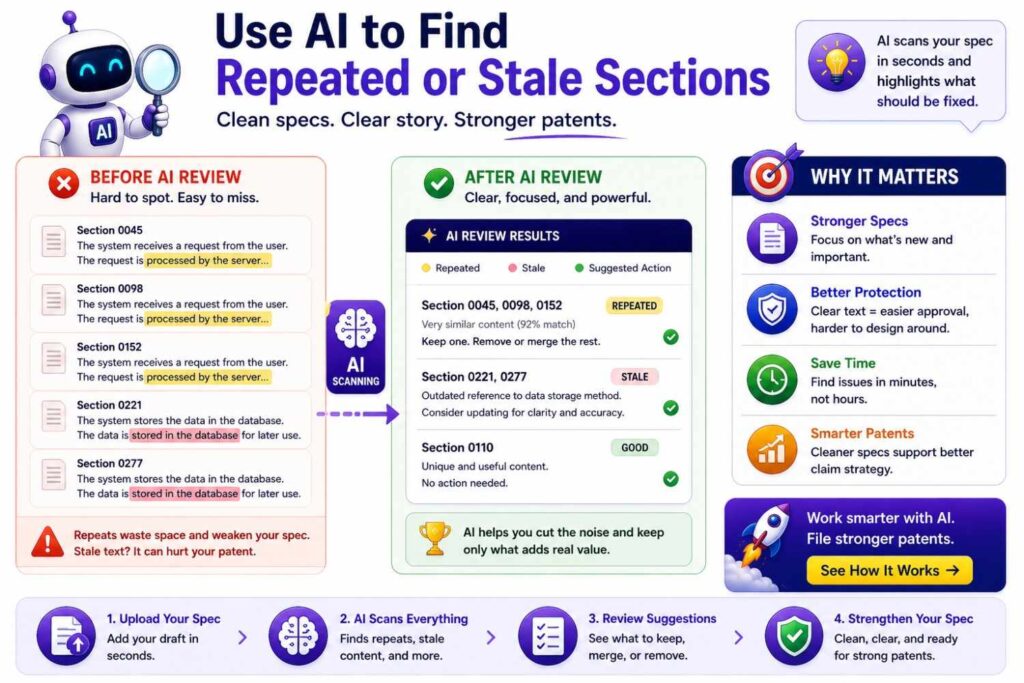
AI drafts may repeat the same idea in many ways.
Repetition is normal in patents, but too much can create confusion.
AI can help find near-duplicate sections.
It can also find stale sections that use old terms or old architecture.
Ask AI:
“Find sections that appear repeated or inconsistent with the current invention brief.”
Then review the results.
Do not remove support just to make the draft shorter. But do remove pointless repetition and old text.
A cleaner draft is easier for inventors, founders, and attorneys to review.
Collaboration before public disclosure
Startups often need to file before they share the invention publicly.
That may happen before a launch, demo, investor pitch, paper, open-source release, or partner meeting.
Collaboration is important when time is tight.
The founder should flag the deadline.
The inventor should provide the technical core.
AI should help organize and draft quickly.
The attorney should review filing strategy and quality.
The team should focus on the most important invention, not every possible side detail.
A clear workflow makes fast filing safer.
PowerPatent helps founders move faster before important public moments while still keeping patent attorney oversight in the loop. See how it works here: https://powerpatent.com/how-it-works
Collaboration after filing
The collaboration record remains useful after filing.
The invention brief, glossary, decision log, claim summaries, figure notes, and review comments can help later.
They may help with future filings.
They may help with continuation strategy.
They may help during investor due diligence.
They may help new team members understand the patent portfolio.
They may help attorneys remember why certain choices were made.
A good patent workflow creates useful records, not just a filing.
AI can help organize those records.
Collaborating when there are multiple inventors
Some inventions come from several people.
Each inventor may know a different part.
One person may understand the model.
Another may understand the data pipeline.
Another may understand the hardware.
Another may understand deployment.
AI can help collect input from each inventor and merge it into one brief.
But the merged brief should be reviewed.
Different inventors may use different terms.
They may disagree on what is required.
They may describe different versions.
The attorney may need to clarify who contributed what and how the invention should be framed.
The founder may need to decide which invention path is most important to the business.
Multi-inventor collaboration needs structure.
A shared glossary and source of truth are especially useful here.
Collaborating when the product has several inventions
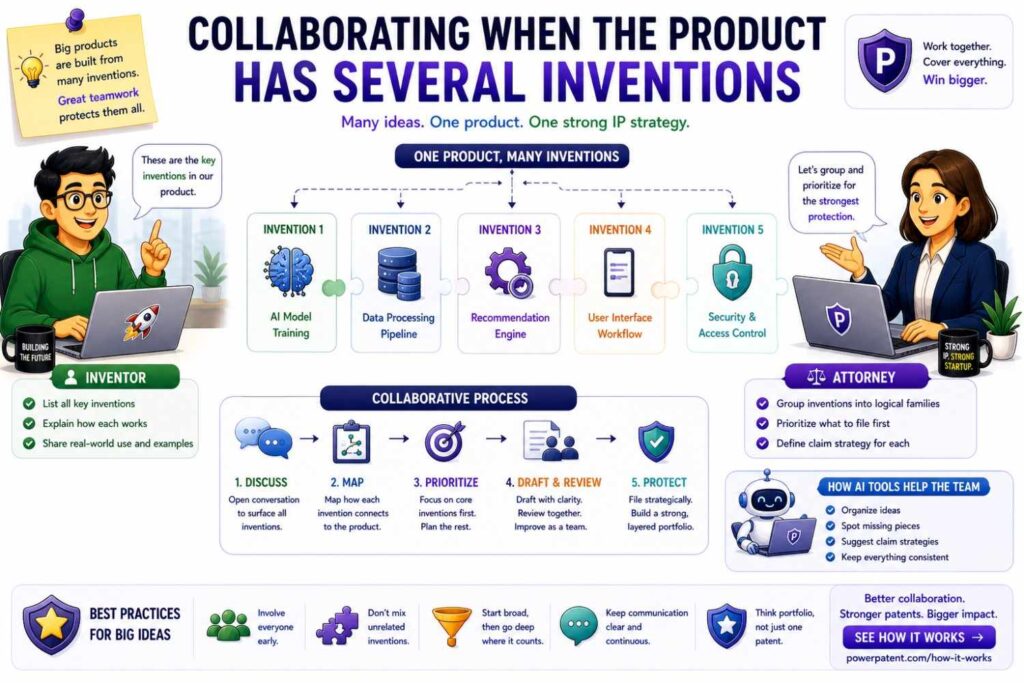
A single startup product may contain multiple inventions.
An AI robotics product may include a sensor fusion invention, a route planning invention, a safety override invention, and a model update invention.
AI may blend all of them into one draft.
That can make the patent unfocused.
The team should identify whether there are separate invention stories.
For each one, write a short brief.
Then the attorney can decide whether to include them together, separate them into different filings, or focus on one first.
This is a strategic decision.
Founders help prioritize.
Inventors explain technical links.
Attorneys guide filing structure.
AI helps summarize and compare.
This process helps build a stronger patent portfolio over time.
Collaborating with outside counsel
Many startups work with outside patent counsel.
AI can improve that relationship if used well.
Instead of sending scattered notes, the startup can send an invention brief, glossary, diagrams, open questions, and AI-organized summaries.
This helps outside counsel understand the invention faster.
It also reduces back-and-forth.
But counsel should still review the AI-generated material carefully.
The startup should be clear about what AI helped create and what has been confirmed by inventors.
Good outside counsel will appreciate better inputs.
PowerPatent helps streamline this kind of process by combining structured software workflows with patent attorney oversight. Learn more here: https://powerpatent.com/how-it-works
Collaborating with internal teams
If your startup has an internal technical team, make patent capture part of the product rhythm.
When a hard problem is solved, capture it.
When a model pipeline changes, capture why.
When a control method improves, capture the flow.
When a hardware design changes, capture the reason.
Do not wait months.
By then, details may be forgotten.
AI can help turn quick notes into invention briefs.
Attorneys can review the most important ones.
This creates a steady pipeline of potential IP.
It also prevents panic before public disclosures.
How collaboration helps investors understand IP
Investors want to know what makes the company defensible.
A clear patent draft can support that story.
A messy AI-generated draft may not.
When founders, inventors, and attorneys collaborate well, the patent is more likely to match the company’s actual moat.
That means the founder can explain it clearly.
For example:
“This filing protects our edge-based failure prediction system that changes maintenance timing before failure.”
That is clear.
It is much stronger than:
“We filed something around AI maintenance.”
A clear patent story helps fundraising conversations because it shows the company knows what it is protecting.
How collaboration helps avoid costly rework
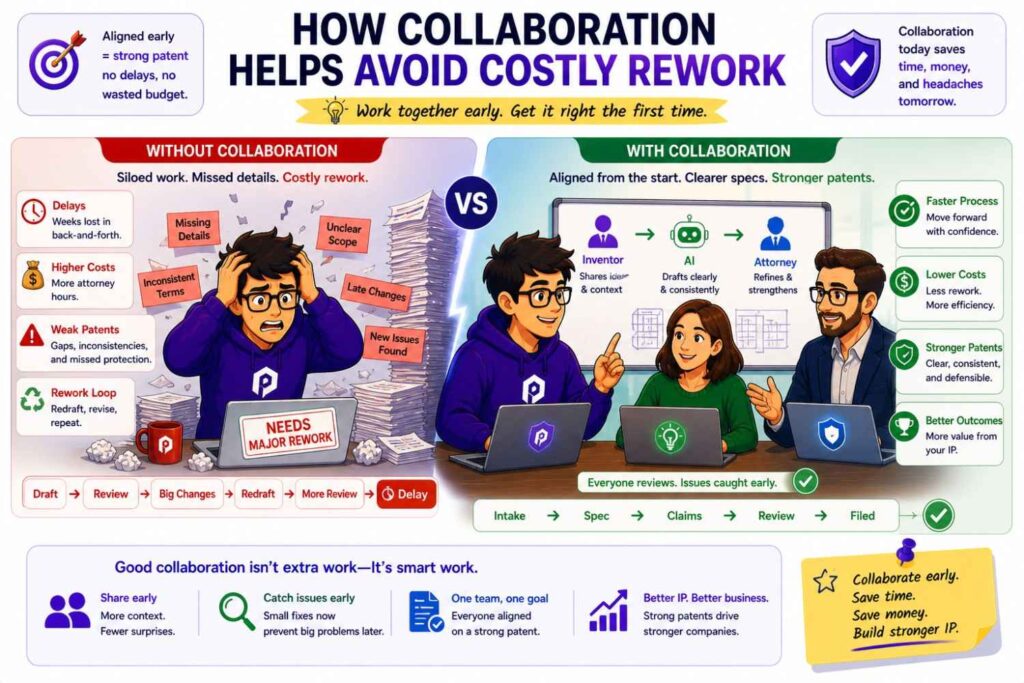
Bad collaboration causes rework.
The inventor reviews too late and finds technical errors.
The founder reviews too late and sees the claims focus on the wrong feature.
The attorney reviews too late and finds the spec does not support the claims.
The figures are outdated.
The AI draft includes fake details.
Now the team has to redo large parts of the application.
Good collaboration prevents this.
It brings the right people in early.
It uses AI to organize the work.
It checks assumptions before drafting.
It uses focused review passes.
It keeps decisions recorded.
That saves time and cost.
More collaboration problems to watch for
Some collaboration problems are easy to miss.
One problem is “everyone assumes someone else checked it.”
The inventor thinks the attorney checked technical accuracy. The attorney thinks the inventor checked it. The founder thinks AI handled consistency. In the end, nobody owns the issue.
Fix this by giving each review pass a clear owner.
Another problem is “the loudest comment wins.”
A founder may push for broad language, but the spec may not support it. An inventor may push for a narrow technical detail because it is the version they built, but the company may need broader protection. An attorney may use safe wording, but the founder may worry the business moat is not clear.
Fix this by using the invention brief and decision log.
A third problem is “AI rewrites too much.”
A useful correction may become a full rewrite. The rewrite may remove support, change terms, or add new assumptions.
Fix this by giving AI narrow revision instructions and reviewing the changes.
Collaboration does not need to be complex. It just needs clear ownership and clear decisions.
How to handle disagreement between inventor and founder
Inventors and founders may see the invention differently.
The inventor may focus on what was built.
The founder may focus on what the company needs to protect.
Both views matter.
For example, the inventor may say:
“We only built the camera version.”
The founder may say:
“We need to protect other sensors too because the roadmap includes vibration and radar.”
The attorney can help bridge this.
The attorney may ask whether other sensors are technically plausible and tied to the same invention. If yes, the spec may describe them as examples or alternatives. If not, the filing may stay closer to the built version.
This is a healthy discussion.
The goal is not to force broad language that is unsupported. The goal is to protect the invention as broadly as the facts allow.
AI can help by drafting alternative language, but people should make the decision.
How to handle disagreement between inventor and attorney
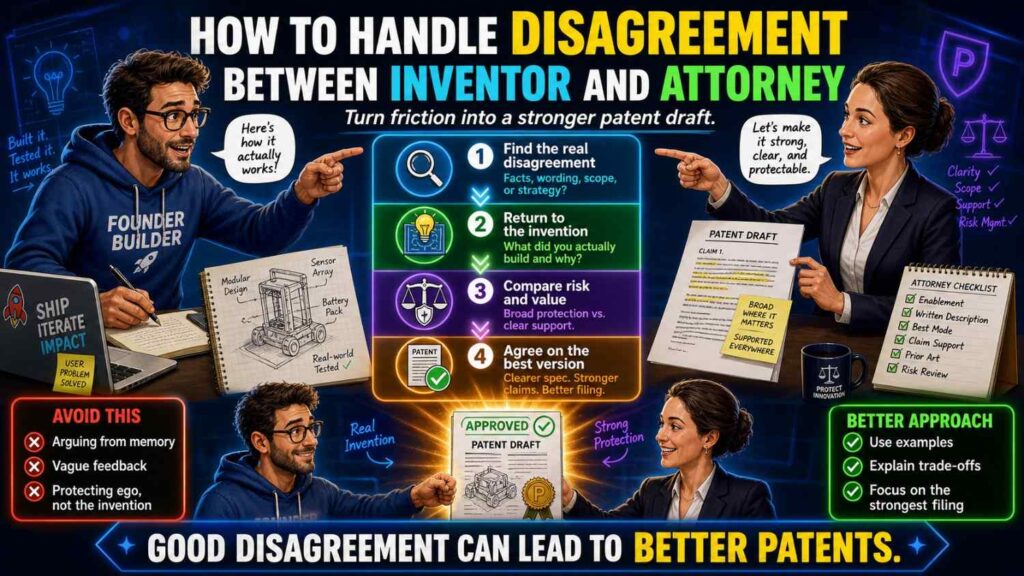
Inventors may want the draft to describe the exact product.
Attorneys may want broader language.
This can create tension.
The inventor may say:
“That is not exactly how we built it.”
The attorney may say:
“We are describing possible versions, not only the current build.”
Both may be right.
The solution is to mark examples clearly.
The draft can say:
“In one example, the system uses a camera.”
And also say:
“In other examples, the system may use another sensor type.”
This tells the inventor that the camera version is still described. It also keeps room for other versions.
Inventors should understand that a patent spec often describes more than the current product. Attorneys should still make sure alternatives are technically plausible and not careless guesses.
Clear labels solve many disagreements.
How to handle disagreement between founder and attorney
Founders may want broad patents.
Attorneys may warn that broad claims need support and may face challenges.
This is normal.
A founder may say:
“We want to cover all AI systems that do this.”
The attorney may say:
“The spec needs more technical detail and examples to support broader coverage.”
That is not resistance. It is protection.
Broad but unsupported language can be weak.
The better path is to build strong breadth.
That means explaining the core invention clearly, adding useful examples, describing real alternatives, and avoiding vague “any data, any system” language.
AI can help generate examples, but the team should choose the ones that are true and useful.
The founder sets the business goal. The attorney helps make the filing support that goal.
How to use AI during attorney meetings
AI can help before and after attorney meetings.
Before the meeting, AI can summarize the draft, list open questions, identify inconsistent terms, and create plain-language claim summaries.
During the meeting, the team can discuss the key issues.
After the meeting, AI can help turn decisions into clean revision instructions.
For example, after a meeting, AI can create:
“Decisions: keep cloud as optional; use ‘failure risk score’ as the main term; add examples for vibration and temperature data; remove GPS; describe automatic action and human approval as separate modes.”
The team should confirm the summary.
Then the draft can be revised.
This keeps meetings from turning into vague discussions that do not lead to action.
How to prepare inventors for review
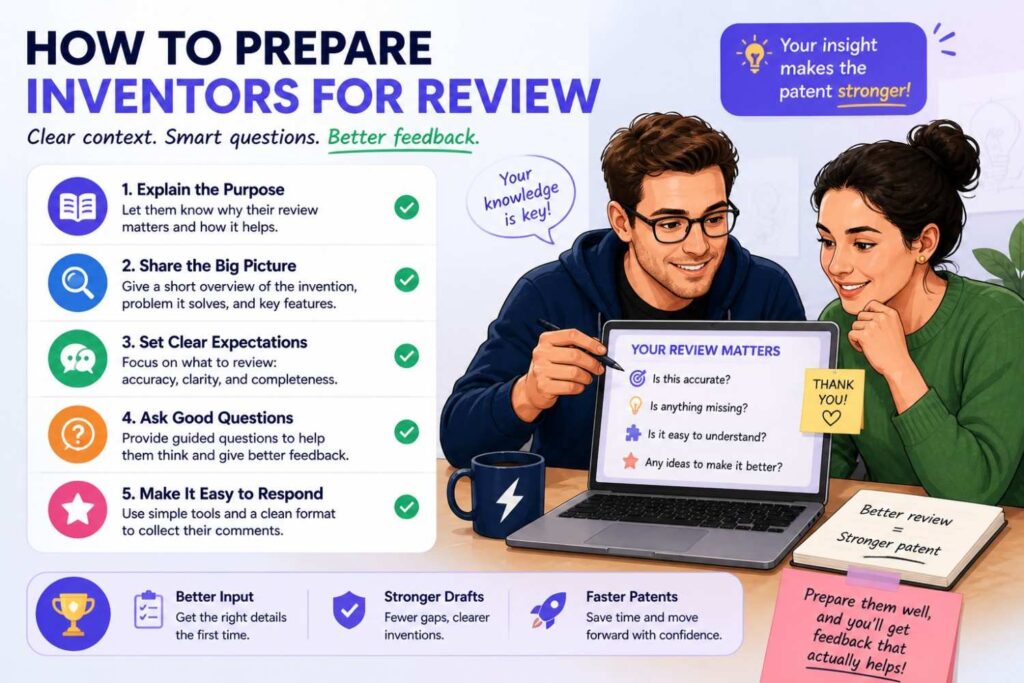
Inventors often review better when they know what to look for.
Before sending a draft, send a short note:
Please focus on whether the technical description is correct. Mark any fake parts, old architecture, wrong data sources, wrong model behavior, wrong step order, or optional features that are written as required.
This helps the inventor ignore legal style and focus on truth.
You can also send a shorter review packet instead of the full draft.
Include the invention story, main technical flow, figures, glossary, and assumptions.
Ask for corrections.
This saves time and gets better feedback.
How to prepare founders for review
Founders review better when they know the goal.
Before sending the draft, send a plain-language summary:
This draft appears to protect a system that receives machine sensor data, creates a failure risk score, and changes a maintenance schedule based on the score.
Then ask:
Does this match the moat?
Does this support the roadmap?
Are there future versions missing?
Does any detail feel too narrow?
Does anything sensitive appear?
Does this match how we explain the company?
This makes founder review practical.
The founder can respond quickly without reading every technical paragraph.
How to prepare attorneys for review
Attorneys review better when the input is organized.
Send the invention brief, glossary, figures, source notes, open questions, founder goals, inventor comments, and any AI-generated summaries.
Make clear what has been confirmed by the team and what is still uncertain.
For example:
Confirmed: model output is failure risk score.
Confirmed: cloud is optional.
Unconfirmed: whether model updates happen on device.
Founder goal: cover edge deployment and future API version.
Inventor concern: draft should not say GPS is required.
This helps the attorney focus on strategy and drafting rather than basic fact-finding.
Why comments should separate facts from preferences
Some comments are facts.
Some comments are preferences.
They should not be mixed.
A fact comment is:
“The model does not use GPS.”
A preference comment is:
“We prefer not to focus on the dashboard.”
A strategy comment is:
“We want claims to cover edge processing.”
Each type matters, but they should be understood differently.
Facts must be corrected.
Preferences should be discussed.
Strategy choices should be reviewed with the attorney.
AI can help classify comments, but the team should confirm.
This makes revision cleaner.
How to review the draft for business alignment
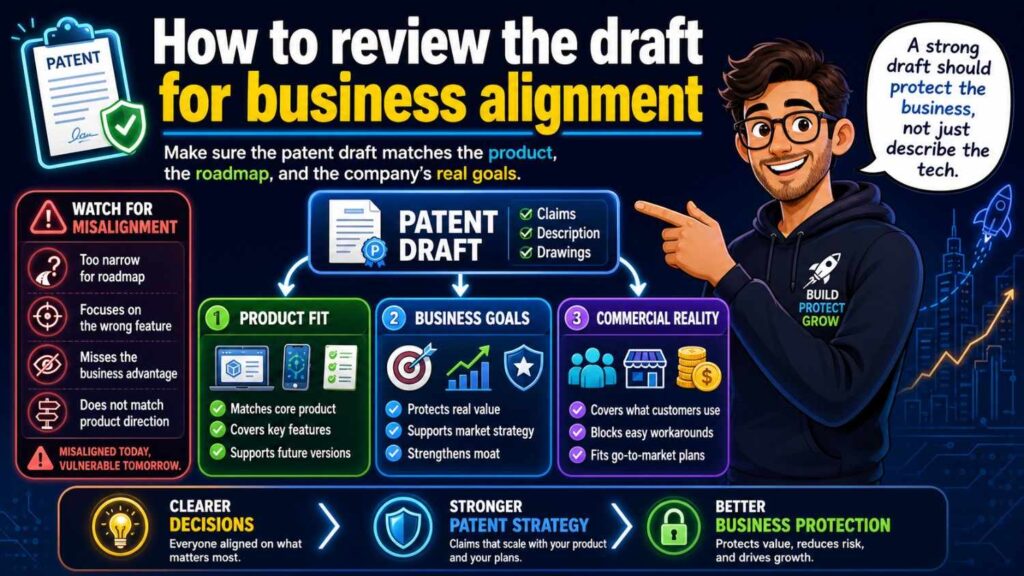
A founder-friendly business alignment review can be simple.
Read the plain-language claim summary.
Read the summary section.
Look at the main figure.
Read the main examples.
Then ask:
What does this patent appear to protect?
Is that the thing we want to protect?
Does it cover what competitors might copy?
Does it support our pitch?
Does it cover the next major product version?
Does it avoid unnecessary product limits?
Does it avoid exposing sensitive business details?
This review may take less time than a full technical review, but it can be very valuable.
A patent that misses business alignment may still be a well-written document, but it may not help the startup enough.
How to review the draft for technical truth
An inventor-friendly technical truth review should follow the system.
Start with the input.
Is the data correct?
Then check the processing.
Does the model or method work as described?
Then check the output.
Is the output named correctly?
Then check the action.
Does the system act, recommend, alert, schedule, control, or store?
Then check the location.
Where does each step happen?
Then check optional features.
What is required and what is not?
Then check figures.
Do they match the system?
This kind of review catches more than a normal read-through because it follows the invention’s logic.
How to review the draft for legal support
An attorney-led support review should connect claims to the spec.
Each claim element should have support.
Each important term should be explained.
Each broad phrase should have examples.
Each optional feature should be framed correctly.
Each figure should support the story.
Each fallback position should be described.
The attorney should also look for terms that may narrow the claim by accident.
This is not just cleanup.
This is where a patent draft becomes stronger.
The danger of “AI polish”
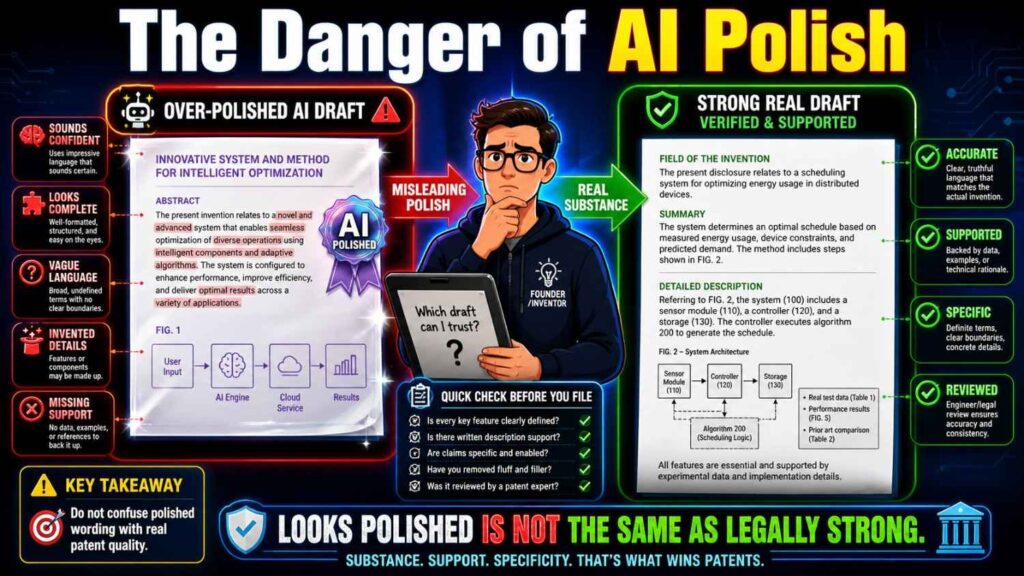
AI can make writing sound smooth.
That can hide problems.
A sentence may be polished but wrong.
A paragraph may be formal but unsupported.
A claim may sound broad but miss the invention.
A figure description may sound clear but describe the wrong architecture.
Teams should not confuse smooth writing with quality.
Quality means the draft is true, clear, supported, and strategically useful.
That requires human review.
The danger of “inventor tunnel vision”
Inventors may focus on the exact version they built.
That is understandable.
But a patent may need to cover broader versions.
For example, the inventor may say:
“We use a neural network.”
The attorney may ask:
“Does the invention require a neural network, or could another model create the same score?”
If another model could work, the spec may say the model can be a neural network or another prediction model.
This does not make the inventor wrong. It protects the broader idea.
Collaboration helps balance exact truth with useful breadth.
The danger of “founder overbreadth”
Founders may want the patent to cover everything.
That is also understandable.
But the spec must support the scope.
If a founder says the patent should cover every possible AI system in a market, the attorney may need to narrow the claim to the actual technical invention.
Broad filing goals should be grounded in technical support.
AI can help write broad language, but broad language without support may not help.
Strong patents are not just wide. They are well supported.
The danger of “attorney-only framing”
Attorneys are experts in patent drafting, but they need deep invention input.
If the attorney only receives a short product summary, the draft may miss the real technical edge.
This is not because the attorney lacks skill. It is because the facts were not provided.
AI can help gather better facts before attorney drafting.
Inventor interviews, diagrams, source notes, and structured briefs make attorney work stronger.
Good collaboration gives attorneys the material they need to protect the invention well.
How PowerPatent helps teams collaborate
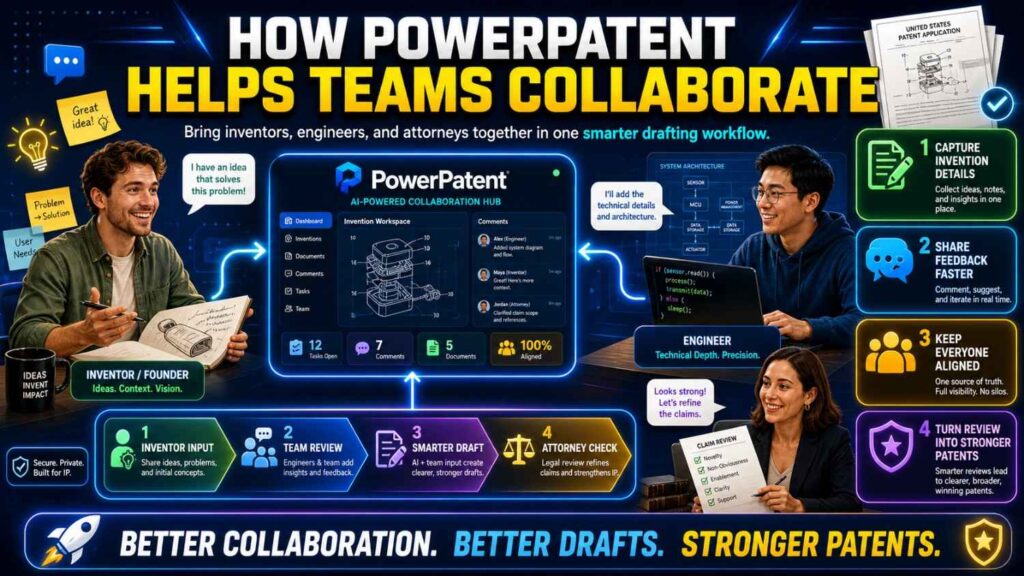
PowerPatent helps startups collaborate on patent work in a more modern way.
The platform helps founders capture invention details, organize technical inputs, use AI to speed drafting, and keep real patent attorneys involved.
This matters because startups need both speed and quality.
AI alone can be fast but risky.
Traditional patent work can be careful but slow.
PowerPatent brings the two together: smart software plus real attorney oversight.
That means founders can move faster, inventors can provide better input, and attorneys can focus on protecting the right invention.
You can see how PowerPatent works here: https://powerpatent.com/how-it-works
A practical collaboration workflow
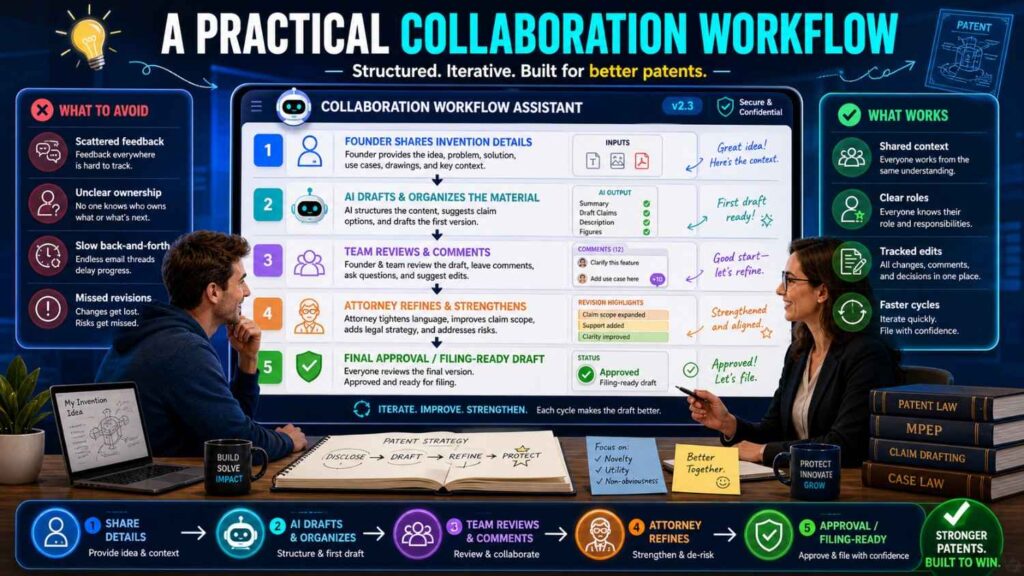
A simple collaboration workflow can look like this.
Start with a short invention story.
Create an invention brief.
Add a glossary.
Mark required features, optional features, and things to avoid.
Ask AI to list assumptions before drafting.
Use AI to create a first spec draft.
Have the inventor review technical truth.
Have the founder review business fit.
Have the attorney review claim strategy and support.
Use AI to create claim summaries and support maps.
Review figures as a team.
Fix term drift, fake details, false limits, and contradictions.
Have the attorney complete final review before filing.
This workflow is simple enough for a busy startup.
It is also strong enough to reduce the biggest AI drafting risks.
Final thoughts
AI can make patent drafting faster.
But strong patents still need strong collaboration.
Inventors know the truth of the technology. Founders know what matters to the business. Attorneys know how to shape protection. AI helps the team move faster and stay organized.
The best drafts happen when these roles work together.
Start with a shared invention story. Build a clear invention brief. Use a glossary. Make assumptions visible. Keep comments clear. Review in focused passes. Let AI summarize, compare, and flag issues. Let inventors confirm technical facts. Let founders check the moat. Let attorneys guide scope and filing quality.
That is how startups can use AI without losing control of the patent story.
A patent draft should not be a mystery document that sounds legal but misses the invention.
It should be a clear, well-supported record of what your team built and why it matters.
PowerPatent helps founders create stronger patent filings faster with smart software and real patent attorney oversight. Learn how it works here: https://powerpatent.com/how-it-works