You have a new idea. It feels fresh. It feels useful. It may even become the core of your startup.
But before you spend months building, pitching, filing, or sharing it, you need to answer one hard question:
Has someone already done this before?
That is where an invention search strategy comes in.
A good search does not just help you find old patents. It helps you understand the space around your idea. It helps you see what others tried, where they stopped, and where your invention may be different. It also helps you write a stronger patent later.
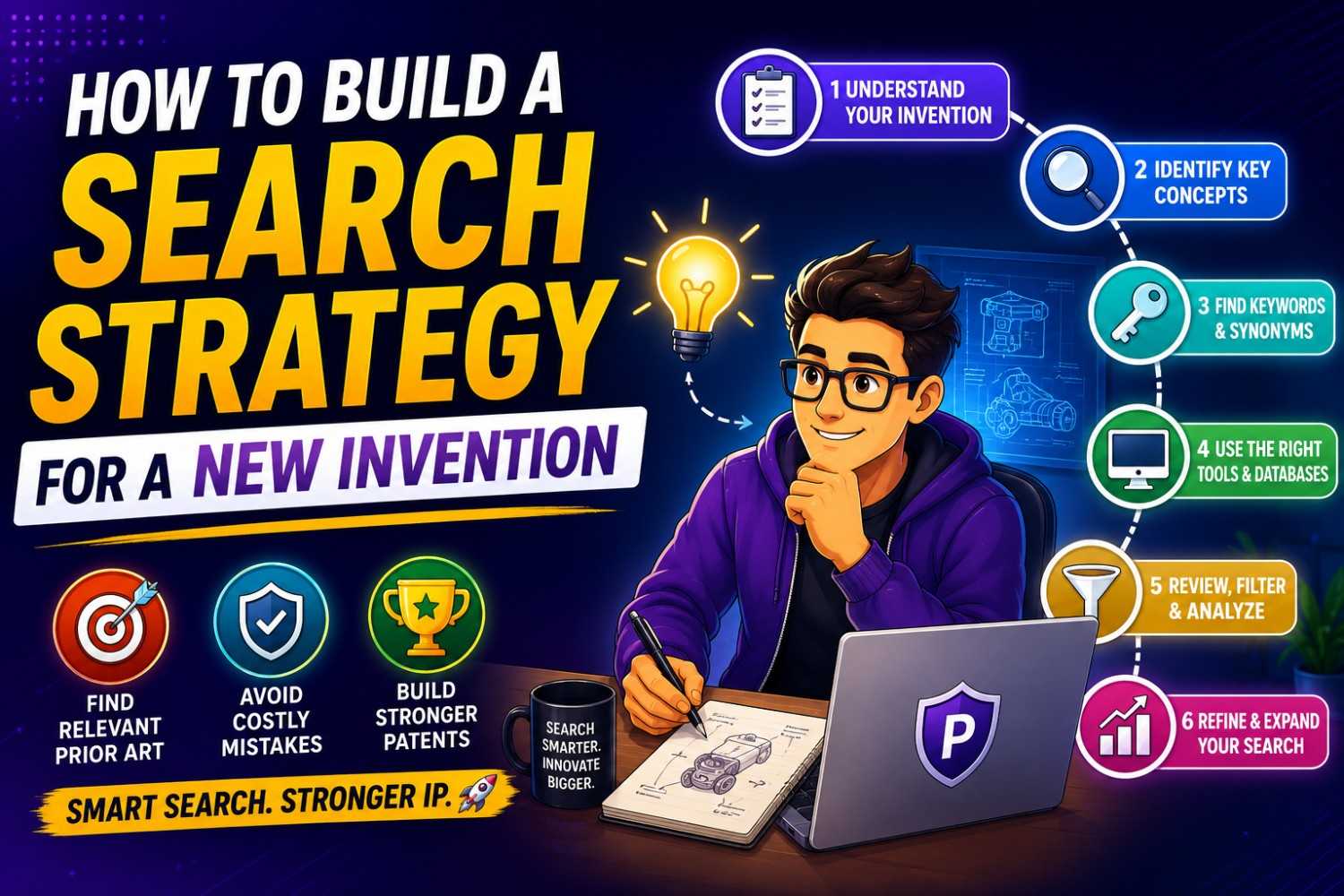
This guide will show you how to build a clear search strategy for a new invention, step by step, in plain words.
And when you are ready to turn your search work into a real patent plan, PowerPatent can help you move faster with smart software and real attorney oversight. You can see how it works here: https://powerpatent.com/how-it-works
Start With the Real Goal of the Search
Many founders search the wrong way.
They open Google Patents, type the name of their idea, skim a few results, and stop. That feels like a search, but it is not a strategy.
A real invention search has a sharper goal.
You are not just trying to find one patent that looks the same as your idea. You are trying to map the field around your idea. You want to know what problems people have worked on, what solutions they used, what words they used, and what gaps still remain.
Think of it like walking into a dark room with a flashlight. At first, you only see one small spot. As you move the light around, the room becomes clear. A search strategy is how you move the light.
For a new invention, your search should answer five simple questions.
What problem does the invention solve?
What parts make the invention work?
What steps does the invention perform?
What words do other people use for the same idea?
What makes your version different?
These questions matter because patent search is not only about names. In fact, names can mislead you. Your team may call your invention a “smart routing engine,” while another patent calls the same kind of thing a “dynamic path selection module.” A medical founder may call something a “patient risk score,” while an old filing calls it a “clinical event prediction value.”
The same idea can hide under many names.
That is why you do not search only for your favorite phrase. You search by problem, function, parts, steps, users, data, hardware, software, and outcomes.
This is also why patent search can feel hard for engineers. Engineers often think in direct terms. Patent records often use broad, strange, or careful terms. The search strategy bridges that gap.
Before you search, pause and write one clean sentence:
My invention helps [user] do [task] by using [core method] so they can get [result].
For example:
“My invention helps cloud teams reduce compute waste by using a model that predicts idle workloads so they can shut down resources before cost spikes.”
That sentence is not your patent claim. It is your search anchor. It keeps you from drifting.
At PowerPatent, we often see founders skip this step and jump right into tools. That can lead to weak searches and missed risks. A better search starts with clear thinking. The tools come next.
When you are ready to move from rough idea to structured patent work, PowerPatent helps you shape the invention with guided software and real patent attorney review. Start here: https://powerpatent.com/how-it-works
Write Down the Invention Before You Search
You cannot search well for something you have not described well.
That sounds simple, but it is where many searches break.
A founder may say, “We invented a better AI assistant for doctors.” That is not enough. It is too broad. It could mean hundreds of things. It could mean note writing, patient intake, diagnosis support, billing codes, drug checks, image review, follow-up messages, or care plans.
A search needs detail.
You do not need a polished patent draft yet. You do need a plain description of how the invention works.
Write it like you are explaining it to a smart friend who is not on your team. Keep it simple. Do not try to sound legal. Do not try to sound fancy.
Start with the problem. What pain does your invention solve? Is it slow? Costly? unsafe? hard to scale? hard to measure? hard to automate? easy to hack? prone to errors?
Then describe the user. Who uses it? A developer? A surgeon? A factory worker? A drone operator? A security team? A lab scientist? A customer support agent? A robot? Another system?
Next, describe the input. What does the invention receive? Images? Voice? Sensor data? Code? Logs? Payments? User actions? Machine states? Video streams? Patient data? Location data?
Then describe what happens inside. What is the main process? Does it rank, filter, train, detect, match, compress, route, monitor, encrypt, predict, simulate, or control something?
Then describe the output. What does it produce? A score? A command? A warning? A map? A design? A choice? A report? A new file? A changed machine setting?
Finally, describe what is better about it. Is it faster? cheaper? more exact? safer? more private? easier to use? better at edge cases? less power-hungry? more stable?
This written description becomes your search base.
Here is a simple example.
“Our system watches live database queries, groups similar query patterns, predicts which ones will cause slowdowns, and then changes index settings before the slowdown happens. It does this without needing a human database admin to review each query.”
That description gives you many search angles. You can search live database queries. You can search query grouping. You can search slowdown prediction. You can search automatic index tuning. You can search database performance before failure.
One idea has many doors.
A weak search uses one door. A strong search uses all of them.
This is also the point where you should capture drawings, flow charts, screenshots, model diagrams, and design notes. They help you see search terms you may forget. They also help later when you file.
A good invention record should answer what the invention does, how it does it, and why it matters.
PowerPatent is built to help founders collect this kind of invention detail without slowing down the team. You can bring code, product notes, and technical context into a guided workflow, then work with real patent attorneys to turn that into a stronger filing path. Learn more here: https://powerpatent.com/how-it-works
Split the Invention Into Search Blocks

A new invention can feel like one big thing. But search works better when you split it into smaller blocks.
Think of your invention as a machine made of parts. Some parts may be common. Some parts may be new. Some parts may only matter because of the way they work together.
Your search should look at each block.
A good search block is one piece of the invention that can be searched on its own.
For a software invention, blocks may include data input, data cleaning, model training, model use, user feedback, system action, security layer, user interface, and output format.
For a hardware invention, blocks may include sensor placement, material choice, part shape, control method, power system, cooling method, signal path, assembly method, and use case.
For a biotech invention, blocks may include sample type, marker set, lab process, detection method, scoring method, treatment link, and device format.
For a robotics invention, blocks may include sensing, path planning, grasping, force control, error handling, remote control, safety stop, and task learning.
You do not need to search every block with the same depth. The point is to find the parts that may carry the real value.
Let’s use an example.
Suppose your startup built a wearable device that detects worker fatigue using motion data and sends a warning before a safety risk rises.
Search blocks may include wearable fatigue detection, motion-based safety prediction, worker alert systems, fatigue scoring from sensor data, real-time risk thresholds, and workplace safety wearables.
Each block gives you a different search path.
Now go deeper. What is truly special?
Maybe the wearable itself is not new. Maybe motion data for fatigue is not new. Maybe alerts are not new. But your system learns each worker’s normal movement pattern over time and adjusts the risk score based on task type, shift length, and past near-miss events.
That special mix may become the key search block.
So your strategy should not stop at “fatigue wearable.” It should search the special parts too.
Many founders worry when they find old patents with similar broad words. Do not panic. A broad match does not always mean your invention is dead. It may only mean the space exists.
The real question is whether the old record shows your specific way of solving the problem.
This is why search blocks matter. They help you compare your idea with care.
A strong search is not a yes-or-no game. It is a map.
Search the Problem, Not Just the Product
Founders often search the product name. That is natural. You are proud of the product. But patents are usually not written like product pages.
A product name may be “FlowPilot.” The patent may talk about “automated control of fluid movement based on pressure feedback.” A product name may be “CodeShield.” The patent may talk about “static analysis based detection of insecure dependency chains.”
Product names rarely help at the start.
Search the problem instead.
Ask what pain existed before your invention. Search that pain in plain words. Then search it in more technical words.
For example, if your invention improves battery life in drones, search “drone battery life,” but also search “unmanned aerial vehicle power management,” “flight time optimization,” “battery discharge control,” and “energy aware route planning.”
If your invention helps sales teams detect bad CRM data, search “bad CRM data,” but also search “customer record deduplication,” “data quality scoring,” “contact enrichment validation,” and “sales database anomaly detection.”
If your invention makes AI models safer, search the kind of failure you prevent. Search “prompt injection,” “model hallucination detection,” “unsafe output filter,” “AI policy enforcement,” “retrieval grounding,” and “model response verification.”
A problem-based search finds records that a product-based search misses.
It also helps you see how the field has changed over time.
Sometimes the problem has existed for years, but old solutions were weak. That can be good news. It may show that the problem is real and valuable. Your invention may be strong because it solves the same pain in a better way.
Other times, the search reveals that many people tried similar solutions. That is also useful. It tells you to get more precise. You may need to focus the patent on your exact method, not the broad goal.
This is one of the biggest mindset shifts in patent work.
You do not patent a wish. You patent a way.
“Make AI safer” is a wish.
“Detect when a retrieved source does not support a generated answer by comparing claim-level text spans before output is shown” is closer to a way.
The search should help you find that way.
When PowerPatent works with founders, the goal is not to bury them in patent terms. The goal is to help them see the invention clearly, capture what matters, and move toward protection with more confidence. See the process here: https://powerpatent.com/how-it-works
Build a Word Bank Before You Search Deeply
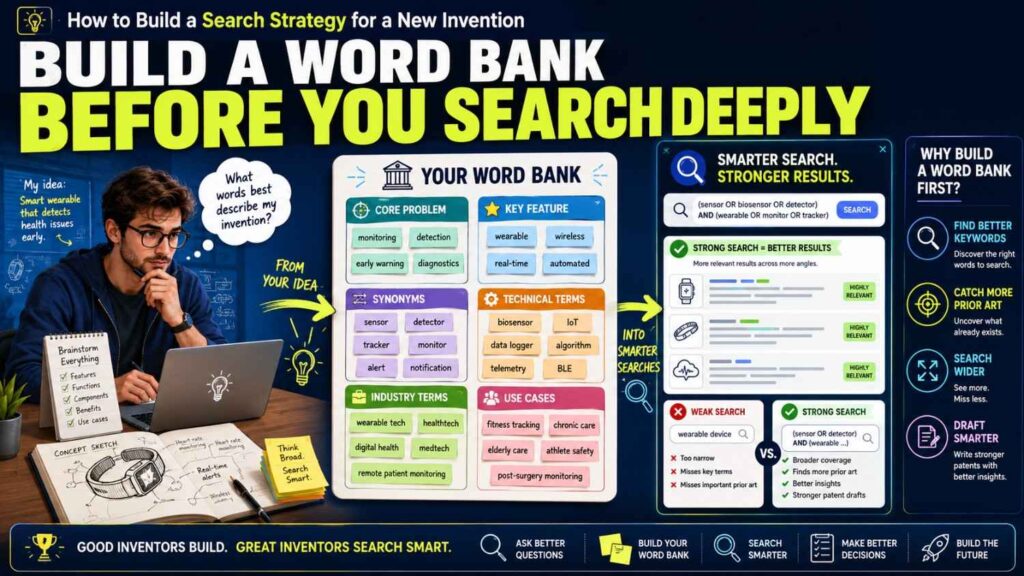
A patent search lives or dies on words.
The hard part is that inventors, users, engineers, and patent writers may all use different words for the same thing.
That means you need a word bank.
A word bank is a set of terms you may use during the search. It includes simple words, technical words, older words, industry words, and patent-style words.
Start with your own words. Write the words your team uses in Slack, code comments, product specs, and pitch decks.
Then add user words. What would a customer call the problem? What would they type into Google? What words show up in support tickets, sales calls, or research notes?
Then add technical words. These may come from papers, docs, APIs, standards, or open-source tools.
Then add broad patent words. Patent records may call software a “module,” “engine,” “processor,” “routine,” “logic,” “system,” or “method.” They may call AI a “model,” “classifier,” “neural network,” “machine learning algorithm,” or “prediction engine.” They may call a user action an “input,” “selection,” “event,” “command,” or “interaction.”
Your word bank should include verbs too.
Verbs are powerful in patent search because inventions often do things. They detect, rank, match, route, train, infer, compress, encrypt, segment, predict, modify, score, approve, block, trigger, or display.
For example, suppose your invention “checks whether a code change will break an API contract.”
Your word bank may include code change, commit, pull request, API contract, interface, schema, endpoint, backward compatibility, breaking change, version check, static analysis, test generation, contract testing, dependency check, service interface, and build pipeline.
The verbs may include detect, compare, validate, reject, flag, simulate, parse, test, generate, and block.
Now your search is much richer.
A word bank also helps you avoid one of the worst search mistakes: using the same phrase again and again.
If “API contract testing” does not find much, you can try “service interface validation.” If that opens a new set of patents, you learn how the field talks.
As you search, keep adding new words. Every strong result should teach you new terms. Old patents are not just results. They are dictionaries.
When you find a patent that feels close, read the title, abstract, and first claim. Look for words you did not use. Add them to the bank.
This is how the search gets smarter as it goes.
Use Search Questions, Not Just Search Terms
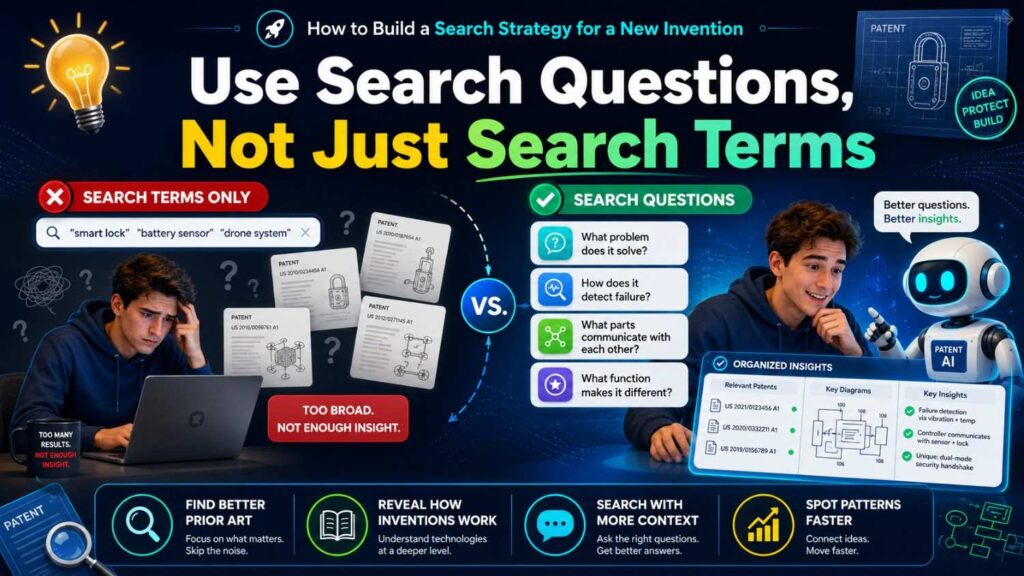
A term is only a word.
A search question has intent.
Before you type into a database, write the questions you want the search to answer. This keeps your search focused.
For example, instead of only searching “robot arm grip sensor,” ask:
Has anyone used sensor feedback to change grip force during a task?
Has anyone predicted object slip before it happens?
Has anyone used camera data and force data together for grip control?
Has anyone adjusted grip based on object material?
Has anyone learned grip settings from past failed attempts?
Each question points to a different part of the invention.
A founder building an AI coding tool might ask:
Has anyone generated test cases from code changes?
Has anyone predicted which files are affected by a pull request?
Has anyone used runtime logs to guide code review?
Has anyone scored code risk before merge?
Has anyone linked code review comments to later production issues?
These questions are more useful than one broad search for “AI code review.”
Good questions help you search like an inventor, not like a shopper.
They also help you spot what is missing. You may find many tools that generate tests, but few that use runtime logs. You may find many systems that score code risk, but none that update the score after a post-deploy incident. That gap may matter.
A strong search strategy should include both wide questions and narrow questions.
Wide questions help you learn the field. Narrow questions help you test your unique angle.
Do not start too narrow. You may miss the forest. Do not stay too wide. You may drown in results.
Move back and forth. Search wide. Learn the words. Search narrow. Compare details. Then widen again with better terms.
That rhythm is how you build a useful view.
Know Where to Search First
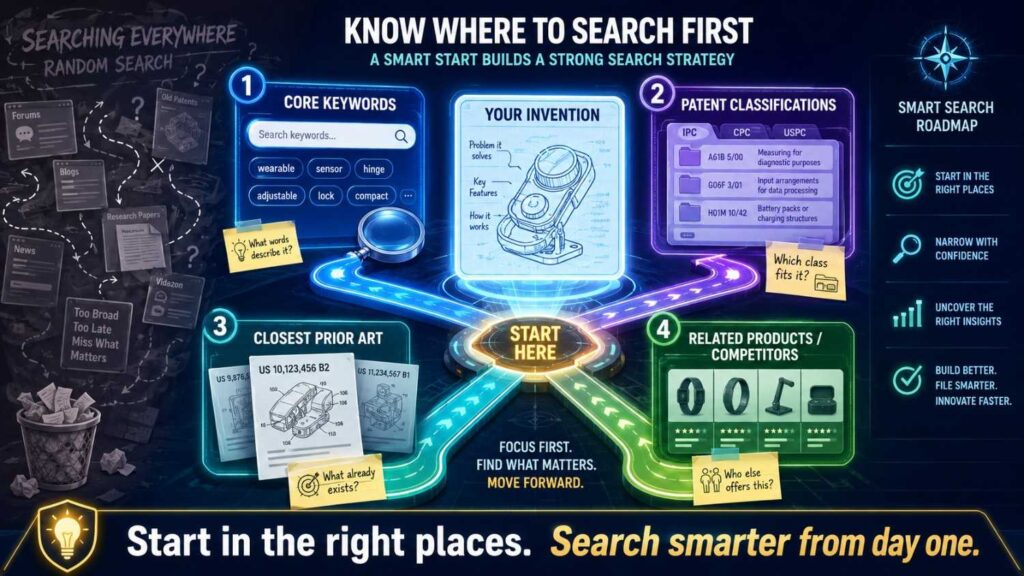
Most founders start with Google because it is easy. That is fine for a first pass. But a serious invention search should use more than one place.
A good search often starts with patent databases because they show earlier filings. Google Patents is a common starting point because it is easy to use and covers many patent records. The USPTO search tools can also be useful for United States patents and applications. Espacenet can help with international patent records. WIPO Patentscope is useful for international patent applications.
You should also search non-patent sources.
That means papers, product pages, GitHub repos, blog posts, technical docs, standards, videos, white papers, conference slides, and public demos.
Why? Because old public information can matter, even if it is not a patent.
A search for a new invention should not only ask, “Did someone patent this?” It should also ask, “Was this already publicly known?”
For software and AI startups, non-patent search can be very important. Many ideas appear first in papers, open-source projects, or engineering blogs. For hardware, public product manuals and teardown posts can matter. For medical devices, journal articles and clinical trial records can matter. For telecom, standards documents can matter.
This does not mean you need to read the whole internet.
It means your search strategy should include both patent records and public technical material.
Start with patent search to learn the formal language. Then use those words in web search and paper search. Then bring new public terms back into patent search.
For example, you may search patents for “vector database query optimization.” You may find patents using “nearest neighbor search,” “embedding index,” and “approximate similarity search.” You can then search those terms in papers and open-source docs. You may find new phrases like “HNSW,” “ANN index,” or “hybrid search.” Then you can bring those back into patent search.
Each source feeds the next.
This is why a search strategy is more than a few searches. It is a loop.
Start Broad, Then Tighten

At the start, your goal is not to prove your invention is new. Your goal is to learn.
So begin broad.
Use fewer words. Search the problem area. Search the user and the task. Search the core result.
If the invention is about reducing false alarms in home security cameras, start with broad searches like “camera false alarm detection,” “motion event filtering,” and “security camera object detection.”
Read the first page of results. Do not judge too fast. You are looking for patterns. What words appear often? Which companies show up? Which old patents seem close? What technical areas repeat?
Then tighten.
Add the special part of your invention. Maybe your system uses package delivery schedules, known pet movement patterns, and weather data to reduce false alarms. Now search “security camera false alarm pet detection,” “camera motion event weather filtering,” “delivery person recognition security camera,” and “home camera alert suppression based on context.”
As results get closer, tighten again.
Search exact combinations. Search the core process. Search the output. Search the data sources together.
The best searches often happen after you have read twenty weak results. Those weak results teach you better words.
Do not treat weak results as wasted time. They are part of the path.
A broad search also helps you avoid false comfort.
If you only search your exact phrase and find nothing, that does not mean the field is empty. It may mean you used the wrong phrase.
A founder may search “AI lab notebook assistant” and find little. But the space may be full of “electronic laboratory notebook automation,” “experiment record generation,” “scientific workflow capture,” and “research data annotation.”
Broad first. Tight later.
That is the safer path.
Search by Function
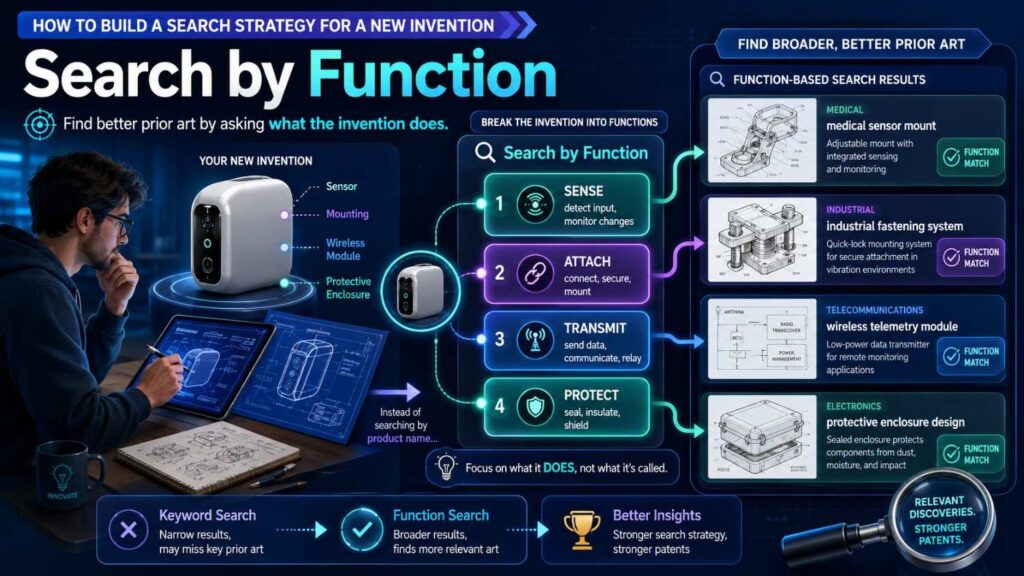
Function means what the invention does.
Function search is one of the strongest ways to find related work because two inventions can have different names but perform the same job.
For example, your invention may be called a “smart inbox triage tool.” Its function may be “classifying messages by urgency and routing them to the right person.”
Search the function.
Do not only search “smart inbox.” Search “message urgency classification,” “automatic email routing,” “priority-based message handling,” and “communication task assignment.”
For hardware, function may be “dampening vibration,” “cooling a battery pack,” “locking a joint,” “measuring pressure,” or “separating particles.”
For software, function may be “ranking results,” “detecting fraud,” “grouping users,” “compressing files,” “masking data,” or “triggering alerts.”
For AI, function may be “training a model,” “checking model output,” “selecting training data,” “detecting drift,” “adjusting a prompt,” or “scoring confidence.”
Function search works because patent records often describe systems by what they do rather than by a market label.
When you search by function, include both the action and the object.
“Ranking” alone is too broad.
“Ranking medical images by urgency” is better.
“Ranking medical images based on predicted stroke risk” is stronger.
The action tells the database what happens. The object tells it where. The reason or result tells it why.
A strong function search may use a phrase like:
“detecting abnormal machine vibration before failure”
That phrase has an action, an object, and an outcome.
You can then vary each part.
Detecting can become predicting, identifying, monitoring, classifying, or estimating.
Abnormal vibration can become vibration anomaly, vibration pattern, machine signal, sensor data, or mechanical oscillation.
Before failure can become fault prediction, maintenance alert, breakdown prevention, or health monitoring.
Now you have a search family.
That is far stronger than one keyword.
Search by Structure
Structure means what the invention is made of.
This is very useful for physical products, devices, circuits, and systems with clear parts. It can also help with software systems, where structure may mean components, data stores, models, APIs, interfaces, or pipelines.
A structural search asks: what parts are present, and how are they connected?
Suppose you invented a low-cost sensor module for cold-chain shipping. Search the parts. Temperature sensor. Humidity sensor. Wireless transmitter. Battery. Package label. Flexible substrate. Data logger. Tamper seal.
Then search connections. Sensor embedded in label. Battery connected to flexible circuit. Transmitter inside package seal. Data logger attached to shipping container. Sensor patch on vaccine box.
The structure may reveal close patents that function search misses.
For example, a prior patent may not use the phrase “cold-chain compliance.” It may simply describe “a temperature sensing label for a shipping container.” That could still matter.
In software, structure search works too.
Suppose your invention is a system that checks AI-generated answers before sending them to a user. The structure may include a user query, retrieval engine, language model, source checker, policy engine, confidence score, and output gate.
Search those parts together.
“language model source checker output gate”
“retrieval engine confidence score answer verification”
“policy engine generated response blocking”
Each structure search creates a different window.
Structure is also helpful when your invention is a combination. Many inventions are not one new part. They are a new arrangement of parts.
The parts may be known. The way they work together may be new.
That is why you should not give up just because each piece has appeared before. Search for the combination. Search for the data flow. Search for the order of steps. Search for the control loop. Search for the trigger.
The magic may be in the arrangement.
Search by Steps
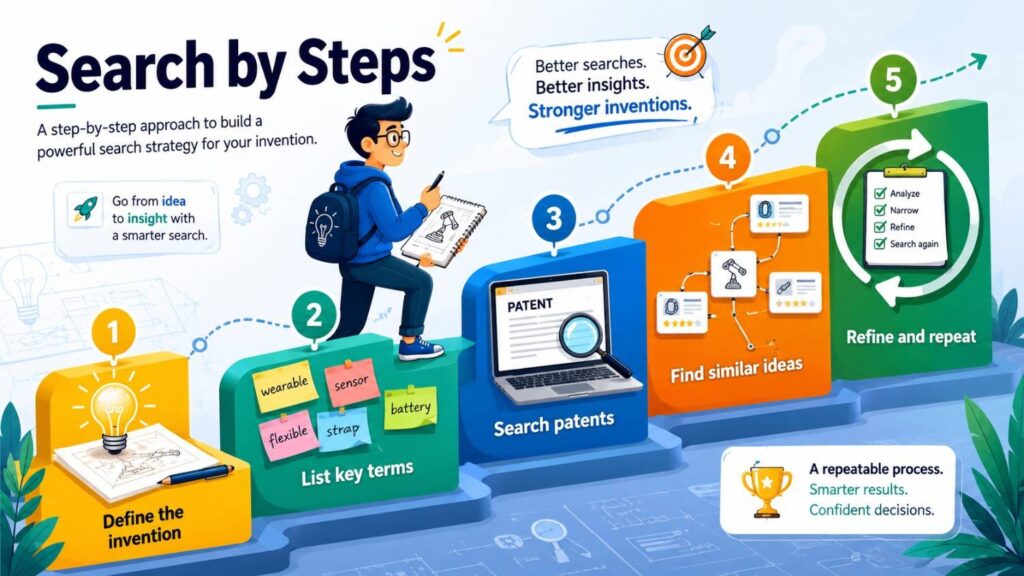
Many inventions are best described as a method.
A method is a set of steps. It starts somewhere, does work, and ends with a result.
For search, steps are gold.
Write the method in plain order.
For example:
The system receives a code change.
It finds the affected services.
It checks past incidents linked to those services.
It predicts risk.
It blocks merge or asks for review when risk is high.
Now search parts of that sequence.
“predicting risk of code change based on past incidents”
“blocking merge based on service incident history”
“identifying affected services from pull request”
“software deployment risk score incident data”
These searches are much better than “AI DevOps tool.”
Step search helps because patent claims often describe inventions as methods. They may use words like receiving, determining, generating, comparing, selecting, transmitting, updating, or displaying.
You can use those words too, but keep the search natural.
For example, search “receiving sensor data determining risk generating alert” if you are in a patent database. Search “sensor data risk alert system” in broader search.
The order of steps matters. If your invention’s strength is that it performs a check before an action, search that timing. If it updates a model after user feedback, search that loop. If it only triggers under certain conditions, search that condition.
Many weak searches ignore timing.
But timing can be the heart of the invention.
A medical system that alerts after a doctor opens a record is different from one that alerts before the patient arrives. A network system that routes traffic after congestion happens is different from one that predicts congestion early and changes routing first. A robot that corrects grip after an object slips is different from one that predicts slip and adjusts before the slip.
Search the steps. Search the order. Search the trigger.
That is where useful results often appear.
Search by Use Case
A use case is where and how the invention is used.
Sometimes the same core method appears in a different field. Other times, the field itself makes the invention special.
Search both.
Suppose your invention uses AI to detect anomalies in sensor data. That is very broad. It could apply to factories, cars, power grids, medical devices, drones, servers, farms, or homes.
Your search should first look at the broad method. Then search the exact use case.
If your invention is for wind turbines, search wind turbine sensor anomaly detection. Search blade vibration fault prediction. Search gearbox temperature anomaly. Search turbine maintenance prediction.
If your invention is for hospitals, search patient monitor anomaly detection. Search ICU sensor alert reduction. Search vital sign trend prediction. Search false alarm suppression.
The use case can change the result.
A method that is old in banking may be new in surgery. A control system used in cars may not have been used in warehouse robots. A signal filter from telecom may not have been applied to brain sensors.
But be careful. Patent offices can sometimes combine old ideas from different fields if the move would have been clear to a skilled person. That is where attorney judgment matters.
For search, your job is to find nearby use cases and far use cases.
Nearby use cases show direct risk. Far use cases show methods that may be adapted.
For example, if your invention predicts battery failure in medical devices, you should search medical device battery failure. But you should also search battery failure prediction in electric vehicles, drones, phones, and industrial sensors.
Why? Because the method may be similar.
Use case search helps you answer a practical business question too.
Who else is working near your space?
You may find competitors, large companies, universities, and startups. You may see where they file, what they care about, and where they may be going.
That insight can shape your product, pitch, and filing plan.
Search by Data
For many modern inventions, especially AI and software, the key is data.
What data do you use? Where does it come from? How is it cleaned? How is it combined? How is it labeled? How is it used to make a decision?
A data-based search can reveal close work that a product search misses.
Suppose your invention predicts supply chain delays by combining port data, weather data, supplier behavior, and invoice timing.
Do not only search “supply chain delay prediction.” Search each data mix.
“weather data supplier delay prediction”
“invoice data supply chain risk score”
“port congestion shipment delay model”
“supplier behavior delivery delay prediction”
The unique data mix may be important.
In AI inventions, ask whether your edge comes from the model, the training method, the data source, the feedback loop, or the way the output is used.
Many founders say, “We use AI,” but that is not enough. The search needs to know what the AI sees and what it does with that data.
For example, “AI for customer support” is too broad.
A better search might be “using past refund outcomes to rank customer support responses” or “generating support answer based on product telemetry and user account state.”
Data can also be the reason your system performs better.
Maybe your model uses weak signals that others ignore. Maybe it joins two data sources in a new way. Maybe it updates in real time. Maybe it works with sparse data. Maybe it protects privacy while still learning.
Search those angles.
For privacy inventions, search how data is hidden, split, masked, tokenized, encrypted, summarized, or processed on-device.
For security inventions, search the event data, log data, access data, identity data, or network data used to detect risk.
For health inventions, search the patient signals, images, lab values, symptoms, claims data, or device data.
Data is often the story.
Do not leave it out.
Search by Output
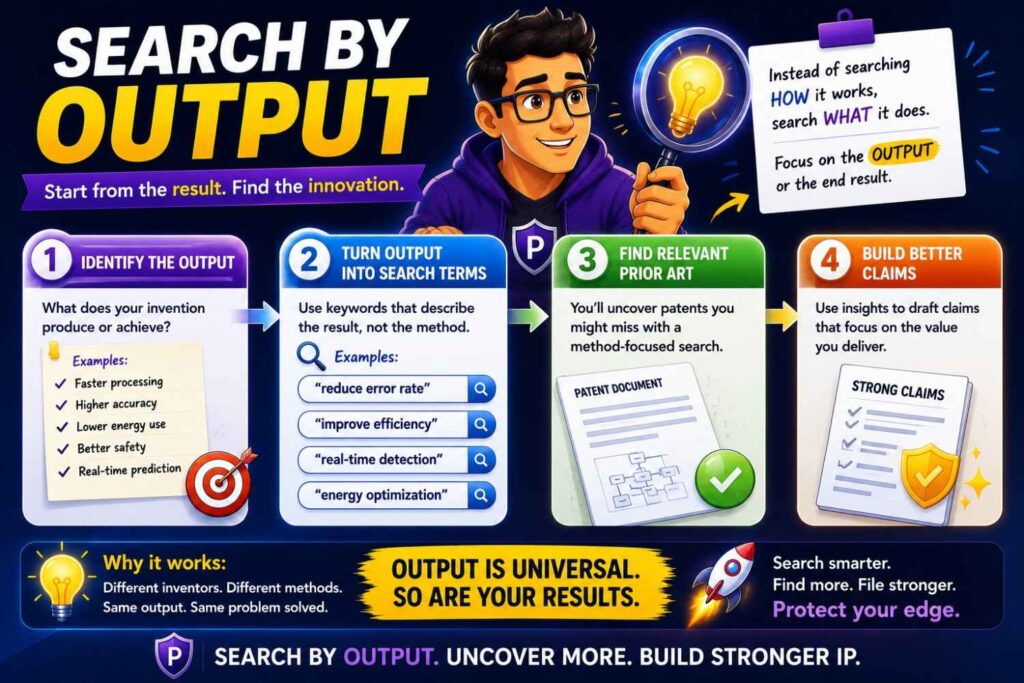
Every invention produces some kind of output.
That output may be a score, a command, a control signal, a design, a warning, a ranked list, a label, a report, a map, or a changed setting.
Search the output.
This is useful because old patents may focus on the result rather than the internal method.
Suppose your invention creates a “confidence score” for AI answers. Search “answer confidence score,” “response reliability score,” “generated text verification score,” and “language model output trust score.”
Suppose your system outputs a “machine setting” that lowers energy use. Search “automatic machine setting energy reduction,” “control parameter optimization power consumption,” and “equipment energy saving control signal.”
Suppose your invention outputs a “repair plan” for field technicians. Search “automated repair instruction generation,” “maintenance action recommendation,” and “technician work order generation based on fault data.”
Output search helps you find systems that solve the same user need in a different way.
That matters because a patent search is not only about identical systems. It is about the world around your idea.
If others produce the same output from similar inputs, you need to know.
Output search also helps you think about claim scope later. A strong patent may protect not just one internal process, but also the useful result it creates, if the details support it.
Do not get legal in your head yet. Just gather the map.
Ask: what does the invention give the user that they did not have before?
Then search that thing.
Search by Failure
This is one of the most useful tricks.
Search the failure your invention prevents.
Many inventions exist because something used to go wrong. A model gave bad answers. A pump overheated. A drone lost signal. A robot dropped objects. A sensor drifted. A payment failed. A doctor missed a risk. A user made an error.
Those failure words are powerful search terms.
If your invention prevents AI hallucinations, search hallucination detection, unsupported generated answer, false generated content, source mismatch, factual consistency, answer verification, and grounded response.
If your invention prevents battery fires, search thermal runaway detection, battery overheating prevention, cell fault prediction, battery safety control, and abnormal charge detection.
If your invention prevents bad code deploys, search deployment failure prediction, rollback prevention, code change risk, build failure prediction, and release safety scoring.
Failure search finds records written by people trying to solve the same pain.
It also helps with your story.
A patent is stronger when the problem is clear. Investors and buyers also care more when the pain is clear. “We improve workflow” is soft. “We prevent a model from sending an unsupported medical answer to a patient” is sharp.
Search the pain. Search the failure. Search the near miss. Search the error.
Then look at how others tried to stop it.
Did they use rules? thresholds? human review? sensors? feedback? model checks? simulation? redundancy? locks? alerts?
Now compare your way.
Maybe your invention prevents the same failure earlier, faster, with less data, with fewer false alarms, or without human review.
That difference may be the heart of the invention.
Search by Competitor and Assignee
At some point, you should search by company, university, or inventor name.
This is not where you should start, but it matters.
If you know the companies in your space, search their patents. Look at both current competitors and large companies that may enter later.
For example, if you are building in cloud cost control, search patents from cloud providers, DevOps platforms, observability companies, and infrastructure startups.
If you are building in surgical robotics, search medical device companies, robotics labs, and university hospitals.
If you are building in AI security, search model companies, cybersecurity firms, cloud providers, and research groups.
Searching by assignee helps you see strategy. You may learn that a company has filed many patents around one narrow method. You may find areas they avoid. You may spot old filings that never turned into products. You may see where a market is crowded.
Do not assume a competitor has no patent just because their website is simple. Many companies file before launch. Some file under parent company names. Some use older company names. Some patents list inventors but not the brand you know.
Also search founder names, researcher names, and acquired company names.
If a large company bought a startup, the old startup’s patents may now be held by the buyer. If a professor spun out a company, the early patents may be owned by a university. If a team changed names, the patent owner may not match the current product.
This takes time, but it can reveal important records.
A founder should not obsess over competitors, but should not fly blind either.
Your search strategy should include at least one pass through known players.
Search Old Words and New Words
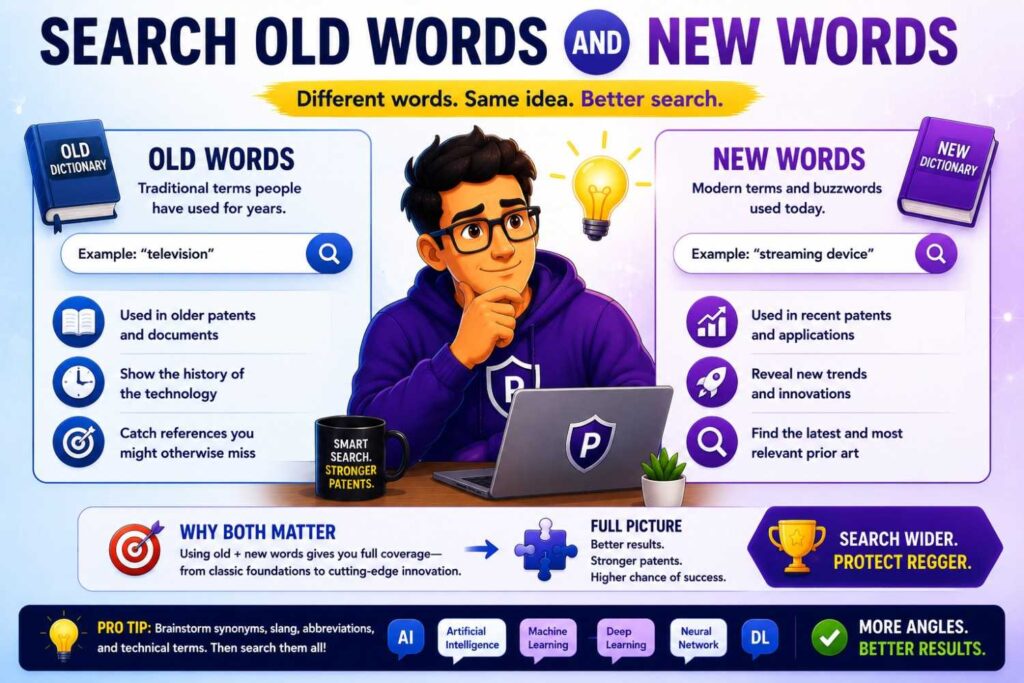
Technology changes words over time.
A search that only uses today’s words may miss older records.
AI is a clear example. Today, founders may say “large language model,” “RAG,” “embedding,” or “agent.” Older patents may say “natural language processing,” “semantic vector,” “question answering system,” “document retrieval,” “automated assistant,” or “dialog manager.”
Robotics has the same issue. A modern team may say “autonomous mobile robot.” Older records may say “mobile platform,” “self-guided vehicle,” “automated guided vehicle,” or “robotic cart.”
Cloud software has changed too. Older patents may not say “Kubernetes” or “serverless.” They may say “distributed computing environment,” “virtual machine allocation,” “container instance,” or “networked computing resource.”
Your word bank should include old and new terms.
One way to find old words is to read older patents in the field. Another way is to search older papers. You can also search broad terms first, then notice how language shifts by date.
This matters because patents can last many years. An old filing may still matter even if the words feel dated.
The reverse is also true. New terms may not appear in older records, but the concept might. Do not assume “no RAG patent” means no prior work on retrieval-based answer generation.
Search the concept behind the buzzword.
For “AI agent,” search task automation, autonomous software agent, workflow execution, action selection, tool use, and goal-based assistant.
For “digital twin,” search simulation model, virtual representation, equipment model, asset monitoring, and mirrored system state.
For “edge AI,” search on-device inference, local model execution, embedded machine learning, and sensor node classification.
Words change. Functions often stay.
Use Classifications, But Do Not Rely on Them Alone
Patent systems use classifications to group inventions. These can help you search once you know the right area.
A classification is like a shelf in a huge library. If you find the right shelf, you can browse related records.
This can be useful when words are messy. Two patents may use different terms but share the same classification. Looking in that class can reveal records you missed.
Start with a close patent result. Look at its classifications. Then click or search those classes. Review other records in the same group.
This works well in fields with common patent language, like medical devices, semiconductors, telecom, batteries, and mechanical systems.
But classifications are not perfect.
A patent may be placed in a class that is too broad. Another may be placed in a different class even though it is relevant. New fields may be scattered across many classes.
So use classifications as a helper, not as the whole strategy.
Think of them as one more path through the maze.
The best search uses words, functions, structures, steps, data, outputs, use cases, competitors, and classifications together.
No single path is enough.
Track What You Search
This is where discipline matters.
Do not rely on memory.
When you search, write down what you searched, where you searched, and what you found.
This does not need to be fancy. A simple spreadsheet or doc is enough.
Record the date, database, search terms, filters, top results, notes, and whether the result is close, medium, or weak.
Also record useful new words.
Why does this matter?
First, it stops you from looping. Patent search can feel endless. A log shows what you already tried.
Second, it helps you explain your work to a patent attorney. They can see your path and build on it.
Third, it helps your team make decisions. A founder, engineer, and attorney can look at the same record and discuss the key differences.
Fourth, it protects your time. Without a log, you will repeat searches and lose the thread.
For each close result, capture the title, publication number, owner, date, link, and why it matters.
But do not turn the search into paperwork. The goal is learning, not perfect admin.
A search log should be simple enough that you will actually use it.
PowerPatent is useful here because it helps founders bring structure to messy invention work. Instead of leaving patent ideas trapped in scattered docs, code notes, and founder memory, PowerPatent helps organize the story so attorneys can review it faster and with better context. See how that works at https://powerpatent.com/how-it-works
Learn How to Read a Patent Result Fast
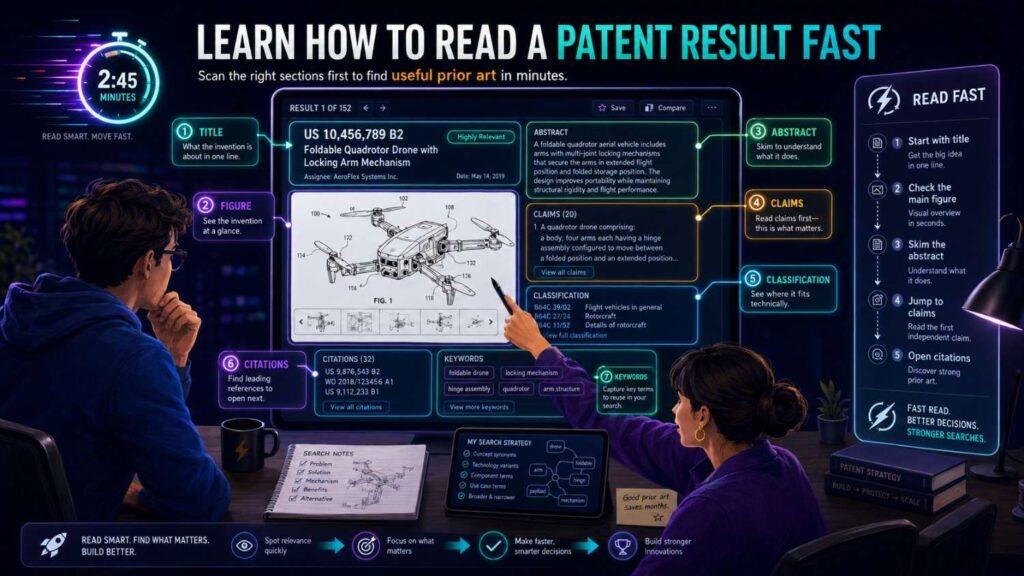
Patent documents can look scary. They are long. They use odd words. They repeat themselves. They may feel built to drain your soul.
You do not need to read every word at first.
For search, read in layers.
Start with the title. It gives a rough signal, but do not trust it too much.
Then read the abstract. This gives a short summary. Again, helpful but not enough.
Then look at the drawings. Drawings can show the system faster than text. For software patents, drawings often show flow charts or block diagrams. For hardware patents, they may show parts and layouts.
Then read the first claim. The claims define what the patent is trying to protect. They can be hard to read, but they show the core boundaries.
Then read the background and summary. These sections may explain the problem and the proposed solution.
Then search within the document for your key terms. Look for your special data, output, step, or structure.
Do not start by reading the whole patent from top to bottom. That is slow and often not needed.
Your first goal is triage.
Is this result close enough to study? Is it in the same field? Does it solve the same problem? Does it use the same method? Does it include your special feature?
If not, mark it weak and move on.
If yes, read more deeply.
For close records, compare the old invention to yours in plain language.
What does it receive?
What does it do?
What does it output?
What is missing?
What is different?
What does your version do better?
This simple comparison is much more useful than vague fear.
Founders often see one close patent and panic. But when you compare details, you may find clear differences. Or you may find real risk. Either way, now you know.
That is the point.
Separate “Same Problem” From “Same Solution”
This is a key idea.
A prior patent may solve the same problem as your invention. That does not always mean it uses the same solution.
For example, many companies may try to reduce false alerts in medical monitors. One may use fixed thresholds. Another may use patient history. Another may use nurse feedback. Another may use a model trained on waveform data.
Same problem. Different solutions.
Your search notes should keep these separate.
When you find a result, ask:
Does it address the same pain?
Does it use the same inputs?
Does it perform the same steps?
Does it produce the same output?
Does it make the same decision in the same way?
A result that shares only the problem is less concerning than a result that shares the method.
This is also useful for writing later. You can explain that others tried to solve the pain, but they did it in limited ways. Your invention takes a different path.
That kind of story can matter.
But be honest. Do not force a difference that is not real. If an older patent truly shows your core method, you need to know early. That may mean changing the filing strategy, focusing on an improvement, or protecting a narrower but still useful feature.
A good search is not about proving you were right. It is about finding the truth while you still have time to act.
Look for the Closest Three Results
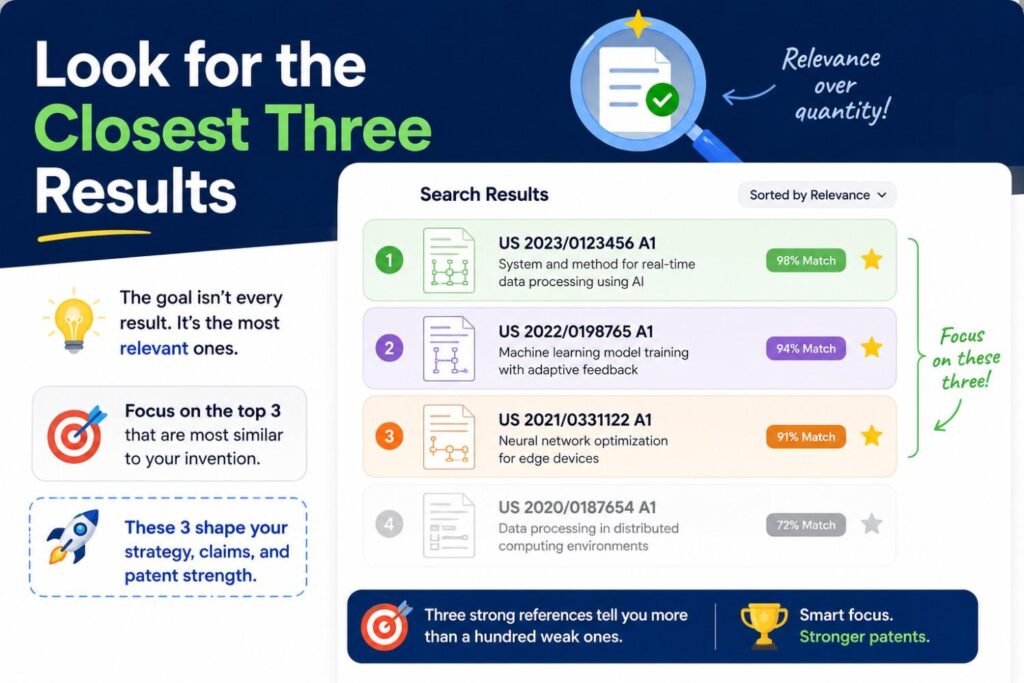
You do not need to find every record on earth to make progress.
A practical search should aim to find the closest few results you can.
The closest three results are often more useful than a hundred weak ones.
For each close result, make a simple comparison.
The old record does this.
Your invention does this.
The old record does not show this part.
Your invention adds this step, data source, control rule, timing, structure, or output.
This comparison becomes the heart of your search report.
For example:
An old patent predicts machine failure from vibration data. Your invention predicts failure from vibration data plus operator behavior and maintenance history, then changes machine speed before failure risk rises.
An old patent generates code tests from source code. Your invention generates tests from source code plus production error traces and blocks merge only when affected user paths have high revenue impact.
An old patent ranks patient risk from vitals. Your invention updates risk based on live nurse notes and prior response to treatment, then changes alert timing by ward load.
The differences should be concrete.
Do not say “ours is smarter” or “ours uses AI” or “ours is more advanced.” Say exactly what is different.
The closest results help your patent attorney focus. They also help your team decide what to protect.
Sometimes the best patent angle is not the first thing you thought. Search may reveal that your broad idea is crowded, but one sub-feature is open and commercially important.
That is not a failure. That is a win.
You found the protectable edge.
Search the Combination, Not Only the Pieces
Many inventions are combinations.
A founder may worry because each part is known. But the new value may come from combining parts in a specific way.
For search, you should check both.
Search each piece alone to understand the field. Then search the exact combination.
For example, suppose your invention combines voice commands, equipment sensor data, and safety policy checks to control factory machines.
Voice commands are known. Sensor data is known. Safety checks are known. Factory machine control is known.
But has someone combined voice commands with live equipment state and policy checks before allowing machine control?
That is the search question.
Search phrases like:
“voice command machine control safety policy sensor data”
“equipment control voice input safety interlock machine state”
“industrial machine voice control condition verification”
This combination search may reveal whether your integration is already known.
The same applies to AI systems.
A model, a database, and a user interface may each be old. But your invention may use a special feedback loop between them. Search that loop.
The same applies to hardware.
A sensor, clip, battery, and housing may each be old. But your invention may place them in a new arrangement that survives heat, shock, and water while still giving clean readings. Search the arrangement and constraints.
Combination inventions need careful search because broad searches can create false fear. You may find many pieces but not the full system.
At the same time, do not ignore the pieces. If all pieces are old and the combination is obvious in the field, that can be an issue. This is where real attorney review matters.
PowerPatent helps founders move from “we think this is new” to a more grounded patent plan by combining smart intake tools with attorney oversight. That mix is useful because software can help organize and surface detail, while attorneys help judge what matters. Explore the workflow here: https://powerpatent.com/how-it-works
Search Around Your Secret Sauce
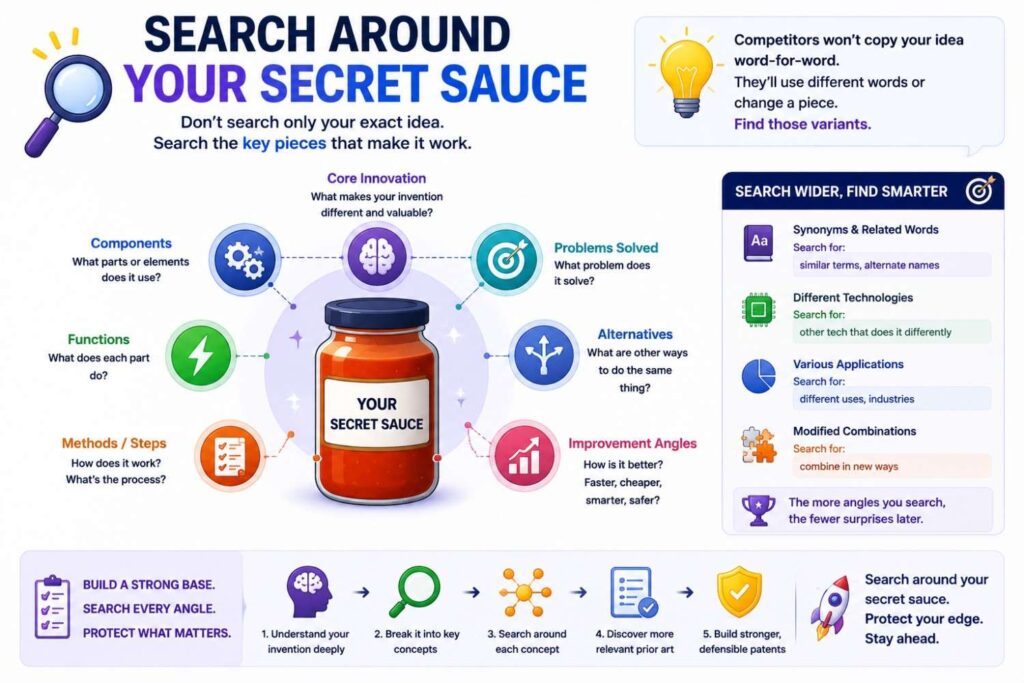
Every startup has a part that matters most.
It may be the model. It may be the data pipeline. It may be the way the device is built. It may be the control logic. It may be the user workflow. It may be the hidden backend process that makes the product feel simple.
Your search should spend extra time around that secret sauce.
Do not search only the visible feature.
A competitor may copy what users see. But a patent may protect the deeper system that makes the feature work.
Suppose your app helps lawyers review contracts faster. The visible feature is document review. But the secret sauce may be a clause graph that tracks obligations across related contracts and updates risk when one clause changes.
Search the clause graph.
Suppose your hardware product is a small air quality sensor. The visible feature is clean readings. The secret sauce may be a self-calibration method that adjusts for dust buildup and sensor age.
Search self-calibration.
Suppose your AI tutor gives better hints. The visible feature is tutoring. The secret sauce may be a model that chooses hints based on the student’s past wrong answers and time-to-answer patterns.
Search hint selection based on error history and response timing.
The secret sauce search is often where strong patent ideas live.
Many founders under-protect this part because it feels too technical or too internal. But that is often the part worth protecting.
A good search helps you see whether that inner method is new.
Do Not Ignore Variations
Your invention may have versions.
Maybe it works on phones today, but could work on smart glasses later. Maybe it uses camera data now, but could use radar. Maybe it runs in the cloud now, but could run on-device. Maybe it sends alerts now, but could also change settings automatically.
Search important variations.
This does not mean you should search every fantasy. Focus on realistic versions that your team may build or that a competitor may use to work around you.
Ask:
What other inputs could replace ours?
What other outputs could serve the same purpose?
What other users could use this?
What other field could apply it?
What other hardware could run it?
What other model type could do it?
What other trigger could start the process?
This helps you find prior work and also helps you plan stronger patent coverage.
For example, your system may use GPS to detect a delivery route issue. A competitor may use cell tower data, vehicle sensor data, or driver app events. Search those variants if they matter.
Your device may use a pressure sensor. A competitor may use strain, force, optical, or acoustic sensing. Search those alternatives.
Your model may use supervised learning. Another may use rules or reinforcement learning. Search method variants.
Variations help you avoid a narrow view.
They also help your patent attorney write a filing that covers the invention’s real shape, not just the first product build.
Watch for Public Dates
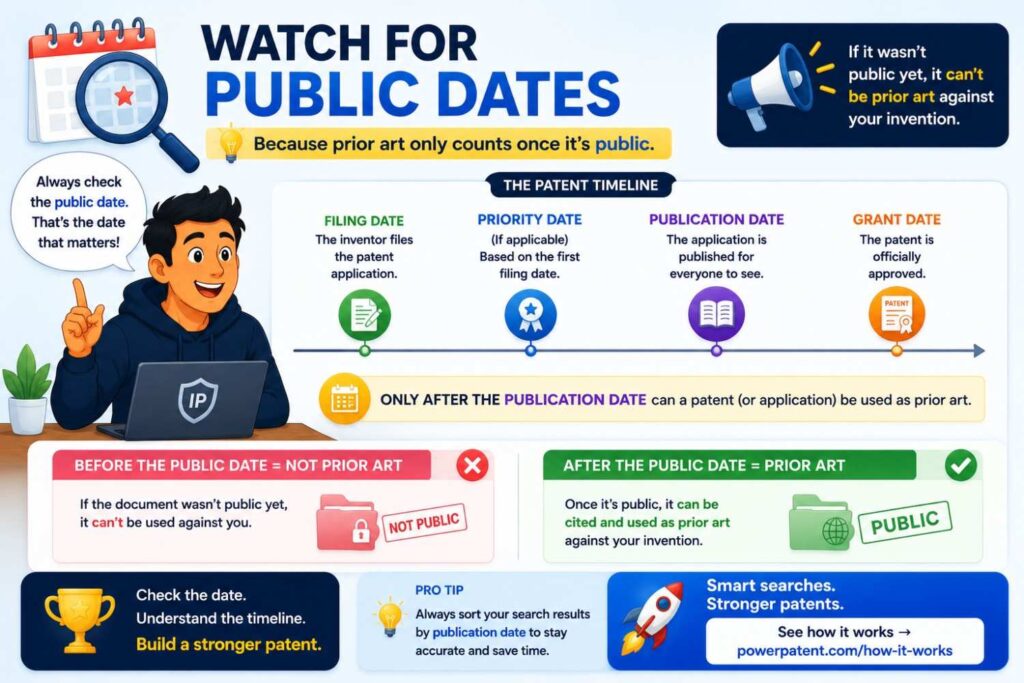
Dates matter.
When you search, note the filing date, publication date, and priority date of close patent records. For public materials, note the date the article, paper, product page, video, or repo became public.
You do not need to become a legal expert. But you should understand that older public material can affect whether an invention is considered new.
For your own work, dates matter too.
When did your team first create the idea? When did you build it? When did you show it? When did you post about it? When did you pitch it? When did customers test it? When did you publish a demo?
These dates can become important.
That is why startups should keep clear invention records. Product specs, code commits, design docs, lab notes, and internal demos can all help tell the story.
But do not rely on internal dates as a substitute for filing. In many cases, public disclosure can create problems or start clocks. Talk to a patent attorney before you share key invention details widely.
This is one reason PowerPatent focuses on speed. Founders move fast. Filing should not feel like a months-long drag. PowerPatent helps teams capture the invention and work with real attorneys so they can move toward protection with less delay. You can learn more here: https://powerpatent.com/how-it-works
Search Before You Publish, Pitch, or Launch
A search is most useful before big public moments.
Before you publish a technical blog, submit a paper, launch a product page, pitch at demo day, open-source a key repo, or present at a conference, pause and think about patents.
Once details are public, options may narrow.
This does not mean you should hide forever. Startups need to sell, hire, raise money, and ship. But you should be smart about timing.
A quick search and patent review before disclosure can save pain later.
If the invention seems important, consider filing before you share the details. Even a provisional patent application can help set a stake in the ground while giving you time to refine.
The key is to avoid accidental disclosure.
Many founders reveal too much because they think patents are only for big companies. Then, months later, they realize the idea became central to the business. By then, the path may be harder.
Search early. Decide early. File when it makes sense.
This is not about slowing down. It is about protecting the value you are already building.
Bring Engineers Into the Search
The best search often happens when technical people are involved.
Patent attorneys are important. Search tools are useful. But engineers know the system at a deep level.
They know what was hard.
They know which part took weeks to solve.
They know what failed in early builds.
They know which shortcut made the product work.
They know the difference between a normal feature and a real breakthrough.
Bring them in.
Ask engineers to explain the invention in plain words. Ask what they tried first. Ask what did not work. Ask what surprised them. Ask which part a competitor would want to copy.
These answers can shape the search.
For example, a founder may think the invention is “AI scheduling.” The engineer may say, “The real trick is that we predict when a scheduled task will fail because a downstream data source is stale, and we reorder jobs before the failure.”
That is a much better search target.
Engineers can also spot close results faster. They can read a patent diagram and say, “This is not what we do,” or “This is close, but they do it after the event, not before.”
Do not leave search to one person in a vacuum.
Make it a team exercise, but keep it focused. One founder, one technical lead, and one patent professional can do a lot together.
Be Honest About What Is Not New
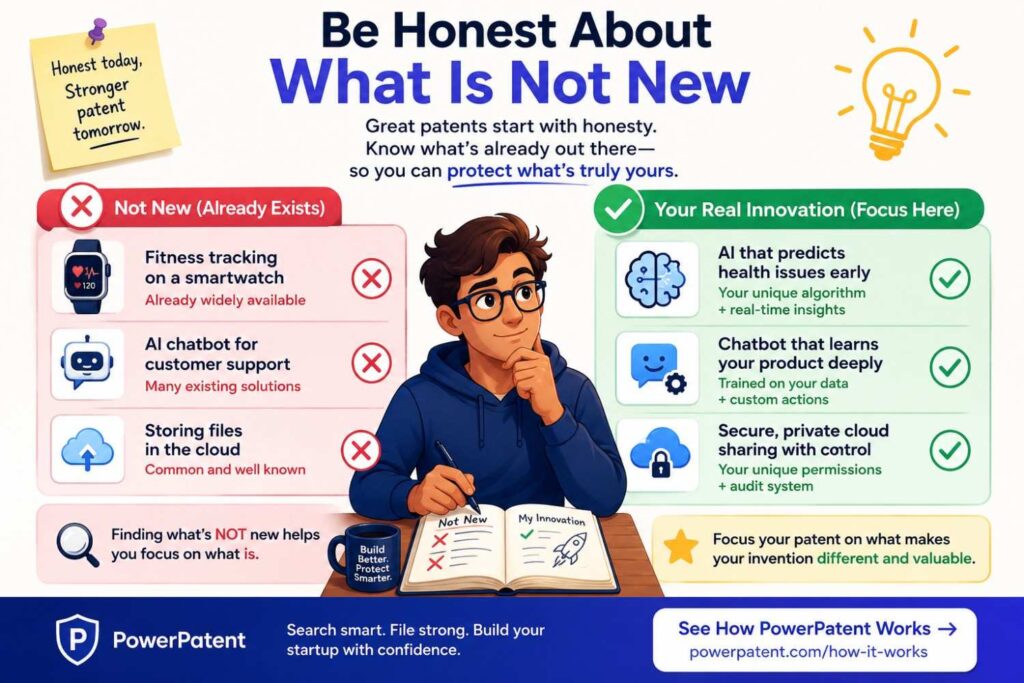
A good search strategy requires honesty.
Some parts of your invention may not be new. That is normal.
Most inventions build on old work. The question is not whether every part is new. The question is what part, mix, step, or use is new and useful.
Do not waste time trying to pretend common parts are novel.
If you use a standard database, standard model, standard sensor, standard UI pattern, or standard communication protocol, say so. Then focus on what you do with it.
This honesty helps your patent work.
A patent filing that acts like everything is new may be weaker. A filing that clearly explains the real improvement can be stronger.
For example, do not claim that your system invented cameras, machine learning, and alerts. Focus on how your system uses camera data in a special way to reduce false alerts under specific conditions.
Do not claim that your product invented code review. Focus on how your method predicts risky code changes using live system behavior and past incidents.
Do not claim that your device invented temperature sensors. Focus on the special placement, calibration, power control, or packaging that makes it work better.
Search helps you make this distinction.
It shows what is common ground and what may be yours.
That clarity is valuable.
Turn Search Results Into Invention Angles
After you search, do not just save links and move on.
Use the results to sharpen your invention.
Ask what angles remain strong.
An invention angle is a clear way to describe what may be protectable.
For example:
A method for predicting deployment risk using both code changes and live incident history.
A device that measures cold-chain conditions using a flexible sensor label with tamper-aware logging.
A system that checks AI answers against source text before release to a user.
A control method that changes robot grip force before slip based on object material and motion pattern.
A platform that reduces cloud cost by predicting idle workloads from usage patterns and team calendar events.
Each angle is more useful than a broad idea.
“AI for DevOps” is not an angle.
“Predicting deployment risk using code changes plus incident history” is an angle.
Your search may reveal several angles. Some may be crowded. Some may be open. Some may be more important to the business.
Choose the angles that are both technically strong and commercially useful.
A patent should support the business. It should not protect a tiny detail nobody cares about unless that detail is key to performance or hard to design around.
This is where founder judgment and attorney guidance should meet.
PowerPatent is designed for this exact kind of work: helping technical teams turn real invention details into a clearer patent path, with software to move fast and attorneys to guide the important calls. See how it works here: https://powerpatent.com/how-it-works
Build a Simple Search Report
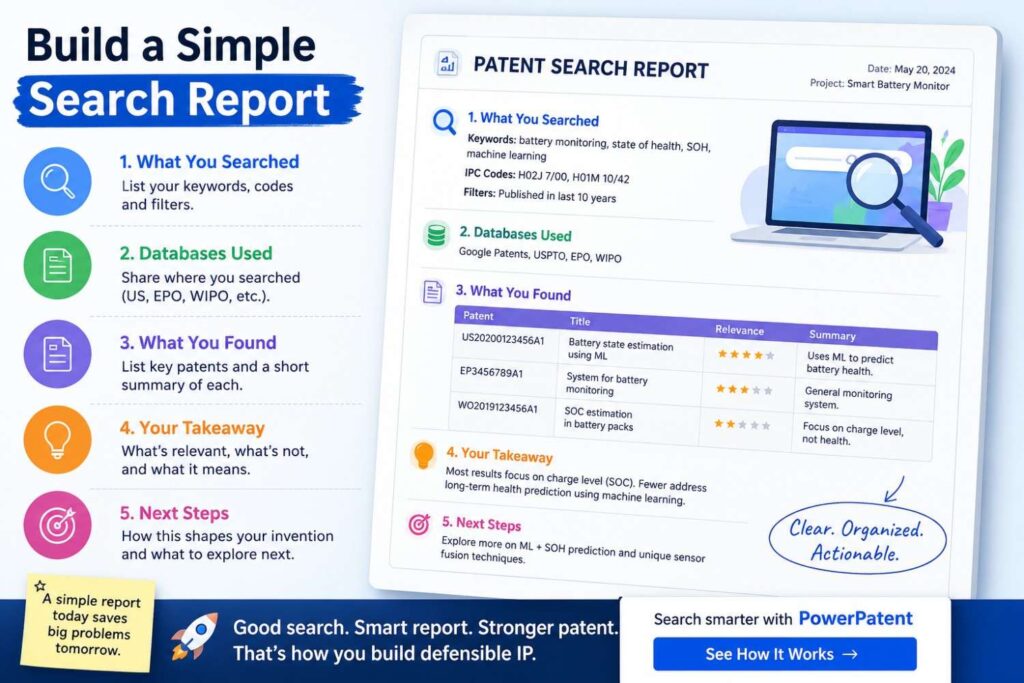
Once you have searched, create a short search report.
This report does not need to be formal. It should help you and your attorney understand the field.
Start with a plain description of the invention. Then note the main search blocks. Add your word bank. List the databases and sources searched. Add the closest records. For each close record, explain what it shows and how your invention differs.
Keep the language simple.
For each close patent or public source, write a short note like this:
“This reference shows a system that predicts equipment failure using vibration data. It does not appear to use operator behavior data or adjust machine speed before failure risk rises. Our system uses both sensor data and operator behavior, then changes control settings before a failure threshold is reached.”
That kind of note is useful.
Avoid vague comments like “not relevant” or “different.” Say why.
The report should end with the strongest invention angles found during the search.
This gives your patent attorney a better starting point.
It also helps your team make a decision.
Should you file now? Search more? Change the claim focus? Protect a narrower feature? Keep something as a trade secret? Build more proof? File multiple applications over time?
A good report makes these talks easier.
Know When to Stop Searching
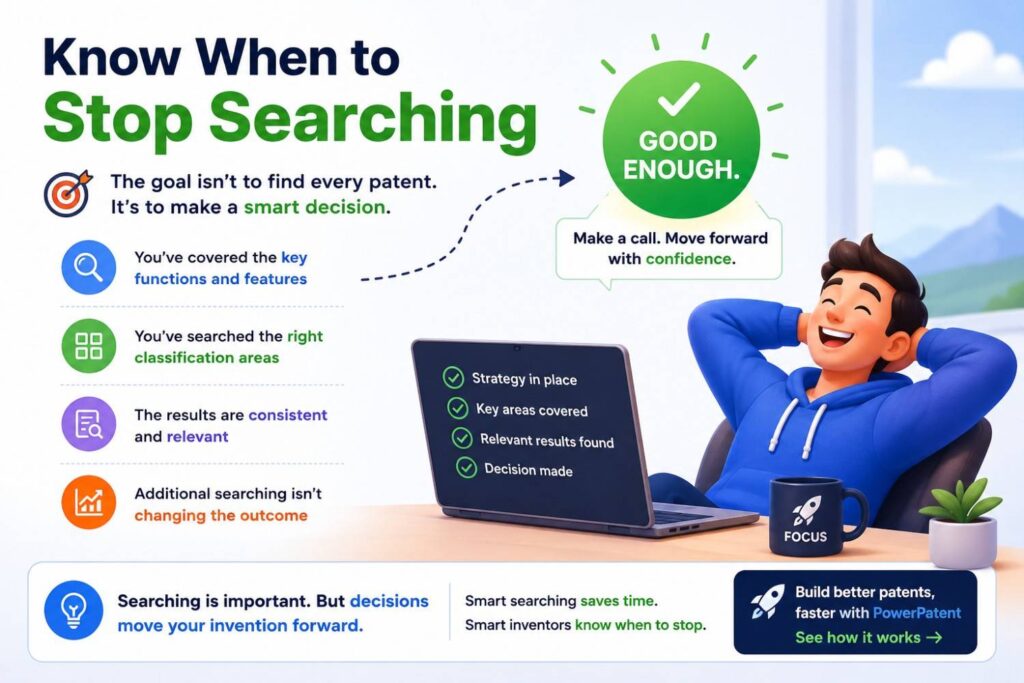
Patent search can become endless.
There is always another term, another database, another class, another company, another paper.
At some point, you need to stop and act.
The goal is not perfect certainty. The goal is informed action.
You may stop when you have searched the core blocks, tested the main word families, reviewed close patent and non-patent results, checked key competitors, and identified the closest few records.
For an early startup, that may be enough to decide whether to talk to a patent attorney and move toward filing.
For a major product launch, funding round, acquisition, or high-value invention, you may need a deeper professional search.
The depth should match the business value and risk.
Do not spend three months searching while your team keeps disclosing the invention. Do not file blind when a quick search would reveal obvious issues.
Balance speed and care.
That is why PowerPatent exists. Founders need patent work that fits startup speed, but still has real legal oversight. PowerPatent combines smart tools with real patent attorneys so teams can move with more control and less friction. Start here: https://powerpatent.com/how-it-works
Common Search Mistakes to Avoid
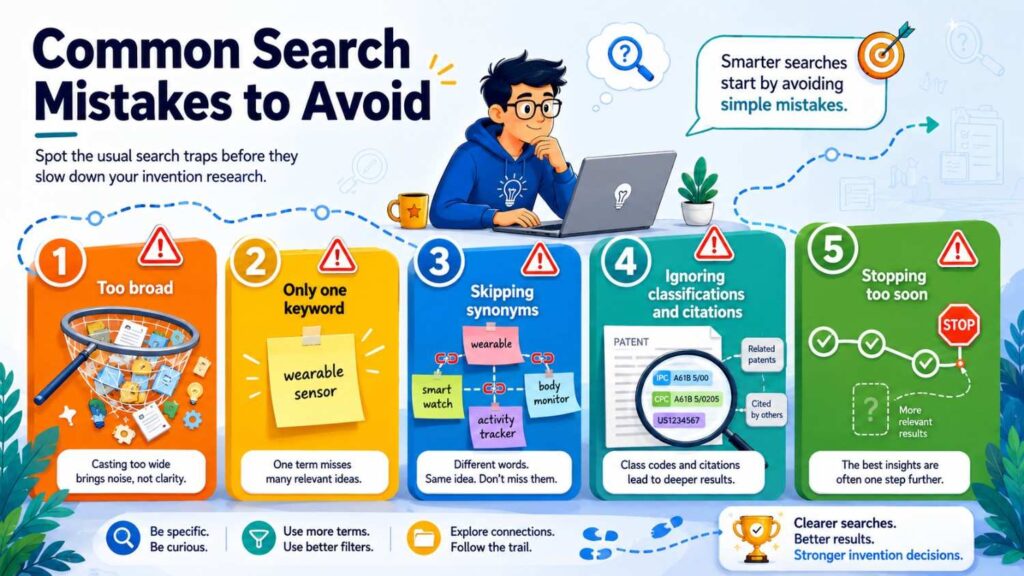
One common mistake is searching only one phrase. This creates false confidence. Your words may not be the words others used.
Another mistake is searching only product names. Patents often describe function, structure, and steps instead of market labels.
Another mistake is ignoring non-patent sources. Papers, docs, demos, and open-source projects can matter.
Another mistake is reading too deeply too soon. First triage results. Then study the close ones.
Another mistake is getting scared by broad matches. A patent in the same field is not always a blocker. Compare details.
Another mistake is ignoring close results because they are old or written strangely. Old records can still teach you.
Another mistake is failing to track searches. Without notes, you lose your path.
Another mistake is waiting until after launch. Search and file decisions should happen before public disclosure when possible.
The biggest mistake is treating search as a one-time chore.
A search is part of invention strategy. It helps you learn where your idea fits and how to protect it better.
A Practical Walkthrough
Let’s walk through a full example.
Imagine your startup built an AI system that helps customer support teams answer hard technical questions. The system reads product docs, past tickets, and live account data. It drafts an answer, checks whether each claim is supported, and blocks the answer if it cannot find support.
A weak search would be:
“AI customer support assistant”
That search is too broad.
A better strategy starts with the invention sentence.
“Our system helps support teams answer technical questions by generating draft responses from product docs, past tickets, and account data, then checking each claim against sources before the answer is sent.”
Now split into blocks.
The first block is answer generation from docs and tickets.
The second block is use of live account data.
The third block is claim-level source checking.
The fourth block is blocking unsupported answers.
The fifth block is support team workflow.
Now build a word bank.
Customer support, help desk, ticket response, technical support, knowledge base, product documentation, account data, user context, generated response, draft answer, source verification, factual consistency, claim checking, answer grounding, unsupported response, output blocking, human review, confidence score.
Now search broad.
“customer support generated response knowledge base”
“help desk answer generation product documentation”
“technical support AI response past tickets”
You find many systems that generate support answers.
Now search the special blocks.
“generated support answer account data”
“customer support response based on user account state”
“technical support answer source verification”
“claim-level verification generated answer”
“blocking generated response unsupported source”
Now you find closer results.
Some patents show answer generation from a knowledge base. Some show confidence scoring. Some show human review. But maybe none show claim-level support checks using product docs, past tickets, and live account data before release.
Now search non-patent sources.
Look at papers and docs around retrieval-augmented generation, answer grounding, hallucination detection, and customer support automation. Add new words like attribution, citation, faithfulness, entailment, grounded generation, response validation, and retrieval verification.
Bring those back into patent search.
“faithfulness score generated customer support response”
“retrieval verification help desk answer”
“entailment based generated answer blocking”
Now search competitors.
Look at patents and public docs from help desk platforms, AI assistant companies, enterprise search companies, and cloud providers.
Then read close records.
For each, compare inputs, steps, outputs, and timing.
One old result may generate answers from a knowledge base but does not use live account data.
Another may score answer confidence but does not block unsupported claims.
Another may route low-confidence answers to humans but does not verify each claim against source text.
Now your invention angle becomes clearer.
The broad idea “AI customer support” is crowded.
The sharper angle may be:
“A system that checks claim-level support for generated technical support answers using product docs, prior tickets, and live account state, then blocks or routes unsupported answer parts before delivery.”
That is much stronger.
That is the power of search strategy.
Another Walkthrough for a Hardware Invention
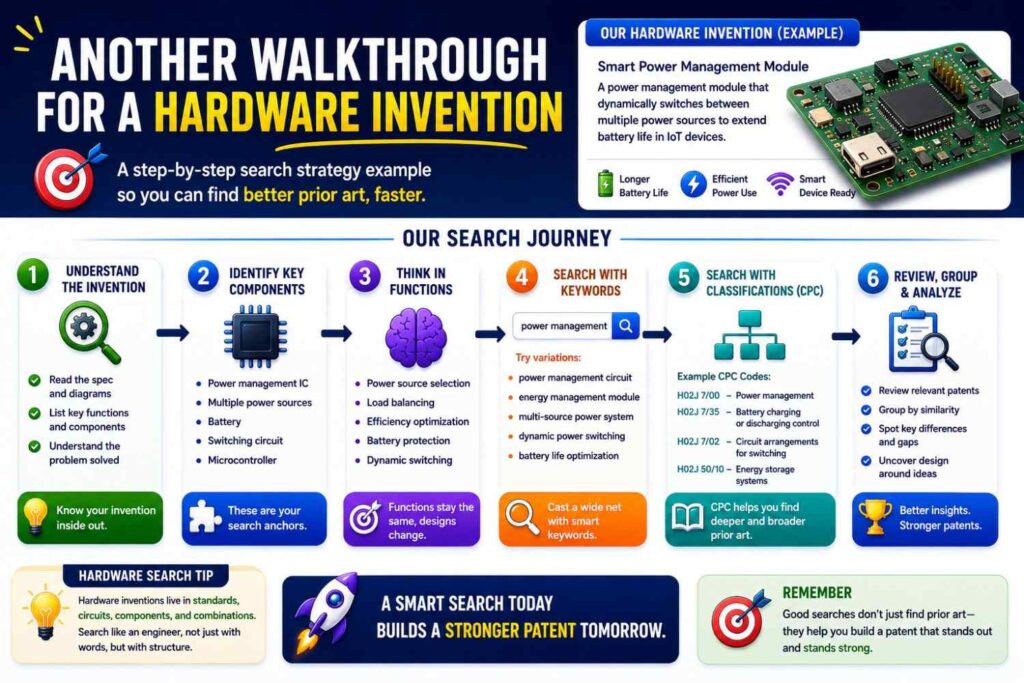
Now imagine a hardware startup has built a smart shipping label for medical cold-chain products. The label tracks temperature, humidity, shock, and tamper events. It uses a low-power sensor layout and only wakes the wireless chip when a risk pattern is detected, saving battery while keeping a clear record.
A weak search would be:
“smart medical shipping label”
A better invention sentence is:
“Our label helps medical shippers track cold-chain safety by sensing temperature, humidity, shock, and tamper events, then saving power by waking wireless communication only when a risk pattern appears.”
Search blocks include sensor label, cold-chain monitoring, tamper detection, shock detection, low-power wireless wake, event logging, and medical shipment use.
The word bank includes smart label, shipping label, cold chain, temperature logger, humidity sensor, shock sensor, tamper seal, wireless tag, RFID, BLE, NFC, data logger, vaccine shipment, biologic shipping, package monitor, low power, wake event, threshold event, sensor patch, flexible circuit.
Start broad.
“cold chain smart label temperature sensor”
“shipping label temperature data logger”
“medical shipment sensor label”
Then search structure.
“flexible sensor label temperature humidity shock”
“tamper seal temperature sensor wireless tag”
“package label shock sensor data logger”
Then search power method.
“low power wireless sensor wake on event”
“sensor tag wakes transmitter threshold”
“cold chain logger wireless wake temperature event”
Then search use case.
“vaccine shipping temperature tamper label”
“biologic shipment smart label shock temperature”
“medical package sensor tag tamper detection”
Now compare results.
You may find many temperature labels. You may find shock sensors. You may find tamper seals. You may find low-power wireless tags.
But do you find the same sensor mix, in the same label structure, with the same wake logic, for the same medical cold-chain use?
Maybe yes. Maybe no.
If yes, adjust the angle. Maybe your real edge is the way the sensor layout stays accurate when bent on a curved package. Search that. Maybe it is the way the system compresses event logs to save memory. Search that. Maybe it is the tamper detection method. Search that.
A good search does not kill the idea. It sharpens the idea.
Another Walkthrough for an AI Infrastructure Invention
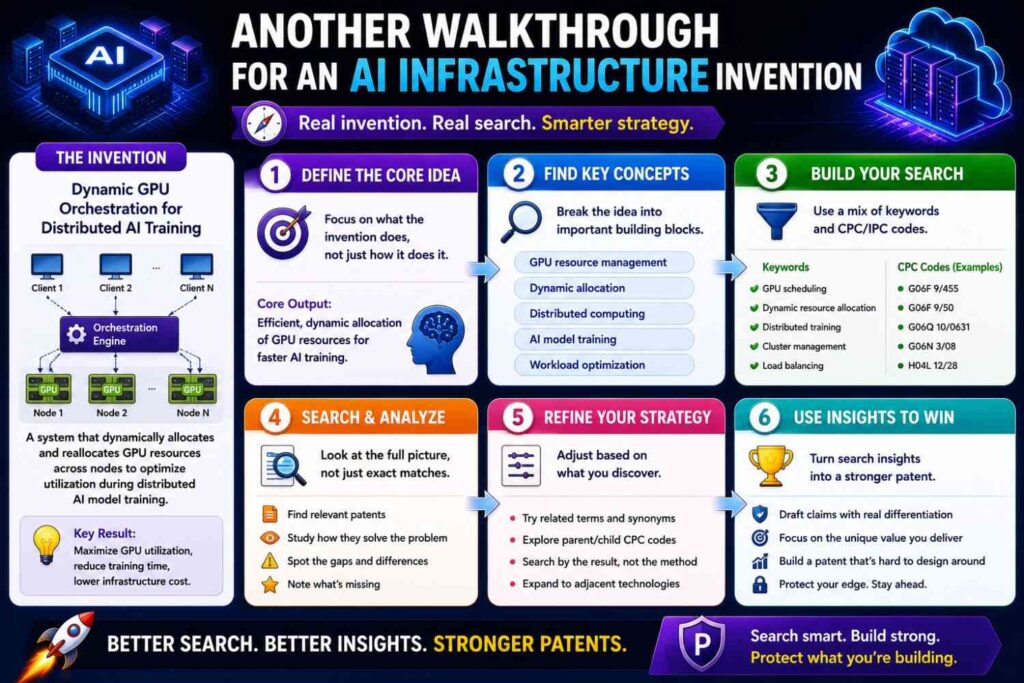
Imagine your startup built a system that cuts cloud GPU waste. It predicts when training jobs will stall, pause, or underuse hardware. It then moves work, changes batch sizes, or releases unused resources before the bill spikes.
A weak search would be:
“GPU cost optimization”
A better invention sentence is:
“Our system helps AI teams reduce GPU waste by predicting low-use or stalled training jobs from job logs, model signals, and cluster state, then changing resource allocation before cost rises.”
Search blocks include GPU utilization, training job stall prediction, cluster scheduling, cost control, batch size change, resource release, workload migration, and model training infrastructure.
Word bank terms include GPU, accelerator, training job, machine learning workload, cluster scheduler, resource allocation, utilization, idle resource, stalled job, checkpoint, batch size, distributed training, cloud cost, autoscaling, workload placement, job migration, compute waste, queue, node, instance, pod.
Start broad.
“GPU resource allocation machine learning training”
“cloud cost optimization machine learning workload”
“training job scheduling GPU utilization”
Then search prediction.
“predicting stalled machine learning training job”
“GPU utilization prediction training workload”
“detecting idle GPU training job logs”
Then search action.
“adjusting batch size based on GPU utilization”
“releasing cloud resources stalled training job”
“migrating machine learning workload based on utilization”
Then search data mix.
“training job logs cluster state resource allocation”
“model training metrics cloud cost optimization”
“checkpoint data GPU scheduling”
Then search competitors.
Cloud providers, MLOps platforms, GPU orchestration tools, and large AI labs may have filings or technical posts.
After reading results, you may learn that broad autoscaling is crowded. GPU scheduling is crowded. But predicting training stalls using a certain mix of model-level signals and cluster state, then taking pre-cost-spike action, may be a stronger angle.
The search helped move the patent story from broad and weak to specific and useful.
That is exactly what you want.
How Search Helps You Write a Better Patent
Search is not only about risk.
It also helps you write better.
When you know the field, you can explain the invention with more care. You can avoid wasting space on old parts. You can focus on the real improvement. You can describe variations. You can show why the invention matters.
Search helps with the background. You can explain the old problem in simple terms.
Search helps with the summary. You can describe the new path.
Search helps with drawings. You can show the blocks, steps, and data flow that matter.
Search helps with claims. Your attorney can draft claims that are more aware of the field.
Search helps with fallback positions. If broad claims face old records, the application may still support narrower versions that matter.
Search helps with business strategy too. You may decide to file one patent on the core method, another later on a key improvement, and keep some data process secret.
Without search, you guess.
With search, you make better choices.
This does not mean founders should do all patent work alone. They should not. Patent law is complex, and small wording choices can matter.
But founders who do a thoughtful search and capture clear invention detail can help their attorneys do better work faster.
That is the PowerPatent model: smart software to help you move with speed and structure, plus real attorney oversight so you are not alone. Learn more at https://powerpatent.com/how-it-works
How Deep Should a Founder Search?
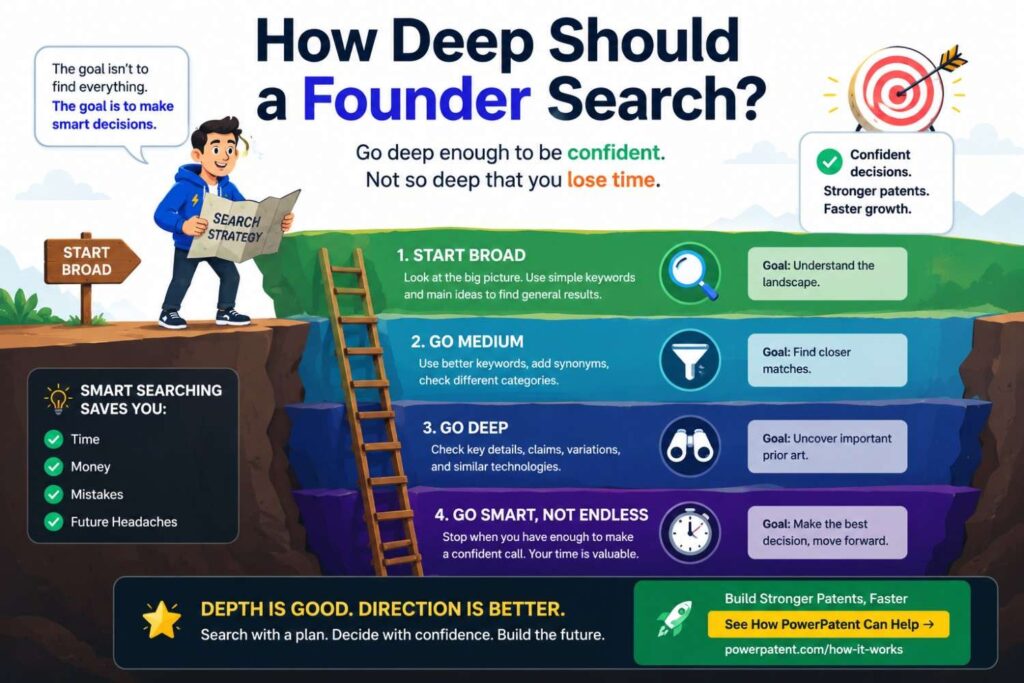
The answer depends on the value of the invention.
For a small feature that may not matter long term, a light search may be enough before you talk to counsel.
For a core platform invention, search deeper.
For an invention tied to fundraising, enterprise sales, licensing, medical use, hardware manufacturing, or a major launch, take the search seriously.
A deeper search should include more databases, more word families, more competitor checks, more non-patent sources, and closer review of the strongest results.
But do not let depth become delay.
A common startup trap is waiting for perfect clarity. You will not get perfect clarity. Even professional searches have limits. Some applications are unpublished. Some records are hard to find. Some language is strange. Some public uses are not well documented.
The goal is to reduce blind spots, not remove all risk.
A good founder search may be enough to prepare for an attorney discussion. A professional search may be needed for high-stakes decisions.
Use common sense.
The more central the invention is to company value, the more care it deserves.
What to Share With Your Patent Attorney
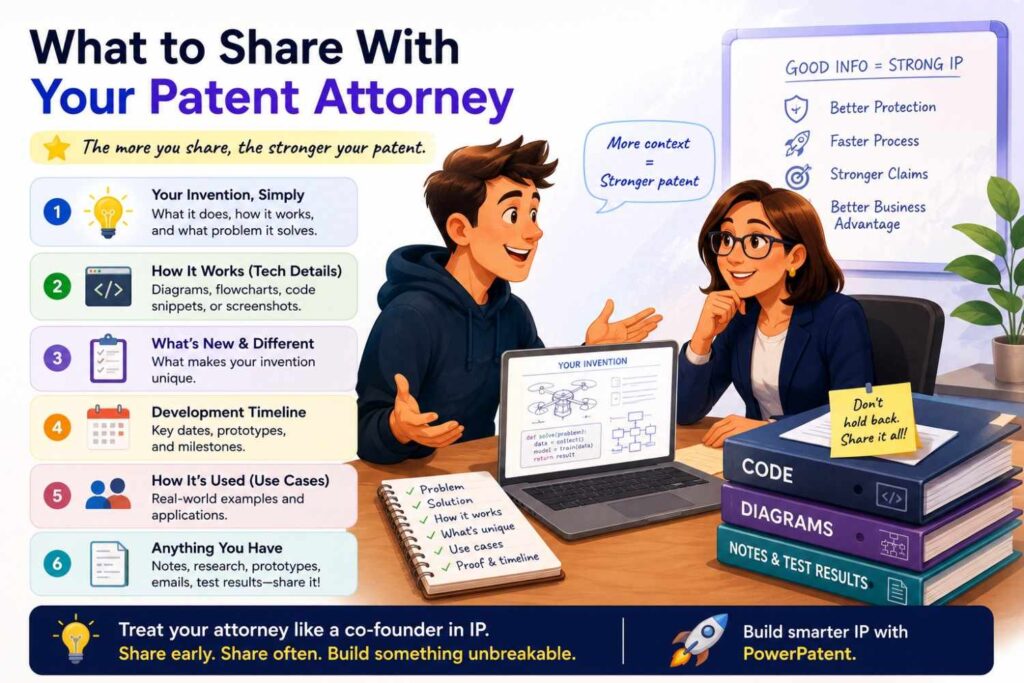
When you bring search results to a patent attorney, do not just send a pile of links.
Give context.
Share the invention description. Share the search blocks. Share the word bank. Share the closest results. Share your notes on what is different. Share product plans and known variations. Share upcoming public disclosure dates. Share what the business cares about most.
Also share what you are unsure about.
Tell the attorney which results scared you. Tell them which features seem most valuable. Tell them which parts competitors are most likely to copy. Tell them which features are already built and which are planned.
This helps the attorney guide you.
The best patent work is not a handoff where founders throw notes over the wall. It is a focused conversation.
PowerPatent makes that easier by giving founders a clearer path to capture invention details, organize technical inputs, and work with real patent attorneys without the old slow process. You can see the full flow here: https://powerpatent.com/how-it-works
Keep Searching as the Invention Changes
Your first invention search is not the last.
Startups change fast. The product shifts. The model improves. The hardware gets redesigned. Customers ask for new features. Engineers solve new problems. The first patent idea may not be the best one six months later.
Build search into your invention rhythm.
When your team ships a major technical feature, ask whether it includes a new method or system worth protecting.
When an engineer solves a hard problem, capture it.
When a customer asks for a feature that changes the product in a new way, review it.
When you prepare a technical blog post, pause.
When you publish a paper, file a demo, launch a beta, or open-source code, think about patent timing.
A patent strategy is not one filing and done. It should grow with the company.
The search strategy should grow too.
You may run small searches often and deeper searches before big filings.
That keeps your IP aligned with the real product, not an old pitch deck.
Search Can Reveal White Space
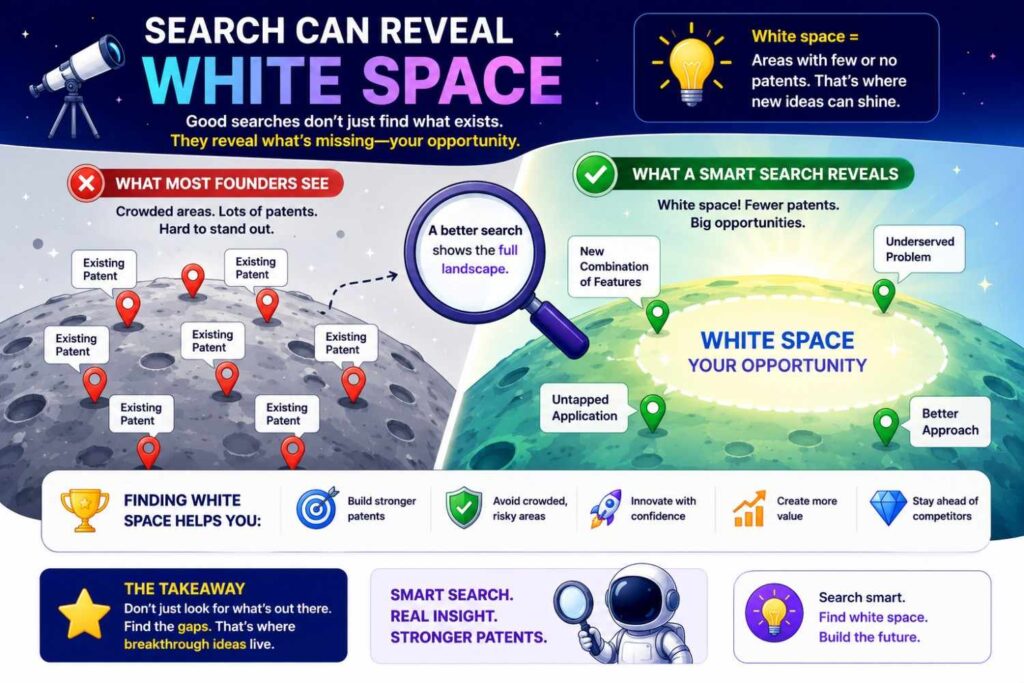
White space means open ground.
In patent strategy, white space is an area where the market has a real need, but the search does not show much protection or public work around a specific solution.
Finding white space is powerful.
It can show where your invention has room. It can also show where to build next.
For example, you may search AI tools for finance teams and find many patents on invoice processing. But you may find fewer around real-time policy checks during vendor onboarding using both contract data and payment history. That could point to a stronger patent and product angle.
You may search warehouse robotics and find many patents on navigation, but fewer on safe handoff between humans and robots during mixed tasks. That could matter.
You may search medical imaging and find many patents on detection, but fewer on explaining uncertain results to technicians before retake decisions. That could be useful.
White space is not proof that you can patent anything there. But it is a signal.
It helps you think strategically.
A good search does not only protect what you already built. It can guide what you build next.
Search Can Also Reveal Crowded Space
Sometimes search tells you the field is crowded.
That is not always bad. Crowded space can mean the market is valuable. But it does mean you need care.
In crowded space, broad claims may be harder. You may need to focus on a specific improvement, technical effect, data flow, control method, system architecture, or use case.
Crowded space also raises business questions.
Can competitors work around your method?
Is your advantage really in patents, data, brand, speed, distribution, or trade secrets?
Should you file narrowly now and keep improving?
Should you file a series of applications as the product grows?
Should you focus on one high-value technical bottleneck?
Search helps you ask these questions early.
It also helps avoid wasted filings. A rushed patent on a crowded broad idea may not help much. A focused filing on the hard part of your system may be far more useful.
This is why real attorney oversight matters. The goal is not just to file something. The goal is to file smarter.
Use Search to Support Fundraising and Sales
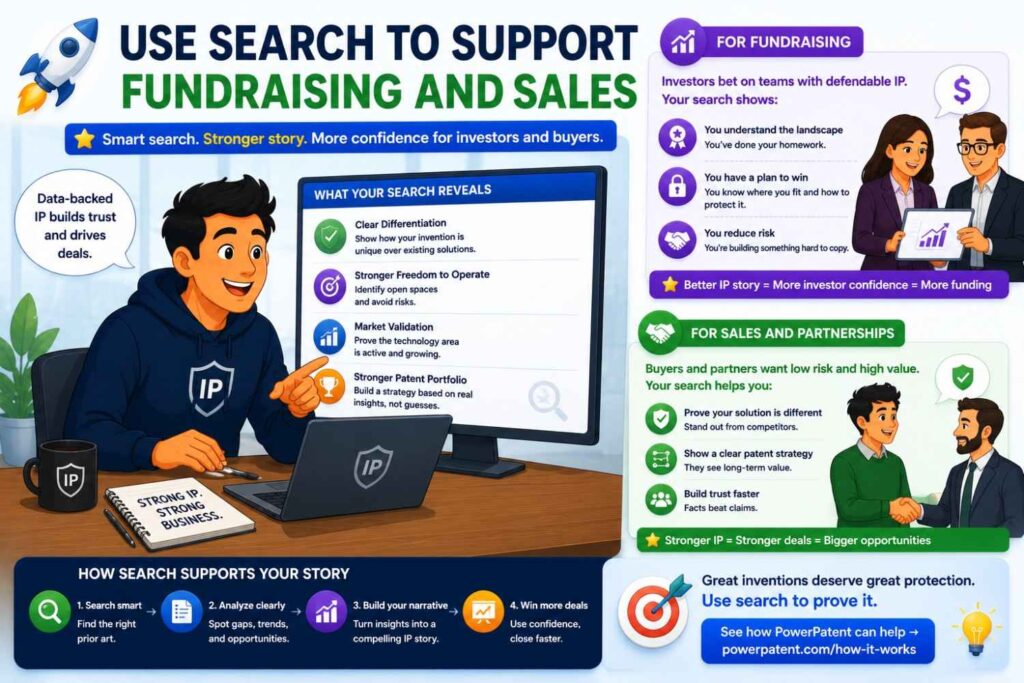
Patents can help tell a startup’s story.
Investors want to know why your edge can last. Enterprise buyers may care about whether your technology is serious. Partners may want to know you have thought about protection.
A thoughtful search can support that story.
You should not overclaim. Do not say “no one has ever done this” unless you have strong grounds. But you can speak with more confidence.
You can say your team searched the field, studied related work, and identified a specific technical improvement. You can say you filed around that improvement. You can say your patent strategy is tied to the product roadmap.
That sounds much stronger than “we might file a patent later.”
Search gives you better language.
It helps you explain why your invention is not just another feature. It is a technical asset.
For founders in deep tech, AI, robotics, climate, biotech, semiconductors, medical devices, and infrastructure, that can matter a lot.
PowerPatent helps founders move from invention idea to patent action faster, without losing the support of real attorneys. For teams that need to protect what they are building while still moving fast, that matters. Learn more here: https://powerpatent.com/how-it-works
The Human Side of Search
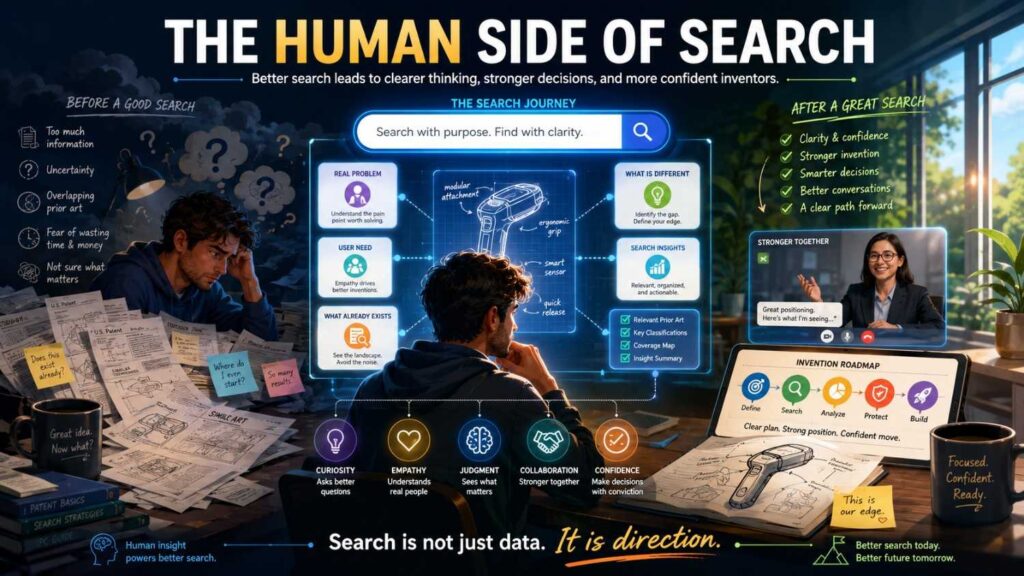
Search can feel emotional.
You may feel excited when you find nothing. You may feel crushed when you find something close. You may feel confused by strange patent language. You may feel tempted to stop early because the whole thing feels hard.
That is normal.
But a search is not a judgment on your worth as an inventor.
Finding prior work does not mean your idea is bad. It means you are entering a real field where others have tried to solve real problems.
Your job is to learn from that field and find your edge.
Sometimes the edge is narrower than you hoped. Sometimes it is stronger than you thought. Sometimes search reveals a better invention hiding inside your first idea.
Stay curious.
Do not search like you are trying to win an argument. Search like you are trying to understand the terrain before a climb.
That mindset will lead to better choices.
A Simple Search Flow You Can Use Today
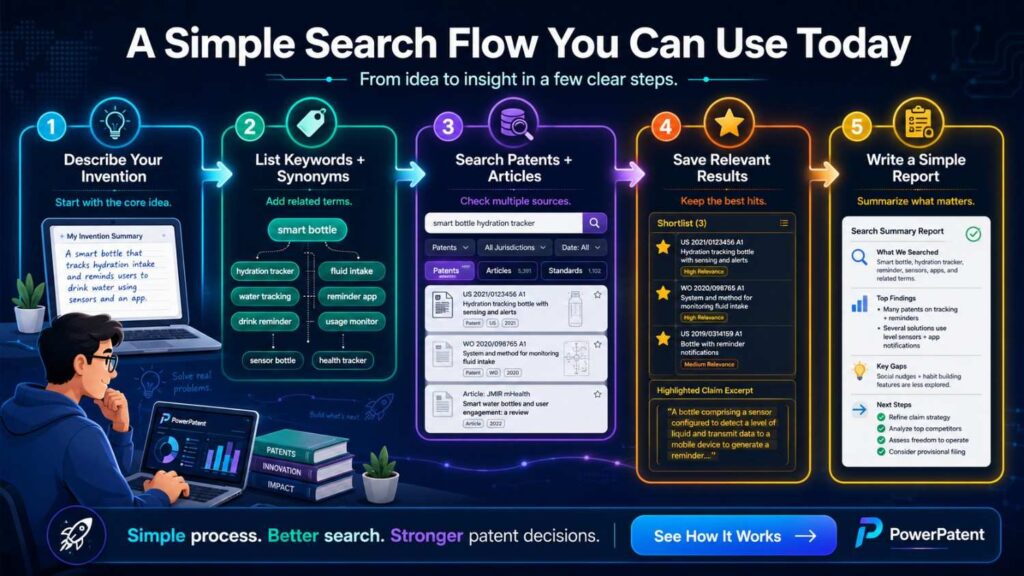
Here is a clean way to begin.
Write a one-sentence description of the invention.
Break it into blocks.
Build a word bank.
Search the broad problem.
Search the core function.
Search the structure or system parts.
Search the method steps.
Search the data inputs and outputs.
Search the failure the invention prevents.
Search the specific use case.
Search competitors and known players.
Search non-patent sources.
Read close results in layers.
Track everything.
Compare the closest three results to your invention.
Write the strongest invention angles.
Talk to a patent attorney before you disclose more.
That is the whole flow.
It is simple, but it is powerful when done with care.
Final Thoughts
A new invention deserves more than a quick keyword search.
It deserves a strategy.
The right search helps you see the field, avoid blind spots, sharpen your idea, and build a stronger patent plan. It helps you move from “I think this is new” to “I understand where this fits.”
For founders, that confidence matters.
You do not need to become a patent expert. You do need to be clear about what you built, why it matters, and how it is different.
That is where PowerPatent can help.
PowerPatent gives startups a faster, clearer way to protect inventions by combining smart software with real patent attorney oversight. It helps you turn code, models, product ideas, and technical breakthroughs into stronger patent filings without the old-school drag.
See how PowerPatent works here: https://powerpatent.com/how-it-works