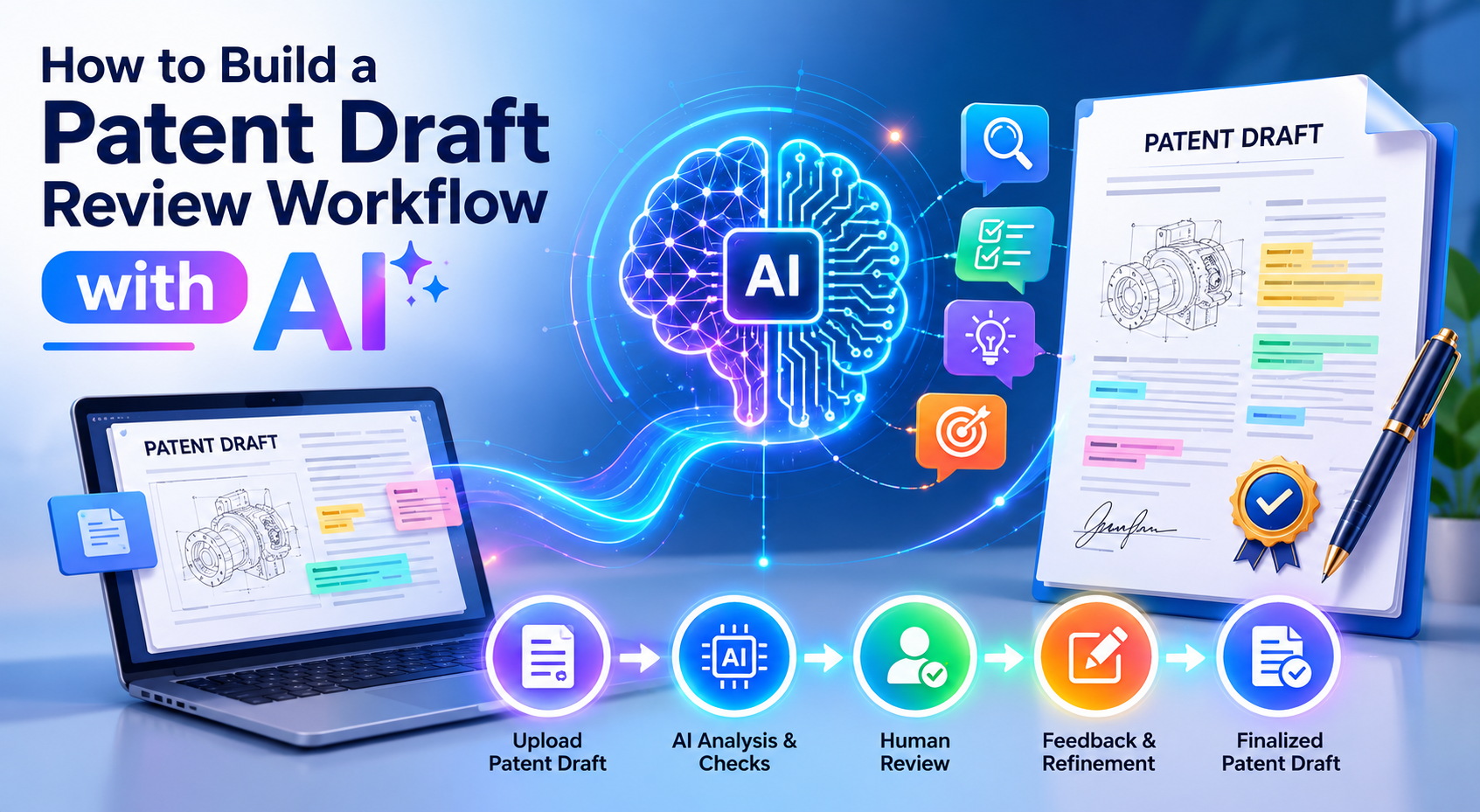
A patent draft is not just a document. It is the first serious record of what your invention is, why it matters, and how it may protect your company later. That is where PowerPatent helps. It gives founders smart software plus real attorney oversight, so they can move faster without taking risky shortcuts. See how it works here: https://powerpatent.com/how-it-works
Build the workflow around the invention, not around the document
A strong patent draft review workflow starts before anyone edits a single sentence. It starts with one simple question: what is the real invention here? This sounds basic, but it is where many patent drafts go off track.
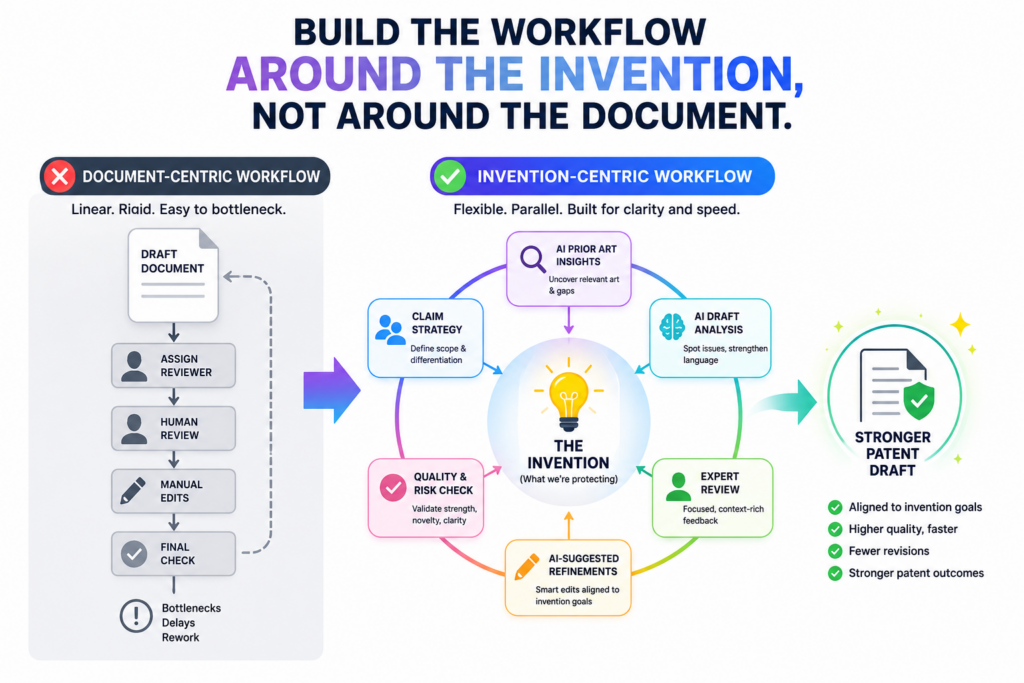
Founders often describe the product, the app, the model, or the feature. That is helpful, but it is not always the same as describing the invention.
A product may have many parts. A patent draft needs to find the part that is new, useful, and worth protecting.
AI can help with this, but only if you give it the right starting point. If you feed AI a messy draft, it may give you a cleaner messy draft. That is not enough. Your goal is not to make the draft sound polished.
Your goal is to make the invention clear enough that a real patent attorney can review it faster and with fewer gaps.
At this stage, the workflow should turn loose founder knowledge into a clean invention record.
This record should explain what problem the invention solves, how the old way works, why the old way falls short, what your system does differently, and what results your system creates. Keep the language plain.
Do not try to sound “legal.” Do not try to write like a patent office. The best raw input is clear, direct, and full of real detail.
You can start with a simple invention summary written in founder language. Explain the invention as if you were telling a smart engineer on your team who has not worked on the feature yet.
Say what the system receives, what it changes, what it checks, what it creates, and what happens after that.
If the invention uses code, models, rules, sensors, data flows, or user actions, explain the steps in order. The goal is to give AI enough ground truth so it can help you review the draft instead of guessing.
The first AI pass should ask what is missing, not rewrite everything
The first AI review should not be a style pass. It should be a gap-finding pass. Ask AI to read your invention summary and tell you what it still needs to know before a patent draft can be strong.
This is where AI is most useful early on. It can spot weak spots that busy teams often miss, such as unclear inputs, vague outputs, missing edge cases, thin technical steps, or results that sound more like business goals than technical outcomes.
A good prompt here is simple. Ask the AI to act like a patent draft reviewer and identify missing technical details, unclear steps, unsupported claims, and places where the invention sounds too broad.
Then ask it to return questions that an attorney would likely ask before drafting. This turns AI into a prep tool. It helps you collect better facts before you spend attorney time.
This step also helps founders slow down in the right way. You are not slowing down the patent process.
You are removing friction from it. A few extra minutes spent clarifying the invention can save days of back-and-forth later.
Your review workflow should protect attorney time, not replace it
AI should help you bring order to the draft. It should not be treated as the final legal reviewer. That line matters.
A patent draft can look clean and still be weak. It can sound impressive and still miss the core invention. It can use strong words and still fail to protect what matters.
This is why PowerPatent is built around smart software plus real attorney oversight. The software helps founders move faster and stay in control.
The attorney review helps reduce costly mistakes. That mix is what makes the workflow useful. You get speed without acting alone.
When you use PowerPatent, your draft is not just pushed through a tool and forgotten. The process is designed to help turn your invention details into a stronger patent draft with attorney guidance.
That means your team can keep building while still taking IP seriously. You can see the workflow here: https://powerpatent.com/how-it-works
A strong review workflow does not begin with “make this sound better.” It begins with “make this invention clearer.” Once that is done, the rest of the review becomes much easier.
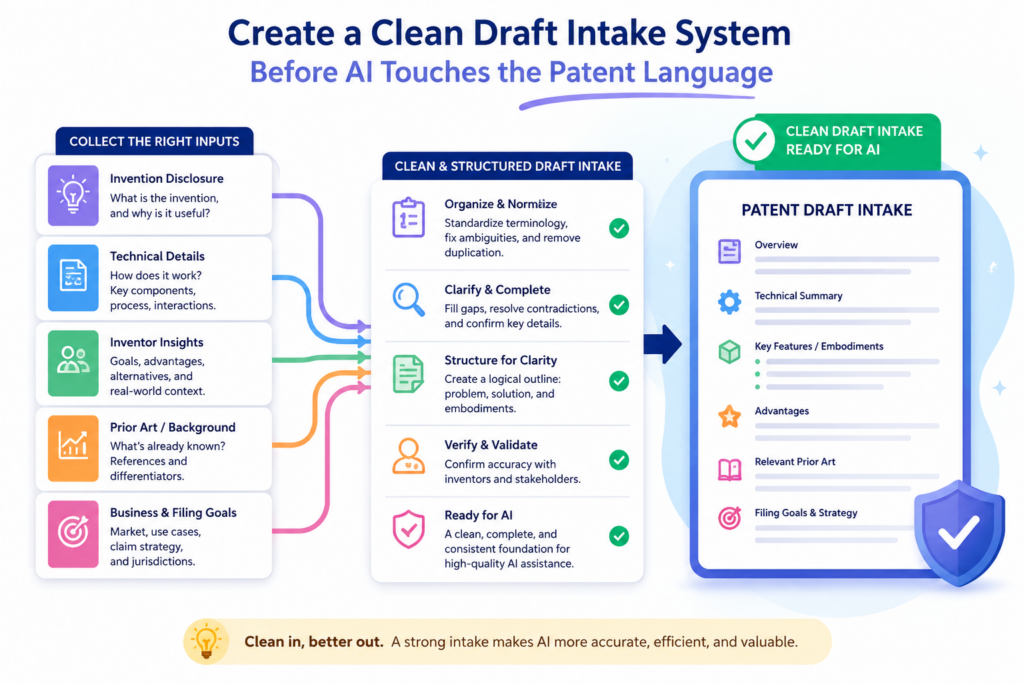
Create a clean draft intake system before AI touches the patent language
The second step is to build a clean intake system. This is the part of the workflow where you collect the raw material that will feed the AI review. Many startups skip this step because they think the draft itself is the intake.
That creates trouble. A draft is already a shaped version of the invention. If the draft misses something, AI may not know it is missing. It can only review what it sees.
A better system separates invention intake from draft review. First, collect the facts. Then review the draft against those facts.
This gives your AI workflow a clear job. It can compare the patent draft to the invention record and flag where the draft is thin, wrong, vague, or incomplete.
The intake should be simple enough that a busy founder will actually use it. Do not create a huge form that nobody wants to fill out. Instead, capture the key facts in plain language.
What was built? What problem caused the team to build it? What happens inside the system? What data goes in? What logic is applied? What comes out? What is faster, safer, cheaper, more accurate, or more reliable because of this invention?
The most useful intake details often come from places the founder already has. Product specs, code comments, pull requests, model cards, architecture notes, diagrams, customer tickets, demo scripts, and internal design docs can all help.
AI can review these materials and help turn them into a clear invention record. But again, the AI should be used with control. You should ask it to extract facts, not invent them.
Compare the patent draft against the intake record
Once the intake record is ready, the AI review can become much sharper. Now you can ask AI to compare the patent draft against the source material.
This is a powerful step because it helps prevent one of the most common draft problems: the draft sounds complete, but it leaves out the best technical details.
For example, the draft may say the system “analyzes user behavior.” That may be true, but it may not be enough.
The real invention may be that the system creates a weighted risk score using a time-based pattern, filters noisy events, then updates a model before sending a control signal.
That is the kind of detail that can matter. Without it, the draft may feel broad but weak.
AI can help highlight these differences. It can show where the draft uses vague words while the intake has concrete steps.
It can point out where the draft says “machine learning model” but never explains what the model receives or produces. It can flag where the draft claims a result but does not describe how the system gets there.
This is where the workflow starts to feel less like writing and more like quality control. You are not just asking, “Does this read well?” You are asking, “Does this draft actually capture the invention?”
Treat unclear words as warning signs during review
Certain words often hide weak drafting. Words like “optimize,” “automate,” “intelligent,” “dynamic,” “seamless,” and “real-time” may be useful in business writing, but they can be empty in a patent draft if they are not backed by clear steps.
AI should be trained in your workflow to flag these words and ask what they mean in the actual system.
If the draft says the invention “optimizes routing,” the workflow should force the next question: how does it optimize routing? Does it score options? Does it remove bad paths? Does it predict delay?
Does it update routes based on live sensor data? Does it use a threshold? Does it compare new data with past data? These details can turn a weak sentence into a useful technical description.
The same rule applies to software and AI inventions. If the draft says the system “uses AI,” that is usually not enough.
The review should ask what the AI model does, where it sits in the workflow, what input it receives, what output it creates, and how that output changes the next step.
PowerPatent helps founders bring this kind of order into the process without making it painful. The point is not to bury your team in legal work.
The point is to make sure the important details are captured while they are still fresh. You can learn how PowerPatent supports this kind of founder-friendly patent process here: https://powerpatent.com/how-it-works
Use AI to review the invention story before reviewing the claims
After intake, the next step is to review the invention story. This is the part of the draft that explains the problem, the old way, the new way, and the benefit.
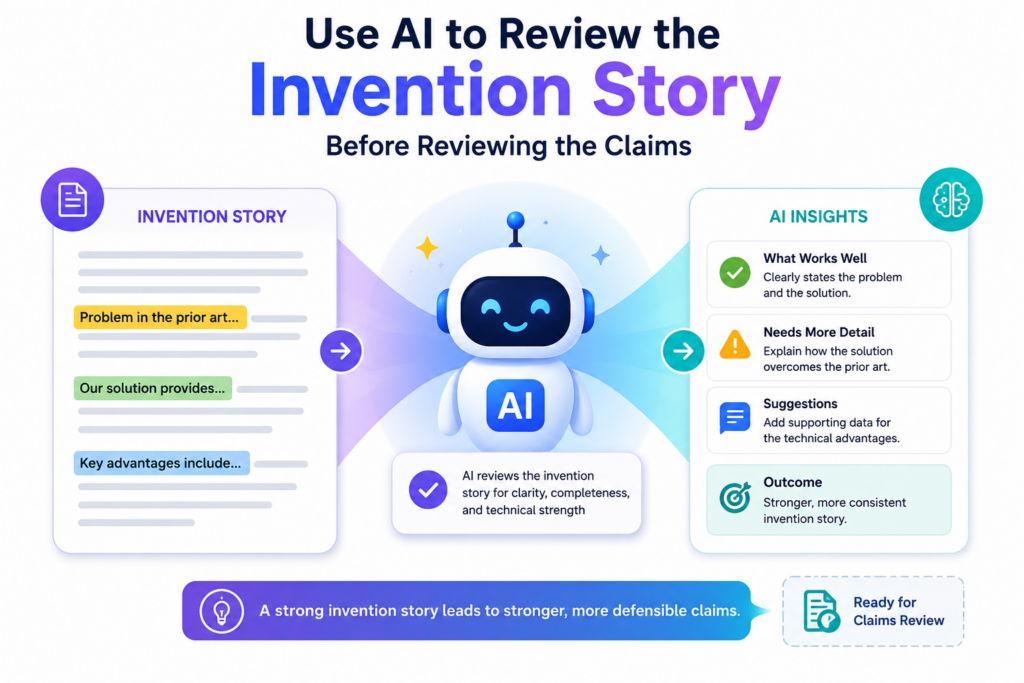
It is easy to treat this section as background. That is a mistake. The invention story gives the whole draft its shape. If the story is weak, the claims may become weak too.
A strong invention story does not need drama. It needs cause and effect. It should explain why the old way was not good enough, what technical challenge existed, what your system does in response, and why the result matters.
This helps the attorney understand the invention in context. It also helps the team see whether the draft is focused on the right thing.
AI can help test this story. Ask it to read the draft and explain the invention in plain words. If the AI cannot explain it clearly, that is a sign the draft may be confusing.
Then ask AI to identify the main problem solved by the invention and the main technical change that solves it. If the answer is vague, the draft may need more detail.
This step is useful because it shows what the draft is really saying. Founders often believe a draft says one thing because they know what they meant. But readers only see the words on the page.
AI can act like a neutral reader. It can show where the story is hard to follow, where the problem is too broad, or where the solution is not tied to the problem.
Make the problem specific enough to support the invention
The problem section should not say something flat like “existing systems are inefficient.” That does not help much.
It should say what kind of system is inefficient, when the issue happens, what causes the issue, and what bad result follows. The more exact the problem is, the easier it becomes to show why the invention matters.
For example, a draft about an AI tool for code review should not only say that manual code review is slow. It should explain what slows it down. Maybe reviewers miss risky changes because they lack full context.
Maybe static tools flag too many false issues. Maybe teams cannot rank defects by business risk. The invention may solve one of those problems in a new way. That is what the review must uncover.
AI can help sharpen this. Ask it to rewrite the problem in a more technical way while keeping the words simple. Then ask it whether the solution in the draft actually solves that problem.
This is important. Sometimes the problem and solution do not match. The draft may describe one pain point but claim a different feature. A good workflow catches that early.
The goal is not to make the patent draft longer for no reason. The goal is to make it stronger by connecting the dots.
The story should lead the reader to the claim focus
The invention story should point toward what the claims will protect. If the claims are about how data is ranked, the story should explain why ranking matters.
If the claims are about a sensor control loop, the story should explain why the control loop solves a real issue. If the claims are about model training, the story should explain what was hard about training and what your method changes.
This is where AI review can support claim strategy without replacing attorney judgment. AI can look at the story and ask whether the draft appears to support the main claim idea.
It can also flag where the story spends too much time on product features that may not be the core invention.
For founders, this is a major win. It helps keep the patent focused on the thing that creates value. A startup does not file patents just to have documents.
It files patents to protect leverage, funding strength, market position, and future options. A draft review workflow should serve those goals.
PowerPatent helps make this process less scary. Founders can move from rough invention notes to a clearer patent path with software that guides the work and attorneys who review it.
That gives the team confidence without dragging them into a slow, old-school process. To see how this works, visit https://powerpatent.com/how-it-works
The invention story is not filler. It is the bridge between what you built and what you want to protect. AI can help you test that bridge before an attorney spends time crossing it.
Use AI to test whether the claims match the real invention
Once the invention story is clear, the next step is to review the claims. This is where many founders start to feel lost, because claims look strange at first.
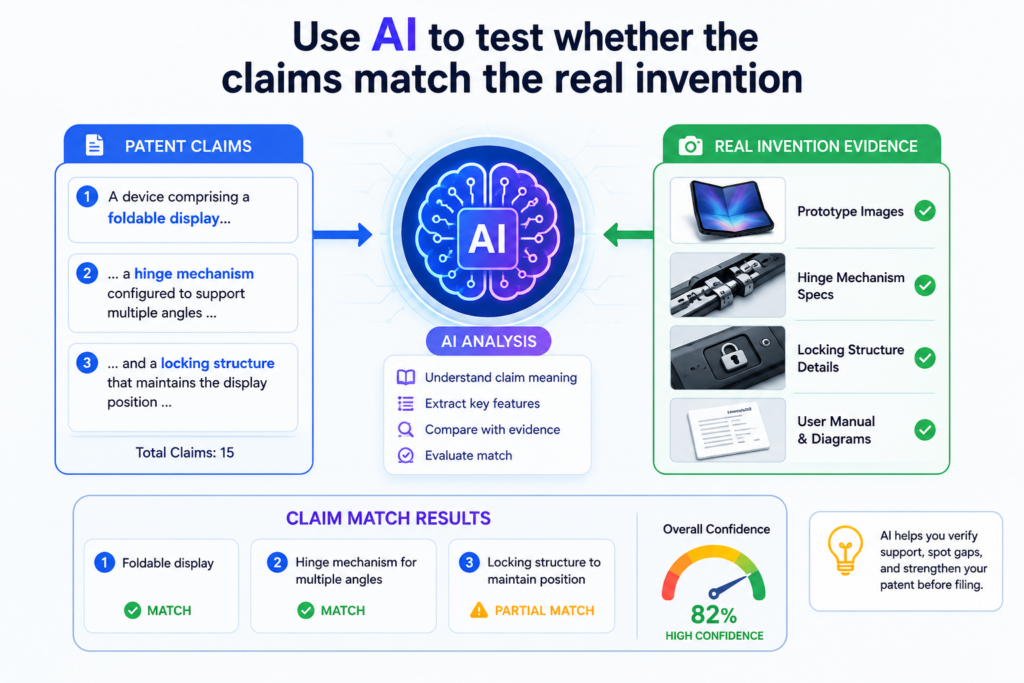
They are written in a special style, and they carry a lot of weight. But your AI workflow does not need to turn founders into patent experts. It only needs to help them check whether the claims point to the right invention.
Think of the claims as the fence around what you want to protect. If the fence is in the wrong place, the patent may not help much. If the fence is too vague, it may be hard to defend.
If the fence is too narrow, others may find an easy way around it. AI can help you review the draft for these risks before the attorney does the deeper legal review.
The first claim review should be simple. Ask AI to explain each claim in plain words. If the claim cannot be explained in a clear way, the team should slow down and look closer.
The issue may not be the claim itself. The issue may be that the draft has not described the invention well enough. A good review process should catch that gap early.
The plain-English claim review should come before word-level edits
A common mistake is to edit claim words too early. Founders may try to change terms, improve flow, or make the claims sound more polished. That is not the best first move.
Before word edits, you need meaning checks. Does the claim cover the main technical idea? Does it include steps that actually happen in the system? Does it leave out the thing that makes the invention valuable?
AI can help by making a claim map. In simple terms, a claim map connects each part of the claim to the draft. If the claim says the system receives data, where does the draft explain that data?
If the claim says the system creates a score, where does the draft explain how the score is made? If the claim says the system changes an output based on a rule, where is that rule described?
This kind of review can reveal weak spots fast. Sometimes a claim includes a term that never appears in the main draft.
Sometimes the draft explains a feature in detail, but the claims do not use it. Sometimes the claim says the system performs a broad action, but the draft only supports one narrow version of that action.
The goal is not to make the founder rewrite the claims alone. The goal is to prepare a better review package for the attorney.
When the attorney can see what the founder believes is core, what the AI flagged, and where the draft may need support, the review becomes more focused.
This pass works best when every claim idea is tied to a real step in the system
A strong workflow forces every claim idea to answer one plain question: where does this happen in the product or process?
If nobody can point to the step, data flow, rule, model output, device action, or user action behind the claim, then the claim may be floating. Floating ideas are risky because they may sound broad without being well supported.
For software inventions, this means the workflow should connect claims to actual system behavior. If the invention ranks alerts, the review should ask how alerts are ranked.
If the invention updates a model, the review should ask what causes the update. If the invention changes a user interface, the review should ask what event triggers that change and what the user sees next.
For hardware inventions, the same rule applies. If the claim mentions a component, the draft should explain where it sits, what it does, how it connects, and why it matters.
If the claim mentions a signal, the draft should say where the signal comes from and what happens after it is received.
This is where PowerPatent can save founders from a lot of confusion. The platform helps teams move from raw invention details into a more structured draft process, with attorney oversight built in.
That means founders do not need to guess their way through claim review. They can use smart software to organize the work, then let real patent professionals review the draft with better context.
You can see how PowerPatent helps teams move faster here: https://powerpatent.com/how-it-works
Claims are too important to treat like a final cleanup step. They should be reviewed for meaning, support, and fit.
AI is very useful for this early check, because it can turn hard claim language into plain founder language. Once the meaning is clear, the attorney can do the deeper work with far less noise.
Build a term review step so the same idea is not described five different ways
A patent draft can become weak when it uses many names for the same thing. This happens all the time in startup drafts. One part of the draft says “prediction engine.” Another part says “scoring module.” A diagram says “risk model.”
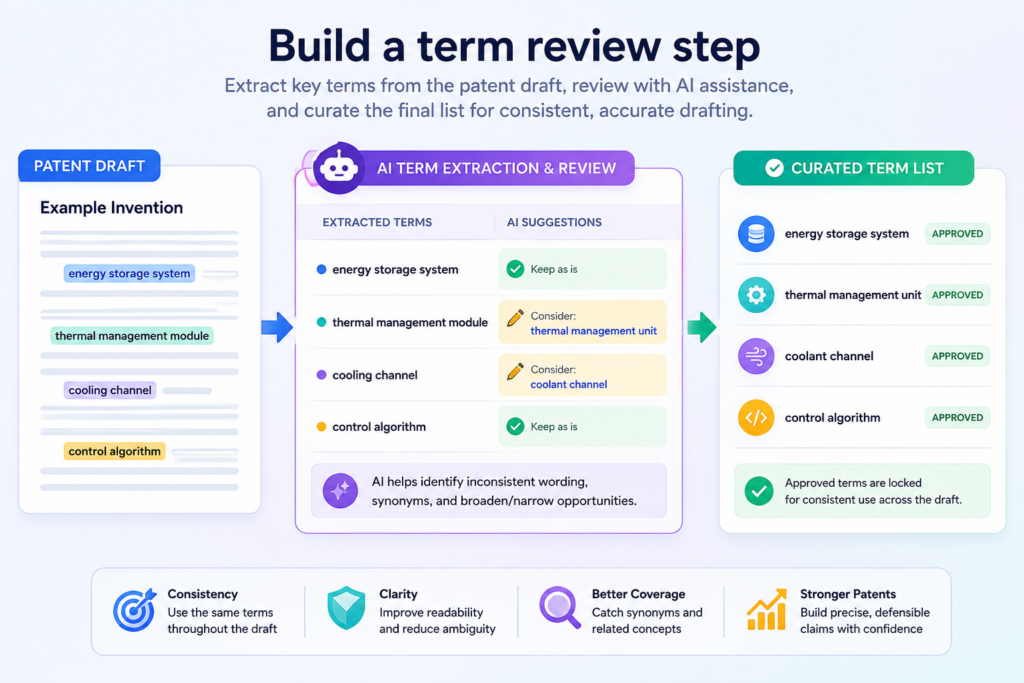
A claim says “analysis system.” The team may know these all mean the same thing, but a reader may not. A messy term set can create doubt, and doubt can slow review.
AI is very helpful here because it can scan the draft and find term drift. Term drift means the draft changes names without a clear reason. This is easy to miss when humans review a long draft.
The founder knows the invention too well. The attorney may spot it later, but by then it can take more work to fix. An AI term review can clean up the draft before that happens.
The workflow should ask AI to create a term table in plain text during internal review. This is not a final legal table. It is a working check. Ask AI to identify key parts, actions, inputs, outputs, models, user roles, devices, and data types.
Then ask it to flag places where the same thing may be described with different words. The team can then decide which terms are correct and which ones should be cleaned up.
Clear terms make the draft easier to review and harder to misunderstand
Good terms do not need to be fancy. In fact, simple terms are often better. If the invention has a component that scores incoming requests, call it something plain, such as a scoring engine or scoring module.
If the invention receives sensor data, call it sensor data. If the invention creates a control signal, call it a control signal. The exact wording should be reviewed by the attorney, but the team should avoid changing names for no reason.
This matters because a patent draft is not a blog post. In a blog post, using fresh words can make the writing feel better.
In a patent draft, changing words can create confusion. The review workflow should reward steady terms, not creative wording.
AI can run a consistency pass across the full draft. It can check whether each claim term appears in the description. It can check whether each figure label matches the written text.
It can check whether the same process step is named the same way across sections. It can also flag terms that are too broad, too vague, or not explained at all.
This step is especially useful for AI and software startups. Teams often use internal names that make sense in Slack or GitHub but may not be clear in a patent draft.
A feature called “Guardian,” “Pulse,” or “Smart Sync” may be meaningful to your team, but the draft should explain what it does in plain technical terms. AI can help translate internal names into clearer system names while keeping the source facts intact.
The best term review asks whether each key word has a clear job
Every key term in the draft should have a job. A “model” should not just be a model. It should receive something, process something, and produce something.
A “module” should not just exist. It should perform a step. A “score” should not appear from nowhere. It should be created from inputs or rules that the draft explains.
Your workflow can use AI to ask a simple question for each major term: what does this thing do? If the answer is unclear, the draft needs more support.
If the same answer appears under many names, the terms may need cleanup. If one term has several different jobs, the draft may need to split it into clearer parts.
This is not busy work. It is a way to make the patent draft easier to trust. When the terms are steady, the attorney can focus on strategy instead of cleaning up confusion.
When the terms are clear, the team can catch errors before they become expensive. When the terms match the invention, the draft becomes easier to review from top to bottom.
PowerPatent is built for founders who want this kind of control without getting buried in patent process. It helps turn invention detail into a more organized path, supported by real attorney oversight.
That is the balance startups need: fast enough for the speed of building, careful enough to avoid weak filings. You can explore the process here: https://powerpatent.com/how-it-works
Term review may sound small, but it has a big effect. A draft with clear terms feels tighter. It reads with more confidence.
It gives the attorney a cleaner base. It also helps the founder see whether the invention is being described in the same way from start to finish.
Use AI to check whether the draft has enough technical depth
A patent draft should not only say what the invention does. It should explain how the invention does it. This is where technical depth matters.
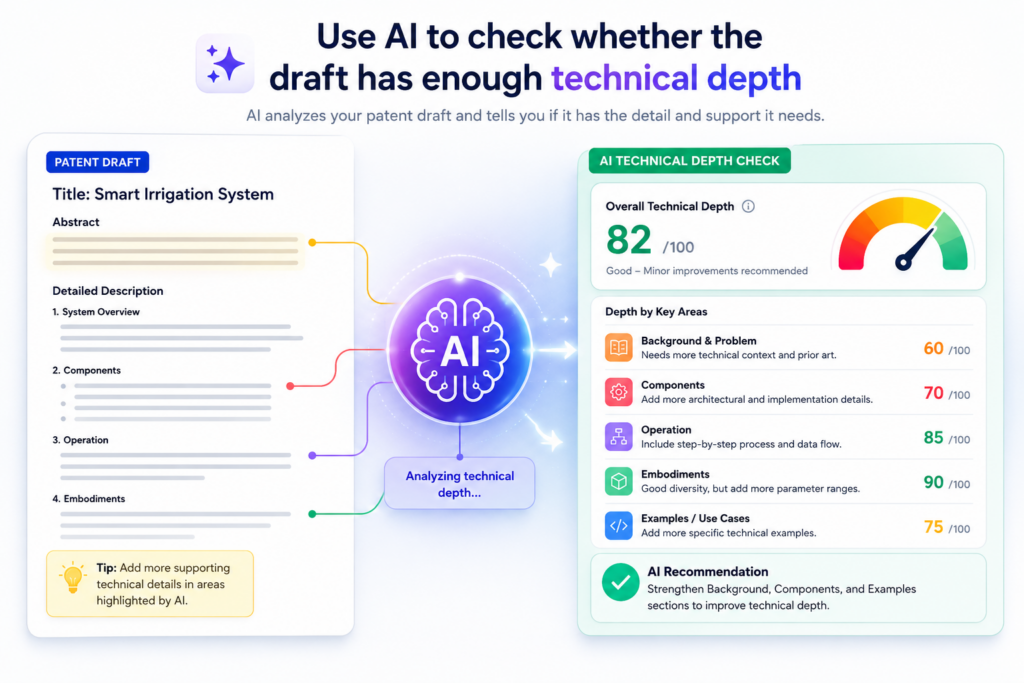
Many weak drafts sound good at a high level but become thin when you look for the actual steps.
They talk about better results, faster actions, smarter decisions, or improved systems, but they do not explain the path from input to output.
AI can help you test for this. The workflow should ask AI to read each major section and identify where the draft gives a result without showing the process.
This is one of the most valuable checks for founders, because startup teams often talk in outcome language.
They say the tool “reduces false alerts,” “improves accuracy,” “detects risk,” or “speeds up review.” Those may all be true, but the draft needs more than the outcome. It needs the method.
The review should ask what data is used, what rules are applied, what model is run, what comparison is made, what threshold is checked, what signal is sent, what screen changes, what device moves, or what record is updated. These are the kinds of details that turn a general idea into a real invention description.
AI should flag every place where the draft jumps from input to result too quickly
A common draft gap looks like this: the system receives data, then produces a useful answer. That is not enough. The important part is often what happens in the middle. Does the system clean the data?
Does it remove noise? Does it group events? Does it create a score? Does it compare the score to a threshold? Does it call a model? Does it update the model based on feedback? Does it change a control action based on the result?
The middle steps are where many inventions live. A strong AI review workflow should slow down at every jump and ask what is missing. If the draft says “the system determines a risk level,” the review should ask how.
If the draft says “the system recommends an action,” the review should ask what factors shape the recommendation. If the draft says “the system updates a user profile,” the review should ask which fields are changed and why.
This does not mean the draft should expose private code or give away trade secrets without care. That is why attorney oversight matters. The workflow should help gather technical detail, then the attorney can help decide how to use it.
Some details may belong in the patent draft. Some may be held back. Some may be described in a broader way. The key point is that the team should know what details exist before making that choice.
Strong depth review connects examples to the main invention
Examples make a patent draft easier to understand. But examples should not sit on the side like decoration.
They should support the core invention. AI can review examples and ask whether they match the claims, the drawings, and the main description.
For example, if the invention is about improving robotic motion control, the examples should show how sensor data changes the motion command.
If the invention is about AI document review, the examples should show how the system handles a real document, finds a pattern, and changes the review result.
If the invention is about cybersecurity alerts, the examples should show how the system ranks or filters events in a way that matters.
AI can also test whether the draft has enough different examples. One example may not be enough for a complex invention.
A good workflow can ask AI to suggest areas where more examples may help, such as different data types, different user roles, different device states, or different failure cases. The attorney can then decide what should be included.
This is where PowerPatent can help founders move with speed and care at the same time. The platform makes it easier to organize the invention, shape the draft, and bring in attorney review without the old back-and-forth pain.
When your team uses a structured process, you are less likely to forget the details that make the invention strong. You can see how PowerPatent works here: https://powerpatent.com/how-it-works
Technical depth does not mean making the draft hard to read. It means showing the real work your invention does.
A good AI workflow helps you find the places where the draft is too thin, then helps your team add facts before attorney review.
That gives the attorney better material, and it gives your startup a better chance of filing a draft that actually reflects what you built.
Add a drawing and figure review so the visuals match the written draft
Patent drawings are not just pictures. They help explain the invention in a way words cannot always do alone.
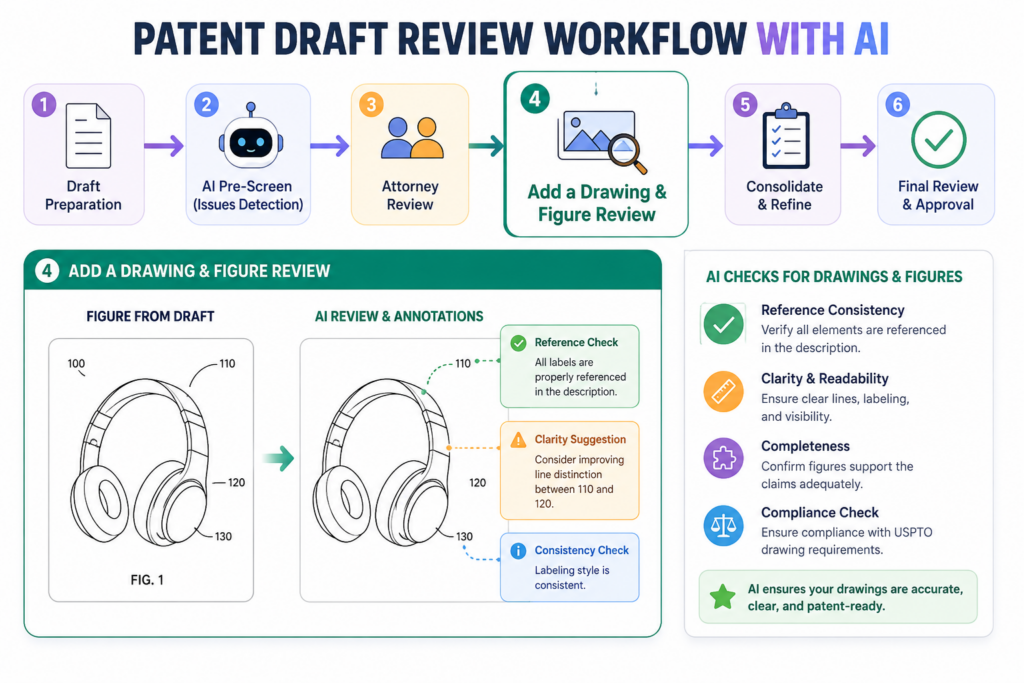
For founders, drawings can also reveal whether the draft is truly clear. If you cannot draw the system, process, or data flow, there may be parts of the invention that are still fuzzy.
AI can help review drawings even before final patent figures are prepared. The workflow does not need perfect artwork at this stage.
It can work with rough diagrams, flowcharts, architecture maps, screenshots, process sketches, or system blocks. The goal is to check whether the visuals and the written draft tell the same story.
This step is often skipped because teams assume drawings are a later formatting task. That is a mistake. Drawings can expose missing pieces early. A flowchart may show a step that the draft never explains.
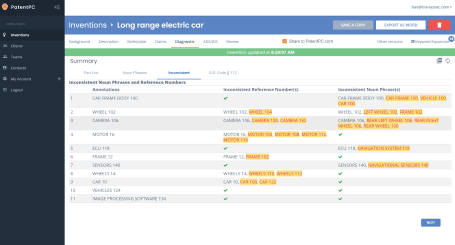
The written draft may describe a module that does not appear in the diagram. A claim may mention an output that has no clear place in the figure. AI can help compare these parts and flag mismatches.
The figure review should check order, labels, and missing links
A useful figure review looks at three things. It checks whether the steps are in the right order. It checks whether labels match the terms used in the draft.
It checks whether the arrows and connections make sense. These may sound basic, but they matter.
If a flowchart shows the system training a model after making a prediction, but the text says training happens before prediction, the draft needs cleanup.
If a diagram labels a part “analytics engine,” while the claims call it a “prediction module,” the team should decide whether those terms are meant to be the same.
If a figure shows data going straight to an output without the key processing step, the visual may weaken the story.
AI can help by reading the figure descriptions and comparing them to the draft text. If the actual drawing is available as an image, a human should still review it carefully, and the attorney should guide the final version.
But AI can still support the workflow by checking written figure descriptions, labels, and step names.
For software inventions, drawings are especially helpful. They can show data moving through services, models, databases, and user screens. They can show the order of operations.
They can show how a user action triggers a system response. They can show how feedback changes future outputs. These visual paths often make the invention easier to understand.
The best figures make the invention feel simple without hiding the important parts
A strong figure is not a screenshot of everything your product does. It is a clean view of the invention. It should show the parts that matter and leave out noise. AI can help by asking which figure supports which claim idea.
If a figure does not support the invention, it may not need to be there. If a claim idea has no figure support, the draft may need another drawing or a better description.
This is a practical founder move. You do not need to design formal patent drawings yourself. You only need to help make sure the invention can be shown clearly.
A rough founder diagram can be enough to guide the draft. The final drawing can be cleaned up later.
The workflow should ask AI to create a figure checklist in paragraph form. It should explain what each figure appears to show, what parts are missing, what labels are inconsistent, and what part of the invention the figure supports.
This creates a bridge between the founder’s technical view and the attorney’s patent review.
PowerPatent helps teams avoid the blank-page problem here. Instead of tossing rough sketches into a slow process and hoping the attorney figures it out, founders can use a guided workflow that turns invention materials into a clearer draft path.
Real attorney oversight then helps make sure the final work is handled the right way. See how PowerPatent helps teams move from idea to draft here: https://powerpatent.com/how-it-works
Drawings are not decoration. They are proof that the invention has structure. When the visuals, claims, and written draft line up, the review becomes smoother. AI can help find mismatches early, and that can save the team from painful revisions later.
Use AI to run a prior-art awareness pass without pretending it is a final search
Every patent draft review workflow should include some awareness of what already exists. This does not mean AI should replace a professional search or attorney review. It should not.
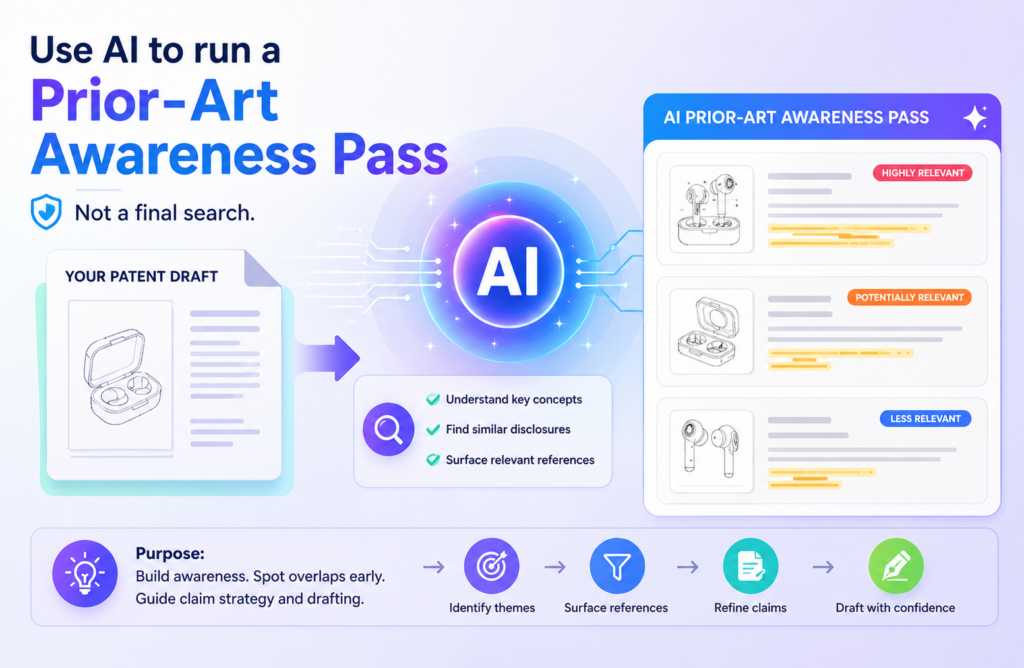
But AI can help founders think more clearly about nearby work, common features, and areas where the invention may need sharper detail.
The key is to use AI carefully. Do not ask AI to decide whether your invention is patentable. That is too broad and too risky. Instead, ask AI to identify parts of the draft that sound common, generic, or under-explained.
Ask it to point out where the invention may need a more specific technical difference. This kind of review helps founders improve the draft before deeper legal review.
For example, a draft may say the invention uses a machine learning model to predict demand. That sounds common.
But the actual invention may use a special input mix, a timing method, a feedback loop, or a way to adjust predictions when data is missing.
AI can help push the team to explain those details. The goal is not to prove uniqueness. The goal is to make the draft better prepared for attorney review.
AI should help sharpen differences, not make legal conclusions
A good workflow asks AI to separate general ideas from specific technical choices.
General ideas are things many systems may do, such as receiving data, analyzing data, making a prediction, sending an alert, or updating a record.
Specific technical choices are the details that show how your system does those things in a particular way.
This matters because many drafts lean too much on general ideas. The founder knows the real work is special, but the draft does not show it. AI can flag this mismatch.
It can ask where the draft explains the special data format, model step, ranking rule, timing control, device action, or error-handling method. These questions help the founder bring the real invention forward.
This pass should also look for broad claims that may need support. If the draft claims every possible way to solve a problem, but only describes one simple version, the attorney will need to review that carefully.
AI can flag that kind of mismatch for discussion. It should not decide the final scope. It should simply help the team see where the draft may be stretching beyond the support.
For deep tech teams, this is very useful. Many inventions are not one big magic trick. They are a smart mix of steps, data choices, controls, and system behavior. A prior-art awareness pass helps the team describe that smart mix with more care.
The safest AI review treats search results as clues and attorney review as the decision point
AI tools can miss things. Search tools can miss things. Public databases can be hard to read. Patent language is strange.
This is why a founder should not rely on AI alone for prior-art review. The AI pass is a clue-finding step, not a final answer.
The workflow should record what AI flagged and why. If AI says a part of the draft sounds generic, save that note. If AI says a feature may need more detail, save that note.
If AI finds similar language in known systems, save that note too. Then bring those notes into attorney review. This helps the attorney see where the team has concerns and where the invention may need sharper framing.
This is also where PowerPatent’s model matters. Founders get the speed and structure of smart software, but they are not left alone with risky guesses. Attorney oversight helps turn AI-assisted review into a safer, more useful process.
That means your startup can move faster while still taking the patent work seriously. You can explore how the process works here: https://powerpatent.com/how-it-works
A prior-art awareness pass should make the draft more honest and more precise. It should push the team to explain what is truly different.
It should help avoid lazy words and broad claims that lack detail. Most of all, it should create better questions for the attorney.
AI is powerful when it helps founders prepare. It becomes risky when founders treat it as the final judge. Keep that line clear, and this step can make your patent draft review workflow much stronger.
Review the draft for enablement by asking whether another skilled person could follow the path
A patent draft should not only describe an idea. It should teach the invention in a way that makes sense to someone skilled in the field.
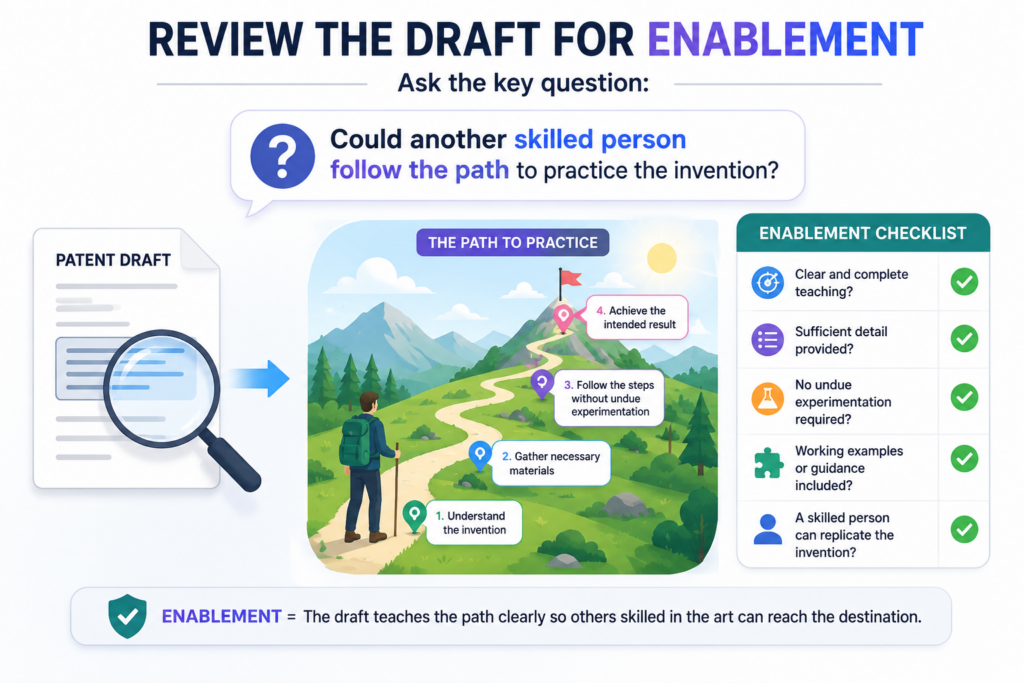
For founders, this can feel odd because you are used to building fast, not writing teaching documents.
But this teaching role matters. If the draft only says what the system achieves, and does not explain enough about how it works, the draft may look strong on the surface while staying weak underneath.
AI can help you run a simple teaching test. Ask it to read the draft and explain whether a skilled engineer could understand the steps needed to build or use the invention from the text.
The answer does not need to be treated as a legal opinion. It is a practical check. If the AI keeps saying that parts are unclear, missing, or only described by results, your team has a signal that the draft needs more detail before attorney review.
This step is useful because founders often skip over things they think are obvious.
The team may know why the model filters certain data, why a threshold changes, why a sensor reading matters, or why one process happens before another.
But the draft reader does not know that unless the draft says it. A good AI workflow helps pull that hidden knowledge out of the founder’s head and into the review process.
The teaching test should focus on steps, choices, and working examples
The best teaching review looks for the path. It checks whether the draft explains the starting point, the actions taken, the choices made, and the final result.
If any part of that path is missing, the draft may need more support. This is especially true for inventions in software, AI, robotics, hardware control, data systems, medical tools, and advanced manufacturing.
For example, if the invention improves how a system detects fraud, the draft should not stop at saying that fraud is detected.
It should explain what data is reviewed, how signals are created, how suspicious patterns are ranked, and what happens when the system reaches a decision.
If the invention improves model training, the draft should explain what data is selected, how it is cleaned, what feedback is used, and how the model changes after training.
AI can help find places where the draft hides the actual work behind broad language. It can mark phrases like “the system determines,” “the platform identifies,” or “the engine optimizes,” then ask what steps support those words. This keeps the draft grounded in real action instead of empty results.
A founder should not worry about making every detail perfect before attorney review. The goal is to bring enough useful detail into the workflow so the attorney can make better decisions.
Some details may be included in the final draft. Some may be changed. Some may be left out. But the review should begin with a full view of what the team built.
The strongest drafts teach without giving up control
Teaching the invention does not mean dumping private code into the draft. It does not mean exposing every trade secret.
It means giving enough clear detail to support the patent filing while making smart choices about what to disclose. That balance is one reason attorney oversight is so important.
AI can help collect and organize the facts, but a real patent attorney should help decide how those facts are used. This is where a guided platform like PowerPatent gives founders a better path.
You get software that helps you move quickly and organize your invention, while real attorneys help review the work so you are not relying on AI alone.
That gives your team more control and less guesswork. See how PowerPatent works here: https://powerpatent.com/how-it-works
The teaching test is not a fancy step. It is a simple question asked with care: could a skilled person follow what this draft is saying? If the answer is no, the review workflow should not move on yet.
It should find the missing steps, add the right examples, and make the invention easier to understand before the draft reaches final review.
Add an embodiment review so the draft covers more than one narrow version
A strong patent draft often needs to describe more than one version of the invention. In patent work, these versions are often called embodiments, but founders can think of them as practical ways the invention may show up.
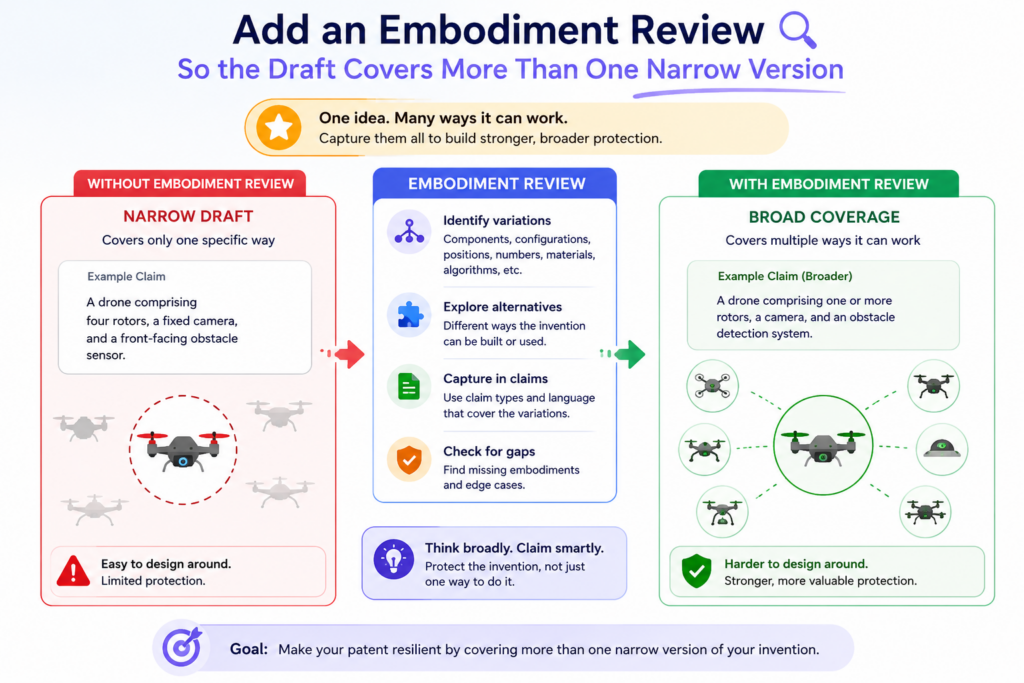
Your product may use one version today, but your company may build other versions later. A competitor may also build around one narrow version if the draft only covers the exact setup you use right now.
This does not mean the draft should claim everything in the world. It means the review workflow should ask whether the draft is too locked to one example.
AI can help with this by reading the draft and identifying where the invention may be described too narrowly.
It can ask whether a step could be performed by another type of model, another device, another data source, another user role, another network setup, or another order of operations.
This is a very practical founder step. Startups change. Products change. Architecture changes. Models get replaced. User flows evolve.
If the patent draft only reflects one snapshot of the product, it may become less useful as the company grows. A good review workflow helps the team protect the deeper idea, not just the current build.
AI can help find reasonable variations without making the draft vague
The word “variation” can be dangerous if used carelessly. A draft should not throw in random possibilities just to sound broad.
The variations should make sense based on the invention. AI can help suggest possible variations, but the founder and attorney should filter them carefully.
For example, if the invention uses camera data, a useful variation may include other image sensors or other visual inputs, depending on the invention.
If the invention uses a neural network, a useful variation may include other model types if the key idea is not tied to one model.
If the invention ranks alerts based on risk, a useful variation may include different risk factors, different scoring rules, or different alert types.
The review should ask whether each variation is real, useful, and supported. Could the team actually build it? Does it still use the same core invention? Does the draft explain enough for it to make sense?
If the answer is yes, the variation may be worth discussing with the attorney. If the answer is no, it may be noise.
This step helps founders avoid a common trap. Some drafts describe one demo version in too much detail and never step back to show the broader invention.
Other drafts go too broad and lose the real technical heart. The workflow should help find the middle path.
Good variation review protects future product moves
A startup patent should not only fit the product as it exists today. It should consider where the product may go next.
That does not mean guessing wildly. It means looking at the roadmap and asking what parts of the invention may stay the same even if the product changes.
If your current system runs in the cloud, could the invention also run partly on a device? If your model is trained on one type of data today, could it work with another data type later?
If your workflow serves one user group now, could the same system serve another group with small changes? These are the kinds of questions AI can help surface for review.
This is also a strong place to involve PowerPatent. The platform helps founders move from raw invention detail into a guided process, while attorney oversight helps make sure the filing choices are not random or risky.
That is key because good patent work is not just about filing fast. It is about filing with enough thought to support the company’s future. Learn more here: https://powerpatent.com/how-it-works
An embodiment review gives the draft more room to breathe. It helps the team avoid writing a patent that only protects yesterday’s version of the product.
AI can suggest the angles. The founder can confirm what is real. The attorney can shape the final language. Together, that creates a smarter review workflow.
Run a support check so every claim has a home in the draft
Every important claim idea should be supported in the draft. This means the written description should explain the parts, steps, and results that the claims rely on. If a claim says the system creates a confidence score, the draft should explain that score.
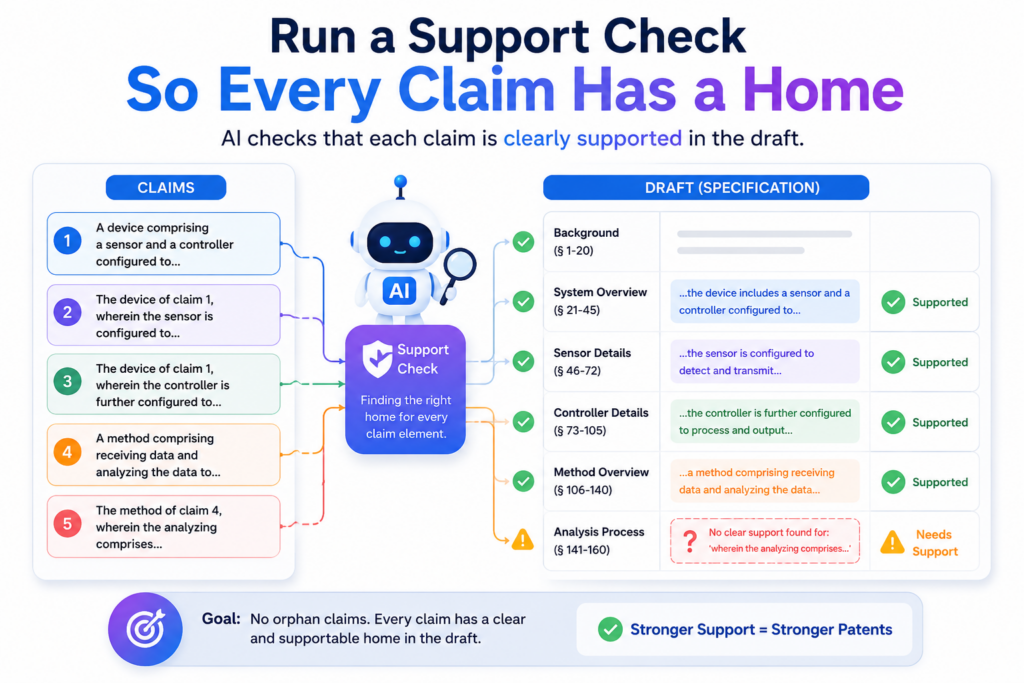
If a claim says the system updates a control setting, the draft should explain that update. If a claim says the system uses feedback, the draft should show where the feedback comes from and how it changes the system.
AI can help by acting like a careful checker. Ask it to take each claim concept and find where that concept appears in the draft. If it cannot find support, that is a review issue. It may mean the claim needs to change.
It may mean the draft needs more detail. It may mean the team used different words in different places. Whatever the cause, the issue is easier to fix before final attorney review than after filing pressure builds.
This step is not about making the draft longer. It is about making the draft stronger. A clean support check helps make sure the claims are not floating above the description.
It also helps the attorney see which parts of the draft are doing real work and which parts may need more attention.
The support check should connect claims, drawings, examples, and terms
A good support review does not look at claims in isolation. It checks the full draft.
It asks whether the claims match the written description, whether the drawings show the claimed parts or steps, whether the examples prove the idea, and whether the terms stay consistent from start to finish.
This is where AI can save a lot of time. It can compare the same idea across different sections. It can flag where a claim uses a term that does not appear in the drawings.
It can flag where the description explains a feature but the claims never mention it. It can find where an example uses a useful detail that might support a stronger claim angle.
For a founder, this creates clarity. You can see what the draft is actually protecting. You can also see what may be missing.
Instead of waiting for a long attorney memo full of questions, you can bring a cleaner draft and a clear issue list into the attorney review.
The support check is also helpful when several team members contributed to the draft. One engineer may describe the model. Another may describe the user flow.
A product lead may describe the customer problem. An attorney may draft claims from those inputs. AI can help connect all of those pieces so the final draft feels like one clear story.
Unsupported ideas should become attorney questions, not silent risks
When AI finds a claim idea that does not have clear support, the workflow should not hide it. It should turn that issue into a clear attorney question.
For example, the note might say that the claims mention adaptive thresholds, but the description only mentions fixed thresholds.
Or it might say that the drawings show two feedback loops, while the claims only discuss one. These are not failures. They are useful findings.
This is one of the best ways to use AI in patent drafting. Not as a final answer machine, but as a system that finds questions earlier. Better questions lead to better attorney review.
Better review leads to stronger filings. Stronger filings give founders more confidence when they talk to investors, partners, and future acquirers.
PowerPatent is built around this idea. Founders should not have to choose between moving fast and being careful.
With smart software and real attorney oversight, the process can become more focused, less painful, and more useful for the company. You can see the PowerPatent process here: https://powerpatent.com/how-it-works
A support check is one of the most important parts of the workflow because it tests the bond between what you say you want to protect and what the draft actually explains.
If that bond is weak, fix it before filing. If that bond is strong, the whole draft becomes easier to trust.
Use AI to review the draft for clarity without making it sound like marketing copy
Patent drafts need to be clear, but they should not sound like ads. This is a subtle but important point. Founders are often great at pitching. They know how to make the product sound exciting.
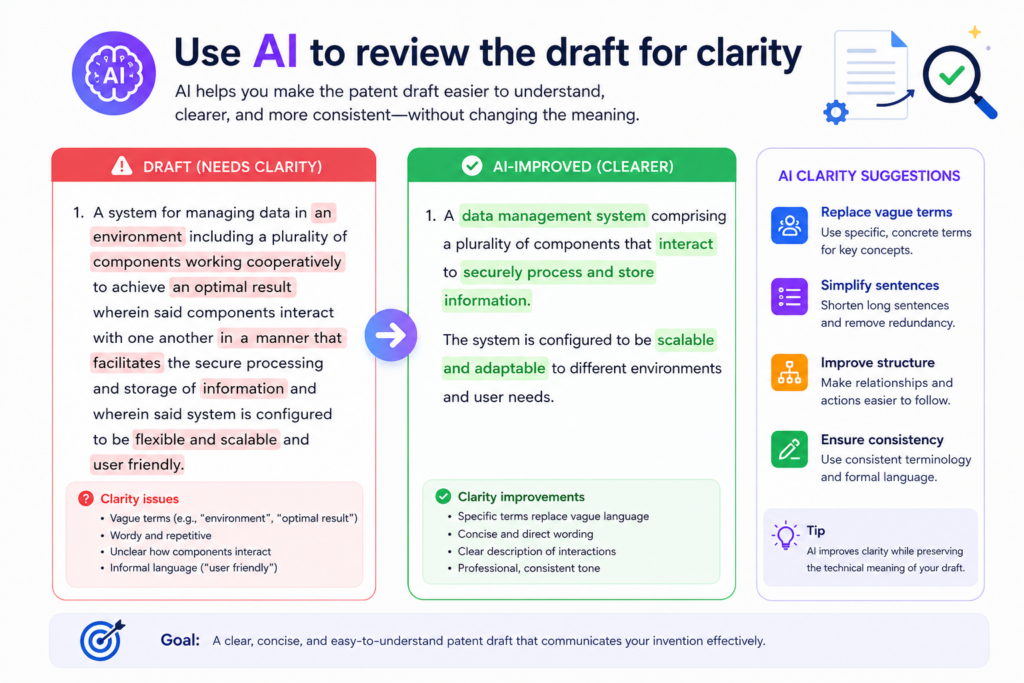
But a patent draft has a different job. It needs to explain the invention in a steady, clear, and useful way. Words like “revolutionary,” “world-class,” “seamless,” or “game-changing” may help in a pitch deck, but they usually do not help a patent draft.
AI can help clean this up. Ask it to identify language that sounds like marketing, hype, or unsupported claims. Then ask it to suggest clearer technical wording.
The goal is not to make the draft cold or hard to read. The goal is to remove words that do not add real support.
For example, instead of saying the system provides a “seamless AI-powered experience,” the draft might say the system receives user input, applies a model to classify the input, selects a response based on the classification, and updates the display. That is less flashy, but much more useful. It tells the reader what happens.
Clear drafting should use plain words and real actions
The best patent draft language is often plain. It names the parts. It explains the steps. It shows the result. It avoids drama. AI can help turn vague phrases into action-based language.
If the draft says the system “understands user intent,” the review should ask what that means. Does it classify text? Does it compare input to stored patterns? Does it select one intent label from a set of labels? Does it use confidence scores?
This kind of clarity makes the draft stronger. It also makes the attorney review easier. Instead of guessing what the founder meant, the attorney can work from concrete details. That can reduce delays and lower the chance that important details get lost.
Clarity review should also check sentence length. Patent drafts can become hard to read when sentences carry too many ideas at once.
AI can flag places where a sentence should be broken into cleaner parts. It can also flag paragraphs that mix different concepts, such as inputs, model training, user display, and security controls all in one place.
This does not mean the final patent draft will read like a simple blog post. Patent documents have their own structure.
But the underlying invention should still be easy to understand. If the team cannot explain it clearly in normal words, the draft may need more work.
The best clarity review makes the attorney’s job easier
A clarity review is not just about style. It is about reducing risk. When words are vague, people can read them in different ways.
When terms are inconsistent, people can argue about meaning. When the draft uses hype, it may fail to teach the invention. A good AI review helps remove that fog before the attorney spends time on the document.
The workflow should create a clean issue list. It should show unclear terms, vague results, long sentences, marketing language, and places where the draft uses a big word without explaining the step behind it.
The founder can then fix the easy issues and pass the harder ones to the attorney.
This is another reason PowerPatent is useful for startups. It gives founders a way to bring structure and speed into a process that often feels slow and confusing.
The software helps organize and improve the draft, while attorney review helps keep the work grounded.
That is a better fit for teams that need to move fast without making careless IP mistakes. Learn more here: https://powerpatent.com/how-it-works
Clarity is not decoration. It is a core part of a strong review workflow. A clear draft helps everyone. It helps the founder confirm the invention.
It helps the attorney review faster. It helps the final patent filing tell a stronger story. AI is very good at this kind of cleanup when the team gives it the right role.
Conclusion
A smart patent draft review workflow with AI helps your team move faster without losing care. It turns messy notes into clear invention facts, checks claims against the real system, finds weak terms, tests depth, reviews drawings, and brings better questions to the attorney. The goal is not to replace legal review.
The goal is to make that review sharper, faster, and more useful. For founders, this means less guessing, fewer delays, and more confidence before filing. PowerPatent gives you that balance with smart software and real attorney oversight. See how it works here: https://powerpatent.com/how-it-works