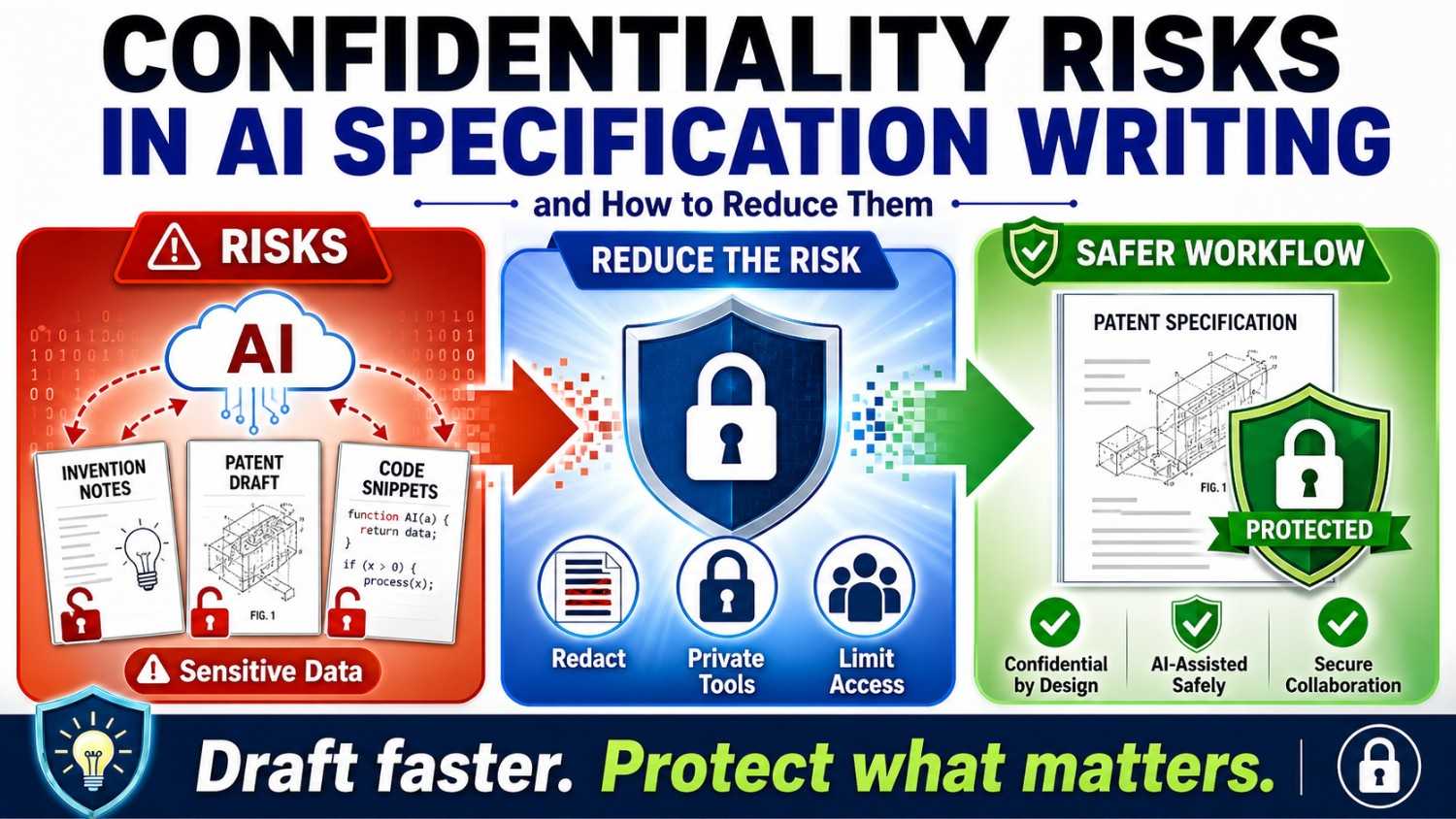
AI can help founders write faster. It can turn rough notes into clear patent material. But when your invention is new, private, and valuable, speed is not enough. You also need to protect what you share.
This guide explains the real confidentiality risks in AI specification writing, why they matter, and how founders can reduce them without slowing down the patent process.
When you want a safer, faster way to turn your invention into a patent filing with smart software and real attorney oversight, you can see how PowerPatent works here: https://powerpatent.com/how-it-works
AI specification writing is powerful, but it needs care
Writing a patent specification is hard work.
You need to explain what the invention is. You need to show how it works. You need to describe the problem it solves. You need to give enough detail so the filing is useful later. You need to avoid saying too little, but you also do not want to dump in random notes with no plan.
For a startup, this can be a lot.
Your team may have code, diagrams, model notes, lab results, product plans, test data, customer feedback, and half-finished ideas spread across many tools. The invention may live in Slack messages, Git commits, notebooks, Figma files, design docs, whiteboard photos, and the heads of two engineers who are already busy.
AI can help bring order to that mess.
It can help summarize. It can help sort. It can help draft. It can help turn rough technical notes into cleaner words. It can help a founder move from a blank page to a useful first version much faster.
That is a big deal.
But there is a catch.
Patent specification writing often involves the most sensitive information in your company.
It may include your core method. Your secret data flow. Your model design. Your device setup. Your training process. Your test results. Your future roadmap. Your customer use cases. Your cost advantage. Your planned product launch. Your work before it is public.
That is not normal writing material.
That is company value.
If that information is handled carelessly, your startup may create risk. Not because AI is bad. Not because founders should avoid modern tools. The risk comes from using powerful tools without a clear process.
The answer is not to run from AI.
The answer is to use AI in a smarter way.
That means knowing what not to paste into random tools. It means choosing the right workflow. It means keeping access tight. It means using real attorney oversight. It means protecting the invention while still moving fast.
PowerPatent was built around this balance: smart software to help founders move faster, plus real patent attorneys to help protect quality and reduce costly mistakes. You can explore the process here: https://powerpatent.com/how-it-works
What a patent specification really contains
To understand the risk, you first need to understand what a patent specification may include.
A patent specification is not just a simple product summary.
It is a deep explanation of the invention.
It may describe the background problem. It may explain why older systems fail. It may show the main parts of your system. It may describe step-by-step methods. It may include flowcharts, diagrams, examples, test cases, alternatives, and different versions of the idea.
In other words, it may describe how your invention works under the hood.
For a software company, this can include backend logic, data paths, model flows, ranking methods, routing steps, security controls, or system architecture.
For an AI startup, it may include model selection, training methods, prompt flows, retrieval steps, scoring rules, guardrails, human review systems, evaluation methods, and feedback loops.
For a robotics team, it may include sensor layouts, control methods, path planning, calibration, safety checks, and fleet learning.
For a hardware startup, it may include materials, parts, layouts, device states, signal processing, manufacturing steps, and operating modes.
For a biotech or health tech startup, it may include assays, workflows, data processing, test results, device settings, screening methods, or patient-facing process details.
This is why confidentiality matters so much.
When you write a patent specification, you may be gathering the deepest details of your technical edge in one place.
That can be good when the process is secure and thoughtful.
It can be risky when those details are copied into tools, shared with too many people, or stored in places your company does not control.
The goal is not to hide from the patent process.
The goal is to handle invention details with the same care you use for code, customer data, model weights, product strategy, and fundraising plans.
Why founders use AI for specification writing
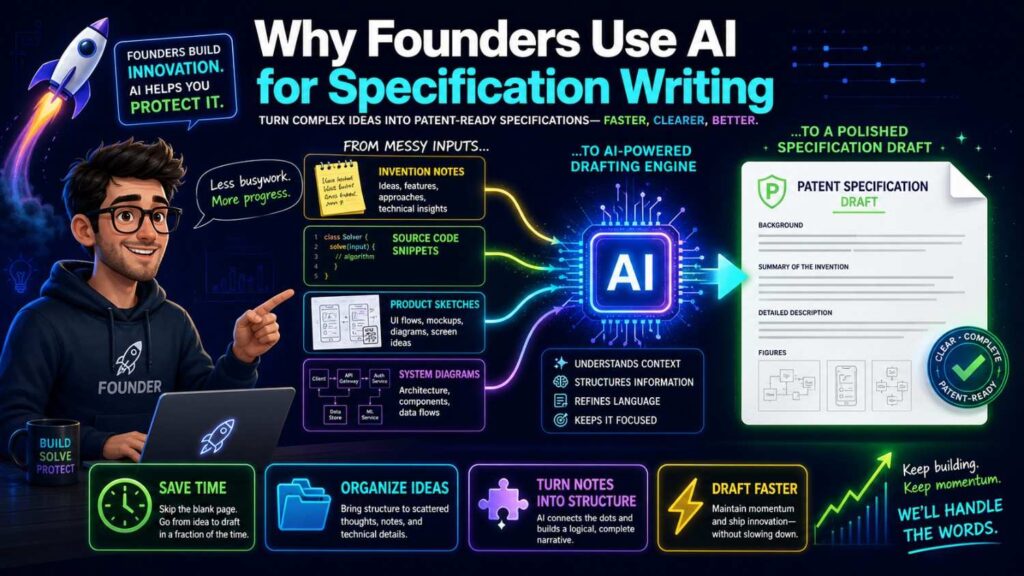
Founders use AI for specification writing because the old way can feel slow.
A founder may send a law firm a few notes. The firm asks for more details. The engineer explains the system on a call. Someone asks for drawings. The draft comes back weeks later. The founder reads dense language and worries the main point was missed. More calls follow. More edits follow. More cost follows.
That process can work, but it often feels heavy for fast teams.
AI can help by making the early work easier.
It can turn rough notes into a first draft. It can ask useful questions. It can find missing details. It can create a plain-language summary. It can compare different versions of a system. It can help explain diagrams. It can help a non-lawyer write something more complete before attorney review.
For a startup, that can save time.
But speed should never come at the cost of control.
The danger is when founders use general AI tools as if they were private notebooks.
They paste invention details into a public tool. They upload design docs. They include customer names. They share code snippets. They ask the tool to draft claims. They use personal accounts. They do not check data settings. They do not know where the information goes. They do not know who can access it. They do not know whether the company has approved the tool.
That is where the risk begins.
AI can be useful in patent work, but only when it sits inside a thoughtful process.
PowerPatent helps founders get the upside of smart AI tools while keeping real attorney oversight in the loop. Instead of leaving founders to figure it out alone with a blank page or a random chatbot, PowerPatent gives a more structured path. See how it works here: https://powerpatent.com/how-it-works
The first risk: pasting secret invention details into the wrong tool
The most basic risk is also the most common.
A founder has a messy set of invention notes. They want a cleaner version. They open an AI tool and paste everything in.
That paste may include the exact thing the company needs to protect.
It may include the core method before filing. It may include source code. It may include an unreleased model design. It may include data from a pilot customer. It may include technical diagrams. It may include private test results. It may include a future launch plan.
The founder may think, “I am just using this to write faster.”
But the information has now left the company’s normal workspace.
That may or may not be allowed under the tool’s terms, settings, or data policy. It may or may not be visible to the provider. It may or may not be used for training, depending on the service and account type. It may or may not be stored in a way your company has reviewed.
The problem is not just one tool.
The problem is lack of control.
If your team does not know what happens to the data after it is pasted, you should not paste your crown jewels.
For patent work, this rule matters even more because timing can matter.
Before a patent filing, your invention details may be highly sensitive. Public or uncontrolled disclosure can create problems. Even private sharing can create business risk if it is not managed.
The safer habit is simple.
Do not paste full invention details into unapproved AI tools.
Do not use personal AI accounts for company patent work.
Do not upload private technical documents unless the tool is approved for that type of information.
Do not assume a tool is safe just because it is popular.
Use a process built for invention capture and patent drafting, not a random writing shortcut.
This is exactly where a platform like PowerPatent can help. It is built for founders who need speed, structure, and attorney-backed review in a patent-focused workflow. You can see the process here: https://powerpatent.com/how-it-works
The second risk: sharing more than the AI needs
Even when a tool is approved, founders can still share too much.
AI tools often work best when they get context. That can tempt people to upload everything.
But in patent specification writing, more is not always better.
You may not need to share customer names. You may not need to include full source code. You may not need to include raw health data, private financial data, user messages, or confidential partner documents. You may not need to include the full product roadmap.
The AI may only need a cleaned-up technical description.
This is a key habit: share the least amount of sensitive detail needed to complete the task.
For example, instead of pasting a full customer pilot report, you may describe the technical result in generic terms.
Instead of including a customer name, use “Customer A.”
Instead of uploading a full database sample, use a fake example that shows the same structure.
Instead of pasting source code, explain the logic in plain words or share a narrow pseudocode version.
Instead of including private revenue targets, explain the technical value as lower cost, faster speed, higher accuracy, or better reliability.
This does not mean hiding technical truth from your patent team.
Your attorney may need real detail to do the work well.
But it does mean you should avoid sending sensitive business or customer information into AI systems when it is not needed.
Good confidentiality practice is not only about which tool you use.
It is also about how much you share.
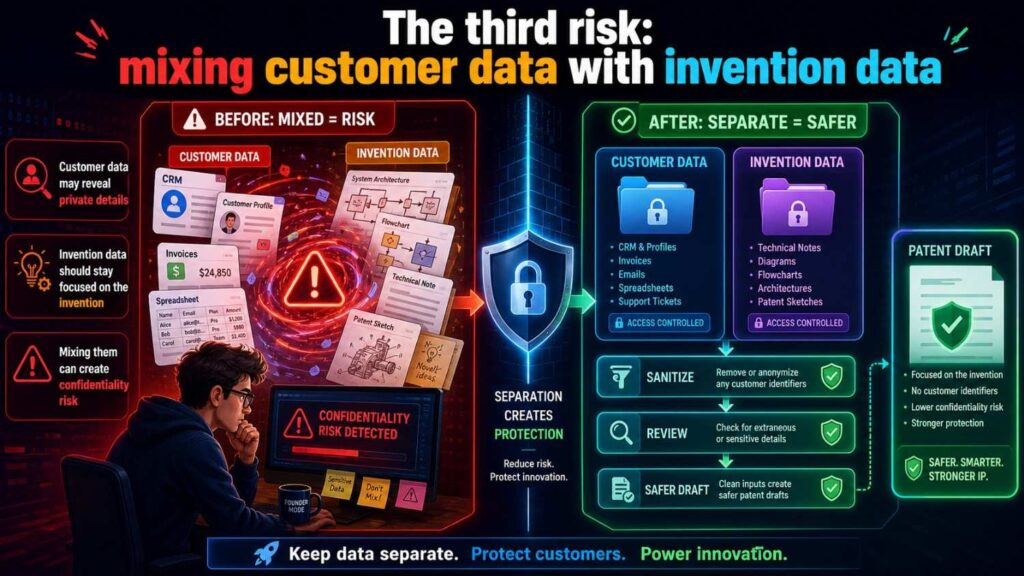
The third risk: mixing customer data with invention data
Many startups build their invention through customer pilots.
That is normal.
A customer asks for a new workflow. A design partner gives feedback. A pilot produces data. A partner integration reveals a hard technical problem. The team builds a new method to solve it.
Now the invention story is tied to customer information.
That creates a risk.
When writing a patent specification with AI, founders may paste customer materials into the drafting process. Those materials may include names, contracts, usage data, private workflows, security details, or regulated data.
This can create confidentiality risk and trust risk.
The customer may not have agreed to that use. The company may have promised to protect the customer’s information. The data may be covered by a contract, privacy rule, security policy, or industry standard. Even if there is no legal issue, it can still damage trust.
Founders should separate the invention from the customer identity whenever possible.
For patent writing, the key question is usually not “Which customer had the problem?”
The key question is “What technical problem did the system solve, and how?”
You can often explain the invention using a generic example.
Instead of saying a named hospital used the system in a named department, say a clinical site used the system to route messages based on urgency.
Instead of saying a named bank used the fraud model on a private dataset, say a financial system applied the method to transaction records.
Instead of uploading raw user data, describe the data fields in general terms.
This keeps the patent work focused while reducing needless exposure.
A strong patent process should help founders capture technical value without dragging in sensitive customer details that do not belong in the filing.
The fourth risk: exposing source code too early
Source code can be sensitive.
It may include trade secrets. It may reveal architecture. It may show workarounds. It may include comments that explain strategy. It may include keys or secrets by mistake. It may include open-source dependencies your team has not reviewed. It may include customer-specific logic.
Some founders paste code into AI tools because they want help explaining what the code does.
That may seem harmless.
But in patent work, source code is often more detail than needed.
A patent specification usually does not need your full codebase. It needs a clear explanation of the technical method.
In many cases, plain language is better than raw code.
Instead of pasting the function, explain the steps.
Instead of sharing the whole module, describe the data flow.
Instead of uploading the repository, create a simple diagram.
Instead of giving exact production values, use ranges or examples when appropriate.
There may be times when code helps an attorney understand the invention. But that should happen inside a controlled process, not through casual copy and paste into an unapproved tool.
For founders, the safe default is this:
Do not share source code with AI unless your company has approved the tool, the scope is narrow, and the code is truly needed.
For patent specification writing, you can often get better results by turning code into a method story.
What goes in?
What decision is made?
What changes?
What comes out?
Why is that better?
That is the story a patent specification needs.
The fifth risk: revealing future product plans
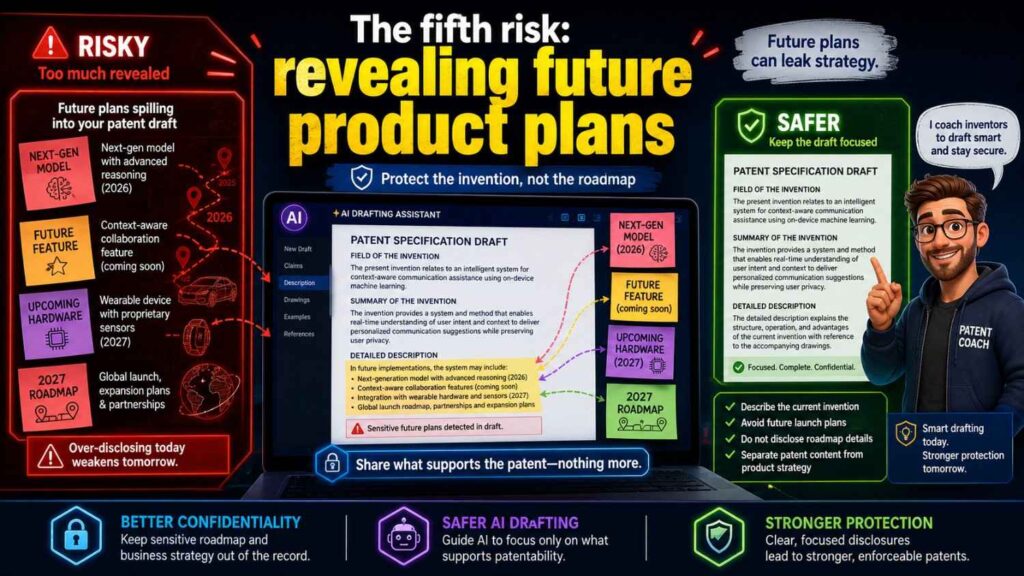
A patent specification may include more than the current product.
It may include future versions, alternative designs, and broader use cases. That can be helpful for patent strength. But it can also create confidentiality risk if handled poorly.
Your future roadmap may be sensitive.
It may reveal the next market you plan to enter. It may show a pricing move. It may reveal a new product line. It may show which platform you plan to integrate with. It may reveal that you are moving from software into hardware, or from one industry into another.
If those details are pasted into the wrong AI tool, your company may lose control over a valuable strategic plan.
This does not mean you should leave future versions out of patent work.
Good patent filings often need to describe alternatives and variations.
But the process should be thoughtful.
Ask what future detail is needed to support the invention.
Ask what is just business strategy.
Ask what should be shared only with the attorney.
Ask what can be described in general technical terms.
For example, instead of saying your company plans to launch in a specific named market next quarter, the specification may only need to say the method can be used in other environments with similar data or control needs.
The goal is to protect the invention without needlessly exposing the roadmap.
That balance takes judgment.
It is another reason real attorney oversight matters.
The sixth risk: losing trade secret value
Not every technical detail belongs in a patent filing.
A patent is a trade. You disclose the invention in exchange for possible rights. That can be a smart move when the invention is likely to be copied or visible from the product.
But some details may be better kept as trade secrets.
For example, a company may patent the main method but keep exact tuning values, internal data recipes, vendor processes, model weights, deployment scripts, or customer-specific know-how private.
AI specification writing can blur this line.
If a founder asks AI to “include everything,” the draft may pull in details that should not be disclosed.
That can weaken the company’s secret edge.
A good patent process should decide what to disclose and what to hold back.
This is not just a writing choice. It is a business choice.
Ask whether the detail is needed to support the patent.
Ask whether the detail would be hard for others to discover.
Ask whether the detail gives ongoing advantage.
Ask whether the company is ready to disclose it.
Ask whether a broader description can support the filing without giving away every internal knob and setting.
Founders should not make this call alone if the invention is important.
A patent attorney can help shape the disclosure so it is useful while reducing needless exposure.
PowerPatent combines software speed with real patent attorney oversight, which helps founders move fast while still making better decisions about what belongs in the filing. Learn more here: https://powerpatent.com/how-it-works
The seventh risk: weakening attorney-client confidentiality
When you work with a patent attorney, some communications may receive special legal protection. That protection can matter.
But if sensitive information is copied into third-party tools without care, you may create questions about confidentiality.
This is one reason founders should avoid casual AI use for attorney communications and patent drafts.
For example, if you paste attorney advice, draft claims, office action strategy, or private legal analysis into a general AI tool, you may create risk. You may also violate your company’s own policy or your attorney’s guidance.
The safer move is to keep attorney communications inside approved channels.
If AI is used, it should be part of a controlled workflow that the legal team understands.
Do not paste legal advice into random tools to “make it simpler.”
Do not upload draft patent claims into tools that are not approved for confidential legal work.
Do not ask a public AI tool to second-guess attorney strategy using private case details.
There is a better way.
Use systems designed for patent work.
Keep the attorney involved.
Make sure the process protects confidentiality as much as practical.
This is one of the main reasons PowerPatent’s attorney-backed model matters. Founders get help from smart software, but the work is connected to real patent professionals instead of floating around in uncontrolled tools. You can explore the process here: https://powerpatent.com/how-it-works
The eighth risk: unclear ownership of AI-assisted drafts
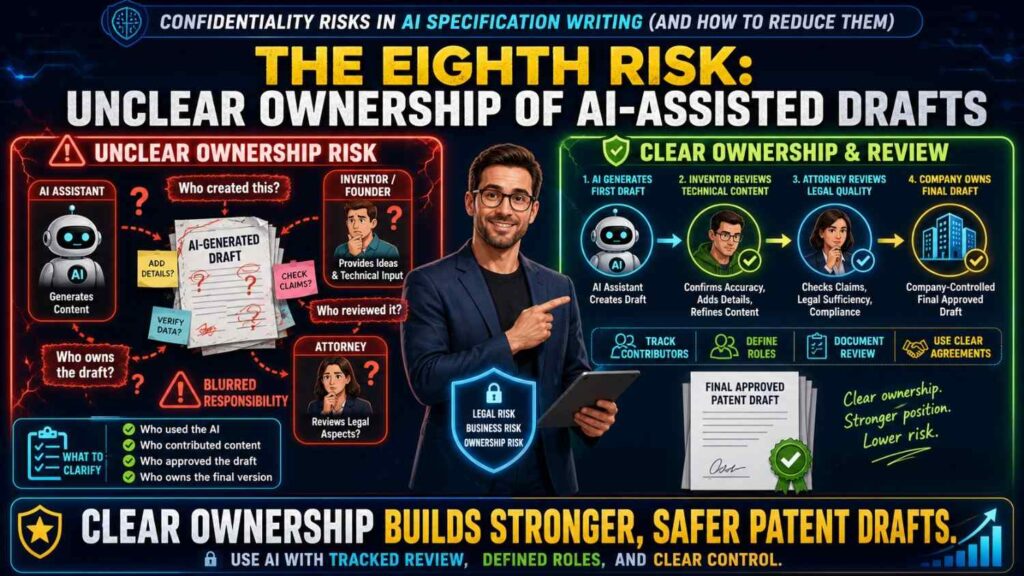
AI-assisted patent drafting raises another practical question.
Who owns the draft?
Who controls the inputs?
Who can use the outputs?
What rights does the tool provider claim?
Can the provider review the data?
Can the data be used to improve models?
Can contractors access it?
Can your company delete it?
Can your team export it?
These questions may sound boring, but they matter.
Patent drafts are company assets. They may include sensitive invention details. They should not live in a tool where ownership, access, and use are unclear.
Before using an AI system for patent specification writing, founders should understand the terms.
Not every founder needs to read every line alone. But someone on the team should know whether the tool is approved for confidential technical work.
The company should know whether inputs are used for training.
The company should know how data is stored.
The company should know whether humans can review the data.
The company should know how access is managed.
The company should know whether information can be deleted.
This is basic hygiene.
For core inventions, do not rely on hope.
Use a workflow that is clear by design.
The ninth risk: team members using different AI tools
One of the hardest risks to control is tool sprawl.
A founder uses one AI tool.
An engineer uses another.
A product manager uses a browser extension.
A contractor uses a personal chatbot.
An intern uses a free summarizer.
A designer uploads diagrams to a tool that creates cleaner visuals.
Everyone is trying to help.
But now invention details are spread across many systems.
No one has a full view of what was shared, where it went, or whether the tools were approved.
This is a real risk for startups because teams move fast and policies are often informal.
The answer is not to shame people.
The answer is to give them a clear, easy path.
Create a simple AI use policy for patent-related work.
Make it clear which tools are approved.
Make it clear what data cannot be pasted into unapproved tools.
Make it clear who to ask before uploading invention materials.
Make it easy to use the right workflow.
If the safe path is too hard, people will find shortcuts.
A founder-friendly patent process must be easier than unsafe copy and paste.
That is one reason PowerPatent is built to make invention capture and patent drafting smoother inside a structured flow. When the right path is simple, teams are more likely to use it. See how it works here: https://powerpatent.com/how-it-works
The tenth risk: treating AI output as ready to file
AI can draft useful text.
But a patent specification is not just any document.
It needs technical accuracy. It needs enough detail. It needs the right scope. It needs careful wording. It needs to match the invention. It needs to support claims. It needs to avoid adding made-up details. It needs to avoid leaving out key versions.
AI can make mistakes.
It can sound confident while being wrong.
It can invent details that your team did not build.
It can oversimplify the method.
It can use broad words with no support.
It can miss the actual novelty.
It can make every feature sound equally important.
It can repeat patterns from common examples that do not fit your invention.
This creates both quality risk and confidentiality risk.
A founder may think the AI draft is done and send it around widely. The draft may include wrong details, too much sensitive information, or not enough of the true invention.
That can waste time and create confusion.
The better approach is to treat AI output as a draft, not a final answer.
Have technical people review it for accuracy.
Have a patent attorney review it for legal quality.
Check that sensitive details are handled with care.
Make sure the draft does not invent facts.
Make sure it supports the business goal.
PowerPatent helps founders avoid the trap of raw AI drafting by pairing smart software with real attorney oversight. That gives teams speed without leaving the final quality to chance. Learn more here: https://powerpatent.com/how-it-works
Why confidentiality and patent strength are connected
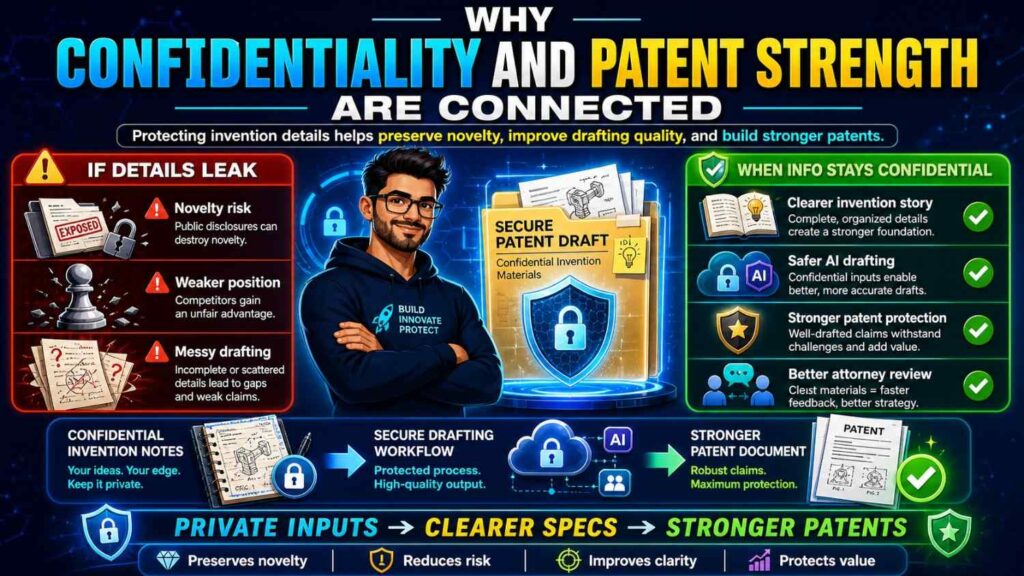
Some founders think confidentiality and patent strength are separate topics.
They are not.
A messy confidentiality process can hurt patent work.
If invention details are scattered across many tools, the team may lose track of what was disclosed and when.
If customer data is mixed into drafts, the team may waste time cleaning it out.
If source code is pasted into random tools, the company may create avoidable risk.
If future plans are shared casually, business strategy may leak.
If AI output is trusted too quickly, the filing may miss key details.
A clean process helps both sides.
It protects sensitive information.
It also makes the patent draft better.
When the team knows what to collect, what to remove, what to share, and who should review it, the work becomes faster and clearer.
Good confidentiality is not just about saying “no.”
It is about building a better path.
The core rule: do not make AI the first place your invention lives
Your invention should not first exist inside a random AI chat.
That is a risky habit.
The first record of your invention should live somewhere your company controls.
Use an internal invention note.
Use a secure document.
Use an approved patent workflow.
Use a system where access is known.
Then AI can help refine, organize, and expand the material inside the right process.
This order matters.
If your team starts by pasting raw ideas into random tools, you lose control from the first step.
If your team starts by capturing the invention in a company-approved place, you have a better record and a safer base.
A simple internal note can include the problem, the old approach, the new method, the main steps, the result, and possible variations.
That note does not need legal language.
It needs truth.
Once the truth is captured, a patent-focused AI workflow can help turn it into a stronger draft.
A safer workflow for AI-assisted specification writing
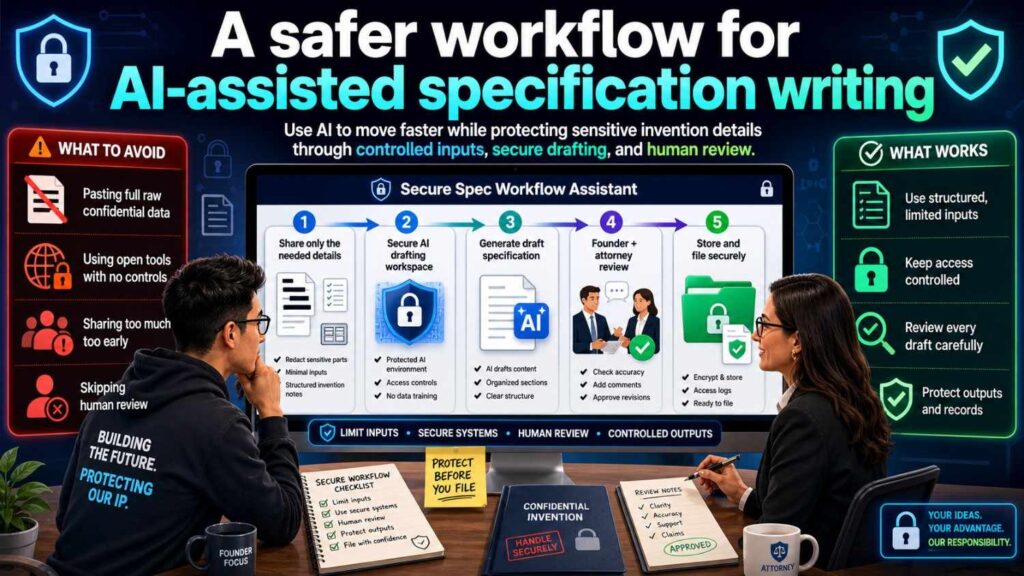
A safer workflow starts before anyone opens an AI tool.
First, decide whether the invention material is confidential.
For most patent work before filing, assume yes.
Second, decide which tools are approved for that level of information.
Do not leave this to each person’s guess.
Third, clean the input.
Remove customer names when they are not needed. Remove personal data. Remove private business terms. Remove passwords, keys, tokens, and secrets. Remove full source code unless it is truly needed and approved.
Fourth, write a plain invention summary.
Explain the problem, the solution, and the result.
Fifth, use AI inside the approved process to help structure the specification.
Ask it to find missing details. Ask it to create a clear outline. Ask it to turn notes into plain technical text. Ask it to suggest places where examples or diagrams would help.
Sixth, have the technical team check the draft.
Does it match the real system? Does it include the key method? Does it avoid made-up details? Does it describe variations?
Seventh, have a patent attorney review it.
This is where legal judgment enters.
Eighth, file before key public disclosure when needed.
This workflow is simple, but it can prevent many mistakes.
It keeps AI in the right role.
AI helps with speed and structure.
Humans provide truth, judgment, and strategy.
How to clean invention inputs before using AI
Input cleaning sounds dull, but it is one of the highest-value habits in AI specification writing.
Before using AI, scan the material.
Look for customer names.
Look for user data.
Look for health, financial, or personal data.
Look for source code.
Look for security keys.
Look for login details.
Look for unreleased business plans.
Look for private partner terms.
Look for internal comments that do not belong in a patent draft.
Look for trade secret details that may not need to be disclosed.
Then remove or replace what is not needed.
Use generic labels.
Use fake example data.
Use plain descriptions.
Use diagrams that show the method without exposing extra secrets.
For example, you can replace a real customer name with “enterprise user.”
You can replace exact revenue data with “reduced cost.”
You can replace raw patient text with “a user-submitted message.”
You can replace exact model weights with a description of how the model is selected or updated.
This makes the AI task safer and often clearer.
The cleaner the input, the cleaner the output.
What not to put into general AI tools
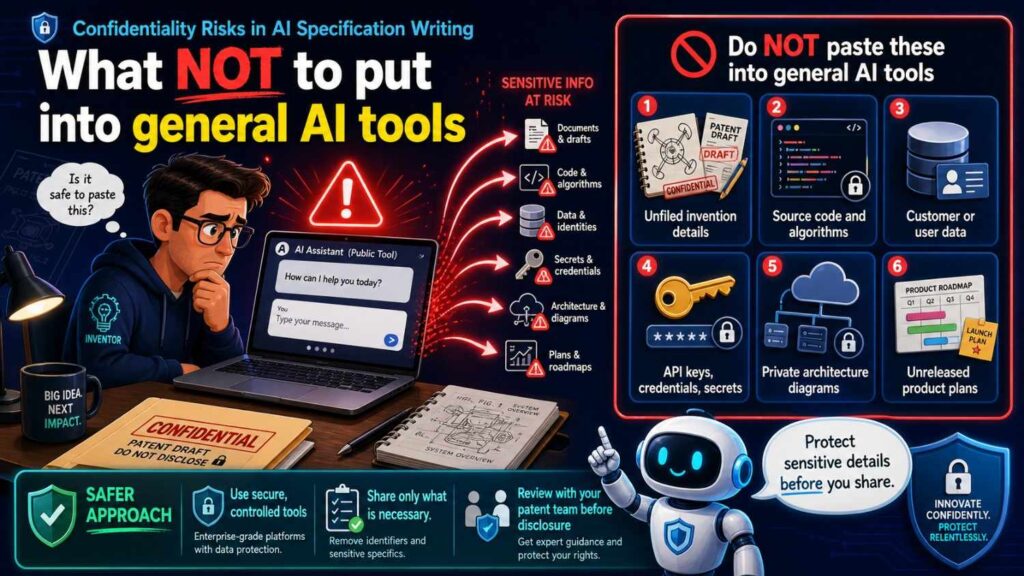
For patent specification work, some information should not go into general AI tools unless your company has approved the tool for that exact use.
Do not paste full invention disclosures before filing.
Do not paste full source code or repositories.
Do not upload customer contracts or private customer documents.
Do not include personal data, health data, or financial data.
Do not include security keys, tokens, passwords, or internal access details.
Do not paste attorney advice or legal strategy.
Do not upload private patent drafts to tools that are not approved for confidential work.
Do not share future product plans unless the tool and workflow are approved.
Do not include anything you would be alarmed to see outside your company.
That last test is simple but useful.
If you would panic if a competitor saw it, do not paste it into an unapproved tool.
Use a safer process.
What AI can safely help with when used well
AI can still help a lot.
The goal is not to avoid it.
The goal is to use it where it adds value with less risk.
AI can help turn a plain invention note into a clearer outline.
It can help draft a background section from non-sensitive context.
It can help rewrite technical text in simpler words.
It can help find missing questions.
It can help organize examples.
It can help create a diagram description.
It can help compare two versions of an invention summary.
It can help turn a long engineer note into a cleaner first draft.
It can help prepare questions for the inventor.
It can help find where the draft is vague.
It can help make the writing more readable.
The key is that the tool should be approved, the inputs should be controlled, and the output should be reviewed.
AI is a helper.
It is not the owner of the invention.
It is not the patent attorney.
It is not the final reviewer.
When used this way, AI can make the process faster while still respecting confidentiality.
How founders can write better prompts with less risk
Prompts matter.
A risky prompt asks the AI to work from raw confidential data.
A safer prompt gives only the needed context.
For example, a risky prompt might say:
“Here is our full unreleased design doc, source code, customer pilot report, and attorney draft. Write a patent specification.”
A safer prompt might say:
“Using the invention summary below, create a plain-language outline for a patent specification. Do not add facts that are not stated. Mark any missing details as questions.”
That second prompt is better for two reasons.
It shares less.
It tells the AI not to invent facts.
Founders should get in the habit of asking AI to identify gaps rather than fill them with guesses.
Use prompts like:
“List the missing technical details needed to explain this method.”
“Rewrite this in simpler language without adding new facts.”
“Create three example embodiments based only on the details provided, and flag any assumptions.”
“Turn this into a step-by-step method, but mark uncertain steps.”
“Suggest where diagrams would help.”
These prompts keep the AI in a safer role.
It becomes a drafting assistant, not a source of truth.
The phrase that protects quality: “Do not add facts”
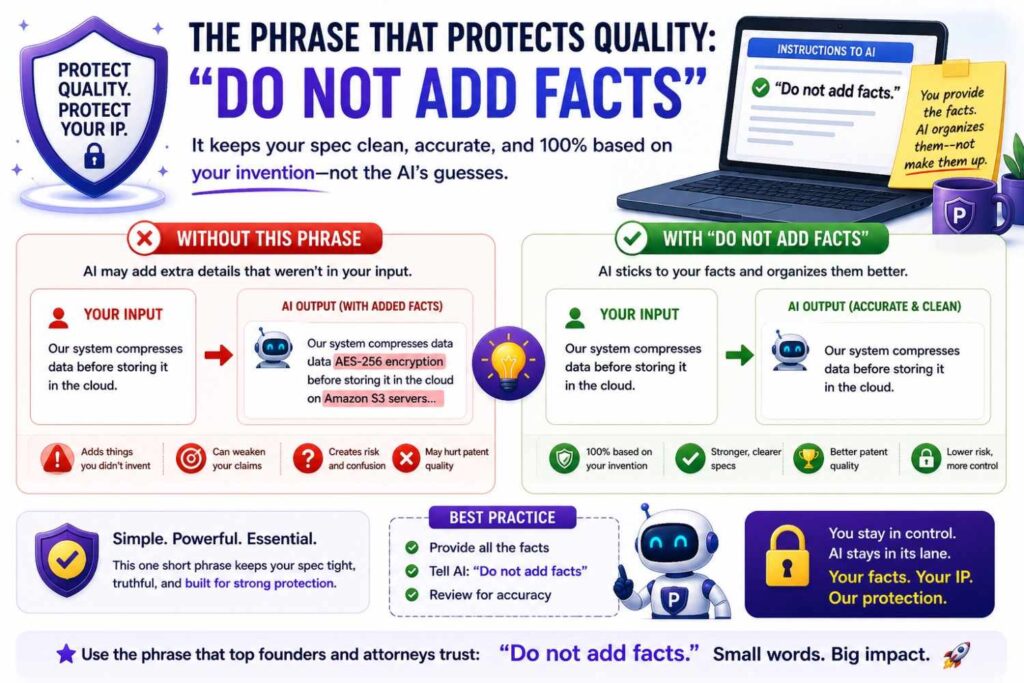
One of the most useful prompt instructions is simple:
Do not add facts.
AI tools are often trained to be helpful. If the material is missing a detail, the tool may fill the gap with something that sounds likely.
That is dangerous in patent work.
A made-up detail can confuse the invention. It can mislead reviewers. It can create a draft that does not match the real system. It can waste attorney time. It can create a false sense of completeness.
So tell the tool clearly:
Do not add facts.
If information is missing, ask a question.
If you are making an assumption, label it.
If a step is unclear, mark it as unclear.
If a term is vague, ask for a definition.
This keeps the draft grounded.
It also helps the team see what still needs work.
A good AI-assisted patent workflow should make uncertainty visible, not hide it behind smooth words.
The danger of smooth writing
Smooth writing can be misleading.
A patent draft may sound polished while still being weak.
It may use clear sentences but miss the core invention.
It may sound technical but say very little.
It may include generic language that could describe almost any product.
It may avoid hard details because the input was thin.
This is a real risk with AI-generated writing.
It can feel done before it is done.
Founders should not judge a draft only by how professional it sounds.
Judge it by what it explains.
Does it show the real problem?
Does it describe the actual method?
Does it include the key steps?
Does it explain the technical result?
Does it cover useful variations?
Does it avoid needless secrets?
Does it match what the team built?
Does it support the business goal?
If the answer is no, keep working.
A polished weak draft is still weak.
A clear, accurate, well-reviewed draft is what you want.
How to check an AI-generated specification draft
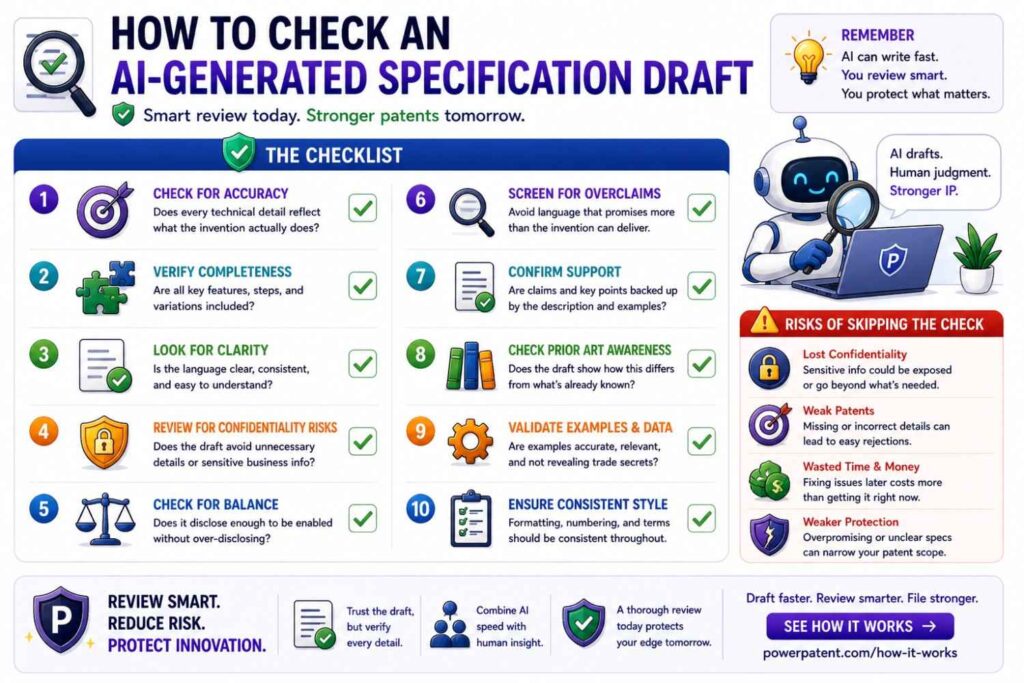
When reviewing an AI-generated draft, read it like a builder.
Ask whether each part is true.
Ask whether each step exists in the actual system.
Ask whether the order is right.
Ask whether any important part is missing.
Ask whether the draft describes only one version when the invention has broader use.
Ask whether it includes details that should stay secret.
Ask whether it uses customer data that should be removed.
Ask whether it names partners or users unnecessarily.
Ask whether it includes code or settings that are not needed.
Ask whether it describes the value in technical terms, not just business terms.
Then read it like a founder.
Does this protect what makes the company hard to copy?
Does it match the product strategy?
Does it support the next raise, launch, or partnership?
Does it cover the part a competitor would want?
Then have a patent attorney review it.
AI can help you get to a better starting point. It should not replace the final judgment.
PowerPatent helps make this process smoother by combining AI-supported drafting with real patent attorney review, so founders can move faster without trusting raw AI output alone. See how it works here: https://powerpatent.com/how-it-works
How to decide what to redact
Redaction means removing or hiding sensitive details before sharing material.
For AI specification writing, redaction should be practical.
You do not want to remove the actual invention. You want to remove information the AI does not need.
Start with identity details.
Remove customer names, patient names, employee names, partner names, and user IDs unless there is a clear reason to include them.
Then remove private business details.
Remove pricing, revenue, sales plans, launch dates, investor names, and partner terms when they do not matter to the invention.
Then remove sensitive technical extras.
Remove keys, credentials, internal URLs, exact model weights, private datasets, raw logs, and full code where a summary will work.
Then remove legal material.
Do not paste attorney advice, claim strategy, or legal analysis into unapproved tools.
This does not mean the patent attorney cannot see sensitive details.
It means AI should only receive what is needed and approved.
A good rule is this:
Redact identity, private business context, and unnecessary secrets. Keep the technical method clear.
How to protect diagrams in AI workflows

Diagrams can reveal a lot.
A system diagram may show architecture. A model pipeline may show the key method. A hardware diagram may show part placement. A data flow may show how the invention creates value.
Founders often upload diagrams to AI tools for cleanup or explanation.
That can be risky if the diagram is confidential.
Before uploading a diagram, ask what it reveals.
Does it show the core invention?
Does it include customer names?
Does it include internal systems?
Does it include security details?
Does it include exact architecture that should not be broadly shared?
If yes, use caution.
Create a simplified version when possible.
Remove labels that do not matter.
Use generic names.
Show the method without exposing internal system names or secrets.
Keep the detailed version for approved patent workflows and attorney review.
Diagrams are powerful for patents, but they should be handled like sensitive technical documents.
How to protect model and data details
AI startups face special confidentiality issues because their value may live in model and data choices.
A patent specification may need to explain a model pipeline, training method, evaluation method, feedback loop, routing layer, or guardrail system.
But it may not need to reveal every internal detail.
For example, the patent story may need to describe that a confidence score is generated and used to route a task. It may not need to disclose every exact threshold value.
It may need to explain that training data is filtered based on quality signals. It may not need to disclose the full private dataset.
It may need to describe a feedback loop. It may not need to include raw user feedback records.
It may need to explain how outputs are checked. It may not need to reveal all internal rules.
The right level depends on the invention.
Too little detail can weaken the filing.
Too much detail can give away secrets that do not need to be shared.
This balance is hard, and it is one reason attorney review is important.
Founders should work with a process that understands both AI systems and patent strategy.
PowerPatent is designed for technical founders who need that balance: smart tools to move fast, plus real attorneys to help shape the filing. Learn more here: https://powerpatent.com/how-it-works
How to protect hardware details
Hardware teams also face confidentiality risk in AI-assisted specification writing.
The sensitive information may include drawings, part shapes, material choices, tolerances, manufacturing steps, test data, supplier names, failure modes, or cost-saving methods.
Some of these details may belong in a patent filing.
Some may not.
For example, if the invention is a new device layout, the layout needs to be described. But supplier names may not be needed.
If the invention is a manufacturing method, certain process steps may be important. But exact vendor pricing may not be relevant.
If the invention is a sensor design, the signal flow may matter. But internal test notes that reveal unrelated weaknesses may not belong in an AI prompt.
Before using AI, hardware founders should separate invention details from business and operational extras.
Keep the method clear.
Remove the noise.
Protect supplier, cost, and production details unless they are needed for the patent work and shared through an approved path.
How to protect biotech and health data
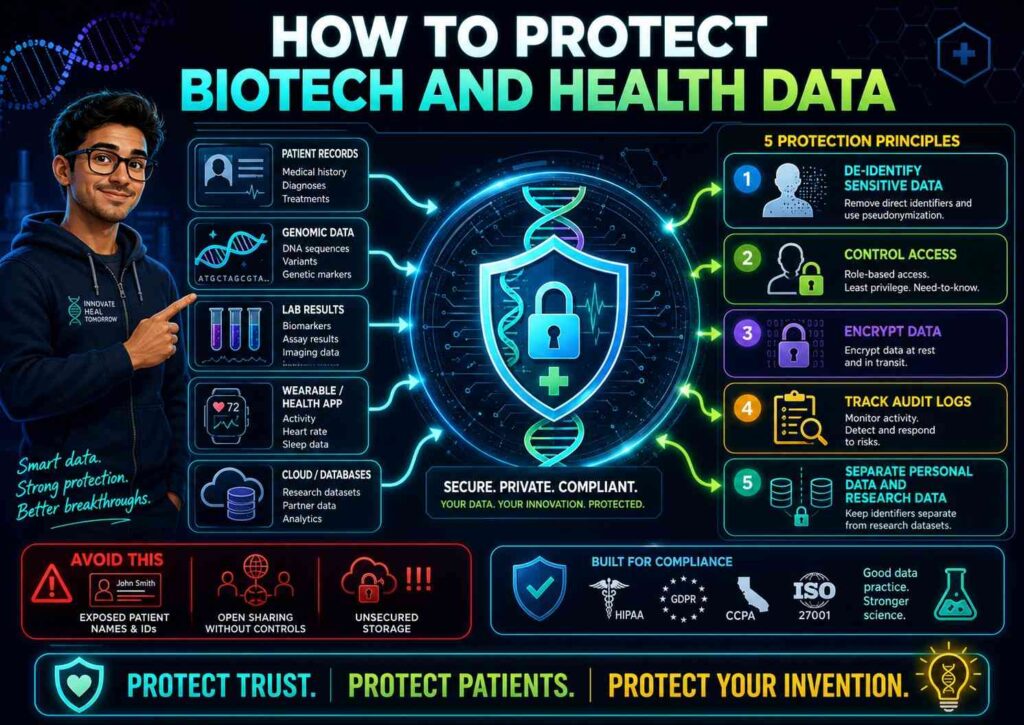
Biotech and health tech startups must be especially careful.
Invention notes may include patient-related data, sample details, lab results, clinical workflows, regulated information, or partner research.
AI specification writing can help organize complex science, but the inputs need strong control.
Do not paste patient information into general AI tools.
Do not upload clinical records.
Do not include identifiable sample data.
Do not share partner lab notebooks unless the tool and rights are approved.
Do not mix regulated data with patent drafting unless the process is designed for it.
Instead, use de-identified or synthetic examples where appropriate.
Describe the technical method without exposing private records.
Keep sensitive scientific data inside approved systems.
Work with counsel who understands the space.
For health and biotech founders, confidentiality is not just a nice practice. It is central to trust and company value.
How to protect security inventions
Security startups may be tempted to use AI to explain attack paths, defense methods, detection logic, or system controls.
This can create unique risk.
A patent specification may need to explain the invention well enough to support protection. But it should not casually expose vulnerabilities, customer environments, keys, exploit details, or defensive rules in uncontrolled tools.
Before using AI, security founders should remove sensitive operational data.
Do not include real customer logs unless approved and needed.
Do not include live vulnerability details that could be abused.
Do not include keys, secrets, or access paths.
Do not include internal detection thresholds unless they are needed and approved.
Use generic examples when possible.
Explain the method at the right technical level.
Have the draft reviewed carefully.
In security, a sloppy AI prompt can become more than a confidentiality risk. It can become an operational risk.
The role of access control
Confidentiality is not only about AI tools.
It is also about who can access the materials.
Patent specification drafts may be shared with founders, engineers, attorneys, contractors, advisors, investors, and partners. Each share increases risk.
Use access control.
Keep drafts in approved systems.
Limit access to people who need it.
Avoid sending sensitive drafts through personal email.
Avoid open links.
Remove access when contractors leave.
Use version history.
Track who has edited key documents.
Make sure files are not copied into random folders.
These steps sound basic, but they matter.
A great AI policy will not help much if draft specifications are shared through public links.
For core inventions, treat drafts like sensitive company assets.
The role of audit trails
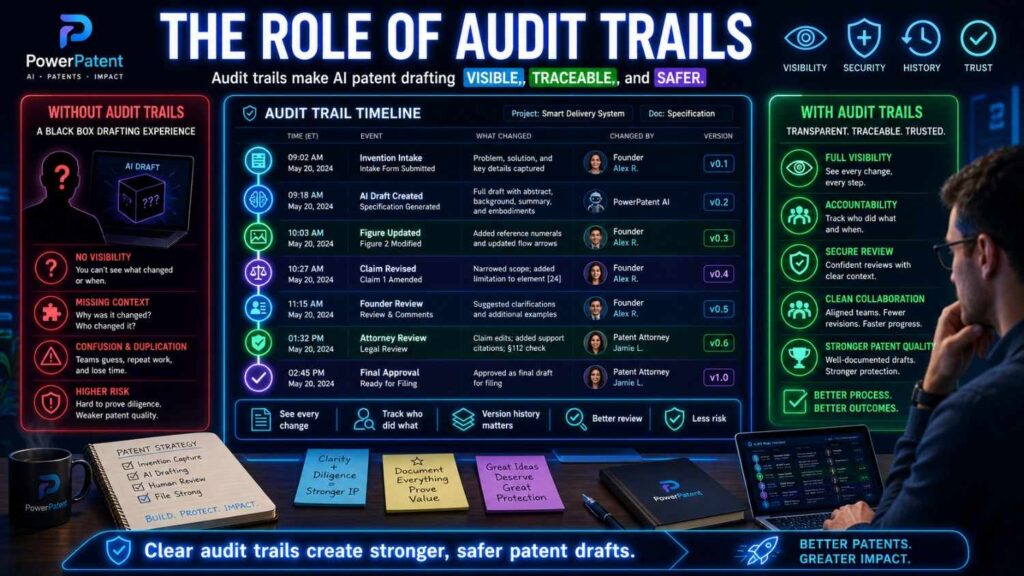
An audit trail shows what happened.
Who uploaded the invention note?
Who changed the draft?
What version was reviewed?
What was sent to the attorney?
What was filed?
What was shared publicly later?
This can be useful for internal control and future diligence.
Startups often skip this because they are busy.
But clean records can save pain later.
If an investor, buyer, or board asks how the company handled its IP, you want a clear answer.
A structured patent workflow can help by keeping the process organized.
This is another reason a purpose-built platform can be better than scattered AI chats, docs, and email threads.
PowerPatent helps founders move through invention capture and patent filing in a more organized way, with software and attorney support built for startup speed. See how it works here: https://powerpatent.com/how-it-works
The role of employee training
A policy is not enough if no one understands it.
Your team needs simple guidance.
Do not make it scary.
Make it clear.
Tell engineers that invention notes are sensitive.
Tell product managers not to upload customer materials into unapproved AI tools.
Tell contractors which tools they may use.
Tell interns not to paste code into free summarizers.
Tell the team who to ask before using AI for patent work.
Use examples.
Show what is okay.
Show what is not okay.
Keep the rules short.
The goal is not to stop people from working.
The goal is to help them work safely.
When people understand the reason, they are more likely to follow the rule.
A simple company rule for AI and patents
Here is a simple rule many startups can adapt:
Do not enter confidential invention details, source code, customer data, legal advice, or patent drafts into any AI tool unless the company has approved that tool for that exact use.
That one sentence can prevent many mistakes.
You can add more detail under it, but the core rule should be easy to remember.
Then give the team an approved path.
A rule without a path creates friction.
A rule with a good path creates safety.
For patent work, the approved path should include invention capture, input cleaning, AI drafting support where appropriate, technical review, and attorney review.
That is how you get speed without chaos.
How to work with outside counsel when AI is involved
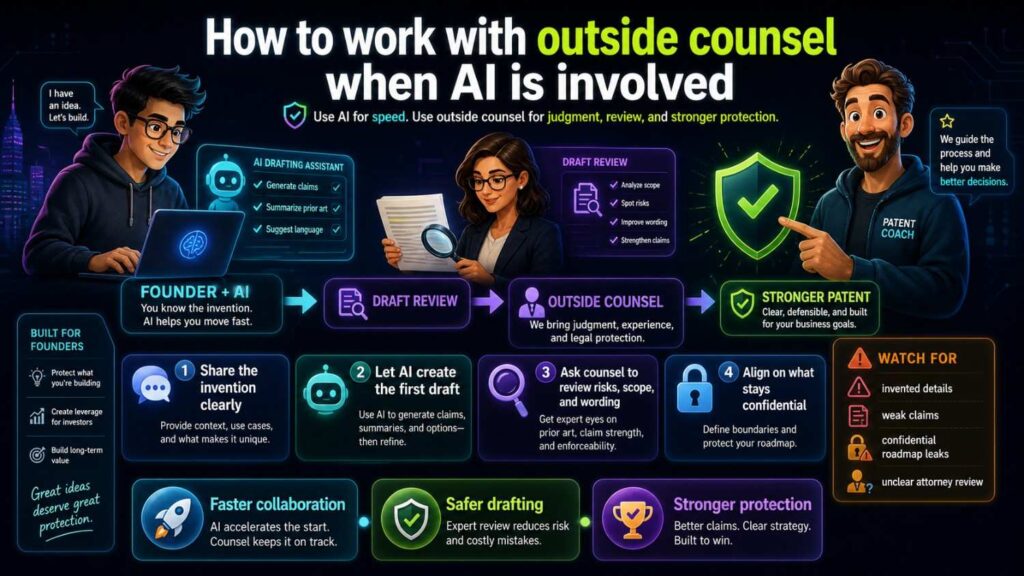
If you use outside counsel, be open about AI use.
Ask how they use AI.
Ask what tools they use.
Ask whether client data is used to train models.
Ask who can access the data.
Ask how drafts are stored.
Ask whether AI output is reviewed by a patent attorney.
Ask how they check for accuracy.
Ask how they protect confidential information.
These are fair questions.
A good patent partner should have clear answers.
Founders do not need to fear AI use by counsel. They just need to know it is controlled, thoughtful, and reviewed.
PowerPatent is built on this idea: use smart software to make the process better, while keeping real attorney oversight at the center. You can see how that works here: https://powerpatent.com/how-it-works
How to work with contractors and advisors
Contractors and advisors can create extra risk because they may use their own tools.
They may not know your company policy.
They may work across many clients.
They may use personal accounts.
They may store files on their own systems.
When contractors help with invention materials, give clear rules.
Make sure they have written confidentiality duties.
Make sure IP ownership is handled.
Tell them which tools they may use.
Tell them what they may not upload.
Give them access only to what they need.
Remove access when the work ends.
This is basic startup hygiene.
It becomes more important when AI tools make copying and summarizing so easy.
How to handle public AI tools already used by the team
Sometimes founders discover that someone already pasted invention details into a public AI tool.
Do not panic.
Do not ignore it either.
Find out what was shared.
Find out which tool was used.
Find out whether it was a personal or business account.
Find out the tool’s data settings if possible.
Find out whether customer data, code, legal advice, or trade secrets were included.
Document what happened.
Talk to counsel if the information was important.
Then fix the process.
Create a clear rule.
Give the team an approved path.
Train people on what not to share.
The goal is to reduce future risk.
Mistakes happen, especially in fast teams. The key is to learn quickly and tighten the workflow.
The patent filing timeline and confidentiality
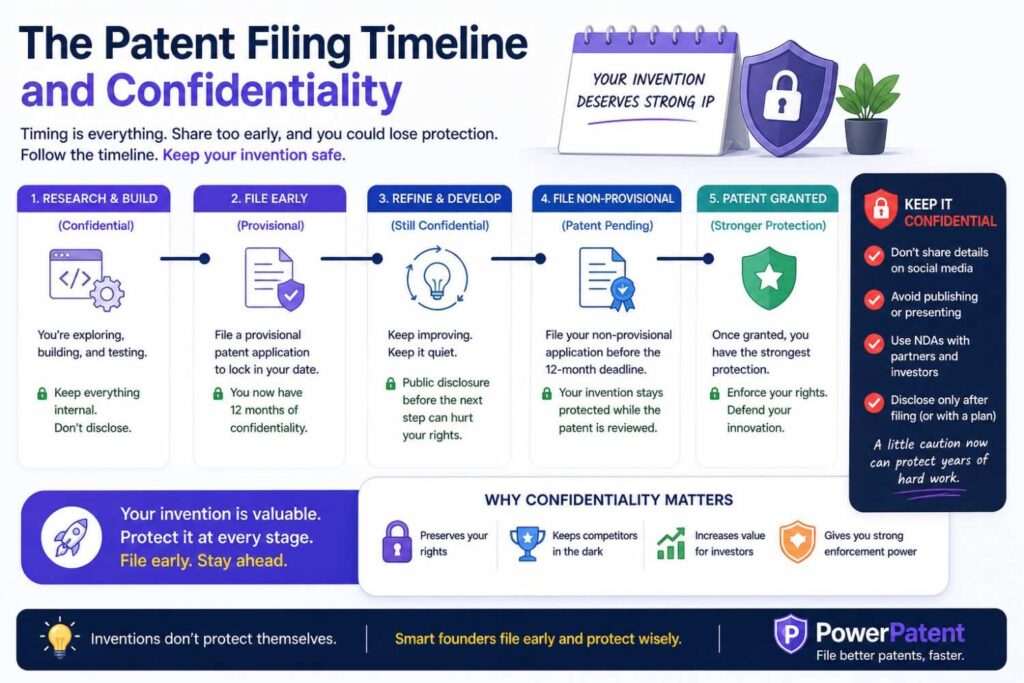
Timing matters in patent work.
Before filing, your invention details may need strong protection.
After filing, some details are still sensitive because the application may not publish right away. Your draft claims, strategy, future filings, and related trade secrets may remain private.
Do not assume that filing means everything can be shared freely.
Your company may still have confidential improvements.
You may have follow-on filings planned.
You may have business strategy tied to the invention.
You may have customer data that should never be public.
So confidentiality does not end at filing.
It changes.
A good IP process tracks what has been filed, what remains private, what can be discussed publicly, and what still needs protection.
This helps marketing, sales, fundraising, and product teams avoid mistakes.
Before a demo: what to check
Demos can reveal more than founders realize.
A public demo may show a workflow, a model behavior, a device operation, or a technical result. A private demo may go deeper and show system settings, logs, architecture, or integration steps.
Before a demo, check what the audience will see.
Will they see the core method?
Will they see a unique data flow?
Will they see unreleased features?
Will they see customer-specific results?
Will they see technical settings or outputs that reveal the invention?
If yes, ask whether a patent filing should happen first.
Also decide what to hide.
Use demo data.
Use generic labels.
Remove internal panels.
Avoid exposing architecture unless needed.
Keep the demo focused on value, not secrets.
This protects the invention while still helping you sell.
Before a pitch: what to check
Pitch decks often include technical diagrams.
That can be useful. Investors need to understand why the company is special.
But a deck can also travel beyond the first meeting.
Before sharing a deck, review the technical slides.
Do they reveal the key method?
Do they include enough detail for a competitor to copy?
Do they name customers or partners without permission?
Do they show future product plans?
Do they include screenshots with private data?
Do they discuss patent strategy too openly?
Investors need a clear story, not every secret.
You can explain the advantage without giving away the full playbook.
If the technical edge has not been filed yet, consider filing before broad pitch activity.
PowerPatent can help founders move quickly when a fundraise is coming and the company needs to protect core invention details before telling the story widely. Learn more here: https://powerpatent.com/how-it-works
Before a launch: what to check
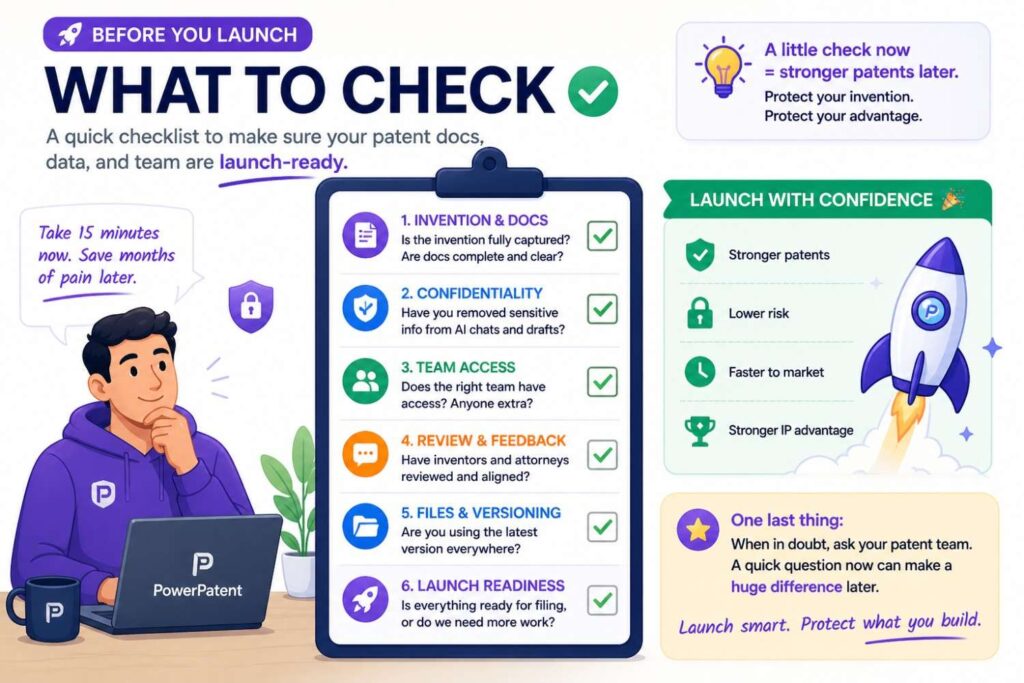
A product launch can become a disclosure event.
Your website, docs, videos, API guides, blog posts, tutorials, and social posts may reveal technical details.
Before launch, review public materials.
Do they explain the invention?
Do they include architecture diagrams?
Do they show workflows that make the method clear?
Do they include benchmark results that reveal how the system works?
Do they include customer data or screenshots?
Do they reveal future features?
You do not need to hide all technical value. Startups need to market their products.
But you should protect the core before public launch when needed.
AI can help draft launch content, but do not paste confidential patent material into a general marketing tool without care.
Patent and marketing workflows should talk to each other.
That is how you avoid launching your secret before you protect it.
Before open source: what to check
Open source can be a smart move, but it can reveal implementation details.
Before releasing code, check whether the repository includes core invention material.
Does it show the main method?
Does it reveal data processing steps?
Does it include model routing logic?
Does it include safety checks?
Does it include internal comments that reveal strategy?
Does it include keys or secrets?
Does it include third-party code with license issues?
If the code reveals the invention, consider filing first.
Also clean the repository.
Remove secrets.
Remove private comments.
Remove customer-specific logic.
Remove files that should not be public.
Open source and patents can work together, but timing and process matter.
Before a research paper: what to check
Research papers can be valuable for deep tech startups.
They build trust. They help recruit talent. They show credibility.
But they can also disclose inventions.
Before submitting a paper, review it for patentable details.
Does it describe a new method?
Does it show a new system design?
Does it include results tied to a specific process?
Does it include enough detail for others to reproduce the invention?
Does it disclose a future product direction?
If yes, consider filing before the paper becomes public.
Also be careful using AI to edit papers that contain confidential invention details.
Use approved tools only.
Remove sensitive information when possible.
Keep counsel in the loop.
The safest role for AI in invention interviews
AI can help prepare for inventor interviews.
It can turn rough notes into questions.
It can find gaps.
It can suggest areas to explain.
But be careful about recording, transcribing, and uploading interviews.
Inventor interviews may include highly sensitive details.
They may include offhand comments about trade secrets, customer data, future plans, or legal strategy.
If you use AI transcription or meeting tools, make sure they are approved.
Tell participants what tools are being used.
Store transcripts in approved places.
Remove unnecessary sensitive details before using transcripts for drafting.
Do not let automatic meeting bots collect patent strategy by accident.
A short, focused interview with clean notes may be safer than a long recording pushed through many tools.
How to make inventor interviews better
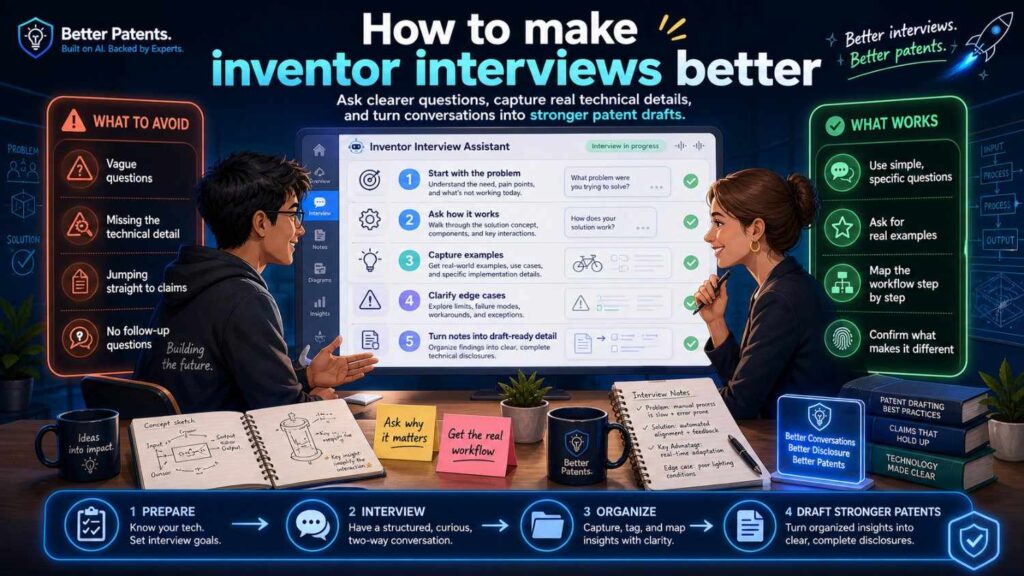
Ask simple questions.
What problem were you trying to solve?
Why was it hard?
What did the old method fail to do?
What did you build?
What are the main steps?
What improved?
What else could change while the invention still works?
What should not be disclosed if not needed?
These questions help capture the invention while keeping the conversation focused.
They also reduce the chance that people share random sensitive details.
AI can help turn the answers into a draft, but the human interview should stay grounded in the actual work.
How to handle screenshots
Screenshots are easy to share and easy to forget.
They may include customer names, user data, internal URLs, admin panels, feature flags, logs, debug messages, pricing, or product plans.
Before using screenshots in AI specification writing, clean them.
Crop what is not needed.
Blur customer data.
Remove internal URLs.
Use demo accounts.
Replace real records with fake examples.
Check sidebars, tabs, notifications, and browser bars.
A screenshot can leak information outside the main subject.
Treat it with care.
How to handle logs and test data
Logs and test data can be useful for explaining technical results.
They can also be full of sensitive information.
Logs may include user IDs, API keys, IP addresses, customer activity, error messages, internal paths, and system names.
Test data may include raw customer data, private samples, or partner information.
Before using logs in AI drafting, clean them.
Use summaries where possible.
Use fake examples that preserve the structure.
Remove identifiers.
Remove secrets.
Remove unrelated system details.
Keep only what explains the invention.
For a patent specification, the important part is often the method and result, not the raw log itself.
How to handle benchmark results
Benchmark results can support an invention story.
They can show that a method improves speed, accuracy, cost, stability, or reliability.
But benchmarks can reveal sensitive details.
They may show internal performance numbers, customer workloads, model choices, hardware setups, cost structure, or future roadmap.
Before sharing benchmark results with AI, decide what is needed.
A patent draft may need to explain that the method improves a result. It may not need every raw number.
Sometimes ranges or representative examples are enough.
Sometimes exact data matters.
The right choice depends on the invention and strategy.
Use attorney review when results are important.
Do not casually upload internal benchmark files into unapproved tools.
How to handle model prompts and system prompts
For AI companies, prompts can be valuable.
System prompts, routing prompts, evaluation prompts, and guardrail prompts may reveal product strategy and technical design.
Some prompt methods may be part of the invention.
But exact prompt text may also be a trade secret.
Before including prompts in AI specification writing, ask whether exact wording is needed.
In many cases, the patent story can describe the function of the prompt or the method for generating it without revealing every word.
For example, the specification may explain that a task-specific instruction is generated based on user context and risk level.
It may not need to disclose the exact production prompt.
Again, this is a judgment call.
Do not paste your full internal prompt library into a general AI tool.
Use a controlled process and attorney guidance.
How to handle training data descriptions
Training data can be one of the most sensitive parts of an AI company.
It may include licensed data, customer data, scraped data, synthetic data, human-labeled data, private labels, or cleaning methods.
A patent specification may need to describe training at a high level.
But it may not need raw data.
Before using AI to draft training-related patent text, remove private records.
Use generic data descriptions where possible.
Explain the data selection method, not the full dataset.
Explain the labeling process, not private labels tied to real users.
Explain the quality filter, not all internal rules unless needed.
Be careful with licensed or third-party data.
You may not have the right to share it with an AI tool.
This is an area where founders should be extra careful.
How to handle prompt injection and malicious inputs
There is a newer risk in AI workflows that many founders miss.
If your AI drafting tool reads outside files, web pages, tickets, customer messages, or documents, those inputs may contain instructions that try to manipulate the AI.
This is often called prompt injection.
In a patent workflow, this could matter if the AI is asked to summarize customer tickets, support messages, web pages, or external docs.
A malicious or accidental instruction inside the input could tell the AI to ignore rules, reveal hidden information, or change the output.
Founders do not need to become security experts to reduce this risk.
Use trusted inputs.
Do not connect patent drafting tools to random external sources unless needed.
Review AI output carefully.
Do not allow AI tools to send files, emails, or messages without human approval.
Keep sensitive patent materials separate from untrusted content.
This is another reason controlled workflows matter.
How to handle AI memory features
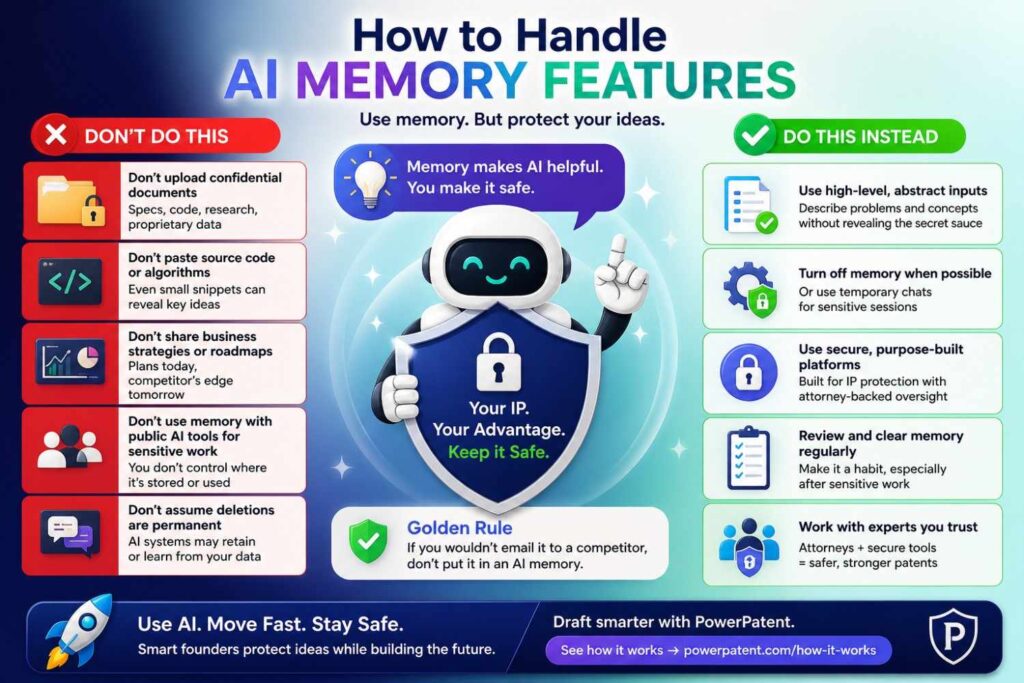
Some AI tools have memory or history features.
They may remember prior chats, user preferences, files, or context.
That can be helpful for normal work.
It can be risky for patent work.
A tool that remembers confidential invention details may later use that context in another chat. A personal account may mix work across projects. A contractor may have memory enabled across clients.
Before using AI for patent specification writing, check memory and history settings.
Use approved accounts.
Turn off memory if required by policy.
Do not use personal accounts for company inventions.
Keep projects separate.
Delete materials when appropriate and when the tool allows it.
The main point is simple: do not let a convenience feature become an uncontrolled storage place for your invention.
How to handle browser extensions and plugins
Browser extensions can quietly create risk.
Some tools can read page content, emails, documents, chats, or code. Some AI plugins can send information to third-party services.
A team member may install an extension to summarize docs or rewrite text, not realizing it can access sensitive invention materials.
For patent work, be careful.
Limit extensions on pages that contain invention details.
Use company-approved tools.
Review permissions.
Avoid extensions that read broad page content unless there is a clear need.
Train the team to ask before using new AI helpers on patent drafts, source code, or customer materials.
This is not about blocking every tool.
It is about knowing what tools can see.
How to handle file uploads
File uploads are easy.
That is why they are risky.
A founder may upload a whole folder because it is faster than copying selected text.
But that folder may include many things the AI does not need.
Before uploading files, narrow the scope.
Upload only the document needed.
Remove hidden sheets, comments, tracked changes, metadata, and old pages.
Check file names.
Check embedded images.
Check notes sections.
Check attachments.
Check whether the file includes customer or legal information.
For patent work, file hygiene matters.
A clean input leads to safer drafting.
How to handle metadata
Metadata is information about a file.
It may include author names, company names, dates, comments, version history, hidden text, file paths, or tracked changes.
When using AI tools, metadata can be easy to forget.
Before uploading documents, consider whether metadata should be removed.
This is especially important for investor decks, customer reports, research papers, and internal specs.
A file may look clean on the surface while still carrying hidden information.
Use clean exports when possible.
Avoid uploading original files with tracked changes unless needed.
Check comments and notes.
This is a small habit that can reduce needless exposure.
Why simple language helps confidentiality
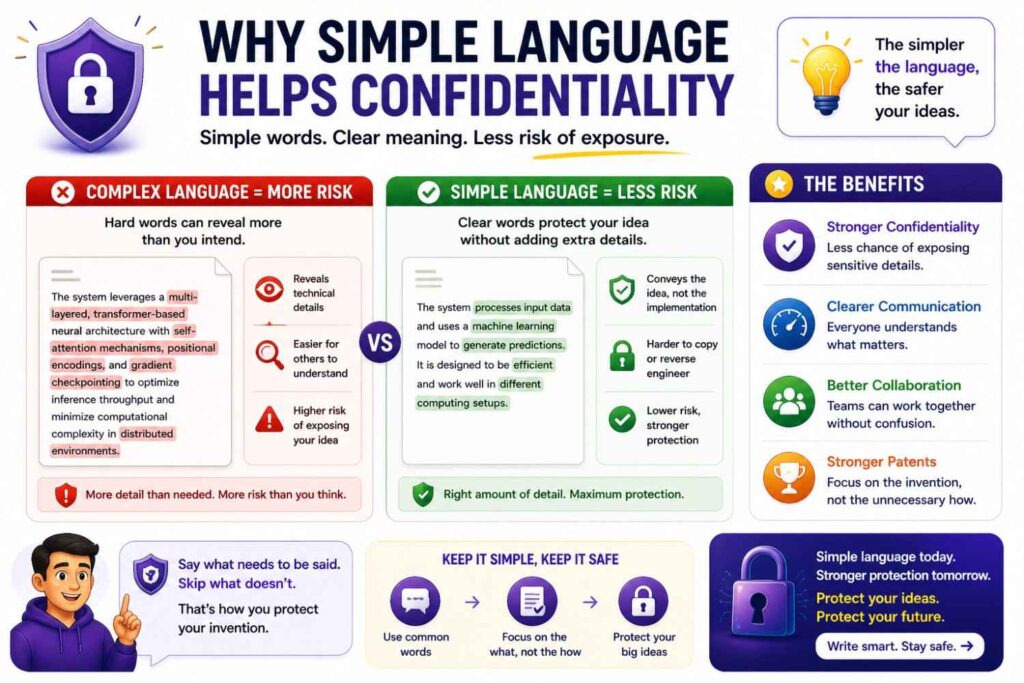
Simple language is not just good writing.
It can also reduce risk.
When a team explains an invention clearly in plain words, it is easier to see what is needed and what is extra.
Complex jargon can hide sensitive details.
A messy dump of technical terms can make it harder to redact.
Plain writing helps everyone understand the core.
What is the problem?
What is the method?
What improves?
What details are needed?
What details are not needed?
That clarity helps the AI, the founder, the engineer, and the attorney.
This is why PowerPatent focuses on making the process clearer for technical founders. The goal is not to bury inventions in legal language. The goal is to capture the real invention in a way that can become strong patent work. See how it works here: https://powerpatent.com/how-it-works
The “need to know” test
Before sharing invention material with any AI tool, person, contractor, or advisor, use the need-to-know test.
Does this tool or person need this exact information to do the task?
If not, do not share it.
Could a less sensitive version work?
If yes, use that.
Could a summary work?
If yes, start there.
Could fake data work?
If yes, use fake data.
Could the attorney review the sensitive detail directly instead of pushing it through AI?
If yes, consider that path.
This test is simple and powerful.
It reduces accidental oversharing.
It also makes patent drafting more focused.
The “would we file this?” test
Another useful test is this:
Would we be comfortable seeing this detail in a filed patent application?
If yes, it may be appropriate for the specification.
If no, ask why.
Maybe the detail is a trade secret.
Maybe it is customer data.
Maybe it is a future product plan.
Maybe it is too specific.
Maybe it is not needed.
Maybe it belongs in attorney-only strategy discussion.
This test does not answer every question, but it starts the right conversation.
A patent filing is a public-facing asset eventually in many cases. Treat the drafting process with that future in mind.
The “competitor view” test
Read the draft like a competitor.
What would they learn?
Could they copy the method?
Could they learn more than the patent needs to teach?
Could they discover private customer strategy?
Could they infer pricing or cost structure?
Could they identify partners?
Could they learn trade secret details that were not needed?
This test helps founders spot over-disclosure.
It does not mean you should make the patent vague.
A patent must teach the invention.
But it does mean you should avoid giving away unrelated secrets.
The right balance is to disclose what supports the patent, not every private company detail.
The “future self” test
Imagine your company two years from now.
You are raising a larger round, entering diligence, signing a major partner, or talking to a buyer.
They ask how you handled AI and confidential invention materials.
Would you feel good explaining the process?
Would you know which tools were used?
Would you know who had access?
Would you know whether customer data was protected?
Would you know which drafts were reviewed by attorneys?
Would you know what was filed and what stayed secret?
If the answer is no, improve the process now.
Diligence rewards clean habits.
The time to build those habits is before anyone asks.
Why attorney oversight still matters in the AI age
AI changes the speed of patent work.
It does not remove the need for judgment.
A patent attorney helps decide what the invention is, how to describe it, what to claim, what to disclose, what to hold back, and how the filing fits the business plan.
AI can support that work.
It can make the process faster.
It can help organize details.
It can reduce blank-page pain.
But it should not replace legal review.
This is especially true when confidentiality is involved.
A lawyer can help spot issues a founder may miss.
A lawyer can help balance patent disclosure and trade secret protection.
A lawyer can help review drafts for accuracy and scope.
A lawyer can help the company avoid costly mistakes before filing.
PowerPatent brings together AI-powered tools and real patent attorneys so founders do not have to choose between speed and guidance. You can see how it works here: https://powerpatent.com/how-it-works
What a good AI patent platform should do
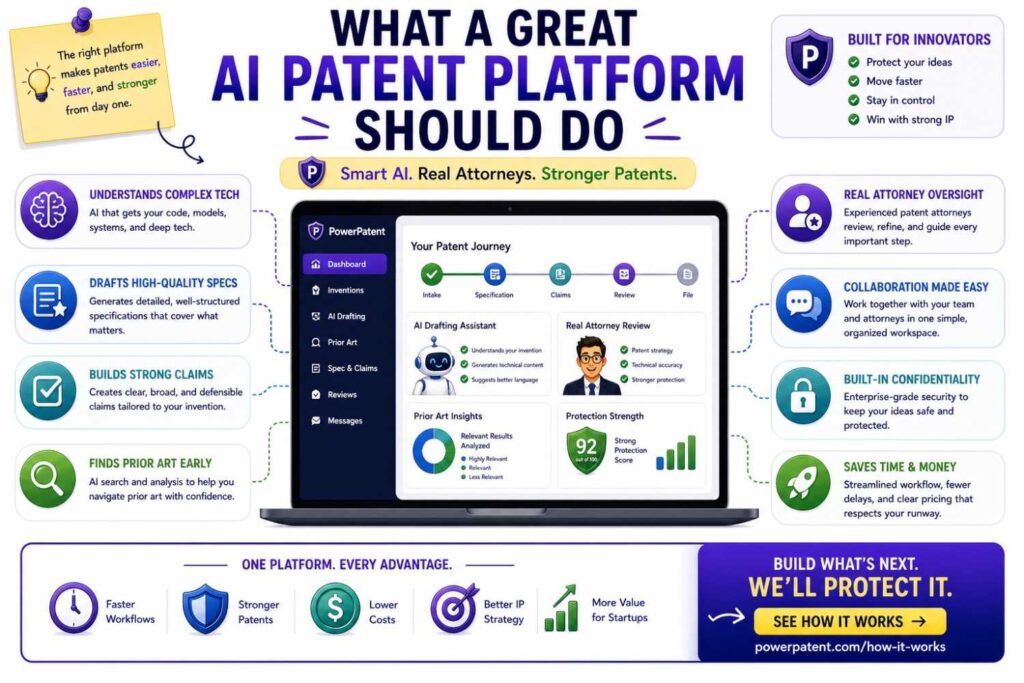
A good AI patent platform should not be a random chatbot with a patent label.
It should be built around the real workflow.
It should help capture invention details.
It should guide founders with useful prompts.
It should help structure the specification.
It should reduce blank-page work.
It should make it easy to add diagrams and examples.
It should help identify missing details.
It should keep the founder in control.
It should include real attorney oversight.
It should support confidentiality with clear access and process.
It should help founders move fast without making them careless.
That is the kind of modern process startups need.
Patent work should not feel like a maze. It should feel like a guided path from invention to filing.
PowerPatent is designed around that kind of path. Explore it here: https://powerpatent.com/how-it-works
How to build your AI patent policy in one page
You do not need a fifty-page policy to start.
A one-page policy can help a lot.
It should say which AI tools are approved for patent-related work.
It should say what information cannot be entered into unapproved tools.
It should say how to clean inputs.
It should say who reviews AI-generated patent drafts.
It should say how to handle customer data.
It should say how to handle source code.
It should say who to ask when unsure.
Keep it simple.
Make it easy to find.
Review it with the team.
Update it as your tools and company grow.
The policy is not the goal.
Safe behavior is the goal.
How to create an invention intake form that reduces risk
An invention intake form can help your team capture the right details without oversharing.
Ask for the problem.
Ask for the old approach.
Ask for the new method.
Ask for the main steps.
Ask for the technical result.
Ask for variations.
Ask whether customer data is involved.
Ask whether source code is needed.
Ask whether any details should be kept secret.
Ask whether the invention has been publicly shared.
Ask whether a launch, paper, demo, or pitch is coming.
This kind of intake form helps the team slow down in the right places.
It also gives AI and attorneys better input.
PowerPatent helps founders move through invention capture in a more structured way, so important details do not get lost and sensitive information can be handled with more care. See how it works here: https://powerpatent.com/how-it-works
How to make AI ask better questions
One of the best uses of AI is not drafting.
It is asking better questions.
A good AI workflow can read a clean invention summary and ask what is missing.
For example, it may ask:
What are the inputs?
What are the outputs?
What decision rules are used?
What changes if the data type changes?
What happens when the system fails?
What parts can be replaced?
What is the technical improvement?
What examples should be included?
These questions help founders and engineers explain the invention more fully.
They also keep AI from inventing details.
Instead of filling gaps with guesses, the tool sends the gaps back to the humans.
That is safer and stronger.
How to avoid adding unrelated secrets to the patent draft
Founders sometimes include too much because they want the filing to be strong.
But strength does not come from dumping everything in.
Strength comes from clear, useful, supported detail.
Unrelated secrets can create risk without helping the patent.
For example, a draft about model routing may not need your sales plan.
A draft about sensor calibration may not need supplier pricing.
A draft about medical message triage may not need raw patient records.
A draft about fraud scoring may not need customer names.
A draft about an energy control system may not need exact customer building data.
Keep the draft focused.
Add details that teach the invention.
Remove details that only expose the business.
This is a craft, and attorney review can help.
How to handle multiple inventions in one AI workflow
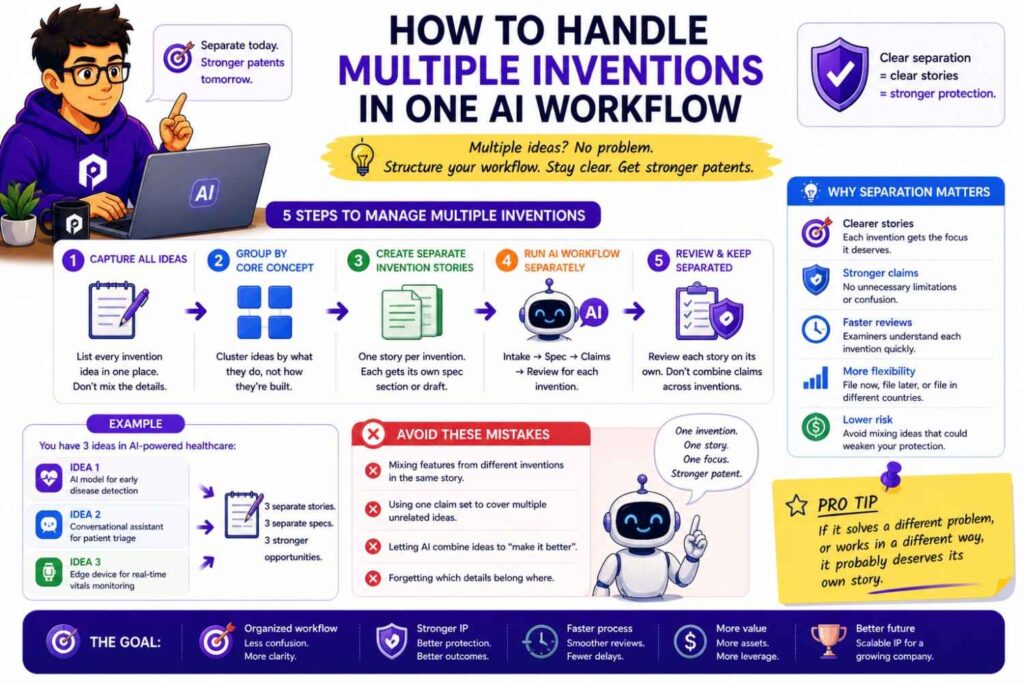
A startup may have several inventions at once.
Do not dump them all into one AI chat or document.
Separate them.
One invention may involve data cleaning.
Another may involve model routing.
Another may involve a user interface workflow.
Another may involve deployment.
Mixing them can create confusion.
It can also spread sensitive details more widely than needed.
Use separate invention records.
Give each one a clear title.
Track who has access.
Decide which ones are ready for attorney review.
Decide which ones may belong in one filing and which may need separate filings.
This keeps the patent process cleaner and safer.
How to handle cross-border teams
Many startups have teams in different countries.
This can make confidentiality more complex.
Different team members may use different tools. Data may move across borders. Contractors may have different habits. Local rules may vary.
Do not rely on informal sharing for patent work.
Use approved systems.
Control access.
Give clear AI rules.
Make sure contractors understand confidentiality duties.
Keep invention records organized.
Work with counsel when filing strategy involves multiple countries.
AI can help connect a distributed team, but only if the workflow is controlled.
How to handle co-inventors from partners or universities
Sometimes an invention involves people outside your company.
A university researcher may contribute. A partner engineer may help. A customer may suggest a technical solution. A contractor may build a core method.
This can create ownership and confidentiality issues.
Before using AI to draft a specification, make sure you understand who contributed.
Do not upload partner-owned materials into AI tools without permission.
Do not include university lab notes unless rights are clear.
Do not assume the company owns everything a contractor created.
Do not ignore co-inventor questions.
The invention record should be clean before filing.
This is another area where legal help matters.
How to handle board and investor access
Boards and investors may ask about patents.
They may want to see summaries, filing status, or strategy.
Be thoughtful about what you share.
A high-level summary may be enough.
Do not send full confidential drafts unless needed.
Do not include customer data.
Do not share attorney advice widely.
Do not disclose trade secrets in investor updates when a simpler summary will do.
You can say:
“We have filed on the core model-routing method and are preparing a follow-on filing for the evaluation loop.”
That gives useful information without oversharing.
Keep detailed drafts inside the patent workflow.
How to use AI for investor-friendly IP summaries

AI can help turn patent material into plain investor language.
But use care.
Do not paste the full confidential draft into a general AI tool.
Start with a clean summary.
Ask for a simple explanation of what the filing covers and why it matters.
Ask the AI not to add facts.
Remove legal strategy.
Remove claim details that are not needed.
Remove customer names.
The goal is a clear business summary, not a full technical disclosure.
For example:
“Our filing covers a method for routing AI tasks based on confidence, cost, and risk. This helps the system keep quality high while reducing compute spend.”
That is useful and safe enough for many investor conversations.
How to use AI for patent-ready diagrams
AI can help describe diagrams, but be careful generating them from sensitive inputs.
A safe approach is to start with a simplified architecture.
Use generic labels.
Show core steps.
Remove private names.
Avoid internal service names.
Avoid customer-specific data.
Then have the technical team review the diagram for accuracy.
Then have the attorney decide what belongs in the filing.
A diagram does not need to expose every system detail to be useful.
It needs to teach the invention.
How to use AI for plain-language summaries
Plain-language summaries are helpful.
They help founders, engineers, attorneys, and investors align.
AI can help create them from clean inputs.
Use a prompt like:
“Rewrite this invention summary in plain language for a technical founder. Keep all technical facts accurate. Do not add new facts. Mark any unclear areas as questions.”
Then review the result.
A plain summary should not replace the full specification.
It should help everyone understand the core before deeper drafting.
This is a low-risk, high-value use of AI when the tool and input are approved.
How to use AI for missing-detail checklists
One of the safest and most useful AI tasks is making a missing-detail checklist.
Give the tool a clean invention summary.
Ask it to identify what details are missing for a patent specification.
Ask it to group questions by system parts, method steps, examples, variations, and results.
Ask it not to assume answers.
This helps the team gather better material.
It also keeps humans in control.
The AI does not decide the invention.
It helps reveal what still needs to be explained.
How to use AI for editing without leaking secrets
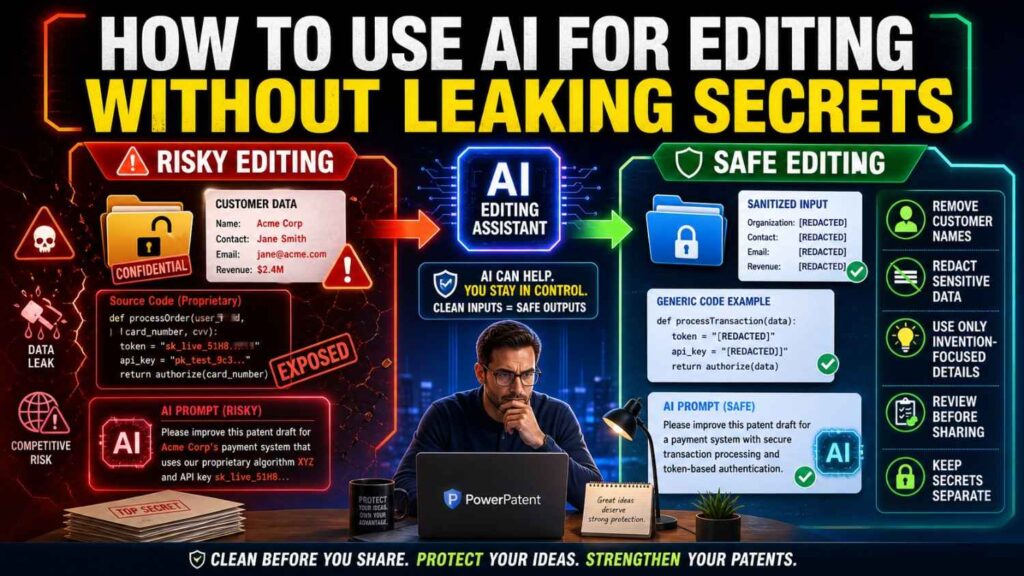
Sometimes you only need help making text clearer.
You can reduce risk by editing smaller sections.
Use approved tools.
Remove sensitive names.
Use placeholders.
Ask the AI to preserve meaning.
Ask it not to add facts.
Review the result carefully.
For example, you might provide a paragraph that says:
“The system receives an input, selects a processing path based on a confidence score, and applies a verification step when the confidence score is below a threshold.”
That is safer than pasting a full internal design document.
Small, focused editing can give you the writing benefit without broad exposure.
The right way to use placeholders
Placeholders can reduce risk.
Use labels like “Customer A,” “Model B,” “Data Store C,” or “Device Component D.”
But do not make the draft impossible to understand.
Keep the technical relationships clear.
For example, do not remove so much that the method disappears.
A good placeholder hides identity, not meaning.
Bad placeholder use creates vague writing.
Good placeholder use keeps the invention clear while removing needless sensitive detail.
How to avoid accidental public disclosure
AI tools are not the only disclosure risk.
Public disclosure can also happen through blogs, talks, product docs, GitHub, demo videos, pitch decks, social posts, conference papers, grant reports, app store pages, and customer case studies.
AI can make this risk bigger because it helps teams create content faster.
A marketer may turn technical notes into a blog post.
A founder may create a demo script.
An engineer may write docs.
A researcher may polish a paper.
If those materials reveal the invention before filing, the company may create risk.
Build a review step before public content goes live.
Ask whether the content reveals a new technical method.
Ask whether that method has been filed.
Ask whether the content includes private data.
Ask whether sensitive details can be removed.
This is a simple habit with big value.
How to make marketing and patent teams work together
Marketing wants to tell the story.
Patent work wants to protect the invention.
These goals can work together.
They just need coordination.
Before major launches, marketing should know what technical details are safe to share.
The patent team should know what content is planned.
Founders should decide what needs filing first.
AI-generated marketing content should not be based on confidential invention details unless the workflow is approved.
A good rule is this:
Protect first, promote second.
That does not mean slowing down growth.
It means aligning the order.
PowerPatent helps founders move faster toward filing, so they can share their product story with more confidence. See how it works here: https://powerpatent.com/how-it-works
How to handle “patent pending” language
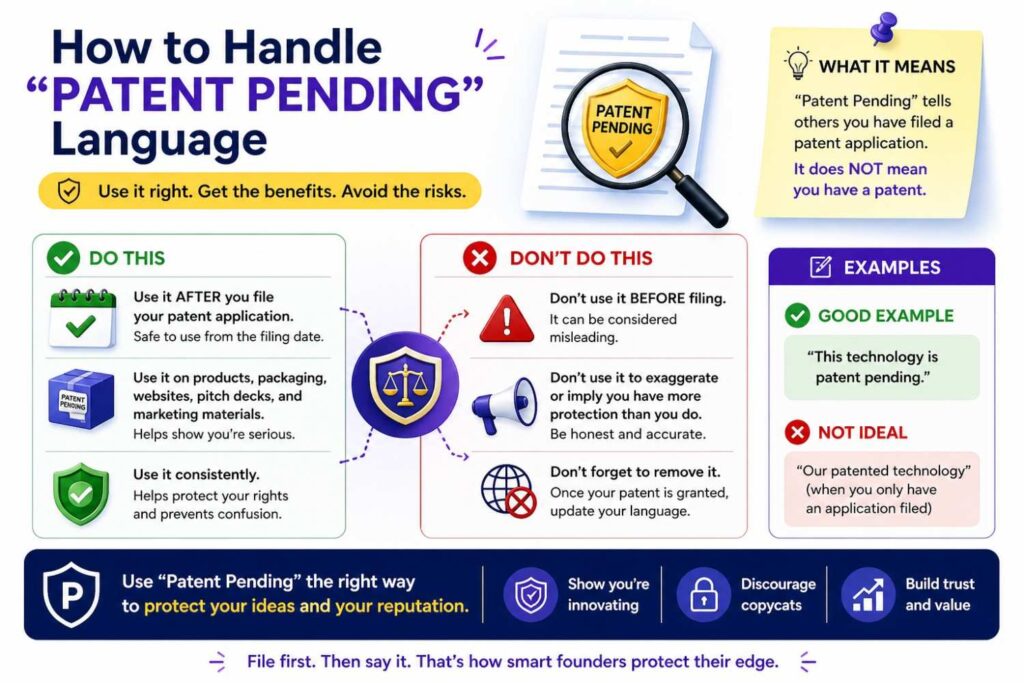
Once a patent application is filed, companies often use “patent pending” language.
Be careful to use it honestly.
Do not say something is patent pending before a filing exists.
Do not imply the patent has been granted if it has only been filed.
Do not suggest the filing covers features it does not cover.
Keep the language simple and accurate.
For example:
“Patent pending technology supports our model-routing system.”
Even then, make sure the statement matches the filing.
AI can help draft marketing language, but a human should check it for accuracy.
How to reduce risk without slowing down
Some founders worry that confidentiality rules will slow the team.
Bad rules can.
Good systems do not.
The goal is not to add friction everywhere.
The goal is to create a fast safe path.
Use approved tools.
Use simple intake forms.
Use clear prompts.
Use clean examples.
Use attorney review.
Use short policies.
Use access control.
Use regular IP checks before launches and demos.
When the process is clear, people move faster because they are not guessing.
That is what PowerPatent is designed to do for patent work. It gives founders a modern workflow that combines AI speed, structure, and real attorney oversight. Learn more here: https://powerpatent.com/how-it-works
A practical founder checklist
Before using AI for specification writing, pause and ask a few questions.
Is this invention material confidential?
Is this AI tool approved for confidential patent work?
Have we removed customer data and personal data?
Have we removed source code unless truly needed?
Have we removed legal advice and claim strategy?
Have we avoided unnecessary roadmap details?
Have we told the AI not to add facts?
Will a technical person review the output?
Will a patent attorney review the draft before filing?
Is there a public launch, demo, paper, or pitch coming soon?
This checklist does not need to be fancy.
It just needs to be used.
A practical engineer checklist
Engineers are often the source of the best invention details.
Give them a simple checklist too.
Before sharing technical material for patent drafting, ask:
Does this include secrets outside the invention?
Does this include customer data?
Does this include keys, tokens, or internal URLs?
Does this include full source code when a method summary would work?
Does this include comments that should not be shared?
Does this describe what actually works?
Does this include failed approaches that help explain the problem?
Does this show the result of the new method?
This helps engineers provide useful details without oversharing.
A practical product checklist
Product teams often help explain user value.
They may also handle screenshots, demos, customer notes, and launch content.
Before using AI on patent-related product material, ask:
Does this show the core method?
Does this include customer names or user data?
Does this reveal unreleased roadmap?
Does this include screenshots that need cleaning?
Does this overlap with a public launch?
Does this need patent review before sharing?
Product teams can be a strong line of defense when they know what to look for.
A practical legal checklist
Legal teams and patent counsel can help set the guardrails.
They should know which AI tools are being used.
They should know how invention data is stored.
They should know who can access drafts.
They should know whether AI output is reviewed.
They should know whether customer or regulated data is involved.
They should help decide what to patent and what to keep secret.
They should help time filings before public disclosures.
The point is not to block AI.
The point is to use it with control.
A safer prompt library for patent specification writing
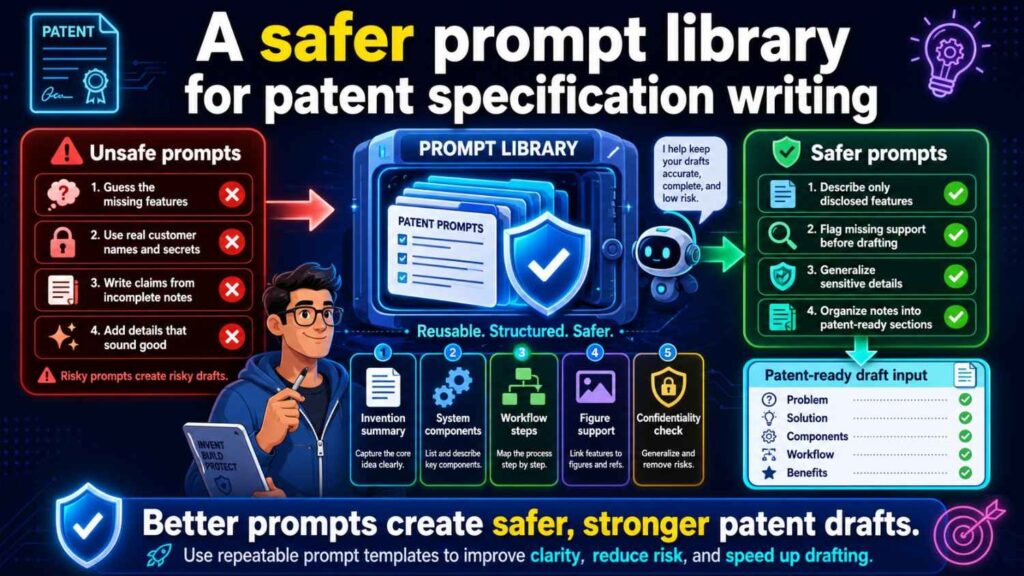
Here are simple prompt patterns that reduce risk when used inside an approved tool.
“Rewrite the following invention summary in simpler language. Do not add facts. Mark unclear points as questions.”
“Create a patent specification outline from the following clean invention note. Use only the information provided.”
“List missing technical details needed to describe this method. Do not invent answers.”
“Turn this method description into numbered steps. If the order is unclear, say so.”
“Suggest possible diagram types for this invention based only on the information below.”
“Identify vague terms in this draft and suggest questions to clarify them.”
“Create a plain-language summary for founders that explains the problem, method, and result.”
These prompts keep the AI grounded.
They also help the team improve the draft without giving the tool too much freedom.
A risky prompt library to avoid
Some prompts are red flags.
“Here is our full codebase. Write a patent.”
“Here are customer logs from our pilot. Create examples.”
“Here is our attorney’s claim strategy. Tell me if it is good.”
“Here is our unreleased roadmap. Add future versions.”
“Use this private customer contract to describe the invention.”
“Here are raw patient records. Draft a health tech patent.”
“Here are our secret model prompts. Include them all.”
“Here is a confidential partner deck. Rewrite it for patent filing.”
These prompts share too much and give AI too much sensitive material.
Avoid them unless you are inside a fully approved workflow and the information is truly needed.
Even then, use caution and attorney guidance.
How PowerPatent helps reduce the old pain
The old patent process can make founders choose between two bad options.
Move slowly through a traditional process, or move quickly with tools that may not be built for patents.
PowerPatent gives founders a better path.
It helps turn technical work into patent-ready material.
It uses smart software to make the process faster and clearer.
It keeps real patent attorneys involved.
It helps founders avoid the blank page.
It helps engineers share useful details without becoming patent writers.
It helps startups protect core ideas before launches, demos, pitches, and public sharing.
It gives founders more control over the process.
That matters because your invention is not just text.
It is part of your company’s value.
When you are ready to protect what you are building with a faster, clearer, attorney-backed workflow, start here: https://powerpatent.com/how-it-works
The founder’s action plan for this week
You can reduce risk this week without building a giant system.
Start by finding where patent-related invention notes live today.
Look in docs, Slack, code comments, roadmaps, lab notes, tickets, decks, and email.
Then decide which AI tools are approved for this kind of material.
Write one simple rule for the team.
Create a clean invention intake form.
Pick one important invention and write a plain summary.
Remove customer data, source code, and private business details that are not needed.
Use an approved workflow to turn that summary into a better draft.
Have a technical person check it.
Have a patent attorney review it.
Check whether any launch, demo, paper, pitch, or open-source release is coming.
This is not a huge project.
It is a smart start.
The mindset that keeps startups safer
The safest founders do not think, “Can AI write this for me?”
They think, “How can AI help us write this without losing control of our secrets?”
That mindset changes the process.
It leads to cleaner drafts.
It leads to fewer leaks.
It leads to stronger attorney review.
It leads to more confidence before public sharing.
AI is a tool.
A powerful one.
But your invention deserves more than a quick paste into the nearest chatbot.
It deserves a process built around speed, care, and protection.
That is what modern patent work should be.
Final thought
Your startup’s invention may be hidden in code, model flows, device designs, lab work, or hard-won product choices.
AI can help you explain it faster.
But the way you use AI matters.
Do not trade control for speed.
Do not paste secrets into tools your company has not approved.
Do not mix customer data with patent drafting.
Do not trust smooth AI text without review.
Use AI with care. Keep humans in the loop. Get attorney guidance. Protect the invention before you share too much.
When you want a faster, safer, attorney-backed way to turn your technical work into real patent filings, PowerPatent can help you move with confidence: https://powerpatent.com/how-it-works